 ProMapRanker
Best AI Tools for Restaurants in 2026

Key takeaways
- Start with the job that costs you the most time, not with the tool that looks most impressive in a demo.
- Slang AI and Popmenu help most with missed calls and marketing, the two areas where small restaurants lose bookings quietly.
- 7shifts and MarginEdge attack the two largest costs, labour and food, and they pay back fastest at scale.
- SevenRooms and OpenTable suit full-service rooms that live by reservations and repeat guests.
- Never let an AI tool publish allergen or food safety information without a human check.
Quick comparison
| Pick | Great for | Pricing starts at | Free tier | |
|---|---|---|---|---|
 Toast | POS with built-in AI features | See website | No | Visit |
 Square for Restaurants | Simple POS and insights | See website | Yes | Visit |
 7shifts | Labour scheduling | See website | Yes | Visit |
 MarginEdge | Food cost and invoices | See website | No | Visit |
 Popmenu | AI marketing and phone answering | See website | No | Visit |
 Slang AI | AI phone answering | See website | No | Visit |
 SevenRooms | Guest profiles and repeat visits | See website | No | Visit |
 OpenTable | Reservations and guest management | See website | No | Visit |
 Winnow | Food waste tracking | See website | No | Visit |
The best AI tools for restaurants
We compared the best AI software for restaurants by the job each tool does: answering phones, scheduling staff, controlling food cost, marketing, reservations and waste. Here are nine tools that cover those jobs without asking a small team to learn a whole new system at once.
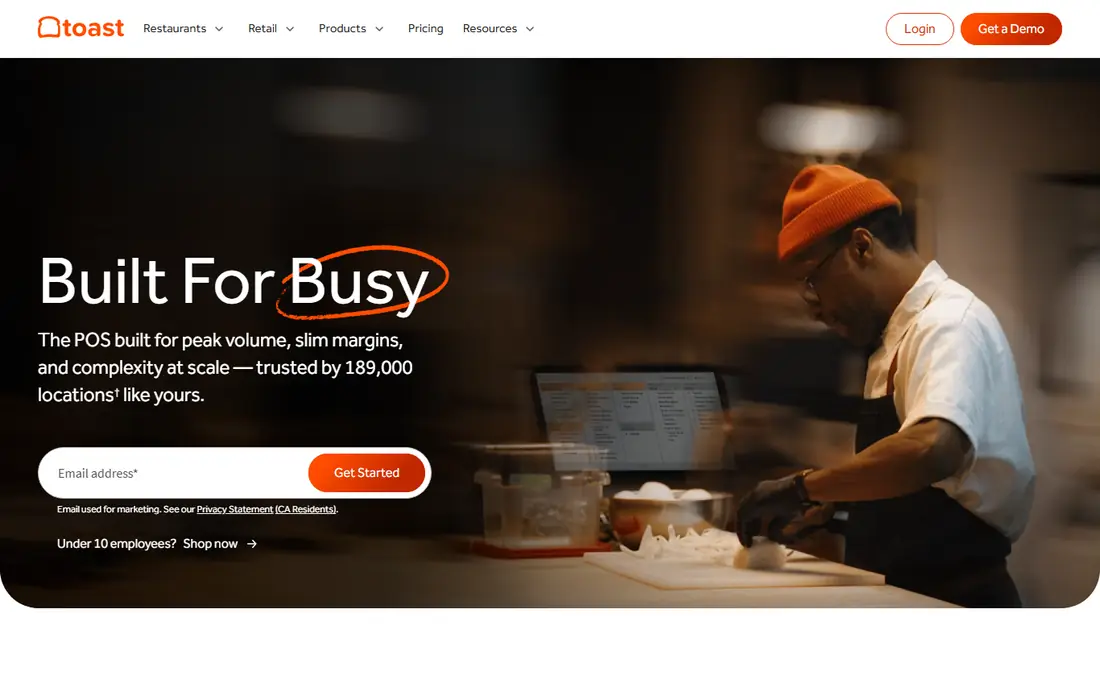
Toast is the foundation tool for many US restaurants, and its AI features build on that foundation. Because orders, payments and sales data already live in Toast, its marketing assistant and scheduling tools can use real sales patterns rather than guesses. That link between the till and the AI feature is why Toast often beats a standalone tool that has to import data.
The downside is commitment. Moving to a new POS touches menus, payments, staff training and reporting, so it is not a quick trial. Toast makes most sense when you are already on it, or when you are choosing a POS and want AI features that grow with the business, rather than bolting AI onto an older system.
- POS, payments and reporting in one system
- AI marketing and scheduling features
- Widely used in US restaurants
- Pricing is custom and can grow with add-ons
- Switching POS systems takes time
Square for Restaurants suits a cafe, food truck or small restaurant that wants to start fast. The free starter option lets a new business take payments and see basic sales insights without a large upfront cost, and the AI-assisted insights help with item organisation and reports. Staff can learn it quickly, which matters when turnover is high.
Specialist tools will beat Square on deep scheduling, food cost or phone answering. Treat Square as a solid base, then add one specialist tool for your biggest pain point, rather than expecting the POS alone to solve every problem. For a single site with simple needs, that combination is often enough.
- Easy setup for small restaurants
- Free starter tier
- Sales insights and item tools
- AI features are less deep than specialist tools
- Larger multi-site needs may outgrow it
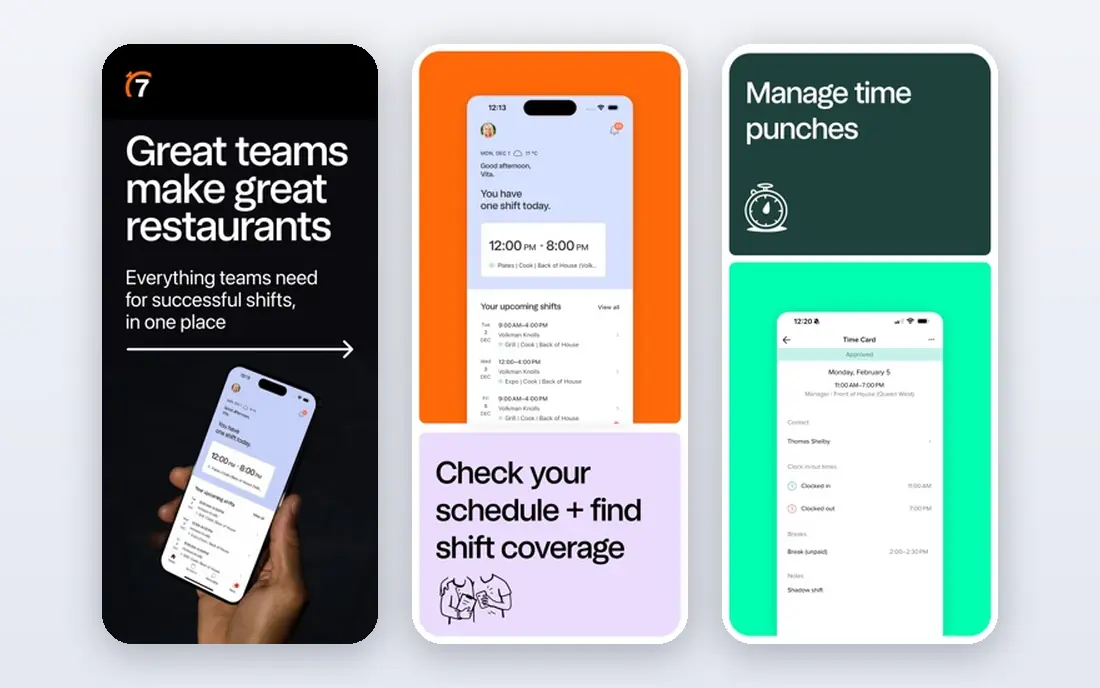
Labour is one of the two largest costs in a restaurant, and 7shifts targets it directly. It builds schedules from sales patterns, lets staff swap shifts and message managers in the app, and helps managers spot overtime before it happens. A free plan for a single location makes it easy for a small restaurant to test whether better scheduling actually cuts labour cost.
The forecasts are only as good as the data behind them. If sales records are patchy, or if a local event changes demand sharply, a manager still needs to adjust the schedule by hand. Use 7shifts to handle the routine weeks well, and keep human judgement for event weeks, holidays and sudden weather changes.
- Scheduling with demand forecasts
- Free plan for a single location
- Team messaging included
- Forecasts depend on good sales data
- Larger chains need higher tiers
Food cost is the other half of prime cost, and MarginEdge automates the dull work behind it. It processes invoices, tracks ingredient costs and shows food cost by item and by site, so an owner can see which dishes make money and which quietly lose it. For a group with several sites, that visibility across locations is hard to get from spreadsheets alone.
Single-site restaurants can still benefit, but the return is smaller, and setup takes care with supplier names and menu mapping. If you run one small site and your main problem is phone calls, start with a phone tool instead. If food cost keeps drifting up across several sites, MarginEdge is one of the first tools to price.
- Invoice automation and food cost tracking
- Clear cost reports
- Scales across sites
- Best value at three or more sites
- Setup needs clean supplier and menu data
Popmenu bundles several jobs that small restaurants often neglect: a website, email and social marketing, and AI phone answering. That bundle suits an owner with no marketing staff, since campaigns, menus and guest messages can be handled in one place. The phone answering feature alone can recover bookings that would otherwise go to voicemail during a dinner rush.
The monthly cost is higher than a single-purpose app, so it only pays if you use the marketing side as well as the phone side. If you already have a strong website and a marketing routine, a standalone phone tool may be cheaper. If marketing is the job you keep putting off, Popmenu covers it in one subscription.
- Website, marketing and phone answering in one service
- AI-assisted campaigns
- Review tools
- Higher monthly cost than a single-purpose tool
- Value depends on using the marketing features
Slang AI answers the phone when your team cannot, which is most of the time during service. It can take reservations, answer questions about hours and menus, and capture details for a callback, instead of letting a caller hang up on voicemail. For restaurants that miss calls at lunch and dinner peaks, that recovered booking volume is easy to measure.
Setup matters. The system needs accurate menu, hours, reservation and policy information, and it needs a clear handoff for unusual requests. Test it with your own common questions before going live, and review early calls to fix wrong answers. Done well, it frees the host stand to serve guests in the room instead of juggling the phone.
- Answers calls around the clock
- Handles reservations and common questions
- Captures booking details
- Needs careful setup for menus and policies
- Complex calls still need a human
SevenRooms helps a full-service restaurant remember its guests. Profiles bring together visit history, preferences, feedback and spend, so a team can greet a regular well and send a relevant offer instead of a generic blast. Marketing automation then turns one visit into a second visit, which is cheaper than finding a new guest each time.
A takeaway counter or a small cafe may find that depth unnecessary. SevenRooms earns its keep where repeat visits, table management and guest experience drive revenue, such as a neighbourhood restaurant with a loyal local base. If that describes your room, it is a strong complement to a reservation tool.
- Rich guest profiles
- Marketing automation for repeat visits
- Reservation and feedback tools
- Best for full-service rooms
- Smaller takeaway sites may not need its depth
OpenTable remains the best-known reservation platform in the US, and that discovery effect is its main selling point. Diners search OpenTable for a table, which can bring new guests who would not have found a small restaurant otherwise. Table management, guest notes and reporting help a busy room run service smoothly once those guests arrive.
The cost needs weighing against that discovery value, since monthly pricing is significant for a small room. In a city with strong OpenTable use, the new covers may justify it. In a town where most bookings come by phone or direct web booking, a cheaper reservation tool plus an AI phone agent may deliver the same result for less.
- Large diner discovery network
- Table and guest management
- Voice AI integrations
- Monthly cost is significant for small rooms
- Discovery value varies by city
Winnow tackles waste at the bin, using camera-based tracking to record what is thrown away and why. Kitchens get reports that show which prep items, dishes and shifts produce the most waste, so a chef can adjust ordering and prep rather than guessing. Published studies of waste tracking in kitchens have shown large waste cuts, which also cut food cost.
The system only works if the kitchen uses it every shift, so manager buy-in matters more than the technology itself. Small sites should ask for clear pricing and a trial period, since the return depends on waste volume. For a busy kitchen with rising food costs, waste data is often the missing piece between a good menu and a profitable one.
- Camera-based waste tracking
- Clear waste reports
- Helps cut food cost and waste
- Needs kitchen buy-in to work daily
- Enterprise-style pricing for small sites
How we picked these
We compared official feature pages, pricing information and public operator reviews for tools that serve US restaurants today. We favoured tools with a clear single job, a published product and support for restaurant workflows, rather than general AI chatbots with no restaurant features. We also checked that each tool covers a different cost or revenue problem, so the list does not repeat the same job nine times.
How to add AI to a restaurant without chaos
Add one tool at a time, and measure it for a month before adding another. Start with the problem that costs the most money or time: missed calls, labour cost, food cost or empty tables on weekdays. Pick the tool for that job, set a simple target such as recovered bookings or labour percentage, and check it weekly.
Protect guests and staff in the process
Tell guests when they are talking to an AI phone agent, and give them a clear path to a human. Check every AI-written menu description, review reply and social post before it goes live, and never let AI publish allergen, ingredient or food safety claims unchecked. Train staff on what the tool does and what it cannot do, so a guest question that needs a human gets one fast.
Keep the data clean
AI tools learn from your sales, menu and guest data, so messy data produces messy suggestions. Keep menu names consistent, record waste and sales by day, and review guest profiles for duplicates. A small weekly data tidy-up takes less time than fixing a month of bad forecasts, and it makes every tool in this list work better.
Frequently asked questions
What are the best AI tools for restaurants for a small business?
For a small restaurant, start with 7shifts for scheduling or Slang AI for phone answering, depending on your biggest pain point. Square for Restaurants gives a simple POS base, while Popmenu covers marketing and phones in one bundle. Add food cost tools when you have several sites or rising ingredient costs.
What is the best AI software for restaurants for phone answering?
Slang AI is our pick for dedicated AI phone answering, since it handles reservations and common questions around the clock. Popmenu also offers phone answering as part of a wider marketing bundle. Test any phone tool with your own menu and policy questions before it goes live.
Can AI tools help with restaurant marketing?
Yes. Popmenu, SevenRooms and Toast offer AI-assisted email, SMS and social campaigns based on guest and sales data. General chat tools can also draft menu copy and review replies, but every draft needs a human check. Marketing AI works best when it uses real guest data, not generic templates.
How much do AI tools for restaurants cost?
Prices vary widely, from free starter tiers for POS and scheduling to custom enterprise pricing for food cost and guest platforms. Most specialist tools in this list use custom or quote-based pricing, so we list See website where a stable public price was not confirmed. Ask for the total monthly cost, including seats and locations, before signing.
Will AI replace restaurant staff?
No, for the jobs that matter most to guests. AI handles routine calls, schedules, invoices and drafts, which frees staff to serve guests, cook and solve problems in the room. The best results come from AI plus trained staff, not AI instead of staff, especially for complex guest needs.
Is it safe to let AI answer customer reviews?
It can help with drafts, but a human should review every reply before posting. AI can sound generic or miss a serious complaint, and it can invent details about a dish or a visit. Use AI to draft faster, then edit for tone, accuracy and any allergen or safety detail.
Sources
See where you really rank - block by block
ProMapRanker scans Google Maps across a grid of your service area. Simple monthly plans from $19, white-label on every plan.
Start freeKeep reading
 top custom software development company
Top Custom Software Development Company in 2026
Looking for a top custom software development company? We compare 9 firms for web, mobile, and enterprise software, covering strengths and fit for 2026.
Read → tableau alternatives
Tableau Alternatives in 2026
Compare the best Tableau alternatives for 2026, from Power BI to Metabase, with prices, hosting options, and picks for small teams and enterprises today.
Read → microsoft teams alternatives
Best Microsoft Teams Alternatives in 2026
Looking for microsoft teams alternatives? We compare 9 chat and video tools for 2026, covering free plans, pricing, meetings, and integrations for teams.
Read →