 ProMapRanker
Best AI Stock Trading App for Beginners in 2026

Key takeaways
- Magnifi and Danelfin are the easiest starting points for beginners, because they explain ideas in plain language and score stocks simply.
- Tickeron, TrendSpider and Trade Ideas suit beginners who want to learn chart patterns and scanning, but they carry a steeper learning curve.
- Most tools here are research aids, not brokers, so you still need a separate brokerage account to place trades.
- This article is general information only, not financial advice, and no tool can promise returns or remove trading risk.
Quick comparison
| Pick | Great for | Pricing starts at | Free tier | |
|---|---|---|---|---|
 Magnifi | Plain-language portfolio research | See website | Yes | Visit |
 Danelfin | Simple AI stock scores | See website | Yes | Visit |
 Tickeron | Pattern-based trade ideas | See website | Yes | Visit |
 TrendSpider | Automated chart analysis | See website | No | Visit |
 Trade Ideas | Real-time stock scanning | See website | No | Visit |
 Incite AI | Conversational market questions | See website | Yes | Visit |
 Prospero | Daily stock picks and signals | Free | Yes | Visit |
 WallStreetZen | Long-term stock ratings | See website | Yes | Visit |
The best AI stock trading apps for beginners
AI stock tools can help a beginner sort through thousands of stocks, but they do not replace learning how markets work. The tools below range from simple scores and plain-language answers to full chart scanners. Start with a simple tool, use paper trading where available, and keep real money small while you learn.
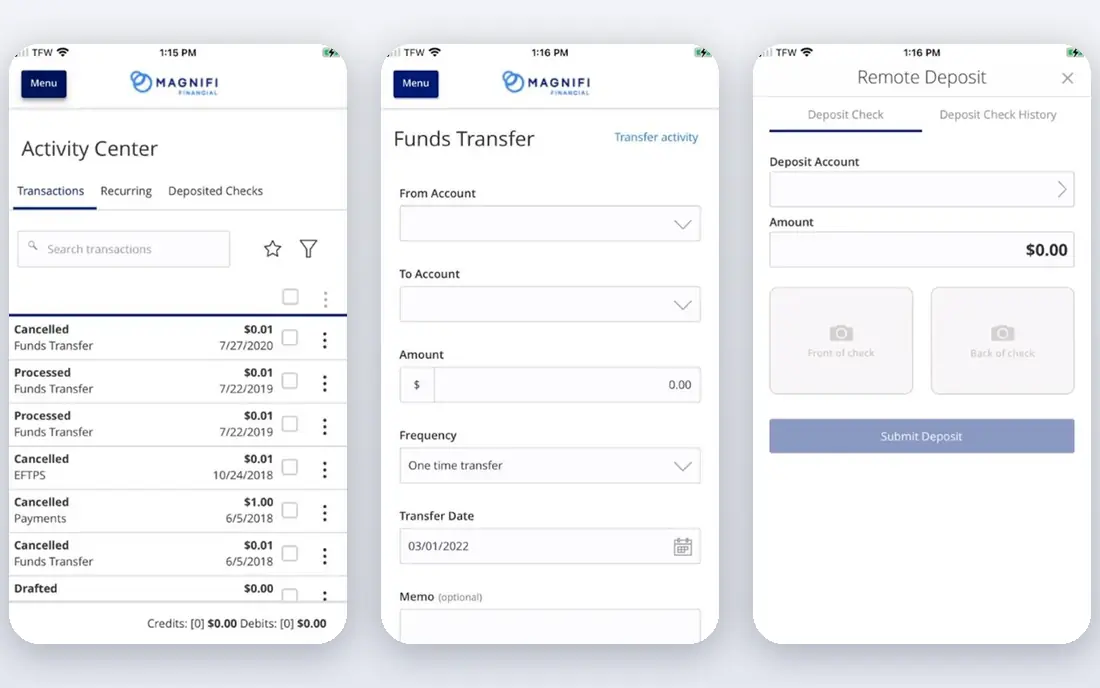
Magnifi lets you ask questions about stocks, ETFs and your own portfolio in plain language, then shows analysis, comparisons and ideas based on that question. For a beginner, that conversational style is easier than learning a chart scanner on day one. You can link a brokerage account to see holdings in one view, check which positions are lagging, and explore alternatives without digging through raw financial statements.
The limit is that Magnifi is a research tool, not a broker and not a source of guaranteed outcomes. Its ideas are starting points for your own checks, not instructions to buy. The free plan covers basic research, while fuller portfolio tools sit behind a paid plan. Use it to learn and to shortlist ideas, then check fundamentals, fees and risk before any trade.
- Conversational research
- Portfolio analysis
- Beginner-friendly explanations
- Paid plan needed for full features
- Research aid only, not a broker
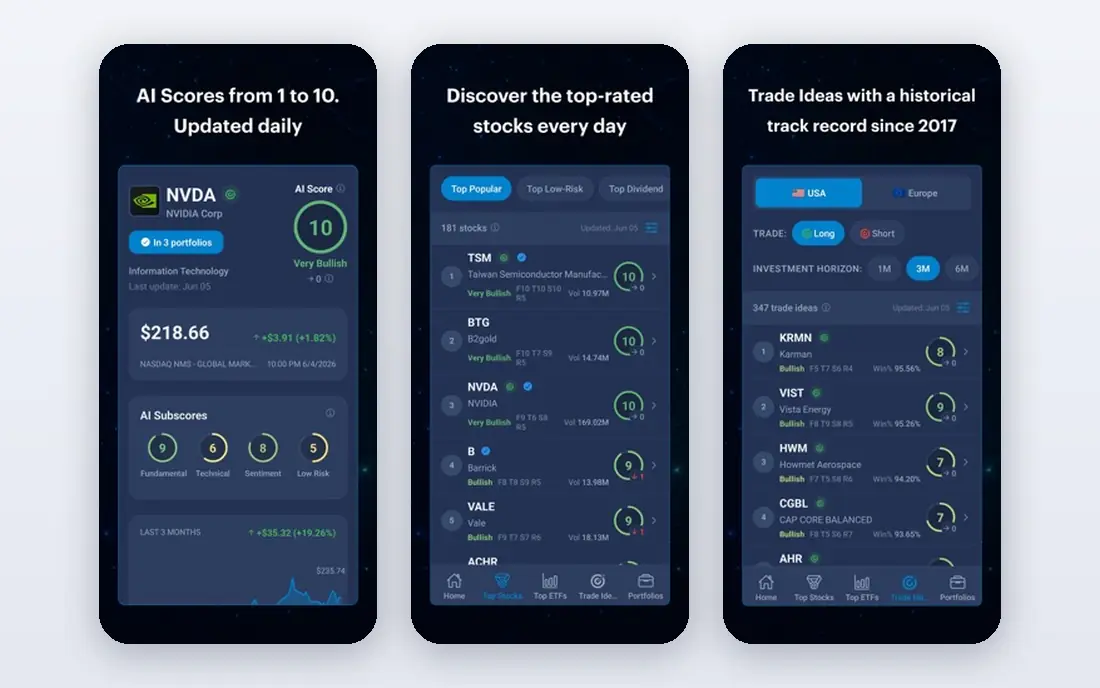
Danelfin scores stocks from 1 to 10 using a large set of fundamental, technical and sentiment signals, updated daily. For a beginner who does not yet read charts, a single score is a clear way to sort a watchlist and decide which stocks deserve a closer look. The platform also shows the factors behind a score in broad terms, which helps you learn what drives the rating.
The honest catch is transparency. You can see the score and its broad drivers, but you cannot fully audit the model behind it, so a high score should never be treated as a buy signal on its own. Danelfin works best as a screening step: use the score to shortlist, then read company news, earnings and valuation before deciding. The free tier is genuinely useful for that screening job.
- Simple 1 to 10 score
- Daily updates
- No chart reading needed
- Score method is not fully transparent
- US stocks focus
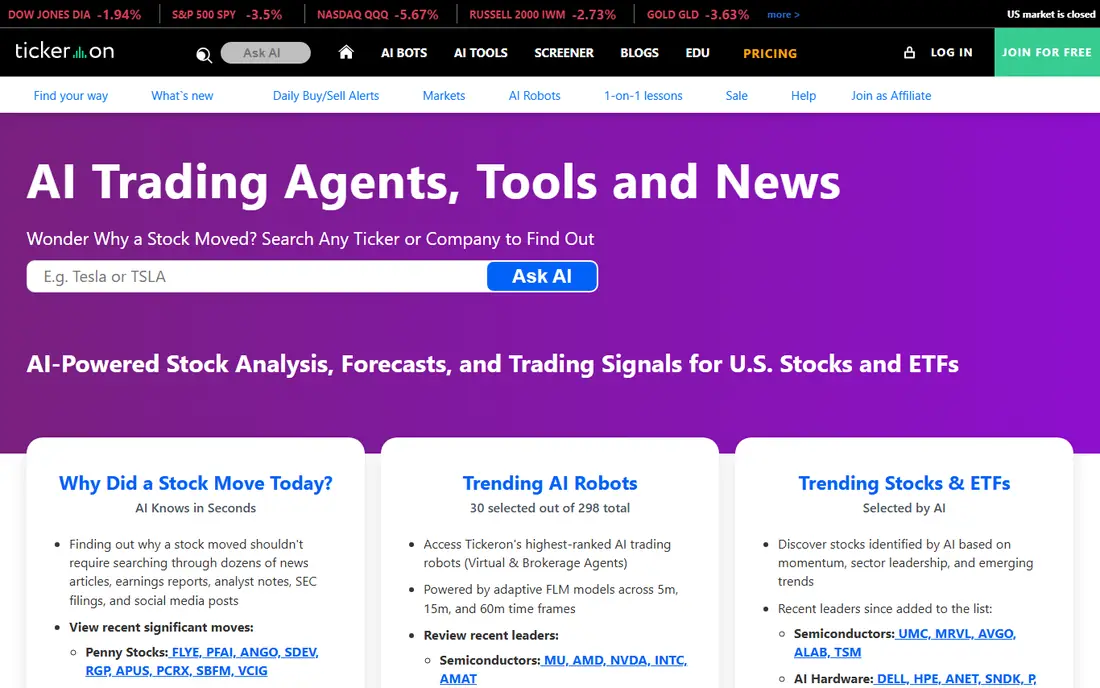
Tickeron uses AI to spot chart patterns, trends and trade setups, and it offers backtesting so you can see how a pattern performed in the past. For a beginner who wants to learn technical analysis, that pattern focus is more concrete than a vague market forecast. The platform also offers AI agents that can run rule-based strategies, though beginners should study those rules carefully before using any automation.
The downside is complexity and cost. Tickeron has many tools, tiers and charts, and a new user can easily feel lost or pay for features they do not yet need. Start with the free access and pattern basics, learn one or two patterns well, and only consider paid tiers when you can explain what each paid feature adds to your process.
- Chart pattern detection
- Backtesting tools
- AI trading agents
- Many features can overwhelm a beginner
- Paid tiers add up quickly
TrendSpider automates much of the chart work that beginners find slow: trendlines, Fibonacci levels, candlestick patterns and alerts across timeframes. Instead of drawing lines by hand, you can set alerts for a breakout, a trend change or a pattern, and test a strategy against past data before risking money. That automation helps a learner focus on decisions rather than drawing.
The cost and learning curve are real. TrendSpider is a paid platform, and it assumes some comfort with charts, even though it automates the drawing. Beginners who want a simple score should start with Magnifi or Danelfin first, then move to TrendSpider when they want to test chart ideas properly. Paper trading and backtesting are the right first steps here, not live trades based on one alert.
- Automated trendlines and alerts
- Strategy backtesting
- Multi-timeframe charts
- No free plan for full use
- Needs chart knowledge to use well
Trade Ideas is a long-running stock scanner whose AI system, Holly, generates trade ideas from large-scale backtesting each day. Its real-time scanner can surface unusual volume, price moves and setups as they happen, which suits active traders who watch the market during trading hours. Simulated trading lets you test ideas without real money, which is the safest way for a beginner to learn this platform.
The price and density are the main barriers. Trade Ideas is built for active traders, not for someone who checks a portfolio once a week, and the interface can feel crowded at first. Beginners should only consider it if they plan to trade actively, have time to learn the scanner, and can use simulated trading for a sustained period before committing real funds.
- Real-time scanner
- Holly AI trade ideas
- Simulated trading
- Expensive
- Interface is dense for beginners
Incite AI answers market questions in plain language, explains risk in simple terms and helps a beginner understand a stock or ETF before looking at charts. If you have ever read a financial report and wished someone would explain it simply, that is the job Incite AI does best. It is useful for learning, for comparing two stocks and for checking what questions you should ask next.
The limit is that conversational answers are explanations, not advice and not a substitute for your own checks. Answers can also be long, so it helps to ask focused questions and to verify key facts against primary sources such as company filings and exchange data. Use Incite AI to learn and to shortlist, then confirm any decision with independent research.
- Plain-language answers
- Risk context
- Useful for learning
- Answers can be long
- Research aid only, not a trading platform
Prospero offers daily stock ideas based on institutional-style signals, sentiment and machine learning models, with a free tier that makes it easy to try. For a beginner, the daily list is a simple way to see which stocks are drawing attention and why, without paying for a full scanner on day one. The ideas come with context, which helps you learn to separate a signal from a story.
As with every pick service, the ideas are starting points, not guarantees. Past signals do not predict future results, and a pick that fits one investor may not fit your time horizon, risk tolerance or portfolio. Track Prospero ideas on paper first, note which ones you would have followed and why, and only then decide whether the style fits your own approach.
- Free access
- Daily actionable ideas
- Sentiment and model signals
- Picks need independent checks
- Newer than some rivals
WallStreetZen rates stocks using a large set of factors and is geared toward longer-term investors rather than day traders. That focus suits beginners who want to build a portfolio over months and years, rather than chase daily moves. The ratings give a quick read on a stock, and the free limited tier lets you test the approach before paying.
Short-term traders will find it less useful, because the ratings are not built for intraday signals or rapid pattern changes. Full detail also sits behind a paid plan, so free users get a summary rather than the complete breakdown. For a beginner with a long horizon, WallStreetZen is a calm, simple complement to a broker account and a basic research routine.
- Multi-factor stock ratings
- Long-term focus
- Free limited tier
- Less useful for short-term trading
- Full detail needs a paid plan
How we picked these
We compared official product pages and recent reviews for AI stock tools that are live in October 2026, and we kept only tools that a beginner can actually use for research, screening or learning. We favored tools with a free way to try core features, clear explanations of what the AI does, and honest limits about risk. We left out tools that require coding, tools aimed only at professional funds, and tools that promised returns. Prices that we could not verify on a vendor page are shown as See website.
How to choose the right AI stock tool as a beginner
Start by naming your real job. If you want to understand a stock or a portfolio, start with Magnifi or Incite AI. If you want a simple way to sort stocks, start with Danelfin or WallStreetZen. If you want to learn charts, start with Tickeron free access, then consider TrendSpider or Trade Ideas only after you can explain a basic chart setup in your own words. One tool used well beats three tools used briefly.
Set firm learning rules before you trade with real money. Use paper trading or simulated trading where available, keep initial amounts small, and write down why you bought, what would make you sell, and how much you are willing to lose. Check broker compatibility, because most research tools do not execute trades themselves, and confirm fees, account minimums and tax treatment with your broker. Never follow an AI signal alone, and never invest money you need for bills or debt payments.
Watch for warning signs. Avoid any tool that promises returns, guarantees a win rate without explaining costs and risk, or pressures you to automate trades you do not understand. A good tool explains its method in broad terms, shows past performance with limits, and lets you test ideas without real money. If a tool hides its pricing, its method and its risks, treat that as a reason to step back, not as a reason to pay faster.
Frequently asked questions
What is the best ai stock trading app for beginners?
Magnifi is the best starting point for most beginners, because it explains research in plain language and reviews a whole portfolio. Danelfin is a strong second choice if you prefer a simple stock score. More active beginners who want charts can graduate to Tickeron or TrendSpider after learning the basics.
What are the best ai stock trading apps for beginners who want simple scores?
Danelfin and WallStreetZen both offer simple stock ratings that a beginner can use to shortlist ideas. Danelfin uses a 1 to 10 score updated daily, while WallStreetZen uses a multi-factor rating geared to longer-term investing. Use either score as a screening step, then check company news, valuation and risk before any trade.
Do AI stock trading apps place trades for me?
Some tools offer automation or broker connections, but most tools on this list are research aids, not brokers. You usually need a separate brokerage account to place trades, and automation should only be used after you understand the rules, the risks and how to stop it. Beginners should start with research and paper trading, not automation.
Is AI stock trading safe for beginners?
No trading tool removes market risk, and losses are possible even when an AI signal looks strong. AI tools can help with research and screening, but they cannot predict prices with certainty. This article is general information only, not financial advice, and beginners should keep amounts small, diversify, and learn basic risk management before trading actively.
Can I use an AI stock app for free?
Yes, several tools here offer a free tier, including Magnifi, Danelfin, Tickeron, Incite AI, Prospero and WallStreetZen. Free tiers usually limit detail, history or portfolio features, so check what is included before relying on a free plan for daily decisions. Paid tools such as TrendSpider and Trade Ideas suit more active users who need full scanning and backtesting.
Sources
See where you really rank - block by block
ProMapRanker scans Google Maps across a grid of your service area. Simple monthly plans from $19, white-label on every plan.
Start freeKeep reading
 who has best internet service
Who Has the Best Internet Service in 2026
Who has best internet service for US homes? We compare fiber, cable, fixed wireless and satellite providers on speed, price, availability and terms today.
Read → which survey tool has the best analytics
Which Survey Tool Has the Best Analytics in 2026
Find which survey tool has the best analytics in 2026, comparing Qualtrics, SurveyMonkey, Typeform, Alchemer, and more on reports, text, and stats today.
Read → which streaming service has the best movies
Which Streaming Service Has the Best Movies in 2026
Answering which streaming service has the best movies, with Netflix, Max, Criterion and more compared on libraries, prices and free options in this guide.
Read →