 ProMapRanker
Best AI Generator App in 2026

Key takeaways
- No single app wins every job: Midjourney leads on art, Ideogram leads on text, and Firefly leads on commercial safety.
- Free tiers are useful for testing, but daily or weekly credit limits mean regular creators will need a paid plan.
- Chat apps such as ChatGPT and Gemini suit edits and conversational changes, while specialist apps suit production volume.
- Always check commercial terms before using an image in an ad, a course, or a client project.
Quick comparison
| Pick | Great for | Pricing starts at | Free tier | |
|---|---|---|---|---|
 Midjourney | Artistic and cinematic images | $10 per month | No | Visit |
 ChatGPT | Conversational image creation and editing | See website | Yes | Visit |
 Adobe Firefly | Commercially safe images for Adobe users | $9.99 per month | Yes | Visit |
 Leonardo AI | Game assets and high-volume creation | $12 per month | Yes | Visit |
 Ideogram | Posters, logos, and text-heavy graphics | See website | Yes | Visit |
 Canva AI | Designs finished in one editor | See website | Yes | Visit |
 Google Gemini | Photo editing and consistent people in images | See website | Yes | Visit |
 StarryAI | Mobile-first art generation | See website | Yes | Visit |
 NightCafe | Community art and multiple models in one place | See website | Yes | Visit |
The best AI generator apps
AI image apps are not all built for the same job. Some make striking art, some render readable text in posters and logos, some edit a photo you already have, and some sit inside a design editor so you can finish a post without switching apps. The list below covers that range, so match the app to the image you need most often rather than chasing the highest quality score alone.
Midjourney remains the benchmark for pure image quality. Its generations have a distinctive look for concept art, editorial illustration, and mood boards, with lighting and composition that often need less prompt work than other tools to look finished.
The Basic plan starts at 10 dollars per month, and there is no free tier, so it suits creators who generate images regularly rather than occasionally. Fast GPU time is metered, and larger companies need higher plans for commercial use. If the look of the image matters most, Midjourney is still our pick for most people.
- Distinctive art style and lighting
- Web app alongside Discord
- Commercial use on paid plans
- No free tier
- Metered Fast GPU time
- Less literal for exact layouts
ChatGPT is the easiest image app for most people, because you describe a change in plain language and iterate in the same chat. That conversational loop suits edits, variations, and images that need readable text, without learning a specialist interface.
The free tier includes limited images, and paid plans raise those limits, so check the current plan page for your account type. It will not replace Midjourney for pure art direction, and caps can vary when demand is high. For everyday images, social posts, and quick edits, it is the most approachable option here.
- Easy plain-language edits in chat
- Readable text in many images
- Image work inside a tool many people already use
- Image caps vary with demand and plan
- Free images are limited
- Less control than specialist art tools
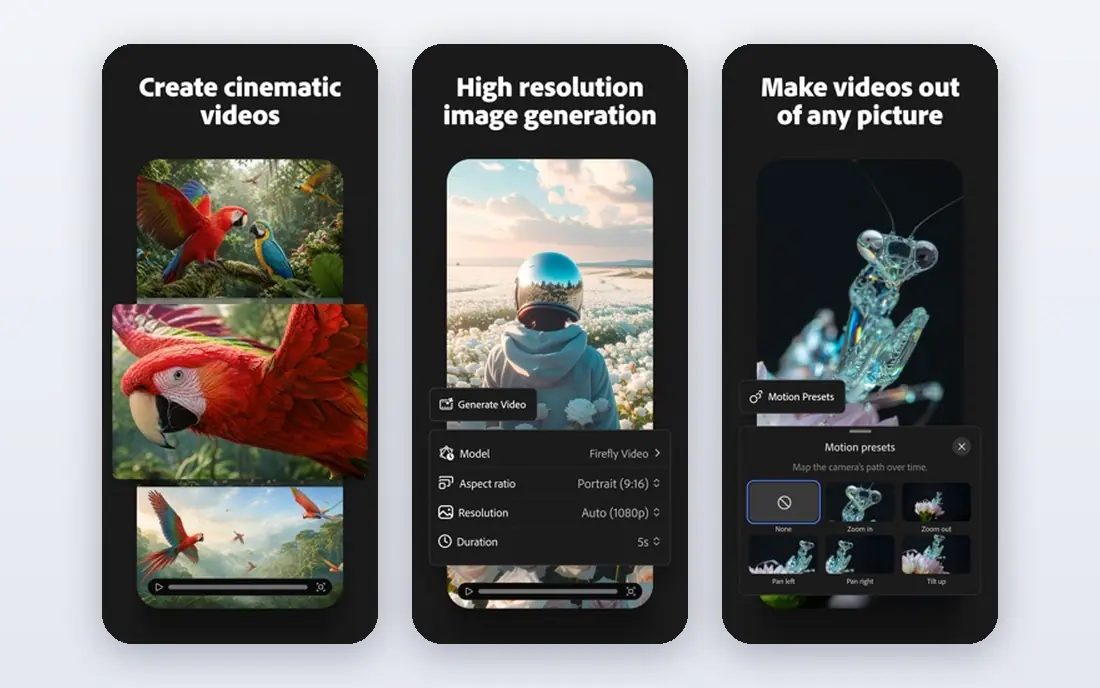
Adobe Firefly is the safe pick for client and commercial work. It is trained on licensed content, which matters when an image will appear in an ad, a course, or a client project, and it is built into Photoshop and Adobe Express so you can edit the result without exporting to another app.
The Standard plan starts at 9.99 dollars per month in recent listings, with a limited free tier for trying it out. If you do not already use Adobe tools, the value is lower. If you do, Firefly turns image generation into one step inside a workflow you already know.
- Trained on licensed content
- Built into Photoshop and Express
- Clear commercial terms for paid plans
- Free generations are limited
- Best value sits inside the Adobe ecosystem
- Style range is narrower than Midjourney
Leonardo AI suits creators who generate a lot of images and want control over style. It offers a range of models, custom training for a consistent look, and a daily free token allowance that makes it possible to test the tool properly before paying.
The Essential plan starts at 12 dollars per month in recent listings. The token system takes a little learning, and free generations are public, so paid plans matter for private work. For game assets, product shots, and consistent character or product styles, Leonardo is a strong production tool.
- Daily free tokens
- Custom model training
- Private generations on paid plans
- Token maths takes learning
- Free images are public
- Interface has many options for beginners
Ideogram earns its place for one job above all: putting readable words inside an image. Posters, logos, social graphics, and memes often fail in other generators because text comes out garbled, and Ideogram handles that case better than most rivals.
The free tier gives weekly credits with public images, and paid plans add priority generation. Check the current pricing page, since plan prices have changed over time in listings. If your images rarely contain text, another tool may suit you better. If they usually do, Ideogram is hard to beat.
- Strong readable text in images
- Good for posters and logos
- Commercial use on free and paid plans
- Free credits are limited and weekly
- Priority credits expire monthly on some plans
Canva AI suits people who need a finished design, not just a raw image. You generate an image, drop it into a template, add text and brand colours, and export a social post or flyer without leaving the editor. That end-to-end flow is why non-designers often prefer it.
The free plan includes a limited number of AI uses per month, and paid plans raise that allowance. It is not the best tool for pure art or for fine control over a model. For social content, presentations, and small business marketing, the design tools around the generator matter as much as the generator itself.
- Templates, brand kits, and layouts in the same editor
- Image generation inside a full design tool
- Easy for non-designers
- AI uses are limited on the free plan
- Heavy AI work needs a paid allowance
- Less raw image control than specialist tools
Google Gemini is the pick for editing photos and keeping people consistent across images. Its image model, often called Nano Banana in listings, handles photo edits, style changes, and keeping a person recognisable in a new scene better than many rivals.
Free access includes a daily allowance that varies with use, and paid plans raise it. Check the current Google AI plan page for the tier you need. For pure artistic generation, Midjourney still leads. For photo-based work inside the Google ecosystem, Gemini is the practical choice.
- Strong photo editing and consistency
- Image work inside Google apps
- Conversational prompts
- Daily allowance varies
- Best features sit in paid plans
- Image style is less artistic than Midjourney
StarryAI is built as a mobile app first, which makes it a good pick for phone users who want to generate art on the go. You pick a style, type a prompt, and get an image without a desktop workflow or a complex settings panel.
The free tier gives a limited number of credits, and paid plans add more. Quality varies by style, and it lacks the fine controls of Leonardo or Midjourney. For casual art, social images, and trying AI generation on a phone, its simplicity is the point.
- Mobile app with simple controls
- Multiple art styles
- Credits for trying the app free
- Free credits are limited
- Output quality varies by style
- Fewer professional controls than desktop tools
NightCafe gathers several image models under one account, so you can try different styles without signing up for each model separately. Its community features, challenges, and shared gallery also help beginners learn what prompts work.
Daily free credits limit how much you can generate without paying, and the interface can feel busy compared with a single-model app. For hobbyists who enjoy experimenting and sharing work, that variety is a strength. For commercial production, check the plan terms before using an image in paid work.
- Several models under one account
- Community challenges and sharing
- Daily free credits
- Free credits limit daily output
- Interface can feel busy
- Commercial terms vary by plan
How we picked these
We compared official feature pages, pricing pages, and app store listings, and we checked public reviews for recurring complaints. We kept only tools that are available in October 2026 and that fit the topic directly, and we left out tools that only partly match the job. Where a price could not be confirmed on the vendor site during our checks, we wrote See website rather than guessing a figure.
Our pick for most people is the option that covers the common case well without forcing a paid plan for basic use. That does not mean it suits every group, budget, or workflow, so use the comparison table to match the best fit to your own needs before you sign up.
How to choose an AI image app by output
Start with the output you need most. If you need posters with readable headlines, shortlist Ideogram first. If you need a finished social design, shortlist Canva. If you need a striking hero image, shortlist Midjourney. That single decision removes half the list and saves you from comparing tools on features you will never use.
Next, check the free tier against your real volume. A daily token allowance that covers a test is not the same as one that covers a week of content. Count how many images you need per week, then compare that number with the free allowance and the first paid plan. Many creators save money by using a free app for drafts and a paid app for final images.
Finally, read the licence terms for your use case. Commercial use, public versus private generations, and training data all affect whether an image is safe for client work. When in doubt, choose a tool with clear commercial terms, such as Firefly on a paid plan, and keep a record of the plan you used.
Frequently asked questions
What is the best ai generator app for beginners?
ChatGPT and Canva AI are the easiest starting points, because both use plain language and familiar interfaces. ChatGPT suits conversational edits, while Canva suits finished designs. Midjourney gives better art, but it needs more prompt skill and has no free tier.
What is the best free ai picture app?
Leonardo AI, Ideogram, and Canva AI all offer free tiers worth testing. Leonardo gives daily tokens, Ideogram gives weekly credits, and Canva gives a monthly AI allowance. None of them supports unlimited free generation, so pick by whether you need volume, text accuracy, or finished designs.
Which app is best for AI image generation with text?
Ideogram is the strongest pick for readable text in posters, logos, and social graphics. ChatGPT also handles text well in many images. Midjourney has improved on short text, but it is still less reliable than Ideogram when the wording must be exact.
Can I use AI generated images commercially?
It depends on the app and plan. Paid plans from Midjourney, Firefly, and Leonardo generally allow commercial use, with limits for large companies in some cases. Free plans often restrict commercial use or make images public, so read the terms for the plan you actually use before selling an image.
What is the best ai image generator app for photos?
Google Gemini suits photo editing and keeping people consistent across images. Firefly suits edits inside Photoshop and Express. For new artistic images rather than photo edits, Midjourney and Leonardo are stronger choices.
Sources
See where you really rank - block by block
ProMapRanker scans Google Maps across a grid of your service area. Simple monthly plans from $19, white-label on every plan.
Start freeKeep reading
 peec ai alternatives
Peec AI Alternatives in 2026
Compare the best peec ai alternatives for tracking brand visibility in AI answers, from Profound and Otterly to Scrunch, AthenaHQ, Goodie and more in 2026.
Read → janitor ai alternatives
Janitor AI Alternatives in 2026
Compare the best Janitor AI alternatives for character chat and roleplay, with pricing, safety notes, moderation practices, and honest trade-offs in 2026.
Read → best tools for seo e-commerce
Best Tools for SEO E-Commerce in 2026
We compared the best tools for SEO e-commerce, from keyword research and audits to product page optimization, with current pricing and store trade-offs.
Read →