 ProMapRanker
Best AI Drawing Apps in 2026: 8 Apps Compared

Key takeaways
- Midjourney at $10 per month still leads on artistic look, but it has no free plan.
- Adobe Firefly at $9.99 per month suits commercial work, with models built for safer business use.
- Leonardo AI offers the most usable free tier here, with daily tokens for trying many styles.
- Ideogram is the pick when an image needs readable text, such as a poster or a logo concept.
- Canva AI suits non-designers, since generated images land straight into a finished design.
Quick comparison
| Pick | Great for | Pricing starts at | Free tier | |
|---|---|---|---|---|
 Midjourney | Artistic and cinematic images | $10 per month | No | Visit |
 Adobe Firefly | Commercial-safe design work | $9.99 per month | Yes | Visit |
 Leonardo AI | Game art and daily free use | $12 per month | Yes | Visit |
 Ideogram | Readable text in images | $20 per month | Yes | Visit |
 ChatGPT Images | Chat-based image edits | Free | Yes | Visit |
 NightCafe | Trying many models cheaply | $5.99 per month | Yes | Visit |
 Canva AI | Finished social designs | Free | Yes | Visit |
 Recraft | Logos and vector-style art | $12 per month | Yes | Visit |
The best ai drawing apps
These are legitimate creative tools for making original art, illustrations, and design concepts. Use them only for images you have the right to make and use, and do not create images of real people without their consent, or images that copy another artist work as if it were your own. Check the licence on each plan before using an image in a product or an ad.
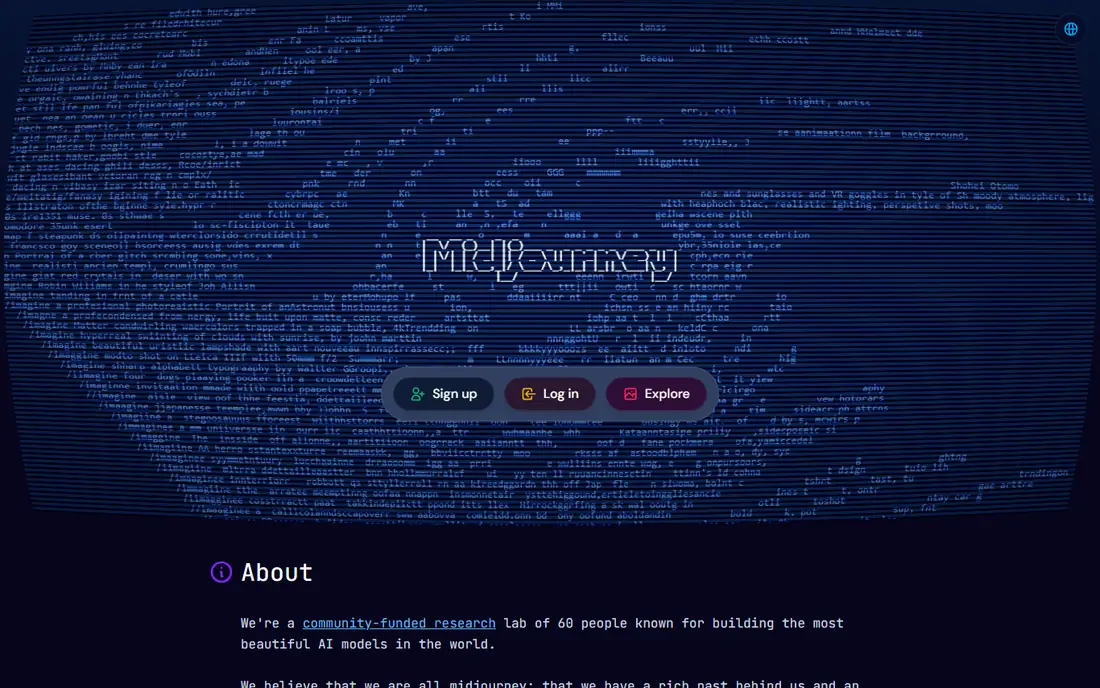
Midjourney remains the tool most people picture when they think of AI art. Its images carry a polished, cinematic quality that suits concept art, mood boards, campaign hero images, and editorial illustration. Generations run through its web app and Discord workflows, and paid plans include commercial usage rights, with larger companies needing Pro or Mega plans for commercial use.
There is no free plan, so trying it costs $10 per month for the Basic plan, with Standard at $30, Pro at $60, and Mega at $120 per month. Fast GPU time is metered, though higher plans add unlimited Relax generations. Beginners may also find the Discord history confusing at first. For pure look, Midjourney still leads this list.
- Distinctive, polished look
- Strong community
- Clear plan ladder
- No free plan
- Fast GPU time is metered
- Large companies need higher plans for commercial use
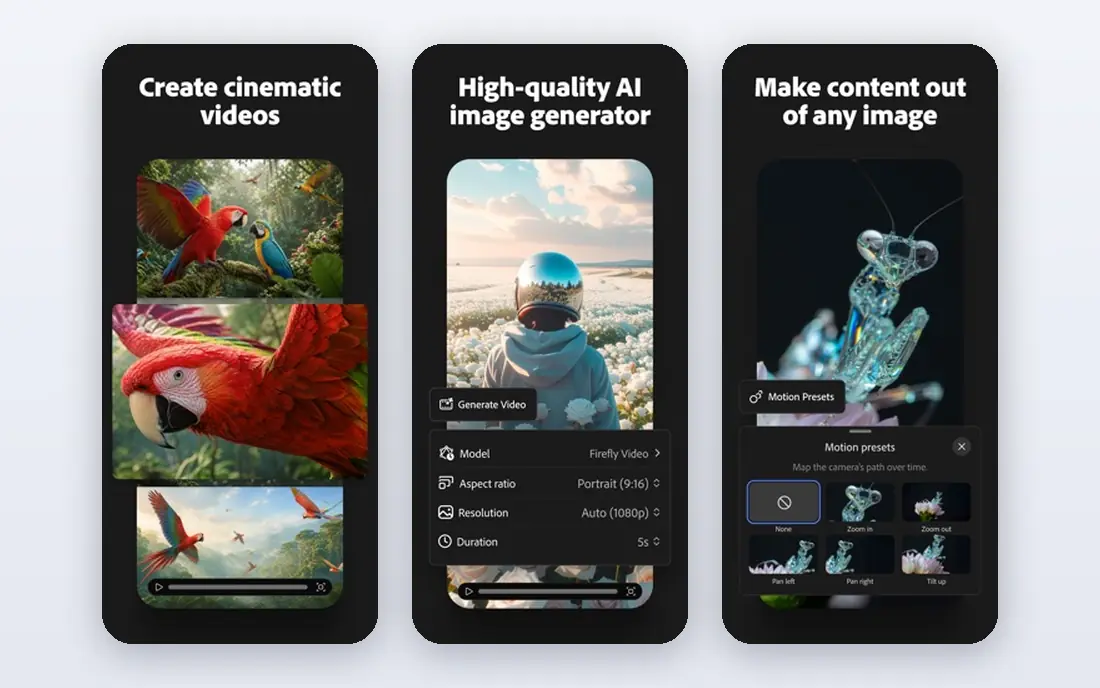
Adobe Firefly suits designers who need images they can use at work with fewer licensing worries. Its models are built with commercial use in mind, and the tool fits Photoshop, Express, and other Adobe apps, so a generated image can move straight into an edit, a fill, or a layout. Boards and shared workspaces help teams collect and refine concepts.
The free plan offers limited monthly credits, and paid plans start at $9.99 per month, rising to $19.99, $49.99, and $199.99 per month for larger credit bundles. A designer who does not use Adobe apps will get less value, since the deepest fit sits inside that suite. For brand and commercial work, Firefly is the safest pick here.
- Models built for commercial use
- Fits Photoshop and Express
- Generative fill tools
- Free credits are limited
- Higher plans cost far more
- Best inside Adobe apps
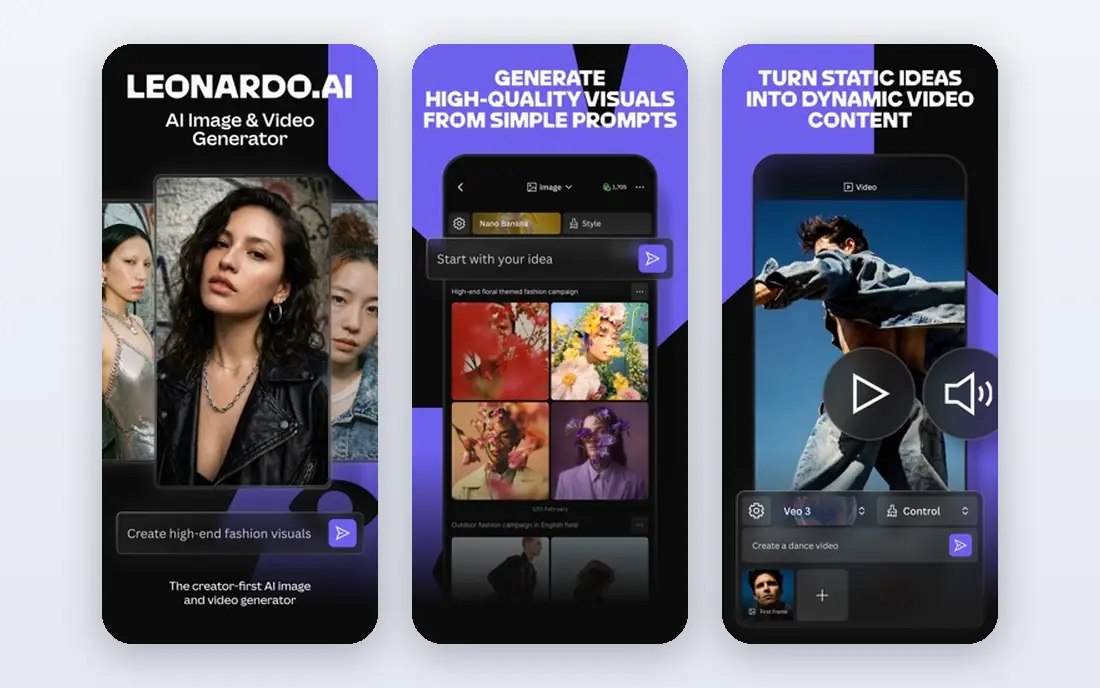
Leonardo AI suits creators who want to try many styles without paying at first. The free plan gives daily tokens, and paid plans start at $12 per month for a larger token bank, with private generations and token rollover on some tiers. Game assets, character art, product mockups, and rapid prototyping are its strongest uses, and custom model training suits creators with a consistent style.
Token maths is the learning curve. Different models and image sizes cost different token amounts, so a free daily allowance can run out fast on large or detailed work. Style quality also varies by model, so a creator should test several models before settling on one. For free, high-volume trying, Leonardo AI is the best starting point here.
- Daily free tokens
- Many styles and models
- Private generations on paid plans
- Token maths takes learning
- Paid plans start at $12 per month
- Style quality varies by model
Ideogram is the pick when the image must contain readable words. Posters, logos, memes, and ad concepts often fail on other tools because lettering comes out garbled, while Ideogram handles typography with far more accuracy. The free plan offers slow-queue credits, and paid plans start at $20 per month for priority credits, with higher tiers for teams and heavy use.
The paid price is higher than Midjourney or Firefly entry plans, and priority credits expire monthly, so unused credits do not always carry over. Artistic range is also narrower than Midjourney for pure illustration. When text is the job, though, Ideogram saves the time that would otherwise go to fixing lettering in an editor.
- Best text rendering in this list
- Commercial use on free and paid plans
- Good for posters
- Paid plan costs more than rivals
- Priority credits expire monthly
- Fewer art styles than Midjourney
ChatGPT Images suits everyday image work inside a chat. A user can describe an image, ask for a change, and iterate in the same conversation, which makes it easy to refine a concept without learning a new interface. Free accounts get limited image generation, and Plus at $20 per month raises the cap, with Go and Pro tiers for other budgets.
Caps vary with demand, so heavy use can hit limits, and control over style, size, and fine detail is weaker than in Midjourney or Leonardo AI. For a quick social image, a slide illustration, or a concept to discuss with a team, ChatGPT Images is often all that is needed, especially when the user already pays for a chat plan.
- Images in a normal chat
- Easy edits in context
- Free limited images
- Caps vary with demand
- Less control than dedicated art tools
- Plus costs $20 per month
NightCafe is a community art generator that lets users try several models with free daily credits, then upgrade from $5.99 per month for 100 credits. Daily challenges and a public gallery help beginners learn prompting by seeing what others made, and the low entry price makes it the cheapest paid plan in this list. For hobbyists and students, that combination is hard to beat.
Daily free credits are small, so a user who wants many images will need a paid plan or patience. Model availability also changes over time, as some third-party models are added or removed, so a favourite model may not stay forever. For low-cost trying and learning, NightCafe remains a good first stop.
- Free daily credits
- Community and challenges
- Low paid entry price
- Model availability changes over time
- Daily credits are small
- Interface suits hobbyists more than studios
Canva AI suits people who need a finished design, not just an image. A generated picture can drop straight into a social post, a flyer, or a presentation, with templates, text, and brand kits already in place. The free plan includes limited AI uses, and Pro costs $144 per year, which works out near $12 per month billed annually, with more AI allowance for heavy use.
Art control is weaker than in Midjourney or Leonardo AI, since Canva AI is built for speed and finished layouts rather than fine art direction. Heavy AI users may also need an AI pass on top of Pro. For a small business owner or social manager who needs a post today, Canva AI is the fastest path from idea to finished design.
- Images land straight into designs
- Templates and brand kits
- Easy for non-designers
- Free AI uses are limited
- Heavy AI use needs a paid plan or pass
- Less art control than dedicated tools
Recraft suits designers and brand teams who need editable vector-style artwork, not just a flat picture. Logos, icons, and illustrations can be generated in a consistent brand style and then edited as vector shapes, which matters when a logo must scale from a favicon to a banner. The free plan covers trying the tool, and paid plans start at $12 per month, with team pricing per seat.
For pure photographic or cinematic raster art, Midjourney still leads, and Recraft is a newer brand than Adobe, so its ecosystem is smaller. For brand assets that need editing, scaling, and style consistency, Recraft fills a gap that raster-only tools leave open, and it earns its place as the design-focused pick here.
- Editable vector-style output
- Brand kits and styles
- Good for icons and illustrations
- Raster art depth is thinner than Midjourney
- Paid plans vary by seat
- Newer brand than Adobe
How we picked these
We compared vendor pricing pages, free plan limits, and the job each tool does best, and we favoured tools that are actively maintained, offer a real free or low-cost entry, and produce original creative work. We left out tools that had closed, tools that only upscale or edit without generation, and tools built for non-consensual imagery, which have no place in a creative list. Where pricing differs across sources, we used the most recent vendor-aligned figure or noted the plan as a starting price.
How to choose the best ai drawing tool for your job
Match the tool to the output. For artistic illustration, pick Midjourney. For commercial design work, pick Firefly. For text in an image, pick Ideogram. For game art or free daily trying, pick Leonardo AI. For a finished social design, pick Canva AI. For a logo or vector asset, pick Recraft. That one decision matters more than any feature table, since each tool leads on a different job.
Check the licence before commercial use
Read the licence for the plan you actually buy, not just the marketing page. Some tools allow commercial use on paid plans only, some allow it on free plans with limits, and large companies may need a higher tier. Keep a record of the plan and the image prompts for client work, so a licence question later has a clear answer.
Test with your own prompts
Generate the same five prompts on two or three tools: a portrait, a product shot, a poster with text, a logo concept, and a scene in your brand style. Compare lettering, hands, and style consistency, since those are where tools differ most. A tool that wins on one prompt type may lose on another, so test the jobs you actually do.
Keep people and consent in mind
Do not generate images of real people without their consent, and do not present AI art as a photograph of a real event or person. Label AI-generated images where a viewer might mistake them for a photo, and avoid styles that copy a living artist work as if it were your own. Creative tools work best when the output is clearly original work with a human directing it.
Frequently asked questions
What is the best free ai drawing app?
Leonardo AI offers the most usable free tier here, with daily tokens for many styles. NightCafe also gives free daily credits, Canva AI gives limited free uses, and Ideogram offers slow-queue free credits. Midjourney has no free plan, so free users should start with Leonardo AI or NightCafe and upgrade only when daily limits become a problem.
Which ai drawing tool is best for text in images?
Ideogram is the strongest pick for readable text in posters, logos, and ad concepts. ChatGPT Images and Firefly also handle short text better than older models, but Ideogram leads on longer phrases and poster lettering. Test your exact phrase, since lettering accuracy varies by font style and image size.
Is AI-generated art safe to use for a business?
It can be, when the plan licence allows commercial use and the image does not copy protected work or depict a real person without consent. Firefly is built for commercial use, Midjourney allows commercial use on paid plans with higher tiers for large companies, and Ideogram allows commercial use on free and paid plans. Read the licence for your plan before using an image in a product or an ad.
What is the best ai drawing software for beginners?
Canva AI is the easiest for non-designers, since images land straight into templates and finished designs. ChatGPT Images is also easy, since it works in a normal chat. NightCafe suits beginners who want to learn prompting through community examples. Midjourney and Leonardo AI reward more practice, but give more control in return.
Can AI drawing apps replace a human designer?
No, not for finished brand work. AI tools speed up concepts, drafts, and variations, but a human designer still handles brand judgement, client needs, legal checks, and final polish. Use AI drawing apps to explore ideas fast, then let a designer refine the winning direction into a finished asset.
Sources
See where you really rank - block by block
ProMapRanker scans Google Maps across a grid of your service area. Simple monthly plans from $19, white-label on every plan.
Start freeKeep reading
 best tour operator software
Best Tour Operator Software in 2026
Compare the best tour operator software for bookings, channel management, waivers and payments, with pricing models for day tours and multi-day trips.
Read → best time clock app for small business
Best Time Clock App for Small Business in 2026
We compare the best time clock app for small business options, with free plans, GPS clock ins, scheduling and payroll links for hourly teams and payroll help.
Read → best test automation tools
Best Test Automation Tools in 2026
Compare the best test automation tools, from Playwright and Selenium to Cypress, Katalon and BrowserStack, with prices, languages and best uses explained.
Read →