 ProMapRanker
Top 6 AI Audio Editors, Compared on Price (2026)

Live call noise removal · Pricing starts at: $8 per user/month (billed yearly)
Direct answer
For live call noise removal, Krisp is where this list starts. Listed starting prices: Krisp from $8 per user/month, Adobe Podcast from $19.99 a month and Descript from $16 per person/month. Look at Adobe Podcast for browser noise cleanup, and at Descript for text based podcast editing. The full list of 6 tools follows, with prices and free plan facts.
Choosing AI audio editors usually comes down to price, fit and limits. This ProMapRanker guide sets 6 tools side by side on those three points, with the facts kept short and checkable.
Key takeaways
- The list opens with Krisp, aimed at live call noise removal.
- Only 4 of the 6 tools have a free plan (Adobe Podcast, Descript, Murf AI, Auphonic), so check the caps.
- The lowest published monthly entry price here is $8 per user/month, from Krisp.
- One limit worth knowing about Descript: Hobbyist includes 1 person and 10 media hours per month.
Quick comparison
| Pick | Great for | Pricing starts at | Free tier | |
|---|---|---|---|---|
| Krisp | Live call noise removal | $8 per user/month (billed yearly) | Free trial (7 days) | Visit |
 Adobe Podcast | Browser noise cleanup | $19.99 a month | Yes | Visit |
 Descript | Text based podcast editing | $16 per person/month (billed annually) | Yes | Visit |
 Murf AI | Script to voiceover work | $19 per month (billed yearly) | Yes | Visit |
 Riverside | Remote multitrack recording | $24 a month (billed annually) | Free trial (14 days) | Visit |
 Auphonic | Hourly loudness and leveling | $11 per month (billed yearly) | Yes | Visit |
Our 6 AI audio editors
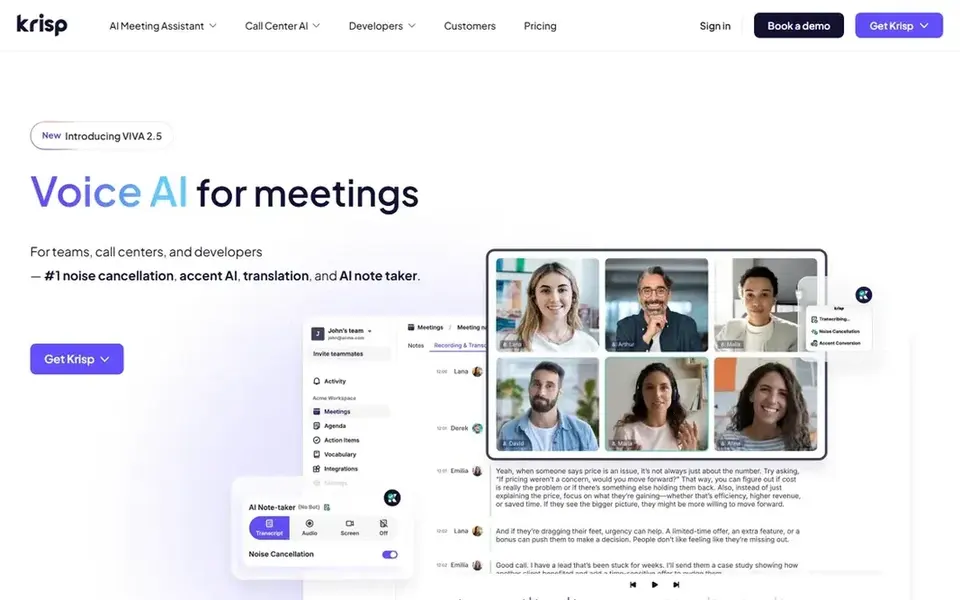
In short, Krisp is for live call noise removal. Krisp sits between your microphone and your call app and removes background noise before the other side hears it, which helps podcast interviews recorded over a call and remote meetings alike.
Downsides: the vendor pricing page lists a 7 day trial and does not list a permanent free plan.
The vendor pricing page lists a 7 day trial of premium features, and it does not list a permanent free plan in the text we read. Worth adding: advanced costs $15 per user a month billed yearly and brings 4 hours a day of speaker side accent conversion and 60 GB of storage. Entry price for Krisp: $8 per user/month. Free access: Free trial (7 days).
- Comes with transcription and AI meeting notes
- Removes background noise in live calls on device
- Core accent conversion stops at 1 hour a day
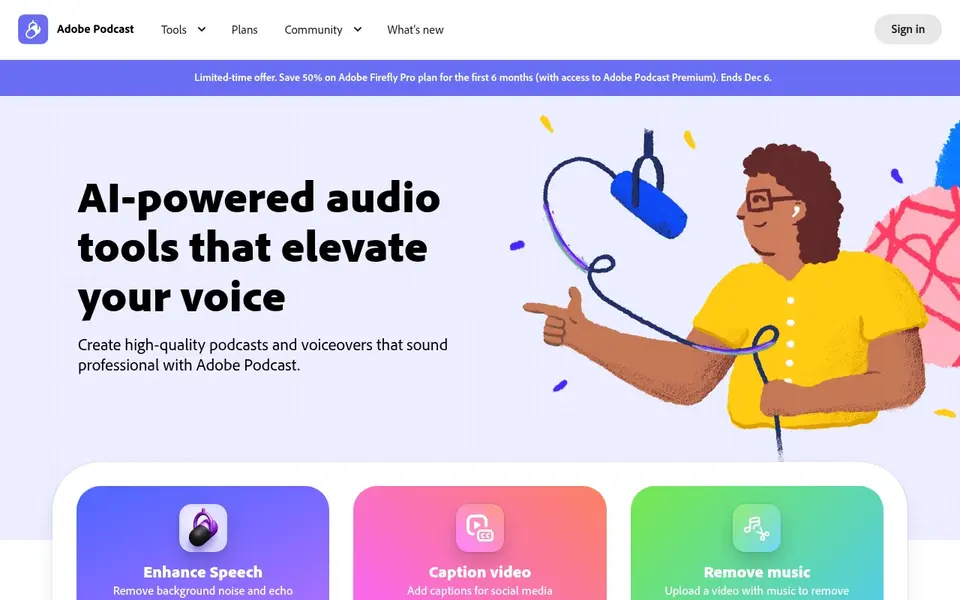
Adobe Podcast is aimed squarely at browser noise cleanup. Premium is now included with the Adobe Firefly Pro plan at $19.99 a month, with 4 hours of Enhance Speech a day, files up to 2 hours and 1 GB, video support, bulk upload, and no Studio download limit. As for the details, Firefly Pro also contains 4000 generative usage units per month for Adobe image and video models.
On top of that, Adobe Podcast runs in a browser and centers on Enhance Speech, a tool that lifts voice out of room noise and echo. From a buyer's view, the free level hands 1 hour of Enhance Speech a day, with audio files up to 30 minutes and 500 MB, plus Mic Check and Studio with 2 project downloads a day of up to 30 minutes each. What you pay to start with Adobe Podcast: $19.99 per month. You can start on Adobe Podcast without paying.
Trade-offs to know: Premium now includes Firefly Pro at $19.99 a month.
- Free level provides 1 hour of Enhance Speech a day
- Enhance Speech fixes noisy voice recordings in a browser
- Free Studio downloads stop at 2 projects a day
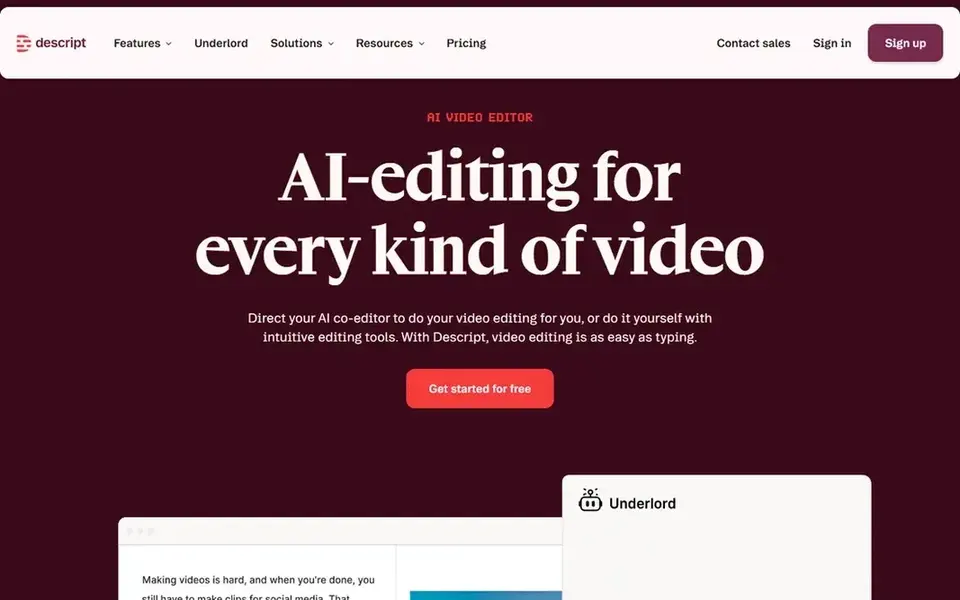
For text based podcast editing, Descript is a natural candidate. Creator costs $24 per person a month billed annually for 30 media hours and 800 AI usage units per month. One limit: Hobbyist cannot buy top ups, so per month with additional interviews forces a move to Creator.
Worth adding: Hobbyist costs $16 per person a month billed yearly, or $24 per person a month billed monthly. It bundles 10 media hours per month, 400 AI usage units per month, 1080p export with no watermark, and 100 GB of storage. Beyond that, the free plan hands 1 hour of media per month and 100 AI usage units in total. So it works as a short test, not as a weekly workflow. On cost, Descript starts like this: $16 per person/month. A free plan is available with Descript.
Where it is weaker: Hobbyist cannot buy top ups for more media hours.
- Studio Sound and Remove Filler Words included on Hobbyist
- Edit audio by editing a transcript
- Hobbyist handles 1 person and 10 media hours per month
Murf AI targets script to voiceover work. The Business billing detail is the one to check before you buy.
Points against: Business annual billing hands fewer hours than monthly billing.
Murf AI is a voiceover studio, not a recorder, so it fits intros, ads, training narration and video voiceovers made from a written script. What you pay to start with Murf AI: $19 per month. A free plan is available with Murf AI.
- Creator comes with commercial rights and downloads
- Turns scripts into voiceovers with 200 plus voices in 30 plus languages
- Free level hands 10 minutes of voice generation in total with no downloads
In short, Riverside is for remote multitrack recording. Riverside records remote guests in a browser and keeps each voice and camera on a separate track, which makes editing and cleanup much more straightforward than working from a single mixed file. Choose Riverside if remote interviews are your primary source material.
In daily use, Riverside also hands Pro users 2000 free AI usage units for features for example AI translation and AI B-roll. In practice, Pro costs $24 a month billed yearly, or $29 a month billed monthly. It comes with 15 hours per month of separate track downloads, up to 4K video, 48 kHz WAV audio, no watermark, a host teleprompter, text editing, transcription, Magic Clips, and hosting for 1 display. The starting price for Riverside: $24 per month. As for free access: Free trial (14 days).
Where it is weaker: Pro separate track downloads stop at 15 hours per month.
- Records each guest on a separate track in up to 4K video and 48 kHz WAV audio
- Magic Clips cut short clips from a session
- Pro hands 1 studio only
Think of Auphonic for hourly loudness and leveling. Auphonic is a post production tool that levels speakers, sets loudness, cuts noise and reverb, and layers on shownotes and chapters. As for the details, plan M costs $25 a month billed yearly for 21 hours, and plan L costs $52 for 45 hours.
Worth adding: choose Auphonic if you release on an uneven schedule and want loudness work done for you. Beyond that, billing counts input duration, with a 3 minute minimum per production. Beyond that, recurring plan S costs $11 a month billed yearly, or $13 a month billed monthly, for 9 hours of processed audio per month. Starting cost for Auphonic: $11 per month. Auphonic offers a free plan.
Where it is weaker: free files contain an Auphonic jingle.
- One time usage units never expire
- Levels loudness to a set standard and cuts noise and reverb
- Recurring usage units reset each month and do not roll over
How we built this list
Each tool was reviewed on what its vendor publishes: price, plan limits, core features and stated drawbacks. We did not run hands-on tests. Where a price is missing, the vendor does not list one publicly or ties it to a quote. Always confirm before budgeting. The order reflects how well each tool fits the most common buying scenario for AI audio editors, then price clarity, then free plan access. It is a starting point, not a verdict.
Questions to settle before buying
- Confirm the entry price on the vendor page: Krisp starts at $8 per user/month, but seat counts and billing terms change the total.
- Look at free plan limits closely: Adobe Podcast, Descript, Murf AI and Auphonic have one, and the caps decide whether it is usable for real work.
- Run a trial of Krisp and Riverside with real work before paying for a year; your own workflow is the best test.
- Before choosing Krisp, weigh its main limit: core accent conversion stops at 1 hour a day.
- Ask Descript which support channels and response times come with the plan you would buy.
- Check whether the features you need in Murf AI sit on the entry plan or only on higher tiers.
Frequently asked questions
Which AI audio editor is a good match for most podcasters?
The first pick on this list is Krisp, because it suits live call noise removal. Adobe Podcast is better for browser noise cleanup, and Descript for text based podcast editing. Check price and limits against your own needs before choosing.
Is Krisp the right pick for everyone comparing AI audio editors?
No single tool suits every team. Krisp comes first because it fits live call noise removal, while Adobe Podcast suits browser noise cleanup and Descript suits text based podcast editing. Match the tool to your own size, budget and workflow before deciding.
Which options for AI audio editors have a free plan?
Adobe Podcast, Descript, Murf AI and Auphonic offer a free plan in this list. Free plans usually cap users, projects or features, so check the limits on the vendor page. Several others offer a trial instead.
Which tool is a good match for removing filler words and mouth clicks?
Start with Krisp if you need live call noise removal. Adobe Podcast is the better match for browser noise cleanup, and Descript for text based podcast editing. The best choice depends on budget, team size and workflow.
How are the tools for AI audio editors ordered?
The order follows typical fit for AI audio editors, with Krisp first and Auphonic last, then price clarity and free access. It is editorial judgement, not a score, so another team could rank the tools differently.
Can I try these tools before paying?
Often, yes. Adobe Podcast, Descript, Murf AI and Auphonic have a free plan and Krisp and Riverside offer a free trial. Use your own data and a real task during the test, and check what the free tier or trial limits before you rely on it.
Sources
See where you really rank - block by block
ProMapRanker scans Google Maps across a grid of your service area. Simple monthly plans from $19, white-label on every plan.
Start freeBrowse all guides
← 6 Best AI Animation Generators for 2026AI Video Clipping Tools: 7 Options Compared in 2026 →
 current best text to video ai tools january
Best Current Best Text to Video AI Tools January (2026)
7 products for current best text to video AI tools january, ranked by fit, with starting costs and free tiers. Concise write-ups of every option. No hype.
Read → current best ai image to video tools
6 Best Current Best AI Image to Video Tools for 2026
6 current best AI image to video tools, with entry costs, free tiers and the buyer each one serves. Each pick comes with its main catch. Prices checked.
Read → best voice ai platforms with gpu acceleration
Voice AI Platforms with GPU Acceleration: Best Picks of 2026
5 tools for the best voice AI platforms with GPU acceleration, compared on pricing, free plans and best-fit use. Honest caveats for every entry. Decide faster.
Read → flink alternatives
Best Flink Alternatives in 2026
Looking for flink alternatives? We compare 9 stream processing engines and streaming databases on SQL support, latency, consistency, cost, and best fit.
Read → best online obgyn second opinion service
Best Online OBGYN Second Opinion Service in 2026
Compare the best online obgyn second opinion service options for 2026, with video visits, written second opinions, prices, and privacy notes for patients.
Read → best free video editing apps for mobile
Best Free Video Editing Apps for Mobile in 2026
We compared the best free video editing apps for mobile on free tiers, watermarks, export quality and tools, so you can edit on your phone without paying first.
Read →More in Video, Audio & Podcasts · All guides A to Z by date · Latest guides