 ProMapRanker
Best Academic Writing Software in 2026


Long theses, dissertations, and books · Pricing starts at: $59.99 one-time
Key takeaways
- Scrivener is our pick for long manuscripts, while Overleaf is the clear choice for LaTeX papers with co-authors.
- Grammarly and ProWritingAid cover everyday editing, but ProWritingAid gives deeper reports for long documents.
- Zotero is the best free starting point for references, and it pairs well with almost any editor on this list.
- Check citation rules and academic integrity policies before using paraphrasing or AI editing tools on assessed work.
Quick comparison
| Pick | Great for | Pricing starts at | Free tier | |
|---|---|---|---|---|
| Scrivener | Long theses, dissertations, and books | $59.99 one-time | Free trial (30 days of use) | Visit |
 Grammarly | Everyday grammar, spelling, and clarity | $12 per month | Yes | Visit |
 ProWritingAid | Deep style reports for long manuscripts | $10 per month | Yes | Visit |
 Overleaf | LaTeX papers with co-authors | See website | Yes | Visit |
 QuillBot | Paraphrasing and summarizing dense text | $8.33 per month | Yes | Visit |
 Zotero | Free, open reference management | Free | Yes | Visit |
 Mendeley | Building a PDF library with discovery features | Free | Yes | Visit |
 Hemingway Editor | Short, clear sentences in academic prose | Free | Yes | Visit |
The best academic writing software
These eight tools cover drafting, editing, referencing, and formatting, so you can build a setup that fits a thesis, a journal paper, or a book.
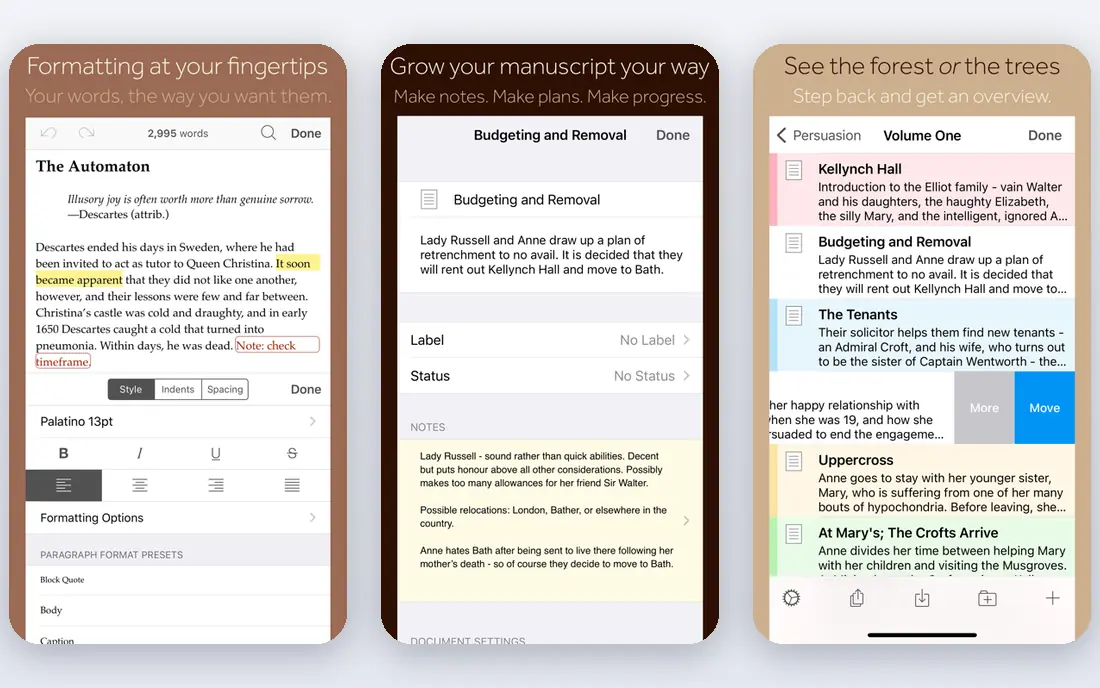
Scrivener treats a long document as a set of movable parts rather than one endless page. You can keep chapters, notes, research files, and outlines in one project, then rearrange sections without cutting and pasting across files. That structure is a real help during a thesis, when a chapter often moves, splits, or gets rewritten late in the process.
The catch is setup time. The binder, corkboard, and compile settings take a while to learn, and the desktop license covers one platform, so Mac and Windows users who switch machines need to plan for that cost. It also does not manage citations on its own, so most academic users pair it with Zotero or another reference tool. For writers who draft in long form, though, that trade-off is worth it.
- Strong manuscript organization
- Flexible export to Word and PDF
- One-time purchase with no monthly fee
- Learning curve for new users
- Desktop license is per platform
- No built-in reference manager
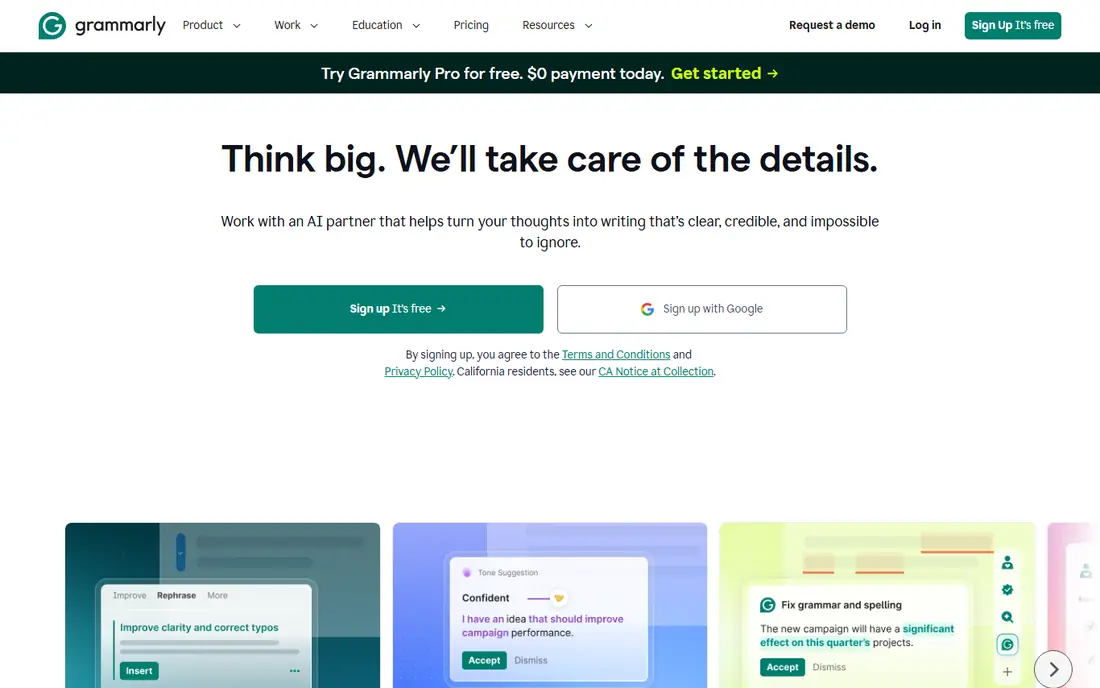
Grammarly is the easiest tool on this list to start using, because it checks writing where you already type. The free tier covers basic grammar and spelling, while the paid Pro plan adds clarity rewrites, tone suggestions, and checks for plagiarism and AI-generated text. For essays, emails to supervisors, and short papers, that coverage is often enough.
It is less suited to a full book or thesis draft in one file, because long documents hit length limits and need to be broken into parts. Its suggestions also lean toward plain business English, so academic phrasing, discipline terms, and quoted material still need a careful human read. Use it as a first pass, not as the final judge of a manuscript.
- Works across browsers, Word, and Google Docs
- Generous free tier for basic checks
- Plagiarism and AI detection on paid plans
- Long documents must be split into smaller parts
- Suggestions can flatten academic voice
- No deep manuscript reports
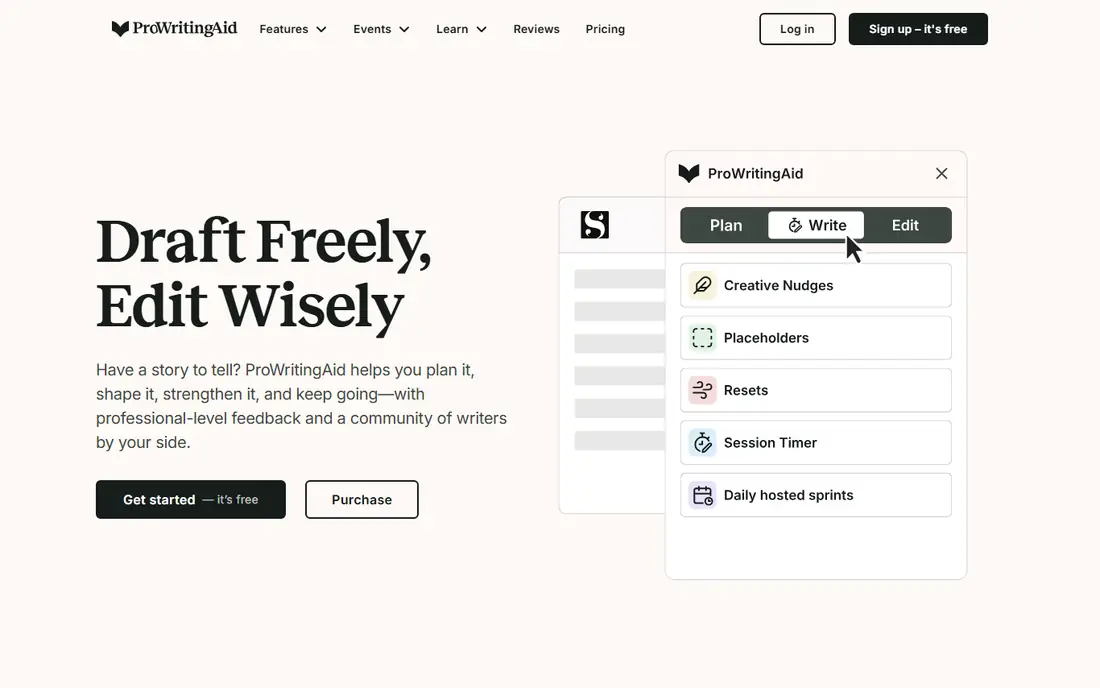
ProWritingAid suits writers who want to see patterns across a whole chapter, not just fix one sentence at a time. Its reports flag repeated words, sticky sentences, pacing problems, dialogue tags, and readability, which makes revision more systematic. It also integrates with Scrivener, so you can move between drafting and editing without exporting everything to another app.
The free tier is limited, with short checks and a small number of report runs per day, so serious use means paying. The interface is less polished than Grammarly, and long documents can take a while to process. Still, for a writer revising a thesis or a book, the depth of feedback is the main reason to choose it over a general checker.
- More than 20 style and structure reports
- Works with Scrivener, Word, and Google Docs
- Lifetime purchase option
- Free tier limits checks to 500 words at a time
- Interface feels dated
- Plagiarism checks cost extra on some plans
Overleaf removes the hardest part of LaTeX for many students: installing and configuring a full typesetting system. You write in a browser, see a compiled PDF beside your source, and pick from templates for journals, conference papers, and theses. For science, mathematics, and engineering papers with equations, tables, and citations, that workflow is hard to beat.
The free plan is fine for solo work and small collaborations, but larger teams will want a paid plan for more collaborators, full document history, and integrations with Dropbox, GitHub, and reference managers. LaTeX itself also takes time to learn, and a badly structured source file can still produce messy output. If your field uses Word, Overleaf may be more tool than you need.
- Online LaTeX editing with no local setup
- Templates for journals and theses
- Real-time collaboration and version history on paid plans
- Free plan limits collaborators per project
- LaTeX has a learning curve
- Complex formatting still needs care
QuillBot is best used as a sentence-level helper when a paragraph is clumsy or repetitive. You can try different modes, compare wording, and use the summarizer to pull the main points from a long article before you write your own summary. The citation generator is a useful extra for quick references, though it should not replace a proper reference manager for a thesis.
The limits matter here. Free paraphrasing covers short passages and only two modes, and premium output can still shift meaning in subtle ways, especially with technical terms. Always read the revised sentence against the source, keep citations accurate, and follow your institution rules on paraphrasing and AI assistance. Used with care, it speeds up editing; used without checking, it creates new errors.
- Several paraphrasing modes
- Built-in summarizer and citation generator
- Low annual price for premium
- Free paraphrasing is limited in length and modes
- Output still needs checking for meaning
- Paraphrasing does not replace original thinking
Zotero is our default recommendation for students who pay their own way. It is free, it runs on Mac, Windows, and Linux, and its browser connector saves books, articles, and web pages with bibliographic details in a few clicks. The Word and Google Docs plugins insert citations and build a bibliography in common styles, which saves hours at the end of a paper.
The main limit is storage. The free cloud allowance covers a reference library, but a large PDF collection will need either local storage or a paid storage upgrade. Annotation tools are serviceable rather than fancy, and a messy library stays messy without folders, tags, and regular cleanups. Even with those limits, it is the strongest free foundation for academic writing.
- Free and open source
- Browser tool captures sources quickly
- Word and Google Docs citation plugins
- Free cloud storage is limited
- PDF annotation is basic compared with paid tools
- Large libraries need organization habits
Mendeley appeals to researchers who live inside PDFs. You can store papers, highlight and annotate them, search full text, and organize by folder, author, or tag. Its Word plugin handles citations, and its discovery features can surface related papers that a keyword search might miss. For a lab or reading group that shares a library, that combination is practical.
The trade-offs are cost and change. Free storage covers a modest library, but heavy PDF users may need a paid plan, and some long-time users have disliked interface and account changes over the years. Group sharing also has limits that matter for larger teams. If you mainly need clean citations and low cost, Zotero is the simpler pick; if PDF reading and annotation are central, Mendeley earns its place.
- Strong PDF organization and annotation
- Citation plugin for Word
- Discovery features for related research
- Paid storage costs more than Zotero upgrades for some users
- Interface changes have frustrated long-time users
- Collaboration depends on group limits
Hemingway Editor does one job well: it shows where sentences are hard to read. Hard sentences, very hard sentences, passive voice, and adverbs are highlighted in color, with a reading grade estimate beside the text. That visual feedback helps academic writers spot paragraphs that need to be broken up or rewritten in plainer terms before submission.
It is not a grammar checker, and it should not be treated as one. Some academic writing needs long, precise sentences, and following every Hemingway suggestion can strip out needed nuance. The free web editor is enough for most users, while the desktop app and the paid Plus plan add offline use and AI rewrites. Use it after a grammar pass, as a clarity check, and keep the sentences that need their complexity.
- Free web editor with no account needed
- Color-coded readability feedback
- Paid Plus adds AI sentence rewrites
- No grammar or spelling checks
- Pushes brevity that does not suit every academic passage
- Desktop app is separate from Plus
How we picked these
We compared official feature pages, pricing pages, app store listings, and public reviews, and we favored tools that are still maintained, work in October 2026, and fit a specific academic job rather than general writing alone. We looked for a mix of drafting, editing, LaTeX, paraphrasing, and reference tools, and we checked free tiers so students can start without paying first. Where pricing varied by billing cycle or source, we used the annual or starting figure and marked uncertain prices as See website.
What to check before you pay
Start with the job, not the app. A thesis writer needs structure and citations, a journal author needs formatting and collaboration, and a student editing essays needs fast grammar help. Pick one drafting tool, one editing tool, and one reference manager, then stop. Adding more tools usually adds syncing work without improving the writing.
Check three practical points before subscribing. First, confirm your institution or journal accepts the file format and citation style you plan to use. Second, test the free tier on a real chapter or paper, including export, citations, and collaboration, before paying for a year. Third, read the academic integrity policy for AI editing and paraphrasing, and keep your own notes, sources, and drafts so your argument stays yours.
A simple setup that works
For most students, Scrivener or Word for drafting, Grammarly or ProWritingAid for editing, and Zotero for references covers the full process. Add Overleaf only if your field requires LaTeX, and add QuillBot or Hemingway only for specific editing problems. That keeps costs down and avoids juggling five editors for one paper.
Frequently asked questions
What is the best free writing software for academic work?
Zotero for references, the free tiers of Grammarly and QuillBot for short checks, and Hemingway Editor on the web for readability give you a useful free setup. Overleaf also has a free plan for LaTeX papers. You may still want a paid editor for long manuscripts, but you can start and finish short papers without paying.
What is the best app for writing a book or thesis?
Scrivener is the strongest pick for long manuscripts because it organizes chapters, notes, and research in one project and exports cleanly to Word and PDF. Pair it with a reference manager and an editor such as ProWritingAid for revision. If your thesis uses LaTeX, Overleaf is the better drafting choice.
Are paraphrasing tools allowed in academic writing?
It depends on your institution and the assignment, so check the policy first. Paraphrasing tools can help you rewrite your own draft more clearly, but they do not make copied ideas original, and citations are still required. Always verify that the revised wording keeps the original meaning.
Which tool is best for editing a paper before submission?
ProWritingAid gives the deepest reports for long papers, while Grammarly is faster for everyday grammar and clarity checks across apps. Many writers use both: Grammarly for a quick pass, then ProWritingAid reports for structure and style. A final read by a human, ideally someone outside the project, still catches problems software misses.
Do I need a reference manager for a short essay?
For a short essay with a few sources, a citation generator may be enough. For anything longer, a reference manager such as Zotero or Mendeley saves time, reduces citation errors, and keeps PDFs and notes in one place. Starting early also means your bibliography grows with your reading, not at the last minute.
Sources
See where you really rank - block by block
ProMapRanker scans Google Maps across a grid of your service area. Simple monthly plans from $19, white-label on every plan.
Start freeKeep reading
 best subscription manager app
Best Subscription Manager App in 2026
Find the best subscription manager app for your budget with our 2026 comparison of 8 apps, covering automatic detection, renewal alerts and free plans.
Read → best stock picking service
Best Stock Picking Service in 2026
Compare the best stock picking service options for 2026, with 8 stock recommendation services for long-term, dividend, quant, growth and income investors.
Read → best software wallet
Best Software Wallet in 2026
Compare the best software wallet options for 2026, with 8 crypto wallets for desktop and mobile, covering self-custody, supported chains, fees and security.
Read →