 ProMapRanker
Best A/B Testing Software in 2026


Enterprise web and feature experimentation · Pricing starts at: See website
Key takeaways
- Optimizely and VWO remain the fullest web experimentation platforms, but their prices suit teams with real traffic and a steady test pipeline.
- GrowthBook, Statsig, and PostHog give product teams feature flags plus experiments at a much lower starting cost, with free tiers for small use.
- Crazy Egg and Zoho PageSense are the friendliest entry points for small sites that want visual testing without an enterprise contract.
- Price usually scales with traffic or seats, so check the pricing page for your monthly visitor count before you shortlist a tool.
- The best a/b testing tool for you depends on where you test: web pages, product features, or both.
Quick comparison
| Pick | Great for | Pricing starts at | Free tier | |
|---|---|---|---|---|
| Optimizely | Enterprise web and feature experimentation | See website | Yes | Visit |
 VWO | All-in-one conversion testing and insights | $199 per month | Yes | Visit |
 AB Tasty | Personalization-led experimentation | See website | No | Visit |
 Convert | Privacy-first A/B testing | See website | No | Visit |
 GrowthBook | Open-source feature experimentation | Free | Yes | Visit |
 Statsig | Product experimentation at scale | See website | Yes | Visit |
 PostHog | Product analytics plus experiments | Free | Yes | Visit |
 Crazy Egg | Simple testing with heatmaps | $29 per month | Free trial | Visit |
 Zoho PageSense | Affordable testing for Zoho users | $17 per month | Yes | Visit |
The best a/b testing software
We compared nine platforms on test types, stats, editor ease, integrations, and published pricing. The best a/b testing platforms below cover web pages, apps, and product features, so you can match the tool to the work you actually do.
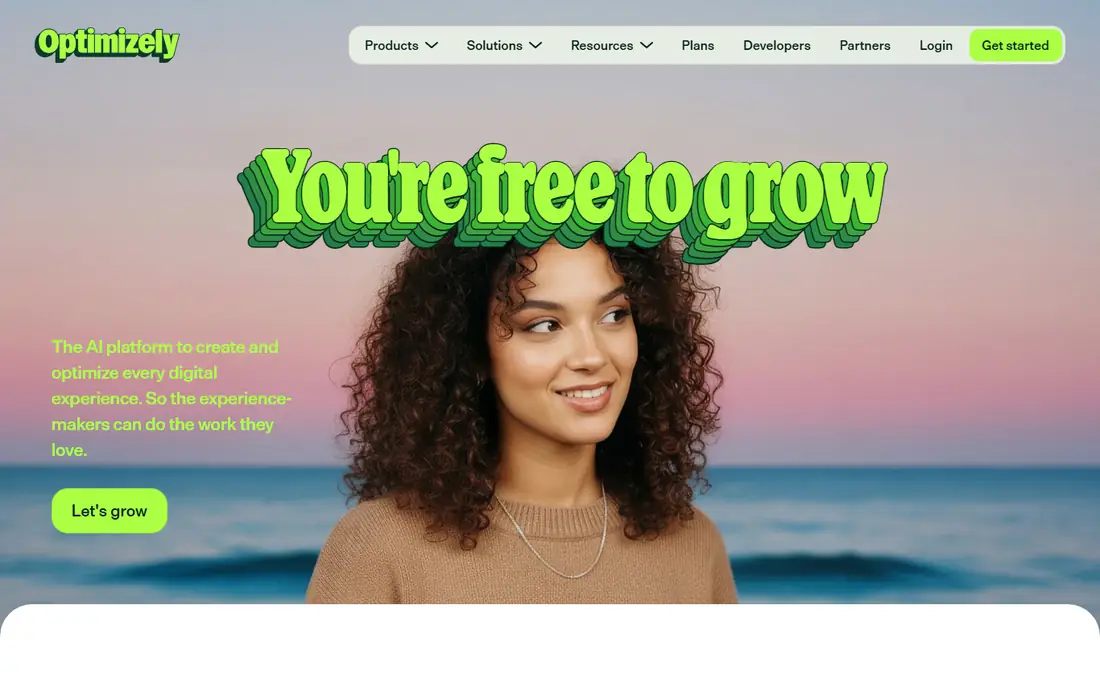
Optimizely is the benchmark many larger teams measure other tools against. Web Experimentation covers visual A/B and multivariate tests on pages, while Feature Experimentation adds server-side tests, feature flags, and mobile SDKs for product teams. That split matters, because a marketing team and a product team can run different kinds of tests without buying two separate systems.
The catch is cost and complexity. Pricing is custom, and enterprise deals are far above small-business budgets. A free tier for feature experimentation helps developers start, but a full web program still needs traffic, staff time, and a clear test backlog. For large teams with those resources, Optimizely is our pick. For smaller sites, it is more platform than you need.
- Web and feature experimentation in one platform
- Strong stats engine and governance controls
- Wide integration set
- Custom enterprise pricing
- Needs a dedicated team at scale
VWO suits teams that want testing and behavior analysis in one place. You can build a variant in the visual editor, watch recordings to see why visitors stall, and then run a follow-up test on the same page. That loop is the practical value here: insight and testing sit together, so you spend less time moving data between tools.
The starting price for Testing is listed at $199 per month, and higher traffic pushes the cost up, so small sites should check the quote for their visitor volume. The interface also packs in a lot, and new users may need a few sessions to learn where everything lives. Still, for mid-size marketing teams, VWO is one of the strongest best a/b testing tools on this list.
- Visual editor plus heatmaps and session recordings
- A/B, multivariate, and split URL tests
- Bayesian stats reporting
- Price rises with traffic
- The full suite can feel large at first
AB Tasty blends testing with personalization, which fits teams that want to show different content to different segments after a test wins. The visual editor lets marketers change page elements without waiting on developers for every variant, and targeting rules can limit a test to a specific audience, device, or traffic source.
Pricing is quoted rather than published as a simple monthly figure, so you will need a sales conversation to get a firm number. That alone puts it out of reach for many small sites. For mid-market and larger brands that already run personalization programs, though, the combination of testing and audience targeting is a real strength.
- Strong personalization and targeting
- Visual editor for marketers
- Multivariate and split tests
- Custom pricing
- Less suited to tiny budgets
Convert appeals to teams that care about privacy rules and clean data handling. It presents itself as a privacy-first experimentation platform, with controls that help teams limit data collection and meet regional privacy requirements. The editor supports standard A/B, multivariate, and split URL tests, and plans do not cap the number of tests you run.
The trade-off is scope. Convert is focused on testing rather than a full behavior suite, so you may still want a separate heatmap or analytics tool. Pricing is quoted, which makes quick budget comparison harder. If privacy compliance is a top concern for your business, Convert deserves a close look.
- Privacy-focused design and data handling
- Unlimited tests on plans
- Solid visual editor
- Pricing is quoted
- Fewer built-in behavior tools than VWO
GrowthBook is our pick for developer-led teams on a tight budget. The open-source version can be self-hosted, and paid plans add hosted features and support. It handles feature flags and experiments together, and it can pull experiment data from warehouses and analytics tools you already use, which keeps results close to your own data.
The honest catch is setup. This is a product-team tool, not a marketer-only visual editor, so you will need engineering time to get it running well. If you have that help, the price and flexibility are hard to beat. If you do not, a visual-first tool will get your first test live faster.
- Open-source option with self-hosting
- Feature flags plus experiments
- Connects to common data sources
- Setup needs technical help
- Web visual editing is lighter than VWO
Statsig grew out of product experimentation, and that focus shows in the feature set. Teams can gate features, run experiments, and watch product metrics in the same system, with SDKs for web, mobile, and server-side use. The free tier lets small teams start without a contract, which makes it a practical way to learn experimentation before committing budget.
Marketers who mainly want to edit landing pages in a visual editor may find Statsig less direct than VWO or AB Tasty. It is built for product decisions first. For app and SaaS teams that ship features often, that focus is a strength, and Statsig is one of the best a/b testing platforms for that kind of work.
- Feature gates, experiments, and analytics in one system
- Generous free tier for starting teams
- Strong SDK coverage
- Product-focused, less built for page visual editing
- Pricing scales with usage
PostHog bundles product analytics, session recordings, heatmaps, feature flags, and experiments into one platform. That breadth is useful for small product teams that do not want five separate subscriptions. You can spot a drop in a funnel, watch recordings, form a hypothesis, and run an experiment without leaving the tool.
The breadth is also the weakness. The interface covers a lot of ground, and teams that only want A/B testing may find the extra modules distracting. Pricing is usage-based with a free tier, so costs depend on events and traffic. Track usage early, and PostHog can be a strong, low-cost home for product experimentation.
- Analytics, heatmaps, recordings, and experiments together
- Free tier
- Self-hosting option
- Broad suite can feel busy
- Usage-based pricing needs monitoring
Crazy Egg is the friendliest starting point on this list for small marketing teams. Heatmaps and scrollmaps show where visitors click and how far they scroll, and recordings add context that raw numbers miss. A/B testing is available on higher plans, with basic plans starting at $29 per month, so you can start with behavior insight and add testing as you grow.
It is not built for large, complex experimentation programs with heavy statistical needs. Teams running many concurrent multivariate tests will outgrow it. For a small site that wants to understand visitors and test a headline, a button, or a page layout, Crazy Egg gives clear value at a fair price.
- Easy heatmaps, scrollmaps, and recordings
- Simple A/B tests
- Low starting price
- Less depth for complex multivariate programs
- A/B testing sits on higher plans
Zoho PageSense is the budget pick for teams already using Zoho products. It covers A/B tests, split URL tests, funnels, heatmaps, and session recordings at a starting price of $17 per month on annual billing, with a free plan for small use. That price makes it one of the cheapest ways to run proper tests with real statistics.
The ecosystem is smaller than Optimizely or VWO, and some users find the interface less polished. Integrations outside Zoho are also thinner. If you already run Zoho CRM or Zoho Analytics, though, PageSense slots in neatly and keeps costs down. For price-sensitive small businesses, it is a strong best split testing tool option.
- Low starting price
- A/B, split URL, and funnel tools
- Fits Zoho CRM and analytics users
- Smaller ecosystem than leaders
- Interface feels dated in places
How we picked these
We compared official feature pages, pricing pages, and app documentation for each platform, and checked public reviews for recurring strengths and complaints. We favored tools that are actively sold and supported in October 2026, that run true controlled tests with statistical reporting, and that fit a clear audience, from solo marketers to enterprise product teams. We left out pure analytics tools with no testing feature, and pure survey tools that only collect opinions. Where a vendor quotes pricing instead of publishing a fixed figure, we wrote See website rather than guessing.
What to check before you buy
Start with your test surface. If you test marketing pages, a visual editor matters most. If you test product features, flags, SDKs, and server-side support matter more. A tool that excels at one can be awkward at the other, so do not pay for both strengths if you only need one.
Next, check traffic and sample size. A tool priced by monthly tested users can get expensive fast on a busy site, while a seat-priced tool may suit a large site with a small team. Run a sample-size check for your main conversion goal before you sign up. Low-traffic sites need longer test runs, and no tool can fix a test that ends too early.
Also check stats and guardrails. Look for clear reporting on confidence, sample size, and segment results, plus controls to stop a losing variant. Ask how the tool handles returning visitors, bots, and flicker on page load, since those details affect result quality. Finally, use the free plan or trial to build one real test end to end. If your team cannot ship that test without vendor help, the tool is probably too complex for your current stage.
Frequently asked questions
What is the best a/b testing software for beginners?
Crazy Egg or Zoho PageSense are good starting points, because both are affordable and pair testing with visual insight. VWO is also approachable if your budget allows $199 per month. Start with one clear test, such as a headline or call to action, and learn the reporting before you run many tests at once.
What are the best a/b testing tools for product teams?
GrowthBook, Statsig, and PostHog lead here, because they combine feature flags with experiments and support server-side and mobile use. Optimizely Feature Experimentation is the enterprise version of the same idea. Pick based on your stack, your data warehouse, and how much engineering time you can give to setup.
What is the best a/b testing platform for large websites?
Optimizely and AB Tasty suit large sites with heavy traffic, many concurrent tests, and governance needs. Both use custom pricing, so get a quote for your traffic level. VWO also scales well for mid-size to large marketing teams that want testing plus behavior tools in one suite.
Do I need a paid plan to start A/B testing?
Not always. GrowthBook, PostHog, Statsig, and Zoho PageSense offer free tiers, and Crazy Egg offers a free trial. Free tiers usually limit traffic, seats, or features, so they suit learning and small sites. Once tests become a regular habit, a paid plan gives more traffic, support, and reporting depth.
How long should an A/B test run?
It depends on traffic and the size of the change you hope to detect. Small sites may need several weeks to reach a reliable sample, while busy sites can reach one in days. Use the stats tools in your platform, set a minimum sample before you start, and avoid stopping early just because one variant looks ahead on day two.
What is split testing, and how is it different from A/B testing?
Split testing is often used as a general term for comparing two or more versions, and A/B testing is the most common form of it. In practice, the best split testing tools also support split URL tests, where each variant lives on its own URL, plus multivariate tests that change several elements at once. For most teams, the distinction matters less than picking a tool with clear stats and a simple editor.
Sources
See where you really rank - block by block
ProMapRanker scans Google Maps across a grid of your service area. Simple monthly plans from $19, white-label on every plan.
Start freeKeep reading
 best tour operator software
Best Tour Operator Software in 2026
Compare the best tour operator software for bookings, channel management, waivers and payments, with pricing models for day tours and multi-day trips.
Read → best time clock app for small business
Best Time Clock App for Small Business in 2026
We compare the best time clock app for small business options, with free plans, GPS clock ins, scheduling and payroll links for hourly teams and payroll help.
Read → best test automation tools
Best Test Automation Tools in 2026
Compare the best test automation tools, from Playwright and Selenium to Cypress, Katalon and BrowserStack, with prices, languages and best uses explained.
Read →