 ProMapRanker
Adobe Lightroom Alternatives in 2026

Key takeaways
- Adobe Lightroom itself is not listed here, because this article covers alternatives only.
- Capture One is the closest professional match for studio work, colour control and tethered shooting.
- DxO PhotoLab leads on noise reduction and lens corrections, while ON1 Photo RAW offers the most complete all-in-one package.
- darktable and RawTherapee give serious free RAW workflows, with a steeper learning curve than paid rivals.
- No single app copies every Lightroom feature, so check cataloguing, mobile sync and plugin support before you switch.
Quick comparison
| Pick | Great for | Pricing starts at | Free tier | |
|---|---|---|---|---|
 Capture One Pro | Studio and colour work | $18 per month | Free trial | Visit |
 DxO PhotoLab | Noise reduction and lens corrections | See website | Free trial | Visit |
 ON1 Photo RAW | All-in-one editing | See website | Free trial | Visit |
 Luminar Neo | Quick AI-assisted edits | See website | Free trial | Visit |
 darktable | Free full RAW workflow | Free | Yes | Visit |
 RawTherapee | Detailed technical RAW work | Free | Yes | Visit |
 Affinity Photo | Layer-based editing | Free | Yes | Visit |
 ACDSee Photo Studio Ultimate | Windows photo management | See website | Free trial | Visit |
 Photomator | Apple device editing | See website | Free trial | Visit |
The best Adobe Lightroom alternatives
These nine editors cover professional studio work, all-in-one libraries, quick creative edits and free open-source workflows.
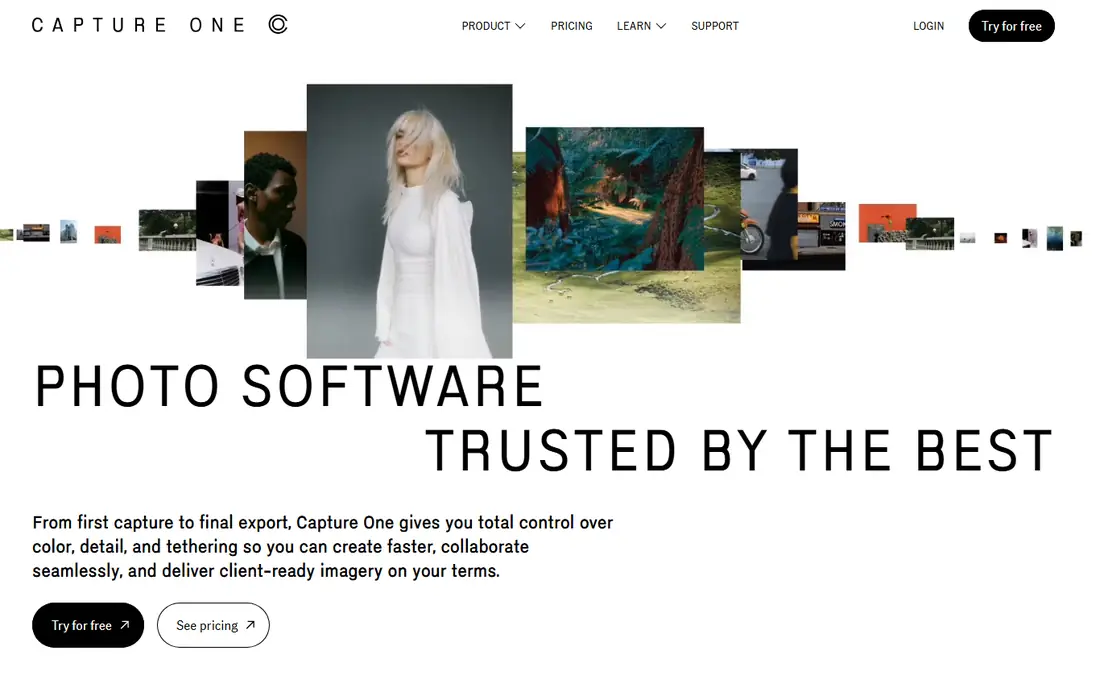
Capture One Pro is the alternative most professional photographers name first, and for good reason. Its colour handling, layer-based local adjustments and tethered shooting support suit studio and commercial work where colour accuracy and client review matter. Catalogues and sessions give two ways to organise shoots, which helps photographers who move between large jobs and smaller personal projects.
The price is the main barrier. Recent pricing guides list Pro at about $18 per month on annual billing after a 2026 increase, with a perpetual licence also available at a higher one-time cost. The interface rewards time spent learning it, and casual editors may find it heavier than they need. For working photographers who shoot tethered or need precise colour control, Capture One earns its place at the top of this list.
- Excellent colour tools
- Strong tethered shooting
- Cataloguing and sessions
- Higher price than most rivals
- Learning curve for new users
DxO PhotoLab is the image-quality specialist in this group. Its DeepPRIME noise reduction recovers detail from high-ISO files in a way that many photographers notice at once, and its lens correction modules are built from lab measurements for specific camera and lens combinations. That combination makes it a strong choice for photographers who shoot in low light or with a wide lens collection.
As a library tool, PhotoLab is lighter than Capture One or ON1 Photo RAW. It works as a browser with tagging and keywords rather than a full catalogue system, so photographers with very large archives may pair it with another organiser. If your priority is the cleanest RAW file rather than the deepest library, DxO PhotoLab is hard to beat, and its perpetual licence appeals to buyers who dislike subscriptions.
- Class-leading noise reduction
- Automatic lens corrections
- Perpetual licence
- Weaker library tools than a full catalogue app
- No layer-based compositing focus
ON1 Photo RAW tries to replace the whole Lightroom workflow in one program. You get browsing and photo management, RAW development, layers, effects, HDR merge, panorama stitching and focus stacking without buying separate tools for each job. That breadth is why many photographers call it the most feature-complete paid alternative, especially for those who also do compositing work.
The cost of that breadth is complexity. The interface holds many panels and tools, and performance on older computers can lag behind lighter editors. Check the current licence terms before you buy, since ON1 offers both perpetual and subscription options. For a photographer who wants one app for organising, editing and finishing images, ON1 Photo RAW is the most complete single purchase here.
- Photo management, layers and effects in one app
- Perpetual option
- Good value
- Performance can vary on older machines
- Interface packs in many tools
Luminar Neo suits photographers who want strong results quickly. Its AI-assisted tools handle sky replacement, portrait retouching and object removal with less manual masking than traditional editors, and the interface stays approachable for editors who do not want a deep technical workflow. For social, travel and family photography, that speed matters more than exhaustive control.
The trade-off is depth in organisation and in some advanced merges. HDR merge, panorama stitching and focus stacking have required paid extensions or a subscription tier in recent comparisons, so check what your licence actually includes. Luminar Neo is best for quick, creative edits and for editors who value a friendly workflow over a full studio catalogue.
- Fast AI-assisted tools
- Friendly interface
- Good for quick creative edits
- Library tools are lighter than Capture One
- Some features need extensions or subscription
darktable is the strongest free replacement for a complete Lightroom-style workflow. It offers non-destructive RAW editing, photo management, ratings, keywords, HDR merge and tethered shooting, all without a subscription or purchase price. It also runs on Linux, where Lightroom does not, which matters for photographers who work across operating systems.
The learning curve is real. darktable uses a module-based workflow that rewards study, and new users may need tutorials to get comfortable with tone, colour and masking tools. Printing under Windows and some file management tasks are also weaker than in paid rivals, according to recent comparisons. If you will invest time to learn it, darktable gives professional depth for no money.
- Free and open source
- Non-destructive RAW editing
- Library and tethering tools
- Steep learning curve
- Interface feels technical to new users
RawTherapee focuses on RAW processing quality above all else. Its demosaicing controls, tonal tools and detailed adjustments suit photographers who want fine control over how a RAW file is converted, and who are happy to organise files outside the editor. For image quality purists, that focus is a strength, not a limitation.
The limitation is organisation. RawTherapee does not include a photo management library, so you will need a separate tool for cataloguing large collections, and the interface is plain compared with commercial editors. Pairing RawTherapee with darktable or a dedicated organiser covers both needs for free. On its own, it suits technical editors who already have a filing system they trust.
- Free and open source
- Deep demosaicing and tonal controls
- Precise processing
- No photo management library
- Interface is plain and technical
Affinity Photo is best known as a layer-based editor in the Photoshop mould, and recent comparisons describe a free core app with paid AI tools from Canva. That makes it a useful companion to a RAW editor, rather than a direct Lightroom library replacement. Layers, masking, retouching and compositing are its strengths, and the editing experience feels polished for a free tool.
Photographers who need cataloguing should not expect it here. Affinity Photo does not manage a large photo library in the way Capture One, ON1 or darktable do, and its RAW tools are lighter than a dedicated RAW developer. Use it alongside darktable or RawTherapee for a free workflow that covers both RAW conversion and detailed pixel editing.
- Free core app in recent changes
- Strong layers and retouching
- Polished editing
- No full photo library
- RAW workflow is lighter than a dedicated RAW editor
ACDSee Photo Studio Ultimate is a Windows-focused option that combines digital asset management with layered editing. It handles large libraries with metadata tools, ratings and search, and it adds AI-assisted features such as facial recognition for organising people photos. For Windows photographers who want management and editing in one place, that combination is appealing.
Mac users should look elsewhere, since ACDSee is Windows-centred, and the interface packs many tools into view at once. Pricing varies by licence type, so confirm if you buy a perpetual licence or a subscription. For a Windows photographer who organises thousands of images and edits in layers, ACDSee Ultimate is a strong, if busy, alternative.
- Strong Windows DAM tools
- Layered editing
- Facial recognition features
- Windows focus limits Mac users
- Interface can feel busy
Photomator suits photographers who live inside the Apple system. It edits RAW files on Mac, iPhone and iPad, links well with the Apple Photos library, and keeps the interface clean compared with heavier desktop editors. For editors who shoot on iPhone, cull on iPad and finish on Mac, that continuity is a real advantage.
The limits are platform and library depth. Photomator is Apple only, so Windows and Linux users need another pick, and its library tools are lighter than a full catalogue app. Pricing has included subscription and lifetime options, so check the current terms in the App Store or on the vendor site. For Apple-first photographers, Photomator is the tidiest alternative here.
- Clean RAW editing across Mac, iPhone and iPad
- Good Photos library link
- Tidy interface
- Apple only
- Library depth is lighter than Capture One
- Subscription or lifetime pricing varies
How we picked these
We compared official feature pages, pricing pages and recent 2026 comparisons, and we favoured editors that are live today, handle RAW files, and offer a genuine alternative workflow rather than a simple filter app. We excluded Adobe Lightroom itself from the list, as instructed, and we noted where an app is strong on editing but light on library tools, because that distinction decides whether a switch will feel complete. Where a price could not be confirmed from a current public page, we list See website.
How to choose between a catalogue app and a RAW processor
Start with how you organise photos. If you manage tens of thousands of images, a catalogue app such as Capture One, ON1 Photo RAW or darktable will save more time than a pure processor such as RawTherapee. If you shoot smaller sets and organise by folders, a processor plus a simple organiser may be enough, and free tools can cover both roles.
Test migration before you commit
Export a small set of edited files, test RAW support for your exact camera model, and check whether presets, keywords and ratings carry over in a useful way. Lightroom catalogues, masks and edit history do not move across apps without loss, so plan to keep Lightroom installed for old work while you build new work in the alternative. A two-week trial with real shoots will reveal performance, colour and workflow gaps faster than a feature table.
Frequently asked questions
What are the best Lightroom alternatives?
Capture One Pro is the closest professional match, DxO PhotoLab leads on image quality, ON1 Photo RAW offers the most complete all-in-one package, and darktable is the best free full workflow. The best pick depends on studio needs, library size and budget. Try two options with the same set of RAW files before you buy.
What is the best free alternative to Lightroom?
darktable is the best free full workflow, because it combines RAW editing with library tools and tethering. RawTherapee offers deeper technical RAW control but no library, while Affinity Photo adds free layer-based editing. Running darktable with Affinity Photo covers most needs for no purchase price.
Can I buy an alternative without a subscription?
Yes. DxO PhotoLab and ON1 Photo RAW offer perpetual licences, Capture One offers a perpetual licence alongside subscriptions, and darktable, RawTherapee and the Affinity core app are free. Check what updates a perpetual licence includes, because future feature updates may need a paid upgrade.
Do Lightroom alternatives support my camera RAW files?
Most do, but support varies by camera model and release date. Check the vendor supported-camera list for your exact body before you buy, especially for very new cameras. A trial with your own RAW files is the safest test, since a general format claim does not guarantee support for a specific model.
Will my Lightroom presets and edits transfer?
Usually not in full. Presets, masks and edit history are tied to Lightroom processing, and other apps interpret them differently or not at all. You can often export finished JPEG or TIFF files and rebuild key looks in the new app. Keep your Lightroom catalogue for old work and start fresh projects in the alternative.
Is Capture One better than Lightroom?
For tethered studio work and colour control, many professionals say yes. For mobile sync, plugin support and cloud workflows, Lightroom keeps advantages. The answer depends on whether studio shooting or cloud and mobile access matters more to your daily work.
Sources
See where you really rank - block by block
ProMapRanker scans Google Maps across a grid of your service area. Simple monthly plans from $19, white-label on every plan.
Start freeKeep reading
 best chat tool for website
Best Chat Tool for Website in 2026
Best chat tool for website owners compared, with live chat, AI agents, free plans, and pricing for small stores, SaaS teams, and support teams of all sizes.
Read → best birdwatching app
Best Birdwatching App in 2026
Best birdwatching app picks for 2026: nine free and paid apps for bird ID by sight and sound, checklists, hotspots, and finding birds near you for all birders.
Read → best bird identification app
Best Bird Identification Apps in 2026
Find the best bird identification app for photos, songs and calls. We compare 9 bird apps, including Merlin, BirdNET and Audubon, to help you choose today.
Read →