 ProMapRanker
Best Wunderlist Alternatives in 2026


Closest free successor to Wunderlist · Pricing starts at: Free
Key takeaways
- Wunderlist was shut down in 2020, and this article lists live task managers only, so Wunderlist does not appear as a live product here.
- Microsoft To Do is the closest free successor, built by Microsoft after it acquired Wunderlist, and it costs nothing with no paid tier for the app itself.
- Todoist suits a user who wants fast, cross-platform lists, while TickTick suits a user who wants habits and a focus timer in the same app.
- Superlist, from the original Wunderlist founder team, is the closest spiritual successor for a modern design with team collaboration.
Quick comparison
| Pick | Great for | Pricing starts at | Free tier | |
|---|---|---|---|---|
| Microsoft To Do | Closest free successor to Wunderlist | Free | Yes | Visit |
 Todoist | Fast cross-platform task lists | $5 per month | Yes | Visit |
 TickTick | Tasks, habits, and focus timer in one app | $49.99 per year | Yes | Visit |
 Superlist | Modern lists with team collaboration | Free | Yes | Visit |
 Google Tasks | Simple lists inside Gmail and Calendar | Free | Yes | Visit |
 Trello | Visual boards for shared work | $5 per user per month | Yes | Visit |
 Any.do | Simple daily planning with reminders | See website | Yes | Visit |
 Remember The Milk | Smart lists and long-running reliability | See website | Yes | Visit |
 Things 3 | Calm task management for Apple devices | See website | No | Visit |
The best Wunderlist alternatives
Wunderlist closed in 2020 after Microsoft acquired it and moved users to Microsoft To Do, so every product below is a live task manager available in October 2026. We compared list handling, reminders, sharing, and cross-device sync, with a focus on the simple, clean feel that made Wunderlist popular. Our pick for most former Wunderlist users is Microsoft To Do, because it is free, simple, and carries the closest design lineage.
Microsoft To Do fits a former Wunderlist user who wants the closest free replacement with the least change. Microsoft built To Do from the Wunderlist team after the acquisition, and the app keeps the simple list design, shared lists, and daily My Day planning view. Flagged Outlook emails can appear as tasks, which helps a Microsoft 365 user process email action items in one place.
The catch is power-user depth. To Do has no calendar view, no habit tracker, and no Pomodoro timer, and filtering is simpler than Todoist or TickTick. For simple personal and shared lists at no cost, it is the best starting point in this list.
- Completely free with no paid tier for the app itself
- My Day view for daily planning
- Shared lists and Outlook integration
- No calendar view or Pomodoro timer
- Limited filtering compared with Todoist
- Fewer integrations outside Microsoft tools
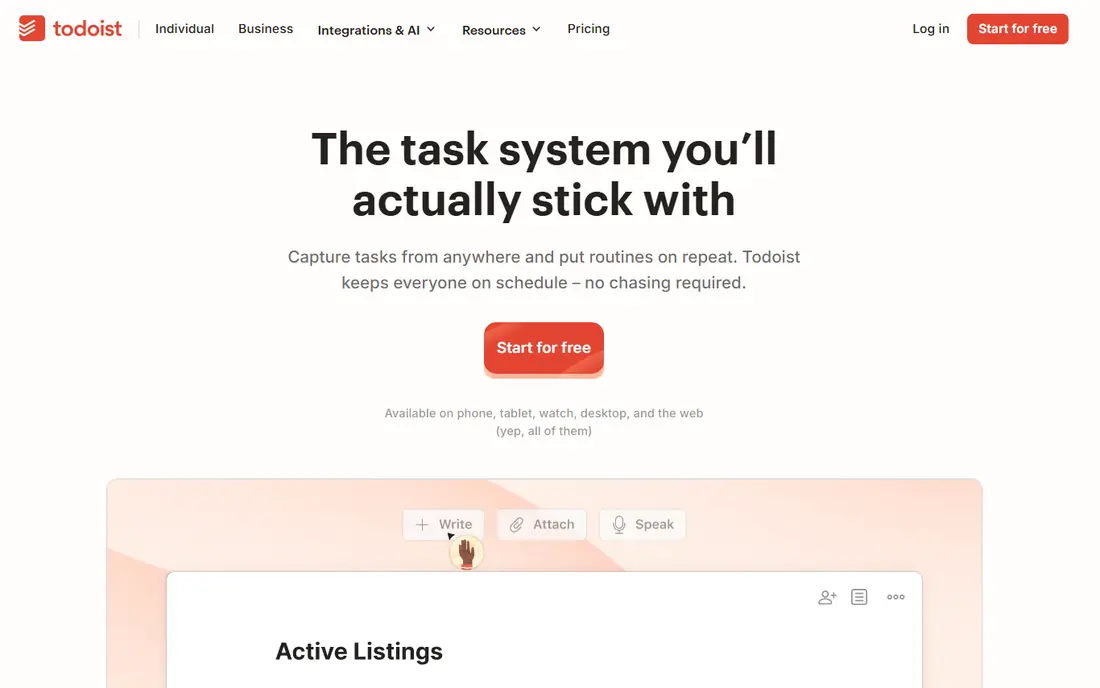
Todoist fits a user who wants a fast, focused task manager that works the same on every device. Quick Add understands plain language dates, so typing a date as part of a task sets the due date automatically. Projects can be shown as lists or boards, shared with others, and synced across web, desktop, and mobile apps.
The trade-off is the free limit and the subscription. The free Beginner plan allows five personal projects, and Pro costs $5 per month billed yearly, or $7 billed monthly, for unlimited projects, reminders, and calendar layout. For pure list management across devices, Todoist remains the cleanest paid option here.
- Fast natural language input for dates and priorities
- Apps on nearly every platform
- List and board views with sharing
- Free plan caps personal projects at five
- Pro price rose to $5 per month on annual billing
- No built-in habit tracker or timer
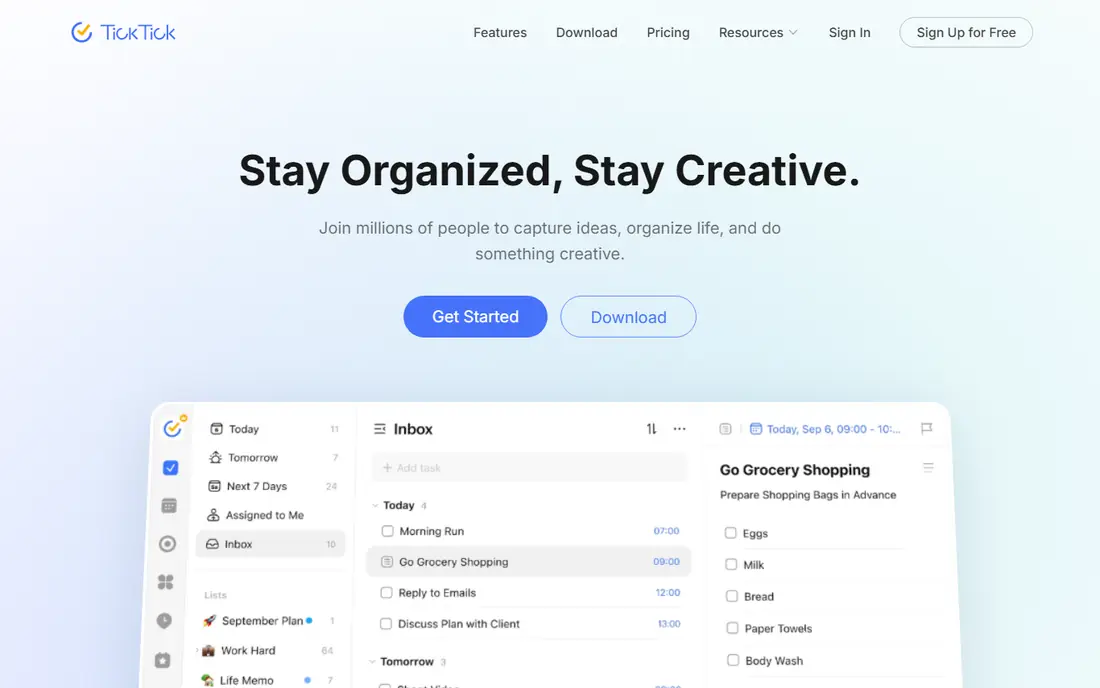
TickTick fits a user who wants tasks, habits, and focus sessions in one app instead of three. The habit tracker supports streaks and statistics, the Pomodoro timer sits beside tasks, and calendar views help plan a day or a week visually. Lists can be shared, and the app runs on web, desktop, and mobile platforms.
The catch is the free limit and the busier feel. The free plan allows nine lists, 99 tasks per list, and two reminders per task, while Premium at $49.99 per year removes those caps and adds full calendar features. For an all-in-one personal productivity app at a lower annual price than Todoist, TickTick is a strong pick.
- Habit tracker and Pomodoro timer built in
- Calendar views from a day to a full year
- Lower annual price than Todoist Pro
- Free plan limits lists, tasks per list, and reminders
- Busy interface for a user who wants only simple lists
Superlist fits a former Wunderlist fan who wants a modern successor with team features. The app comes from the team behind Wunderlist, after its founder could not buy Wunderlist back from Microsoft, and it keeps the clean list design while adding real-time collaboration, shared workspaces, and meeting notes that turn discussion into tasks. Subtasks nest without limit, which helps break a large task into steps.
The trade-off is maturity. Integrations and views are still growing, with no Kanban or calendar views yet, and the community is smaller than Todoist. For a clean, modern list app with team sharing, Superlist is the closest spiritual successor here.
- Modern design from the original Wunderlist founder team
- Unlimited subtask nesting
- Real-time collaboration and shared workspaces
- Fewer third-party integrations than Todoist
- No Kanban or calendar views yet
- Smaller user community
Google Tasks fits a Gmail and Google Calendar user who wants lists without another app. Tasks appear in the Gmail sidebar and in Calendar, subtasks break a task into steps, and due dates and reminders sync across devices. There is nothing to install beyond the Google apps a user already has.
The limit is depth. Google Tasks has no projects, tags, or rich filtering, and sharing is basic compared with Todoist or Trello. For simple personal lists inside Google Workspace, it is free and frictionless, and for project work, a dedicated app fits better.
- Completely free
- Lives inside Gmail, Calendar, and Google Chat
- Simple lists with subtasks and due dates
- No projects, tags, or advanced filtering
- No standalone desktop app
- Limited sharing compared with dedicated task apps
Trello fits a user who thinks in boards rather than lists. Cards move across columns for stages like planned, doing, and done, and boards can be shared with family or a team at no cost on the free plan. Power-ups add calendar, automation, and integrations for teams that need more.
The catch is the free board limit and the list trade-off. The free plan allows ten boards, and the Standard plan at $5 per user per month on annual billing removes that limit. A user who only wants simple lists may prefer Microsoft To Do or Todoist, while a visual planner will prefer Trello.
- Visual boards that suit shared household and team work
- Free plan allows unlimited users
- Generous free plan for casual use
- Free plan limits boards to ten
- List-focused users may find boards slower than a simple list
- Advanced views need paid plans
Any.do fits a user who plans each day in the morning and wants a calm review of what is due. The Moment feature walks through tasks for the day, reminders can trigger by time or location on mobile, and calendar integration shows tasks beside events. The design stays simple, close to the Wunderlist feel.
The trade-off is paid tier clarity. Premium features and prices vary by platform, so check the current price in the app store or on the vendor site before buying. For simple daily planning with strong reminders, Any.do is a solid pick.
- Clean daily planning with a Moment review feature
- Reminders with location support on mobile
- Calendar integration for planning
- Paid features vary by platform and store
- Advanced collaboration needs a paid plan
Remember The Milk fits a user who loves smart filtering and has used task apps for years. Smart lists build themselves from saved searches, so a list for urgent work tasks or errands near home updates without manual sorting. The service has run for many years, which suits a user who values stability over trends.
The catch is design and team features. The interface is functional rather than modern, and team collaboration is lighter than Trello or Superlist. For a solo user who wants powerful lists and a dependable service, it remains a worthy option.
- Smart lists that filter tasks automatically
- Long-running service with a loyal user base
- Apps across web, desktop, and mobile
- Interface feels older than newer rivals
- Pro features need a paid plan
- Fewer team collaboration features than Trello or Superlist
Things 3 fits an Apple-only user who wants a calm, beautiful task manager without a subscription. The design centers on Today and Upcoming views, projects group related tasks, and areas organize life into sections. Purchases are one-time per device, with iPhone, iPad, and Mac apps sold separately.
The trade-off is platform lock-in. There are no Windows, Android, or web apps, and collaboration is limited compared with Todoist or Trello. For an Apple household that values design and a one-time purchase, Things 3 is the most polished option here.
- Calm, polished design with a focus on today and upcoming work
- One-time purchase per device, no subscription
- Strong Apple platform integration
- Apple devices only, with no Windows or Android apps
- No free plan, only a trial path on some platforms
- No shared project collaboration like Todoist
How we picked these
We compared official feature pages, pricing pages, and app store listings for task managers available in October 2026 that cover Wunderlist core work: simple lists, due dates, reminders, subtasks, sharing, and cross-device sync. We favored apps with a free plan or a one-time purchase option, and we excluded apps that are discontinued, in closed beta, or focused only on project management with no simple list mode.
How to move from Wunderlist thinking to a new app
Start with one list for today, one list for this week, and one list for someday, because a complex folder system is the fastest way to abandon a new app. Use the daily review view, whether it is My Day in Microsoft To Do, Today in Things 3, or the Moment review in Any.do, and check it at the same time each day. After two weeks, add tags or projects only for lists that actually overflowed.
Picking by device and household
A Microsoft household should start with Microsoft To Do, a Google household with Google Tasks, and an Apple household with Things 3 or Microsoft To Do. A mixed-device household should choose Todoist, TickTick, or Superlist, because all three sync across web, desktop, and mobile platforms. A shared household list works best in Microsoft To Do, Trello, or Superlist, where sharing is simple and free.
Frequently asked questions
Is Wunderlist still available?
No, Wunderlist was shut down in 2020 after Microsoft acquired it. Microsoft moved users to Microsoft To Do, which is the closest free successor, and the other apps in this article are live alternatives.
Which Wunderlist alternative feels most like Wunderlist?
Microsoft To Do feels closest, because Microsoft built it from the Wunderlist team after the acquisition. Superlist is the next closest in spirit, because it comes from the original Wunderlist founder team with a modern design.
Which Wunderlist alternative is completely free?
Microsoft To Do and Google Tasks are completely free, with no paid tier for the apps themselves. Todoist, TickTick, Superlist, Trello, Any.do, and Remember The Milk offer free plans with limits, and Things 3 is a paid, one-time purchase.
Can I share lists with family members?
Yes, Microsoft To Do, Todoist, TickTick, Superlist, and Trello all support shared lists or projects. Check sharing limits on free plans, because some apps cap collaborators or shared projects on the free tier.
What happened to my old Wunderlist lists?
Wunderlist lists were migrated to Microsoft To Do during the shutdown period, and that migration window has closed. A user who still has an old export can import tasks manually into a new app, list by list.
Sources
See where you really rank - block by block
ProMapRanker scans Google Maps across a grid of your service area. Simple monthly plans from $19, white-label on every plan.
Start freeKeep reading
 zoro.to alternatives
Best Zoro.to Alternatives in 2026
We compare the best zoro.to alternatives in 2026, listing only legal licensed anime streaming services, from Crunchyroll to free options for fans today.
Read → zip alternatives
Best Zip Alternatives in 2026
We compare the best zip alternatives for buy now, pay later in 2026, covering pay-in-4 plans, fees, spending limits, and credit reporting options today.
Read → yesware alternatives
Best Yesware Alternatives in 2026
Compare the best yesware alternatives for sales email tracking, templates, and sequences, with current pricing and honest tradeoffs for small sales teams.
Read →