 ProMapRanker
Best Workplace Alternatives in 2026


General team chat with many integrations · Pricing starts at: $7.25 per user per month
Key takeaways
- Workplace from Meta went read-only on 1 September 2025 and shut down on 1 June 2026, so it is not a live option in this list.
- Slack is our pick for most teams that need channels, integrations, and a familiar chat workflow.
- Microsoft Teams suits organisations already on Microsoft 365, where the extra cost is often minimal.
- Google Chat, Zoho Cliq, and Viva Engage cover the intranet-style announcements Workplace users relied on, in different ecosystems.
- Mattermost and Rocket.Chat suit teams that need self-hosting or stronger data control.
Quick comparison
| Pick | Great for | Pricing starts at | Free tier | |
|---|---|---|---|---|
| Slack | General team chat with many integrations | $7.25 per user per month | Yes | Visit |
 Microsoft Teams | Organisations already using Microsoft 365 | See website | Yes | Visit |
 Google Chat | Teams already on Google Workspace | See website | Yes | Visit |
 Microsoft Viva Engage | Company-wide announcements and communities | See website | No | Visit |
 Zoho Cliq | Small teams already using Zoho apps | See website | Yes | Visit |
 Mattermost | Teams needing self-hosting and data control | Free | Yes | Visit |
 Rocket.Chat | Self-hosted chat with customer messaging | Free | Yes | Visit |
 Flock | Simple, low-cost team chat | See website | Yes | Visit |
 Twist | Thread-first chat that reduces noise | See website | Yes | Visit |
The best workplace alternatives
Workplace from Meta combined a social feed, groups, and chat for whole companies, including frontline workers. Its staged shutdown ended with full closure on 1 June 2026, so former users need a replacement that covers both daily chat and company-wide announcements. The tools below cover those jobs in different ways, from pure chat to intranet-style communities. We compared official pricing pages, product documentation, and published migration guidance, and we focused on groups, announcements, integrations, and data control.

Slack is the most direct chat replacement for most Workplace teams. Channels organise work by team or topic, threads keep side conversations readable, and huddles cover quick voice chats without a separate meeting link. Its integration library connects to project tools, file storage, and helpdesks, which helps recreate parts of the Workplace workflow in one place.
The free plan is useful for small teams, but message history is limited and only a small number of app integrations are included, so larger teams will need Pro at $7.25 per user per month on annual billing in published comparisons. Slack is less of a social intranet than Workplace was: company-wide announcements work, but they feel like a channel post rather than a feed post. Pair it with an intranet or Viva Engage-style tool if announcements are central.
- Channels, threads, and huddles
- Very large integration library
- Guest access for external partners
- Free plan limits message history and app integrations
- Company-wide feed features need workarounds

Microsoft Teams is the lowest-friction move for organisations already paying for Microsoft 365, since Teams, SharePoint, OneDrive, and Outlook already sit in the same ecosystem. Teams and channels cover department and project groups, meetings and calls are built in, and files live in SharePoint rather than in scattered chat attachments. For a Workplace migration, Teams plus Viva Engage covers both daily chat and company-wide posts.
The interface packs a lot into one window, and new users can find notifications and channel structure overwhelming at first. Pricing also needs care, because Microsoft has changed how Teams is packaged, with standalone Essentials and bundled Microsoft 365 plans at different prices. If you already hold Microsoft 365 licences, Teams is usually the cheapest and simplest Workplace replacement.
- Chat, meetings, and files in one app
- Deep Microsoft 365 integration
- Teams and channels for large groups
- Interface can feel crowded
- Standalone pricing has changed over time and needs checking
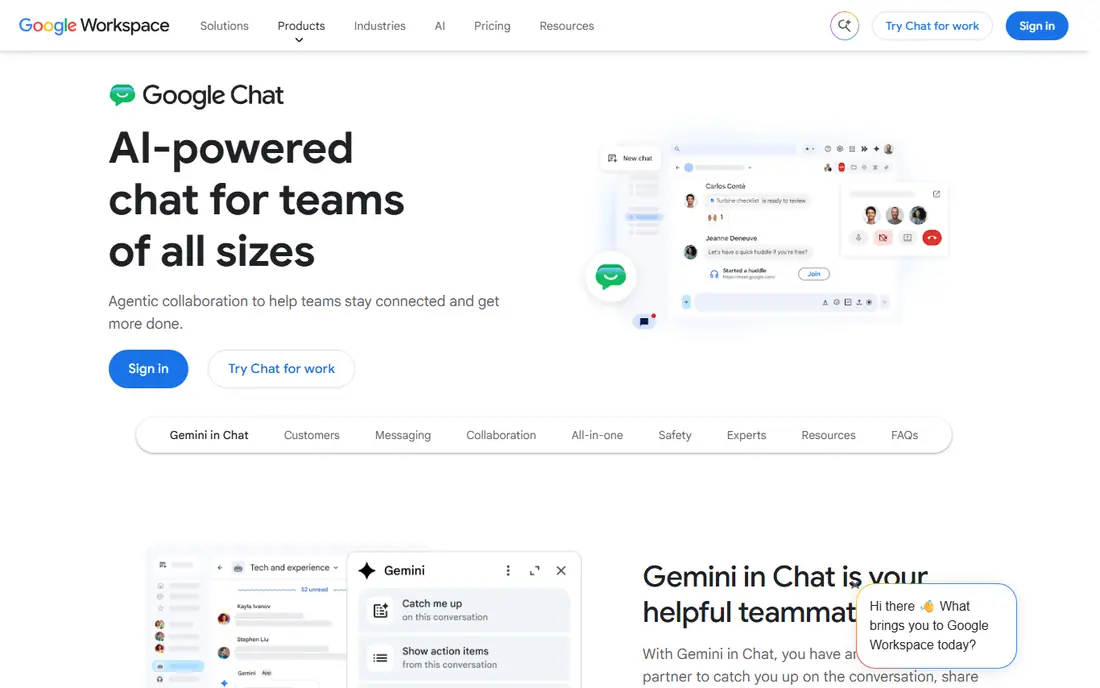
Google Chat suits organisations that already live in Gmail, Drive, and Meet. Direct messages and Spaces organise team conversations, files from Drive open without extra downloads, and Meet calls start from a chat without switching apps. Search across messages is strong, which helps when a decision made in chat needs to be found weeks later.
It is simpler than Slack or Teams, and that is both a strength and a limit. Third-party integrations are fewer, and there is no full social intranet feed in the Workplace sense. Business pricing comes through Google Workspace plans, so check the current Workspace tier for your team size. For a Google-based organisation, Chat plus a Google Site or intranet page can cover announcements without a new vendor.
- Simple chat and spaces
- Tight Gmail, Drive, and Meet integration
- Strong search across messages
- Fewer third-party integrations than Slack
- Company feed features are limited
Viva Engage, formerly Yammer, is the closest Microsoft match for the social side of Workplace. Communities mirror Workplace groups, leaders can post stories and announcements to the whole company, and conversations sit in a feed rather than a fast-moving chat channel. It integrates with Teams, SharePoint, and Microsoft 365 identity, which simplifies admin for Microsoft-based organisations.
It is not meant to replace daily team chat on its own. Most organisations pair Viva Engage for announcements and community with Teams for day-to-day messages and meetings. Pricing comes through Microsoft 365 plans, so confirm which plan includes Engage for your users, especially frontline workers who may hold different licences. For the Workplace feed experience, Viva Engage is the natural successor in the Microsoft world.
- Social feed and communities like Workplace groups
- Integrated with Teams and Microsoft 365
- Leadership posts and stories
- Needs Microsoft 365 licensing
- Not a full daily chat replacement on its own
Zoho Cliq gives Zoho users a chat tool that fits naturally beside Zoho Projects, People, Calendar, and Notebook. Channels, direct messages, audio and video calls, and bots cover daily team communication, and the free edition is usable for small teams getting started. Admin controls and integrations with other Zoho apps reduce the need for separate tools.
The integration library beyond Zoho is smaller than Slack's, so teams with many external tools should check coverage first. Some higher tiers also carry a minimum user count in published listings, which matters for very small teams. If your business already runs on Zoho, Cliq is a low-cost, low-friction Workplace alternative for chat, with Zoho Connect available for intranet-style pages if needed.
- Free edition for small teams
- Channels and bots
- Links to Zoho Projects, People, and other Zoho apps
- Smaller third-party integration library than Slack
- Top tiers have a minimum user count in some listings
Mattermost is an open-source team chat platform that can be self-hosted, which appeals to organisations with strict data residency, security, or compliance needs. Channels, threads, file sharing, and integrations with GitHub, GitLab, Jira, and other developer tools cover daily collaboration, and admin controls help manage retention and access. A free self-hosted edition makes it accessible for technical teams.
Self-hosting is the trade-off: your team owns updates, backups, and security, which needs IT time. Hosted and enterprise plans add support and advanced controls at quoted prices. For regulated or security-conscious organisations that cannot put internal chat on a public cloud without controls, Mattermost offers a Workplace chat replacement with data control that Slack and Teams cannot match in the same way.
- Open-source self-hosted option
- Channels, threads, and integrations
- Strong admin and compliance controls
- Self-hosting needs IT time and servers
- Hosted pricing is quoted for larger plans
Rocket.Chat is another open-source chat platform with a self-hosted option, plus hosted plans for teams that prefer not to run servers. Channels, direct messages, video calls, and omnichannel messaging for customer conversations sit in one system, which suits teams that handle both internal chat and external support. Integrations cover common project, file, and calendar tools.
As with Mattermost, self-hosting brings maintenance work, and the interface can feel busier than Slack for new users. Hosted pricing varies by plan and user count, so confirm the current rate for your team size. For organisations that want data control plus customer messaging in one tool, Rocket.Chat is a flexible Workplace alternative, especially where a single hosted chat app would not cover both jobs.
- Open-source self-hosted option
- Channels and omnichannel messaging
- Broad integration library
- Self-hosting needs maintenance
- Interface and setup take more effort than hosted chat apps
Flock offers a straightforward chat app for teams that found Workplace simple and do not want a complex system. Channels, direct messages, video calls, polls, and file sharing cover everyday communication, and the interface is easy for frontline and non-technical staff to learn. A free plan for small teams makes it easy to trial without a budget decision.
Published listings limit the free plan to a small number of members, and the integration library is smaller than Slack's, so larger or tool-heavy teams may outgrow it. Paid plans are modestly priced in most listings, but confirm the current rate on the vendor site. For a small team that mainly needs reliable chat and announcements, Flock is a practical, low-cost Workplace replacement.
- Free plan for small teams
- Channels, video calls, and polls
- Simple interface for non-technical users
- Free plan is limited to a small team size in published listings
- Integration library is smaller than Slack
Twist, from the makers of Todoist, takes a different approach to team chat: every conversation is a thread inside a channel, so messages do not scroll past in one long stream. That design suits distributed and asynchronous teams, where people work across time zones and need to catch up on a topic without reading hundreds of chat lines. Channels organise topics, and threads keep decisions attached to the discussion that produced them.
Teams used to fast, real-time chat may find Twist slower for urgent back-and-forth, and its integration library is smaller than Slack's. A free plan covers basic use, with a single paid plan in published listings. If Workplace's feed felt noisy and your team wants calmer, more searchable conversations, Twist is worth a trial, especially for async-first organisations.
- Every conversation is a thread
- Calmer inbox than real-time chat
- Good for async and distributed teams
- Real-time chat lovers may find it slow
- Smaller integration library than Slack or Teams
How we picked these
We compared official pricing pages, product documentation, and published Workplace migration guidance for tools available in October 2026. We kept only live products that cover team chat, groups, or company-wide announcements, and we excluded Workplace itself because it shut down on 1 June 2026. We checked free plan limits, ecosystem fit, and self-hosting options, and we marked quote-based or bundled pricing as See website rather than guessing a figure.
What to check before you switch
Start by mapping what Workplace did for you. List your groups, announcement audiences, frontline worker access, and integrations, then check which of those each alternative covers without extra tools. A chat-only app may leave announcements uncovered, while an intranet-only tool may leave daily chat uncovered, so many former Workplace users end up with a pair of tools rather than one.
Next, plan the migration itself. Export groups, files, and key posts before access ends, confirm how frontline workers without company email will sign in, and test the new tool with one department before a company-wide move. Check message history limits, guest access, retention controls, and admin roles, since those affect compliance and day-to-day admin. Finally, train on the new structure: channels and threads work differently from a social feed, and a short guide for staff will reduce confusion in the first weeks.
Frequently asked questions
Is Workplace from Meta still available?
No. Workplace went read-only on 1 September 2025 and shut down on 1 June 2026. Former users need to migrate to another chat or intranet platform, and old Workplace links and content are no longer available as a live service.
What is the best Workplace alternative for most companies?
Slack is best for general team chat and integrations, while Microsoft Teams is best for organisations already on Microsoft 365. If company-wide announcements matter most, add Viva Engage in the Microsoft world or an intranet tool beside Slack.
Can I migrate Workplace groups to Slack or Teams?
You can recreate groups as channels or teams, but a direct one-click migration of all Workplace history is not guaranteed. Export key content before closure, recreate the group structure manually, and use vendor migration guides where available.
Which Workplace alternative is best for frontline workers?
Microsoft Teams with frontline licences, Google Chat within Workspace, and Flock all suit frontline use, depending on your existing licences. Check mobile access, sign-in without company email, and announcement reach for workers without desks.
Is there a free Workplace alternative?
Yes, in part. Slack, Google Chat for personal accounts, Zoho Cliq, Mattermost self-hosted, Rocket.Chat self-hosted, Flock, and Twist all offer free tiers or free editions. Free plans limit history, users, or features, so larger companies will usually need a paid plan.
Should I choose one tool or two?
Many former Workplace users need two: one for daily chat and one for company-wide announcements. Teams plus Viva Engage, or Slack plus an intranet page, covers both jobs better than forcing one chat app to act as a social feed.
Sources
See where you really rank - block by block
ProMapRanker scans Google Maps across a grid of your service area. Simple monthly plans from $19, white-label on every plan.
Start freeKeep reading
 zscaler alternatives
Best Zscaler Alternatives in 2026
Looking for zscaler alternatives? We compare 9 SASE and zero trust platforms on architecture, data protection, pricing, and fit for your network and team.
Read → zapier alternatives free
Best Zapier Alternatives Free in 2026
Nine automation tools for zapier alternatives free in 2026, all with genuinely free tiers, plus free plan limits, starting prices and upgrade paths explained.
Read → which platform is best for online reputation
Which Platform Is Best for Online Reputation in 2026
Wondering which platform is best for online reputation? We compare 8 review, listing, and response tools for small and multi-location businesses and agencies.
Read →