 ProMapRanker
Who's Got the Best Nanny Tax Services in 2026

Key takeaways
- The best nanny tax service for most families is a full-service provider that files federal and state taxes and prepares year-end forms.
- Do-it-yourself software costs less but leaves filing, payment, and agency correspondence to you, which changes the risk.
- Monthly full-service prices in this guide range from about $39 to $75 for one employee, before extra employee and year-end fees.
- This is general information only, not tax or legal advice, and tax and employment rules vary by state, so consult a tax professional for your situation.
Quick comparison
| Pick | Great for | Pricing starts at | Free tier | |
|---|---|---|---|---|
 HomePay by Care.com | Fully managed nanny taxes | $59 per month | No | Visit |
 GTM Payroll Services | Expert tax support | $70 per month | No | Visit |
 Poppins Payroll | Flat-rate tax filing | $49 per month | Free trial | Visit |
 SurePayroll by Paychex | Affordable tax filing | $39 per month | No | Visit |
 HomeWork Solutions | Tax support plus payroll | See website | No | Visit |
 NannyPay | Do-it-yourself tax software | $199.95 per year | Free trial | Visit |
 Savvy Nanny Payroll | Budget tax filing | $39 per month | No | Visit |
 Nest Payroll | Back taxes and filing | $42 per month | No | Visit |
The best nanny tax services
So, who's got the best nanny tax services? For most families, the answer is a provider that handles withholding, quarterly filings, state filings, and year-end forms, with a clear guarantee if it makes a filing error. Prices below are starting prices for one employee where published.

HomePay answers the question most directly for families who want taxes handled end to end. It calculates pay and withholding, files quarterly taxes, and prepares year-end documents, while helping with employer account setup and new-hire reporting. Families who worry about missing a form or deadline often choose HomePay for that completeness, even at a premium price.
The cost is the main reason to look elsewhere. Essentials starts at $59 per month, Plus costs $75 per month in recent listings, and year-end forms can add a fee on some plans. If your tax situation is simple and you are comfortable with a dashboard, a flat-rate rival may file the same forms for less. HomePay fits families who want the work done for them.
- Files quarterly taxes and year-end documents
- Long household tax history
- Handles agency correspondence in its service model
- Higher price than budget rivals
- Year-end forms cost extra on some plans
- No free tier on Essentials
GTM Payroll Services is a strong answer for families with tax questions that go beyond a standard pay run. Its specialists understand household employment taxes across states, and its entry plan covers employer setup, new-hire reporting, automated payroll, and tax filings, with audit support included. GTM also offers help with nanny tax questions, back taxes, and Schedule H preparation, which matters for families catching up on past periods.
Families should confirm the full cost before signing. GTM charges a setup fee, and year-end reporting is listed as an optional service in some provider FAQs, so the monthly price alone does not tell the whole story. For complex cases, nanny shares, or benefits questions, the expert support can justify the higher starting price.
- Household tax specialists
- Unlimited audit support on some plans
- Help with back taxes and Schedule H
- Setup fee applies
- Year-end reporting can be an optional extra
- Higher tiers cost much more
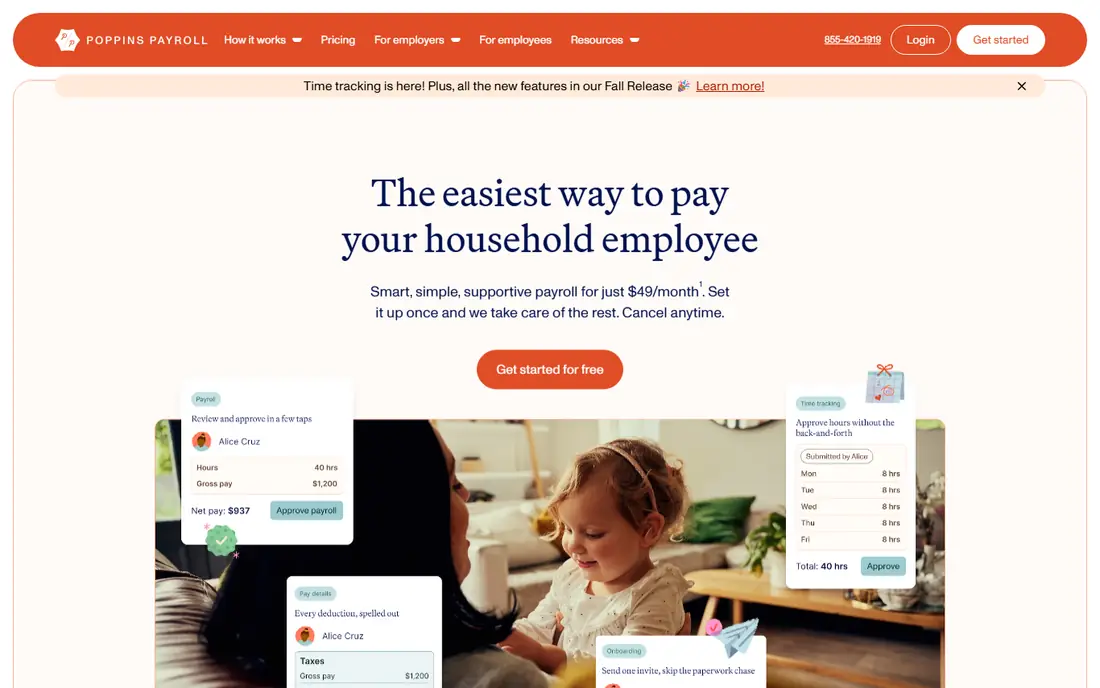
Poppins Payroll offers one of the clearest tax deals on this list, with a flat $49 per month covering payroll, tax payments, quarterly filings, and year-end forms for active accounts. That inclusion matters, since some rivals charge separately for W-2 and Schedule H preparation. Poppins also states a guarantee for accurate, on-time filings, with penalties covered if it causes an error.
The trade-off is personalization. Poppins does not offer a separate premium tier with a dedicated account manager, so families who want a named contact for complex cases may prefer GTM or HomePay Plus. For most single-nanny households, though, Poppins gives full filing coverage at a mid-range price with no tier confusion.
- One flat monthly price
- Year-end forms included for active accounts
- Tax filing guarantee in its terms
- No premium dedicated manager tier
- Special filings can add fees
- Support is generalist within household payroll
SurePayroll by Paychex is the budget full-service answer for families who want automated tax filing without a premium price. It calculates pay and taxes, runs payroll on schedule, and handles filings, which covers the core duties most households need. Being part of Paychex gives it scale and payroll infrastructure that smaller rivals cannot match.
The weakness is depth of household guidance. A general payroll provider may not offer the same state-specific nanny tax advice as GTM or HomePay, especially for nanny shares or unusual schedules. Families with a simple, single-employee setup will likely be fine, while complex cases should ask for written confirmation of state filings before signing.
- Lower starting price
- Automated payroll and tax runs
- Backed by a large payroll company
- Less household-specific tax guidance than niche providers
- Check state filing coverage
HomeWork Solutions pairs household payroll with tax support, and it is often mentioned for families who want personal help rather than a purely automated tool. It covers pay calculation, tax handling, and year-end reporting, with payment options that suit different family routines. That combination helps families who want to ask questions during setup and at tax time.
Pricing transparency is the drawback, since a clear starting price is not always published online. Families should request a written quote that includes setup, monthly, and year-end fees, and confirm which state filings are included. Once the full cost is clear, HomeWork Solutions can be a strong choice for families who value support over the lowest price.
- Household payroll and tax support
- Multiple payment options
- Long household focus
- Pricing is less transparent online
- Quarterly billing may suit some budgets less well
NannyPay is software, not a filing service, and that distinction drives its low price of about $199.95 per year for one to three employees in recent listings. It calculates wages, withholdings, and taxes, generates pay stubs, and prepares year-end forms, but you handle filing, payment, and any agency correspondence yourself. Hands-on families who are comfortable with tax forms can save hundreds of dollars a year this way.
The risk stays with you. If you miss a deadline, file incorrectly, or receive an agency notice, NannyPay does not resolve it as a full-service provider would. That makes it a poor fit for families who want taxes fully handled, and a good fit for organized families who want calculation help at a low annual cost.
- Low annual cost
- Calculates federal and state taxes
- Prepares forms for you to file
- You file and pay taxes yourself
- No filing service
- Basic interface
Savvy Nanny Payroll offers a low-cost full-service route, with entry pricing around $39 per month in recent listings and, in some listings, coverage for two employees at that level. It handles core payroll and tax tasks without premium tiers, which keeps the monthly bill simple. For a straightforward nanny arrangement, that simplicity is enough.
The caution is verification. Smaller providers can vary in state filing coverage and year-end fees, so ask for a written list of included federal and state filings before you sign. Confirm whether W-2 and Schedule H preparation are included or charged separately. For simple cases with confirmed coverage, Savvy is a useful budget option.
- Low starting price
- Covers core payroll and tax tasks
- Simple setup
- Smaller provider
- Confirm filing coverage and year-end fees in your state
Nest Payroll stands out for families who need to fix the past as well as handle the future. Many families discover household tax duties late, after months of informal pay, and Nest is often noted for helping with back taxes alongside ongoing payroll and filings. That cleanup service can prevent a second search for a tax professional after payroll is already running.
The limitation is scale. Nest is smaller than HomePay, GTM, or Poppins, so families should check reviews and confirm state coverage and pricing in writing. Back tax work may also cost extra depending on how many periods need correction. For families with a cleanup need, Nest deserves a direct conversation before choosing a purely ongoing provider.
- Helps with back tax cleanup
- Ongoing payroll and filings
- Household employer focus
- Less well known than larger rivals
- Confirm current pricing and state coverage
How we picked these
We compared official provider pages, pricing listings, and independent nanny payroll roundups, focusing on services that still handle US household tax filing or tax calculation in 2026. We favored providers that clearly state which filings are included, and we used See website where pricing is not published clearly. We treated do-it-yourself software separately from full filing services, since the risk and workload differ greatly, and we did not present software as a filing service.
What to ask about nanny taxes before you choose
First, ask exactly which tax forms are included. Confirm federal quarterly filings, state filings, new-hire reporting, and year-end forms such as the W-2, W-3, and Schedule H, and ask whether year-end preparation costs extra. A low monthly price can look different once setup and year-end fees are added, and Schedule H timing matters, since it is filed with your personal return.
Second, ask about your state and your household setup. Tax and employment rules vary by state, and nanny shares, overtime, sick leave, and workers compensation rules can change the filing picture. Tell the provider your state, pay schedule, and whether you share a nanny, and get the answer in writing.
Third, ask who is responsible if a filing is late or wrong. Full-service providers often guarantee on-time filings and cover penalties they cause, while software providers leave that duty with you. Keep your own copies of pay stubs, filings, and agency letters even when a provider handles them, and consult a tax professional for back taxes or complex cases.
Frequently asked questions
Who's got the best nanny tax services overall?
For most families, Poppins Payroll offers the clearest value, with flat-rate filing and year-end forms included for active accounts. HomePay suits families who want fully managed service at a premium, while GTM suits complex cases that need expert tax support. The best choice depends on your budget, state, and whether you need back tax help.
What is the difference between nanny tax software and a nanny tax service?
Software, such as NannyPay, calculates taxes and prepares forms, but you file and pay taxes yourself. A service, such as HomePay, Poppins, or GTM, files taxes on your behalf and usually prepares year-end forms. Software costs less, while a service transfers filing work and, in many cases, filing risk to the provider.
Do I need to file Schedule H for a nanny?
In most cases, yes, if you paid a household employee above the annual wage threshold and are treated as a household employer. Schedule H reports household employment taxes with your personal tax return, and your provider may prepare it for you. Thresholds and rules change, so check current IRS guidance or consult a tax professional.
Can a nanny tax service fix back taxes?
Some providers, including Nest Payroll and GTM, offer help with back tax cleanup, while others focus only on current payroll. If you have unpaid periods, ask directly whether prior filings are included and what they cost. A tax professional can also help assess penalties, payment plans, and state requirements.
How much do nanny tax services cost?
Recent listings put most full-service providers between about $39 and $75 per month for one employee, plus extra employee fees and possible year-end charges. Do-it-yourself software can cost about $200 per year, but you do the filing work. Always ask for the full annual cost, not just the monthly figure, before comparing providers.
Sources
- https://www.care.com/homepay
- https://www.gtm.com
- https://www.poppinspayroll.com
- https://www.surepayroll.com
- https://www.homeworksolutions.com
- https://www.nannypay.com
- https://www.savvynanny.com
- https://www.nestpayroll.com
- https://www.techrepublic.com/article/best-nanny-payroll-services/
- https://fitsmallbusiness.com/best-nanny-payroll-service/
See where you really rank - block by block
ProMapRanker scans Google Maps across a grid of your service area. Simple monthly plans from $19, white-label on every plan.
Start freeKeep reading
 worlds best local seo company
8 Worlds Best Local SEO Companies for Map Pack Growth in 2026
Compare the worlds best local seo company options for Google Business Profile work, citations, reviews, and multi-location rankings and reporting in 2026.
Read → world's best web hosting company
World's Best Web Hosting Company in 2026
Searching for the world's best web hosting company? We compared 10 hosts on price, renewal rates, speed, and support to help you choose well today in 2026.
Read → who offers the best network monitoring service
Who Offers the Best Network Monitoring Service in 2026
We compared who offers the best network monitoring service on device coverage, alerts, pricing models, and ease of setup to help IT teams choose the right tool.
Read →