 ProMapRanker
Which Payment App Is Best for Business in 2026

Key takeaways
- Square wins for in person sales, Stripe wins for online and subscription businesses, and PayPal wins where buyer trust matters most.
- Flat rate pricing looks simple, but the fixed per transaction fee matters most on small orders, so test your average order value.
- Wise Business and Revolut Business suit firms paying or receiving money across borders, while Helcim suits firms that want clearer interchange pricing.
- No single app fits every business, so match the app to where most of your sales happen: in store, online, by invoice, or abroad.
Quick comparison
| Pick | Great for | Pricing starts at | Free tier | |
|---|---|---|---|---|
 Square | In person and retail sales | Free | Yes | Visit |
 Stripe | Online and subscription sales | Free | Yes | Visit |
 PayPal Business | Trusted online checkout | Free | Yes | Visit |
 Wise Business | International payments | Free | Yes | Visit |
 Revolut Business | Multi currency accounts | Free | Yes | Visit |
 Helcim | Transparent card pricing | Free | Yes | Visit |
 QuickBooks Payments | Invoicing inside accounting | Free | Yes | Visit |
 Melio | Paying suppliers by card or bank | Free | Yes | Visit |
 Venmo Business | Small sales to US customers | Free | Yes | Visit |
 Cash App for Business | Simple peer style business payments | Free | Yes | Visit |
The best business payment apps
This is general information, not financial advice, and fees change, so confirm the rate on the vendor pricing page before you switch. The right payment app depends on how you sell, not on which brand is best known. We compared official pricing pages and feature lists for apps that accept business payments in the US, covering in person, online, invoice, and cross border sales.

Square is our pick for most small shops, cafes, and market stalls. The free plan has no monthly fee, the point of sale app is easy to learn, and card readers and terminals cover counter, table, and mobile selling. Inventory, staff permissions, and sales reports come built in, so a small team can run the whole shop from one system.
The catch is online sales. On the free plan, online payments cost more than the in person rate, and paid plans that cut that rate are priced per location, which adds up for multi site firms. If most of your sales happen face to face, Square is hard to beat. If most happen online, compare Stripe first.
- No monthly fee on the free plan
- Strong point of sale hardware and app
- In person rate of 2.6 percent plus 15 cents
- Online rate on the free plan is higher at 3.3 percent plus 30 cents
- Advanced plans are priced per location
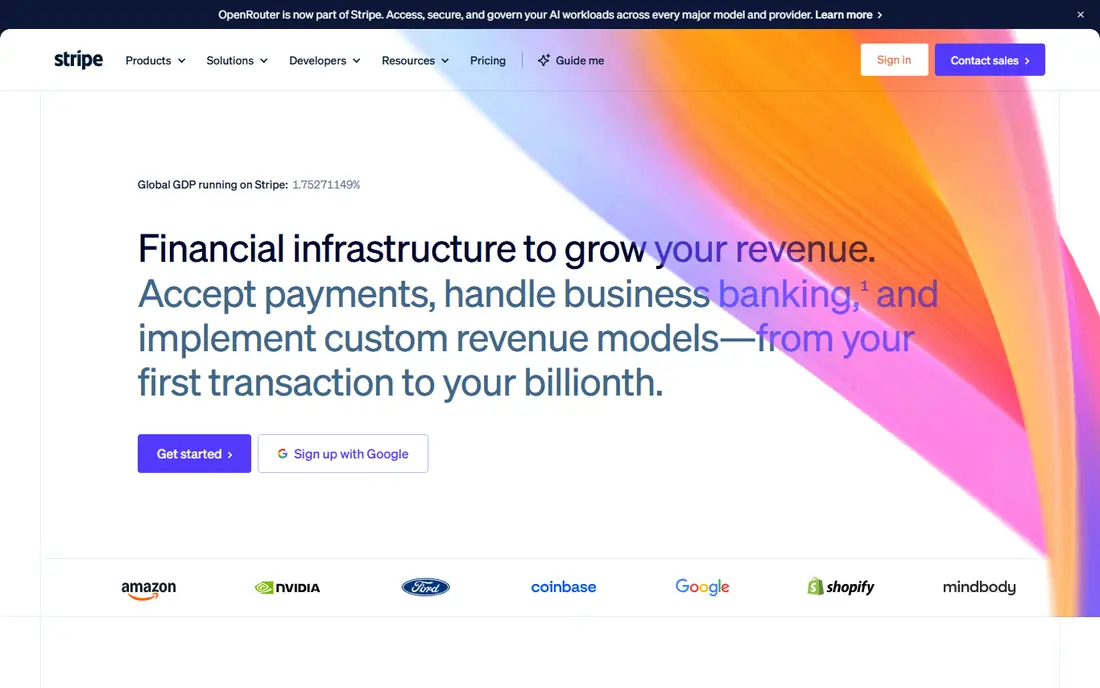
Stripe suits online businesses, software firms, and subscription services. Its checkout, billing, and invoicing tools handle recurring payments, trials, and failed payment retries with little manual work. There is no monthly fee for standard processing, and high volume firms can ask about custom rates.
The trade off is technical effort. A simple payment link works without code, but a full custom checkout needs a developer. In person sales are possible through Terminal, yet they are not as plug and play as Square. For an online first business, Stripe remains the most flexible choice.
- Online rate of 2.9 percent plus 30 cents
- Strong tools for subscriptions and marketplaces
- No monthly fee
- Needs developer help for custom setups
- In person payments need Terminal hardware and setup
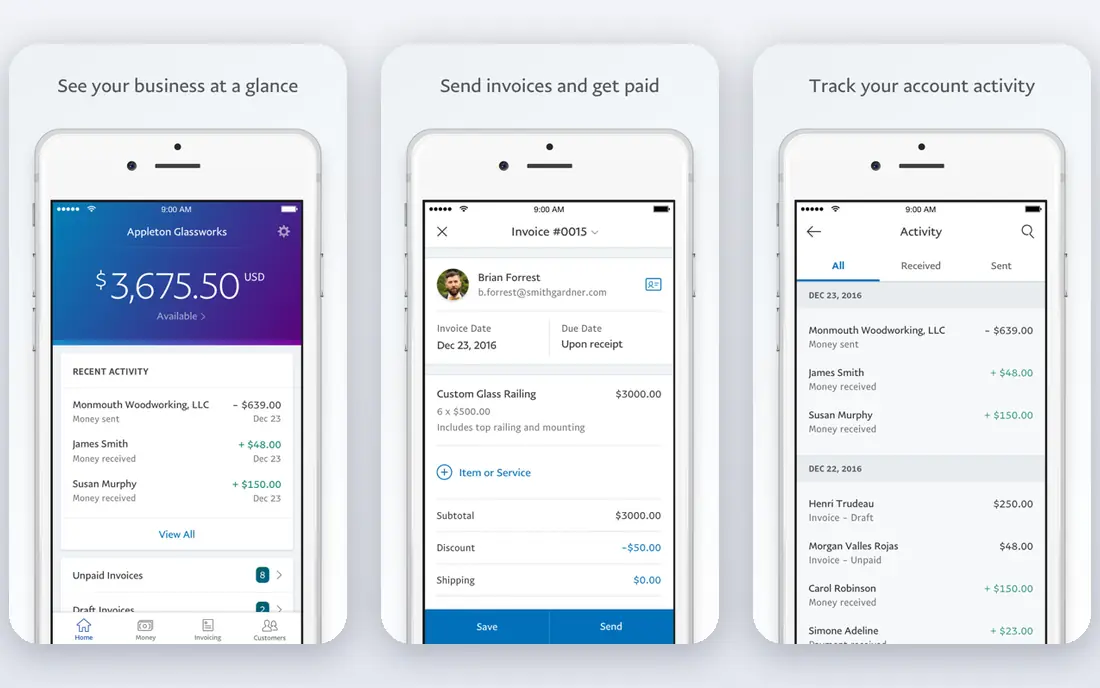
PayPal Business earns its place through buyer trust. Many customers already have an account, and the familiar checkout button can lift completion on stores that sell to new visitors. Business accounts add invoicing, payment links, and reporting, and there is no monthly fee for a standard account.
Fees are the drawback. Standard card payments through checkout cost more than Stripe on many orders, and branded PayPal checkout costs more again. New sellers should also read the hold and reserve policies, since PayPal can hold funds while it checks unusual activity. For trust driven online sales, the premium may still pay for itself.
- Buyers trust the brand
- Wide checkout options
- Invoicing and seller tools included
- Higher standard online fees than Stripe
- Account holds can frustrate new sellers
Wise Business is built for firms that pay suppliers or receive money abroad. It gives local account details in several currencies, converts at rates close to the mid market rate with a stated fee, and supports batch payments for payroll or suppliers. That clarity beats the hidden margins many banks add to exchange rates.
It is not a shop checkout on its own. A store still needs Stripe, Square, or PayPal to take card payments, then Wise can help move and hold money across currencies. For freelancers, agencies, and importers with regular cross border flows, it is a strong second account alongside a main processor.
- Real exchange rate approach with clear fees
- Local account details in several currencies
- Batch payments
- Not a full card checkout for stores
- Card acceptance needs a separate processor
Revolut Business combines a business account with multi currency balances, team cards, and spending controls. That mix suits remote teams and firms that spend in more than one currency, since staff cards can be limited by amount and category. A free plan covers basic use, with paid tiers adding higher limits and more tools.
Check the US terms carefully, since Revolut features and limits vary by region. Firms that need a full card checkout will still need a separate processor. As a business account with strong currency and card controls, though, Revolut is a practical hub for day to day spending.
- Multi currency accounts and cards
- Spending controls
- Free plan for small firms
- Some features sit on paid plans
- US feature set differs from other regions, so check local terms
Helcim appeals to owners who want to see what they actually pay. Its interchange plus model passes card network costs through and adds a stated margin, rather than hiding everything in one flat rate. For firms with larger average orders, that transparency often works out cheaper than a flat rate, and the dashboard shows the breakdown.
The brand is smaller, so integrations and community help are thinner than the big three. Online setup also needs more attention than a simple payment link. If your monthly card volume is steady and you care about the true cost per sale, Helcim deserves a quote before you renew with a flat rate provider.
- Interchange plus pricing with published margins
- No monthly fee on basic use
- Invoicing and checkout included
- Less well known than Square or Stripe
- Setup takes more care for custom online stores
QuickBooks Payments suits firms that already run their books in QuickBooks. Customers pay from the invoice itself, by card or bank transfer, and payments reconcile in the accounts without manual entry. That link between invoicing and bookkeeping saves real admin time for service firms and contractors.
It makes less sense as a standalone choice if you do not use QuickBooks, since the accounting subscription is a separate cost. Per transaction fees still apply. For an existing QuickBooks user, though, turning on payments is often simpler than adding a separate processor and reconciling by hand.
- Payments sit inside QuickBooks invoicing
- Automatic reconciliation
- Card and bank payment options
- Best value only if you already use QuickBooks
- Per transaction fees apply on top of accounting cost
Melio flips the usual payment app question: it helps you pay out, not take money in. You can pay a supplier by card even if the supplier only accepts bank transfer or check, and Melio handles delivery. Bill approval, scheduling, and accounting syncs make it useful for firms with regular supplier payments.
It is not a customer checkout, so most firms will pair it with a processor like Stripe or Square. Card funded supplier payments also carry a fee, so bank funded payments are usually cheaper. For a business drowning in supplier bills, Melio brings order to the outgoing side of cash flow.
- Pay suppliers even if they do not take cards
- Schedule and approve bills
- Syncs with accounting tools
- Focused on paying out, not taking customer payments
- Card funded payments carry a fee
Venmo Business suits small sellers, freelancers, and service providers whose customers already use Venmo. A business profile keeps work payments separate from personal ones, and customers can pay from an app they know. Fees on goods and services payments are lower than many card rates, which helps on small orders.
It is US focused and is not a full store checkout, so larger or international firms should look elsewhere. Protections also work differently from card networks, so read the business terms before selling high value goods. For casual, local, and small ticket sales, Venmo is a simple extra way to get paid.
- Familiar to US customers
- Business profiles separate personal payments
- Low fee on goods and services payments
- US focused
- Buyer and seller protections differ from card processors
- Not suited to large stores
Cash App for Business gives small sellers a quick way to accept payments without a full point of sale system. A business account, a payment link, and a familiar app are often enough for market sellers, tutors, and gig workers. The business payment fee is a flat 2.75 percent, which is easy to predict.
It lacks the inventory, invoicing, and reporting depth of Square or Stripe, and it is US focused. Firms that grow past casual sales will likely outgrow it. As a low friction starting point, though, it lets a new business take card style payments from day one with almost no setup.
- Simple setup
- Business accounts separate personal use
- 2.75 percent fee on business payments
- Limited store and invoicing tools
- US focused
- Support is app based
How we picked these
We compared official pricing pages, fee schedules, and feature lists, and we kept only apps that accept business payments and are live in the US. We favored apps with published rates or clear fee models, and we covered the main ways a business gets paid: in person, online, by invoice, by bank, and across borders. Where a rate could not be verified on the vendor page, we used a general description and pointed readers to the pricing page.
How to choose for your business
Start with your sales mix. Count what share of sales happens in person, online, by invoice, and from abroad, then shortlist the app that leads on your largest channel. Next, test the fee on your real average order, since a low percentage with a high fixed fee can cost more on small sales than a higher percentage with a low fixed fee.
Also check payout timing, hold policies, and how the app connects to your accounting tool. A cheap rate loses its value if payouts take days or reconciliation takes hours each week. Trial the app on real sales for a month, compare the total fees paid against your old setup, and only then move your main checkout.
Frequently asked questions
Which payment app is best for business overall?
There is no one winner. Square leads for in person sales, Stripe leads for online and subscription sales, and PayPal leads where buyer trust matters. The best business payment app is the one that fits where most of your sales happen and keeps total fees low on your average order.
What are the best business payment apps for small businesses?
Small businesses often do best with Square for in person sales, Stripe or PayPal for online sales, and QuickBooks Payments if they already use QuickBooks for accounts. Venmo Business and Cash App for Business add simple options for small, local sales. Compare total fees for a month before you commit.
What is the best payment app for business invoicing?
QuickBooks Payments is strong when invoicing sits inside QuickBooks, since payments reconcile automatically. Stripe Invoicing and PayPal invoicing also work well for online firms, and Melio helps on the supplier payment side. Pick the one that matches your accounting setup.
What is the best app for business payments internationally?
Wise Business and Revolut Business are strong for holding, converting, and paying in several currencies with clearer exchange fees than many banks. They work best alongside a card processor, since they are accounts first and checkouts second. Check local terms, since features vary by region.
Do business payment apps charge a monthly fee?
Most apps here have a free plan with no monthly fee, and they earn money from per transaction fees instead. Paid plans add lower rates, more features, or higher limits, and Square paid plans are priced per location. Always add monthly fees and transaction fees together to get the true cost.
Sources
See where you really rank - block by block
ProMapRanker scans Google Maps across a grid of your service area. Simple monthly plans from $19, white-label on every plan.
Start freeKeep reading
 zoro.to alternatives
Best Zoro.to Alternatives in 2026
We compare the best zoro.to alternatives in 2026, listing only legal licensed anime streaming services, from Crunchyroll to free options for fans today.
Read → zip alternatives
Best Zip Alternatives in 2026
We compare the best zip alternatives for buy now, pay later in 2026, covering pay-in-4 plans, fees, spending limits, and credit reporting options today.
Read → yesware alternatives
Best Yesware Alternatives in 2026
Compare the best yesware alternatives for sales email tracking, templates, and sequences, with current pricing and honest tradeoffs for small sales teams.
Read →