 ProMapRanker
Which Mobile Travel App Is the Best for Deals in 2026

Key takeaways
- Skyscanner is the best all-round deal finder for flexible travelers, with broad airline coverage and an Everywhere search for open-ended trips.
- Hopper is the best app for the buy-now-or-wait decision on a specific trip, while Google Flights is the strongest free research tool for tracking a route.
- Going suits travelers who want curated deal alerts from their home airport, rather than searching route by route.
- Always compare the final price, including bags and seat fees, and book directly with the airline when the price matches, since that usually makes changes easier.
Quick comparison
| Pick | Great for | Pricing starts at | Free tier | |
|---|---|---|---|---|
 Hopper | Price predictions | Free | Yes | Visit |
 Skyscanner | Broad fare search | Free | Yes | Visit |
 KAYAK | All-in-one trip search | Free | Yes | Visit |
 Google Flights | Route tracking | Free | Yes | Visit |
 Going | Curated deal alerts | Free | Yes | Visit |
 Expedia | Flight plus hotel bundles | Free | Yes | Visit |
 Booking.com | Hotel deals | Free | Yes | Visit |
 Kiwi.com | Unusual route combinations | Free | Yes | Visit |
The best mobile travel apps for deals
The best deal app depends on how you travel. These eight apps cover fare prediction, broad search, curated alerts, and hotel deals, so you can pair a search tool with an alert tool and stop refreshing prices by hand.
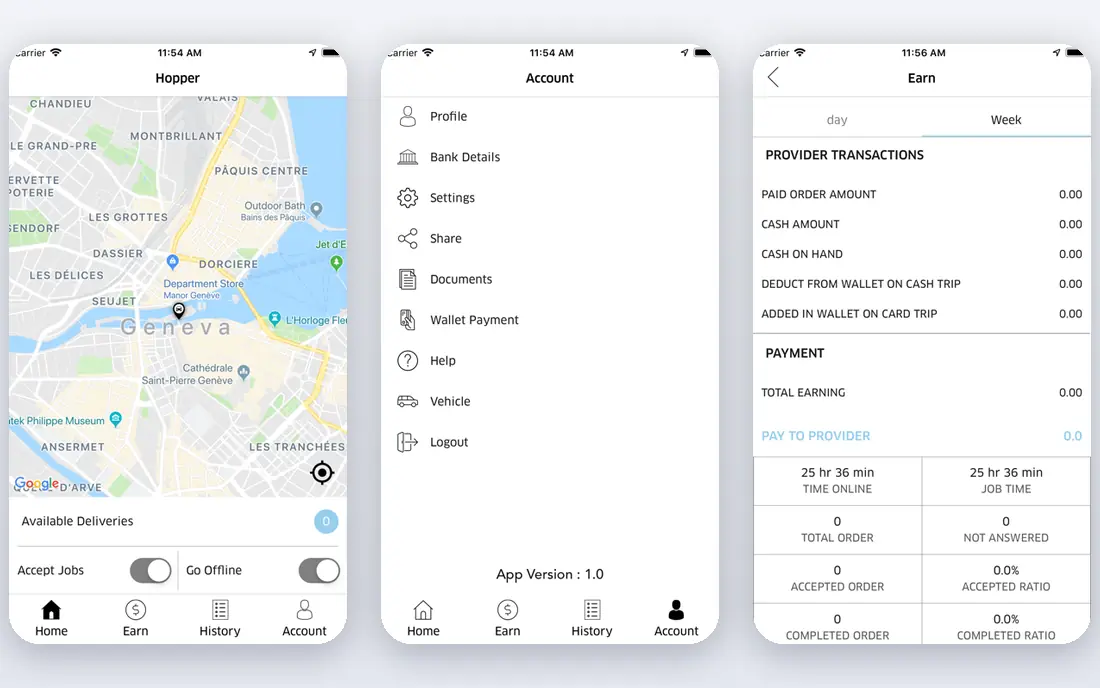
Hopper is the app to open when you have a trip in mind and you want to know if you should book now or wait. It watches fare history, shows a color-coded calendar of cheap and expensive days, and sends a push alert when a watched trip drops. A fare freeze option on select bookings lets you hold a price for a fee while you decide, which helps when plans are not yet firm.
The honest limit is that a prediction is not a promise. A fuel spike, a schedule cut, or a sale ending can move a fare fast, and booking through Hopper adds a middleman between you and the airline. Our advice is to use Hopper for the timing call, then check the airline site before you pay. If the price matches, booking direct usually makes changes and refunds simpler.
- Color-coded calendars and buy-or-wait advice
- Price watches with push alerts
- Fare freeze on select bookings
- Predictions are forecasts, not guarantees
- Booking through a middleman can complicate changes
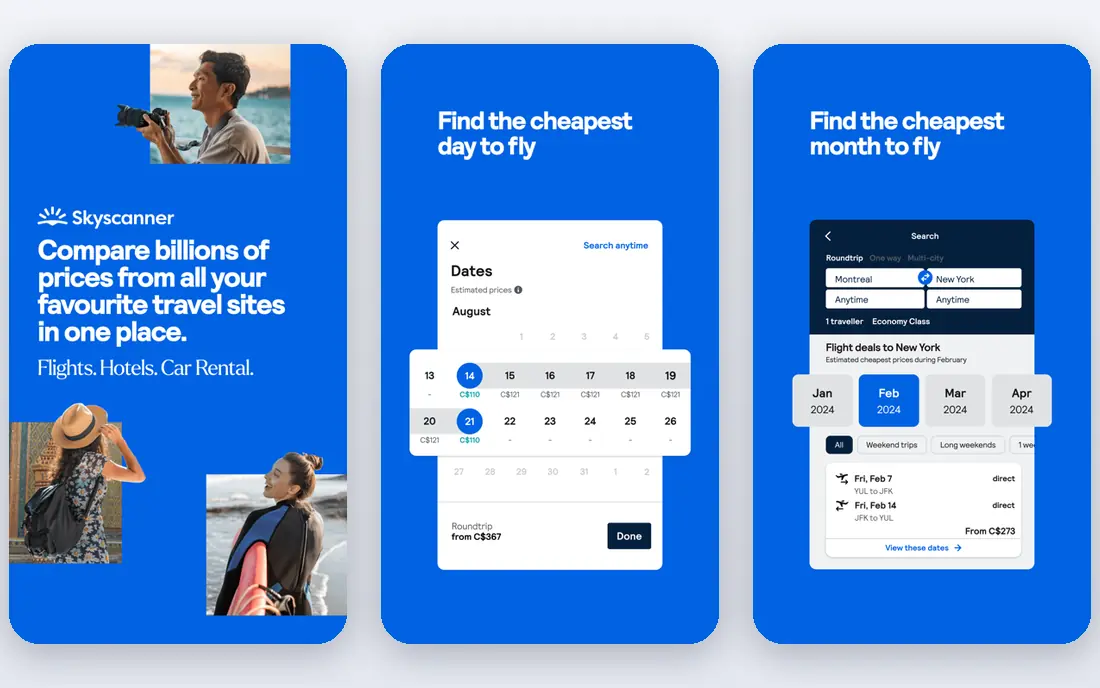
Skyscanner is the best all-round deal finder for travelers with flexible dates or destinations. It scans hundreds of airlines and travel sites, and the Everywhere feature shows the cheapest destinations from your home airport when you have not chosen one yet. Price alerts track a route and notify you when fares move, which beats manual checking.
Because Skyscanner sends you to an airline or an agency to book, always check who the seller is and what the change and baggage terms are. A fare from a small agency can look cheaper until a change fee appears. Used as a comparison tool, with the final booking checked on the airline site, Skyscanner is hard to beat for breadth.
- Searches many airlines and travel sites
- Everywhere search for flexible trips
- Price alerts and flexible date views
- It is a search tool, so booking terms depend on the seller
- Some low fares come from smaller agencies
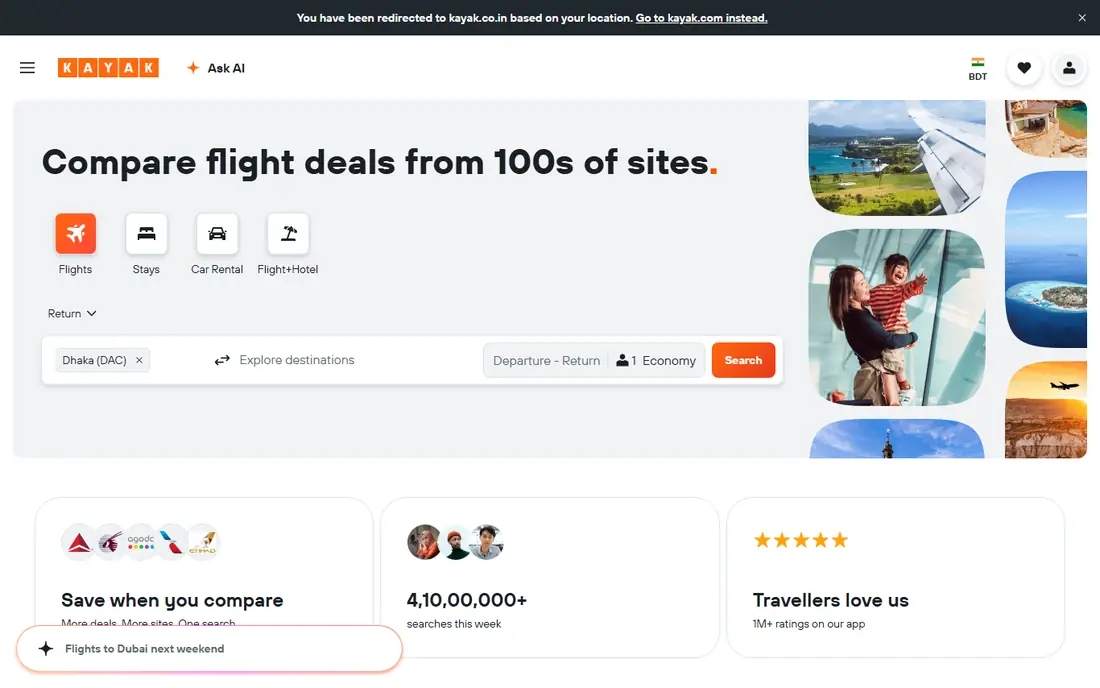
KAYAK suits travelers who want one app for the whole trip. It searches flights, hotels, and rental cars, offers a price forecast that suggests buying or waiting, and lets you set unlimited price alerts. Trip tools can pull bookings together, which helps when a trip mixes flights, a hotel, and a car.
Watch Hacker Fares, which combine separate one-way tickets from different airlines into one itinerary. They can be cheaper, but if one leg is cancelled, the other airline owes you nothing, so read the terms before you choose one. For a straightforward search plus hotel and car comparison, KAYAK is a strong single app.
- Flights, hotels, and cars in one app
- Price forecast and unlimited alerts
- Trip management and offline access
- Hacker Fares that combine separate tickets can complicate changes
- Results vary by seller
Google Flights is the strongest free research desk, even though it has no native app. Search in a mobile browser, turn on Track prices, and you get email alerts when a fare changes. The flexible date grid and Explore map make it easy to see whether shifting by a day or two saves real money, which is often the biggest saving on a trip.
The limit is that Google Flights sends you to the airline or a partner to book, and alerts arrive by email rather than push notification. That is a fair trade for a free tool with broad coverage and clean price history. Start your search here, then cross-check Skyscanner or KAYAK before you pay.
- Fast search with price history and flexible date grid
- Explore map for cheap destinations
- Free price tracking by email
- No native app, so use it in a mobile browser
- It is a search tool, not a booking app
Going, formerly known for cheap flight alerts, suits travelers who want deals found for them. You set your home airports, and the service sends vetted alerts for cheap fares, mistake fares, and flash sales, instead of asking you to search route by route. The free tier gives a taste of the service, while paid tiers, starting at $49 per year for the Limited plan in recent listings, add more airports and faster alerts.
The trade-off is control. If your dates and destination are fixed, many alerts will not fit, and the best value comes from flexible travelers who can jump on a deal. Going also focuses on US departures, so travelers elsewhere should check coverage first. If you can travel on short notice, one saved fare can cover a year of membership.
- Human-vetted deal alerts from your home airports
- Mistake fares and flash sales
- Premium tiers add more airports and premium cabin deals
- Best deals need a paid tier
- Flexible travelers gain more than fixed-date travelers
Expedia earns its place when you book a flight and a hotel together. Bundles can save money compared with booking each part separately, and the large inventory makes it easy to compare hotels near your destination in the same app. Rewards points for repeat bookers add a small return on trips you would book anyway.
For a flight alone, Expedia rarely beats Skyscanner or Google Flights, so do not assume a bundle app is also the cheapest fare finder. Read cancellation terms for each part of a bundle, since a cheap package can become expensive if one part cannot change. Use Expedia for packages, and a fare search app for flights alone.
- Large hotel and flight inventory
- Bundle savings on flight plus hotel
- Rewards program for repeat bookers
- Standalone flight fares are rarely the cheapest
- Bundle terms need a careful read
Booking.com is the hotel deal app to pair with a flight search tool. Its inventory covers hotels, apartments, and guesthouses in most destinations, and many listings offer free cancellation or pay-later terms, which helps when plans are still moving. Filters for price, review score, and cancellation terms make it fast to narrow a long list.
The app is not a flight deal tool, so do not judge it on fares. Check the total price at checkout, since taxes and fees can change the ranking, and read the cancellation deadline before you book a non-refundable rate. For stays, especially last-minute or flexible ones, Booking.com is a reliable deal finder.
- Very large hotel and apartment inventory
- Free cancellation on many listings
- Genius loyalty tiers for repeat guests
- Flight coverage is limited
- Final price depends on taxes and fees shown at checkout
Kiwi.com suits travelers hunting for a fare that standard search tools miss. Its virtual interlining combines separate tickets into one itinerary, which can cut the price on multi-leg trips or routes with no direct service. Price alerts and flexible search help you spot those combinations without manual work.
The risk is real and must be stated plainly. On a self-transfer trip, airlines do not protect your connection, so a delay on the first leg can mean buying a new ticket for the second. Leave long gaps between legs, check visa and baggage rules for each ticket, and only use Kiwi.com combinations when the saving is worth that risk. For a simple direct flight, a standard search tool is safer.
- Finds self-transfer routes other search tools miss
- Virtual interlining can cut multi-leg fares
- Price alerts
- Self-transfer routes carry real risk if a leg is delayed
- Change and refund terms are stricter
How we picked these
We compared travel apps that are live in October 2026 and that clearly help users find lower prices, using official feature pages, pricing information, and recent flight deal roundups. We kept a mix of prediction, broad search, curated alerts, hotel deals, and bundle booking, and we left out apps that only track flights or only manage itineraries without finding deals. Where a paid tier price varied, we noted it in prose and kept the starting price as Free for the free tier.
How to use these apps together without overpaying
Use two or three apps, not eight. Start with Google Flights or Skyscanner to find the honest fare range, set a Hopper watch or a KAYAK alert for the trip you actually want, and add Going if you are flexible enough to act on a deal alert. Compare the final price on the airline site, including bags, seat selection, and change fees, before you pay. A fare that looks cheap with a small agency can cost more once a bag and a change are added.
Book direct with the airline when the price matches, and keep screenshots of the fare, the baggage allowance, and the cancellation terms. If you book through a third party, save the booking reference, the agency contact, and the airline reference separately. For hotels, filter for free cancellation until your plans are firm, and check whether breakfast, taxes, and resort fees are included in the price you compare.
Frequently asked questions
Which mobile travel app is the best for deals overall?
Skyscanner is the best all-round deal finder for flexible travelers, while Hopper is best for the buy-now-or-wait call on a specific trip. Most travelers save most by pairing one search app with one alert app, rather than relying on a single tool.
Is Hopper or Skyscanner better for cheap flights?
Skyscanner is better for broad comparison across airlines and agencies, while Hopper is better for timing advice on a trip you already plan. Use Skyscanner to find the fare, and Hopper to judge whether to book now or wait.
Are flight deal alerts worth paying for?
A paid alert service such as Going can pay for itself with one saved fare, but only if you can travel flexibly from a covered airport. If your dates are fixed, free alerts from Google Flights, Skyscanner, or KAYAK will serve you better.
Should I book through the app or directly with the airline?
Book directly with the airline when the price matches, since changes, refunds, and disruption help are usually simpler. A third-party booking can be fine for a bundle or a rare fare, but keep both booking references and read the change terms first.
Why do prices differ between apps for the same flight?
Apps pull fares from different airlines and agencies at different times, and baggage, seat, and change fees may not be included in the headline price. Compare the final checkout total, not the first price shown, and check the seller behind each fare.
Sources
See where you really rank - block by block
ProMapRanker scans Google Maps across a grid of your service area. Simple monthly plans from $19, white-label on every plan.
Start freeKeep reading
 worlds best local seo company
8 Worlds Best Local SEO Companies for Map Pack Growth in 2026
Compare the worlds best local seo company options for Google Business Profile work, citations, reviews, and multi-location rankings and reporting in 2026.
Read → world's best web hosting company
World's Best Web Hosting Company in 2026
Searching for the world's best web hosting company? We compared 10 hosts on price, renewal rates, speed, and support to help you choose well today in 2026.
Read → who's got the best nanny tax services
Who's Got the Best Nanny Tax Services in 2026
We answer who's got the best nanny tax services, comparing full filing, back taxes, software, and pricing so families can handle nanny taxes correctly.
Read →