 ProMapRanker
Which Document Processing Company Is the Best in 2026


Regulated enterprise document work · Pricing starts at: See website
Key takeaways
- ABBYY Vantage and Hyperscience suit regulated or high-volume work where audit trails and deployment control matter most.
- Rossum suits invoice and payables teams that want a strong validation screen and template-free capture.
- Nanonets and Docparser suit smaller teams that want published pricing and a faster start, with different limits on volume and review tools.
- UiPath and Automation Anywhere suit teams that already run automation and want documents to feed wider workflows.
- Match the tool to your document mix first, because a strong invoice tool can still struggle with long contracts or messy scans.
Quick comparison
| Pick | Great for | Pricing starts at | Free tier | |
|---|---|---|---|---|
| ABBYY Vantage | Regulated enterprise document work | See website | No | Visit |
 Rossum | High-volume invoice automation | See website | Free trial | Visit |
 Hyperscience | High-accuracy enterprise processing | See website | No | Visit |
 Nanonets | Custom extraction for smaller teams | From $100 per month | Free trial | Visit |
 Docsumo | Finance teams that want review built in | See website | Free trial | Visit |
 Docparser | Repeated layouts on a small budget | From $39 per month | Free trial | Visit |
 UiPath Document Understanding | Teams already using UiPath automation | See website | Free trial | Visit |
 Automation Anywhere Document Automation | Automation teams that need document intake | See website | Free trial | Visit |
The best document processing companies and services
Each provider below handles a different mix of document types, volumes and budgets. Read the best-for line first, then check whether the review and integration options fit the way your team already works.

ABBYY Vantage gives large teams a long-established route from scanned pages to structured data. Its prebuilt skills cover invoices, receipts, purchase orders and identity documents, and verification tools let reviewers correct low-confidence fields before data moves on. That control helps in finance, insurance and other settings where a wrong field can cause real trouble downstream.
Buying here is a project rather than a quick sign-up, and pricing is quoted for your volume and deployment. Smaller teams may find the process slow and the cost hard to justify for a single document type. For a large estate with varied documents and strict controls, though, the depth is the point.
- Prebuilt skills for common documents
- On-premises and cloud options
- Verification tools
- Quote-based pricing
- Implementation can take time

Rossum focuses on transactional documents, and invoices are its clearest strength. Its template-free approach reads invoices from many suppliers without a separate layout for each one, and the validation screen gives reviewers a fast way to fix exceptions. That combination suits accounts payable teams that process large numbers of similar documents every month.
The trade-off is entry cost, with published comparisons putting starter pricing at a high annual level and a one-year minimum. Teams with low volume should test whether the time saved on invoices covers that cost. For high-volume payables work, the review speed and supplier coverage are hard to beat.
- Template-free invoice capture
- Clear validation screen
- ERP connectors
- Entry pricing is high for small firms
- Cloud only
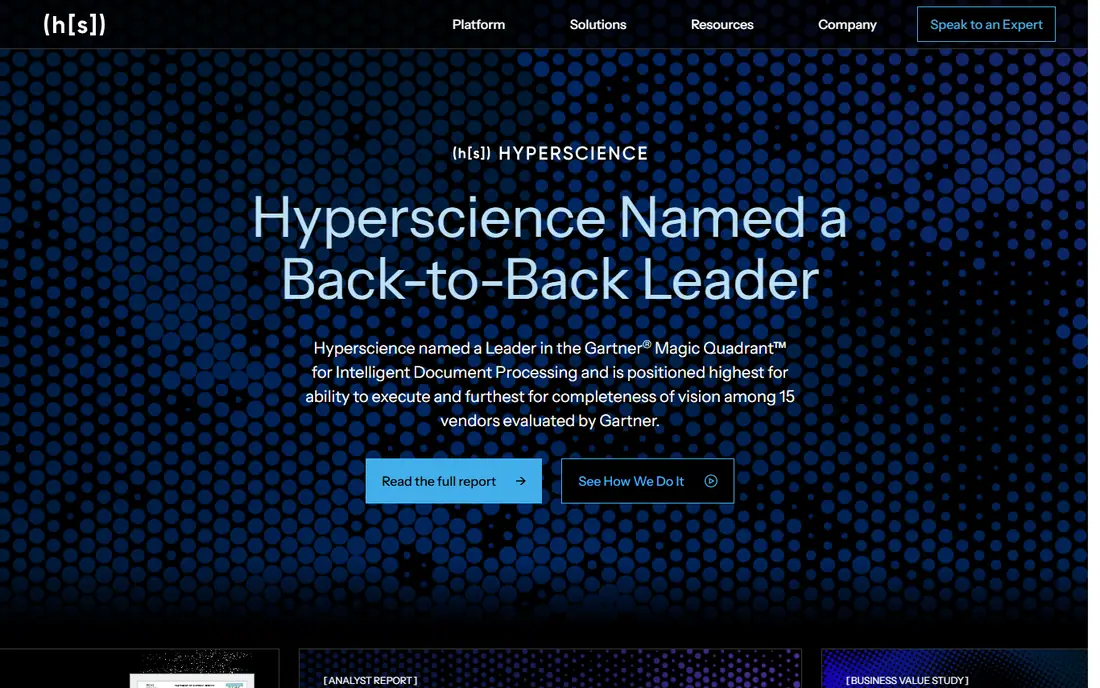
Hyperscience suits organisations that need accuracy on complex or varied documents and want human review as part of the flow rather than an afterthought. It can run as a hosted service, in a private cloud or on premises, which matters when documents cannot leave your own environment. That range of deployment options is a genuine advantage for regulated buyers.
Pricing is quoted rather than published, so budgeting requires a sales conversation and a clear statement of volume. Teams that want instant self-serve pricing will find that frustrating. For a large programme where accuracy and control outrank a fast checkout, Hyperscience belongs on the shortlist.
- Human review built into workflows
- Flexible deployment
- Strong handling of varied documents
- Quote-based pricing
- Sales-led buying process
Nanonets gives smaller teams a practical way to build custom extraction without an enterprise contract. You can train models for your own document types, route exceptions to reviewers through Slack, Teams or email, and start from published monthly pricing. That transparency makes it easier to test a real workflow before committing to a larger spend.
Watch the usage model closely, because per-block pricing can climb as document counts grow. A team that starts with a few hundred pages a month should model a higher month too. For teams that need custom fields and a clear starting price, Nanonets is a strong first trial.
- Published pricing
- Custom models
- Approval routing to chat tools
- Per-run pricing needs tracking
- Costs rise with volume
Docsumo pairs extraction with a review queue that shows why a field needs attention. That structure helps finance teams that only want staff to touch exceptions, rather than checking every document by hand. Prebuilt models cover common financial documents, and the platform supports APIs and webhooks for downstream systems.
Pricing for production plans is quoted, so small teams cannot judge the full cost from a single published figure alone. The trial gives a useful window, but ask for the production quote before building a business case on trial terms. For mid-market finance work, the review workflow is the main reason to try it.
- Built-in review queue
- Confidence scores
- Prebuilt document models
- Paid pricing is quoted
- Smaller plan details changed over time
Docparser takes a different route from AI-first platforms, and that route suits repeated documents with known layouts. You define parsing rules for a form, then the tool pulls the same fields from each new copy and exports them as CSV, Excel, JSON or XML. For invoices, orders or statements that look alike every time, that approach is cheap and predictable.
The limit is flexibility, because a new layout needs new rules and there is no built-in review queue for exceptions. Teams with many one-off layouts will spend more time setting rules than they save. For steady, repeated document types on a tight budget, Docparser is hard to argue against.
- Low published starting price
- Rule-based parsing
- Common export formats
- No built-in review queue
- Layout rules need setup for each form
UiPath Document Understanding makes most sense inside a UiPath estate, where documents feed robots, approvals and business systems in one flow. Prebuilt models cover invoices, receipts, purchase orders and identity documents, and teams can build custom models for their own forms. That link to automation is the reason to choose it over a standalone parser.
As a standalone purchase it is harder to justify, because pricing sits inside a UiPath licence and consumption units. Teams without UiPath should compare a dedicated document tool first. For existing UiPath users, keeping documents in the same platform cuts integration work.
- Prebuilt models
- Fits wider automation flows
- Cloud or on-premises deployment
- Requires a UiPath licence
- Per-page consumption adds up
Automation Anywhere Document Automation
Great for: Automation teams that need document intake
Automation Anywhere Document Automation links document intake to the automation work that follows it. Invoices and other common documents have prebuilt support, and generative extraction can handle fields that do not follow a fixed layout. A free Community Edition gives small teams a way to test the basics before talking to sales.
The full value shows up when documents feed bots and approvals in the same platform, so standalone buyers may pay for breadth they do not use. Enterprise pricing is also quoted, which makes early budgeting less clear. For automation-led teams, the combined flow is a real advantage.
- Community Edition available
- Generative extraction
- Automation connectors
- Enterprise pricing is quoted
- Best value inside its own platform
How we picked these
We compared official feature pages and pricing pages first, then checked documentation for deployment, review tools and integrations. We also read public reviews to see where users reported friction, such as quoted pricing or layout setup time.
We favoured providers with a live product, clear document coverage and a review or export path that a real team could use. We left out tools that only offer a raw API with no review screen, because most buyers in this guide need a finished workflow rather than a building block.
We did not claim hands-on testing. Where pricing was not published, we wrote See website rather than repeating a third-party estimate as if it were a vendor price.
What to check before you choose a document provider
Start with a sample pack of your real documents, not a clean demo set. Include a faded scan, a multi-page table, a document with handwritten notes if you handle them, and one supplier format that always causes trouble. A tool that scores well on clean invoices can still fail on the awkward fifth of your workload.
Next, ask how exceptions are handled. Find out who sees a low-confidence field, how corrections feed back into the model, and whether the audit trail shows who changed what. A fast extractor with a weak review screen often creates more manual work than a slower tool with a clear queue.
Finally, price three volumes, not one. Model your quiet month, your normal month and your peak month, and include reviewer time and integration work. Quote-based tools can look cheap in a trial and costly at peak volume, while per-page tools can surprise a team that grows quickly.
Frequently asked questions
Sources
- https://www.abbyy.com
- https://rossum.ai
- https://www.hyperscience.com
- https://www.nanonets.com
- https://www.docsumo.com
- https://www.docparser.com
- https://www.uipath.com
- https://www.automationanywhere.com
- https://rankite.com/blog/which-document-process-automation-tool-is-best
- https://www.docsumo.com/compare/nanonets-alternative-docsumo?46b99e40_page=17
See where you really rank - block by block
ProMapRanker scans Google Maps across a grid of your service area. Simple monthly plans from $19, white-label on every plan.
Start freeKeep reading
 worlds best local seo company
8 Worlds Best Local SEO Companies for Map Pack Growth in 2026
Compare the worlds best local seo company options for Google Business Profile work, citations, reviews, and multi-location rankings and reporting in 2026.
Read → world's best web hosting company
World's Best Web Hosting Company in 2026
Searching for the world's best web hosting company? We compared 10 hosts on price, renewal rates, speed, and support to help you choose well today in 2026.
Read → who's got the best nanny tax services
Who's Got the Best Nanny Tax Services in 2026
We answer who's got the best nanny tax services, comparing full filing, back taxes, software, and pricing so families can handle nanny taxes correctly.
Read →