 ProMapRanker
Which Cloud Service Is Best for Frontend in 2026

Key takeaways
- The reading of this question is plain: which service best hosts a frontend website or app, including static sites, server-rendered pages and edge functions.
- Framework fit matters most. Next.js teams usually gain most from Vercel, while framework-agnostic static sites often cost least on Cloudflare Pages.
- Free tiers cover many personal and small projects, but commercial use, build limits and bandwidth rules differ, so read the current plan terms.
- No single service wins for every frontend need, and the best choice changes with traffic, team size and backend requirements.
Quick comparison
| Pick | Great for | Pricing starts at | Free tier | |
|---|---|---|---|---|
 Vercel | Next.js and React frontends | $20 per month per user | Yes | Visit |
 Netlify | Static and Jamstack sites with forms and functions | See website | Yes | Visit |
 Cloudflare Pages | High-traffic static sites at low cost | $5 per month | Yes | Visit |
 AWS Amplify | Frontends inside the AWS system | See website | Yes | Visit |
 Firebase Hosting | Single-page apps and Google-backed projects | Free | Yes | Visit |
 GitHub Pages | Docs, portfolios and simple static sites | Free | Yes | Visit |
 Render | Full-stack projects with a static frontend | $7 per month | Yes | Visit |
 Azure Static Web Apps | Frontends inside the Microsoft system | See website | Yes | Visit |
 DigitalOcean App Platform | Simple app hosting with predictable pricing | See website | Yes | Visit |
The best cloud services for frontend
We read this question plainly as a comparison for frontend needs: hosting a website or web app that users open in a browser, whether it is a static site, a single-page app or a server-rendered frontend. Backend databases, APIs and jobs are noted only where they affect frontend hosting. We compared official pricing and feature pages, with attention to framework support, deploy workflow, edge functions, limits and cost at small and growing traffic levels.
Vercel is the company behind Next.js, so its platform understands Next.js routing, rendering and image optimisation without extra configuration. Developers connect a Git repository, get a preview link for every pull request and deploy to a global edge network. That workflow is why many React and Next.js teams choose Vercel first, even when cheaper static hosts exist.
The main limits are plan terms and usage pricing. The free Hobby plan is for personal, non-commercial projects, so commercial work needs a paid plan, and function, bandwidth and build usage can add cost as traffic grows. For a Next.js frontend, especially one with server components or frequent deploys, Vercel remains the most direct fit.
- Best Next.js integration, since Vercel builds Next.js
- Preview deploys
- Global edge network
- Hobby plan is for personal non-commercial use
- Usage costs can rise with traffic and functions

Netlify helped popularise Jamstack hosting, where a frontend is built from Git and served as static files plus serverless functions. Its workflow includes preview deploys, instant rollbacks, form handling and identity features, which suit marketing sites, docs, blogs and small apps. Many frameworks deploy with little configuration, and the dashboard is easy for small teams to learn.
Pricing on paid plans uses credits for bandwidth, builds, functions and other usage, so a high-traffic site needs careful monitoring. The free plan includes a monthly credit allowance, which covers many personal projects but not large commercial sites. Netlify suits teams that want a polished frontend workflow and built-in features beyond plain static hosting.
- Easy Git-based deploys
- Forms, identity and functions
- Preview deploys and rollbacks
- Pricing is credit-based on paid plans
- Limits can be confusing for high-traffic sites
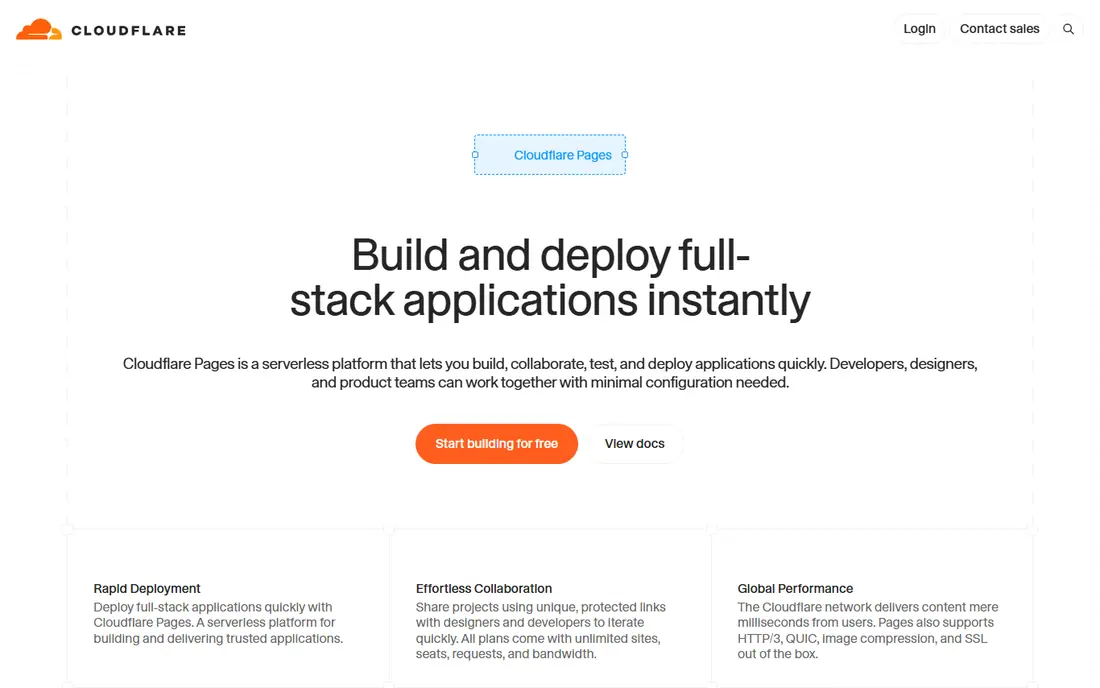
Cloudflare Pages hosts static frontends on Cloudflare's global network, with free bandwidth for static asset requests on its free plan in published materials. That makes it attractive for docs, blogs, portfolios and marketing sites that expect traffic spikes. Pages Functions, built on Workers, add dynamic routes, redirects and API-style endpoints when a purely static site is not enough.
Cloudflare has steered some new work toward Workers, so developers should check current docs for Pages versus Workers guidance before starting. Build limits and function quotas still apply, and advanced analytics or team features may need a paid plan. For a high-traffic static frontend where cost control matters, Cloudflare Pages is often the cheapest strong option.
- Generous free tier for static sites
- Global edge network
- Functions for dynamic routes
- Newer projects may be steered toward Workers
- Build and function limits still apply
AWS Amplify Hosting deploys frontends from Git and serves them globally, with optional backend features for authentication, data, storage and functions. For a team already using AWS, that integration is valuable: billing, identity, storage and monitoring can sit in one system, and Amplify can grow into a fuller AWS architecture. Continuous deploys and preview environments support team workflows.
The weakness is predictability and complexity. Pay-as-you-go charges for builds, storage, data transfer and requests can surprise a small team, and the wider AWS console is more complex than a frontend-only host. Amplify suits AWS-centred teams and apps that will use other AWS services. A simple static site may be cheaper and simpler elsewhere.
- Tight AWS integration
- Hosting plus auth, data and storage
- Global delivery through CloudFront
- Pay-as-you-go pricing can be hard to predict
- AWS console complexity for small teams
Firebase Hosting serves static and single-page apps over Google's global network, with automatic SSL and easy deploys from the Firebase command-line tool. It pairs naturally with Firebase Authentication, Firestore, Cloud Functions and other Google services, which suits mobile and web apps that already use Firebase for backend features. The free Spark plan covers many small projects.
Once usage grows, the Blaze pay-as-you-go plan charges at Google Cloud rates, so costs depend on storage, transfer and function use. Teams outside the Google system may prefer a frontend-only host. For a Firebase app, though, Hosting removes a separate hosting decision and keeps frontend and backend in one project.
- Fast global hosting with SSL
- Works well with Firebase auth and databases
- Generous free Spark plan
- Paid Blaze plan is pay-as-you-go
- Best value inside the Google and Firebase system
GitHub Pages publishes static sites directly from a GitHub repository, which makes it ideal for documentation, portfolios, project pages and simple marketing sites. Setup is minimal for developers already using GitHub, custom domains are supported, and public sites cost nothing on the free tier. Jekyll-based sites get built-in build support.
The limit is clear: GitHub Pages serves static files only, with no serverless functions, databases or dynamic rendering. A site that needs forms, authentication or server logic will need another service or a third-party backend. For a simple static frontend, GitHub Pages is the easiest and cheapest credible option.
- Free for public repositories
- Simple publishing from Git
- Custom domains supported
- Static only, with no server functions
- Build options are limited compared with full hosts
Render hosts static sites for free, alongside web services, background workers, cron jobs and managed Postgres databases. That combination suits a full-stack project where the frontend is static or server-rendered and the backend is a small service or API. Deploys from Git, preview environments and clear service pricing make it easy for small teams to manage.
Free web services sleep after a period of inactivity, which can cause slow first loads, so production apps usually need a paid instance. Static sites themselves do not have that problem, but a full-stack app should budget for paid services. Render suits developers who want frontend and backend in one simple platform without learning a large cloud console.
- Static sites plus web services and databases in one platform
- Simple deploys
- Preview environments
- Free web services sleep after idle time
- Paid instances add cost as services grow
Azure Static Web Apps hosts static frontends with optional API support through Azure Functions, and it integrates closely with GitHub Actions and Azure DevOps. For teams already using Microsoft 365, Entra ID or other Azure services, that integration can simplify identity, deployment and monitoring. Global delivery and custom domains cover standard frontend needs.
Outside the Microsoft system, the advantage narrows, and plan quotas for bandwidth, functions and staging environments need checking. Azure Static Web Apps suits Microsoft-centred teams and enterprise projects that want frontend hosting inside an existing Azure agreement. A framework-focused team may still prefer Vercel or Netlify for a smoother frontend workflow.
- GitHub and Azure DevOps integration
- Managed functions through Azure Functions
- Global delivery
- Best value inside Microsoft tooling
- Pricing and quotas vary by plan
DigitalOcean App Platform
Great for: Simple app hosting with predictable pricing
DigitalOcean App Platform deploys apps and static sites from Git, with a simple dashboard and pricing based on instance size and services. It suits developers who want a straightforward platform without a large cloud console, and it can host a frontend alongside a backend service or database. Static sites have a free allowance in published materials, which helps small projects.
Framework-specific optimisation is thinner than on Vercel, and teams needing advanced edge features, image optimisation or large-scale preview workflows may prefer a specialist frontend host. For a small team that values simple pricing and a single provider for frontend and backend, DigitalOcean App Platform is a practical and predictable choice.
- Simple app deploys from Git
- Static sites and services in one platform
- Predictable instance pricing
- Edge and framework-specific features are thinner than Vercel or Netlify
- Larger apps may need Droplets
How we picked these
We compared official pricing and feature pages for cloud services that host frontend websites and apps, including static hosting, single-page apps and server-rendered frontends. We favoured services with a clear frontend hosting offer, Git-based deploys, custom domains and a free tier or low starting price, and we included both specialist frontend hosts and large cloud platforms. We did not claim hands-on testing. Prices and free-tier limits change, so confirm current plan terms on each vendor site before committing.
What to check before choosing a frontend host
Start with your framework and rendering model. A static site built with Astro, Hugo or Eleventy can run almost anywhere, while a Next.js app with server components gains most from Vercel or a host with strong Next.js support. A single-page app with a separate API needs hosting plus API routing, while a full-stack app may need a platform that also runs services and databases. Matching the host to the rendering model avoids painful workarounds later.
Next, test the deploy workflow with a real branch. Check preview links, rollback speed, build times, environment variables and custom domain setup. A host that deploys in seconds for a demo but takes many minutes for a large app will slow a team down. Also check function limits, image optimisation, redirects, headers and caching, since those details affect performance and SEO.
Finally, model cost at three traffic levels: today, ten times today and a traffic spike. Free tiers, bandwidth, build minutes, function invocations and image transforms all count differently across hosts. A host that is free for a portfolio can become expensive for a high-traffic marketing site, and a host that looks pricey at low traffic can be cheaper at scale. Choose the host that fits your framework, workflow and realistic traffic, not just the lowest starting price.
Frequently asked questions
Which cloud service is best for a Next.js frontend?
Vercel is usually the most direct choice, because it builds Next.js and supports its rendering, routing and image features without extra setup. Netlify, Cloudflare Pages and AWS Amplify can also host Next.js, but feature support and configuration differ. Test your app's rendering features on any host before committing.
Which cloud service is cheapest for a static site?
GitHub Pages is free for public static sites, and Cloudflare Pages offers a generous free tier with free static bandwidth in published materials. Netlify and Render also offer free static hosting. Cost depends on traffic, builds and any dynamic features, so compare limits, not just the headline price.
Do I need a backend service as well as frontend hosting?
It depends on the app. A static site or docs site may need no backend, while an app with logins, data or payments needs APIs and databases. Some hosts add functions and databases, while others pair with a separate backend such as Firebase, Supabase or a small server.
What is the difference between static hosting and server-rendered hosting?
Static hosting serves prebuilt files, which is fast and cheap but cannot personalise pages per request. Server-rendered hosting builds pages on request or at the edge, which supports personalisation and dynamic data but costs more and needs more configuration. Many modern hosts support both, with different limits.
Can I move a frontend to another host later?
Yes, in most cases, if the site is built from standard code and uses portable features. Moving is easiest for static sites with a custom domain. Apps that rely heavily on host-specific functions, image optimisation or edge features may need code changes, so keep host-specific code separate where possible.
Sources
See where you really rank - block by block
ProMapRanker scans Google Maps across a grid of your service area. Simple monthly plans from $19, white-label on every plan.
Start freeKeep reading
 worlds best local seo company
8 Worlds Best Local SEO Companies for Map Pack Growth in 2026
Compare the worlds best local seo company options for Google Business Profile work, citations, reviews, and multi-location rankings and reporting in 2026.
Read → world's best web hosting company
World's Best Web Hosting Company in 2026
Searching for the world's best web hosting company? We compared 10 hosts on price, renewal rates, speed, and support to help you choose well today in 2026.
Read → who's got the best nanny tax services
Who's Got the Best Nanny Tax Services in 2026
We answer who's got the best nanny tax services, comparing full filing, back taxes, software, and pricing so families can handle nanny taxes correctly.
Read →