 ProMapRanker
Which API Platforms Have Best Documentation in 2026

Key takeaways
- ReadMe and Mintlify lead for polished public developer portals, with guides and reference material kept in one place.
- Postman suits teams that already test APIs in collections and want docs generated from that same work.
- SwaggerHub and Redocly suit teams that treat an OpenAPI specification as the source of truth.
- Price models differ sharply, so check whether seats, projects, or published sites drive the bill before you commit.
Quick comparison
| Pick | Great for | Pricing starts at | Free tier | |
|---|---|---|---|---|
 ReadMe | Guide-led developer hubs | See website | Free trial | Visit |
 Mintlify | Clean reference docs for developer-led teams | See website | Free trial | Visit |
 Postman | Docs tied to API testing | $14 per user per month | Yes | Visit |
 SwaggerHub | OpenAPI design and collaboration | See website | Free trial | Visit |
 Redocly | Spec-first reference docs | See website | Free trial | Visit |
 Stoplight | API design and governance | See website | Free trial | Visit |
 GitBook | Collaborative docs for product teams | See website | Free trial | Visit |
 Scalar | Modern open source reference docs | Free | Yes | Visit |
The best API documentation platforms
Good documentation shortens the time from first visit to first successful API call. The platforms below differ in how much editorial control they offer, how well they render an OpenAPI specification, and how much work they need to stay current.
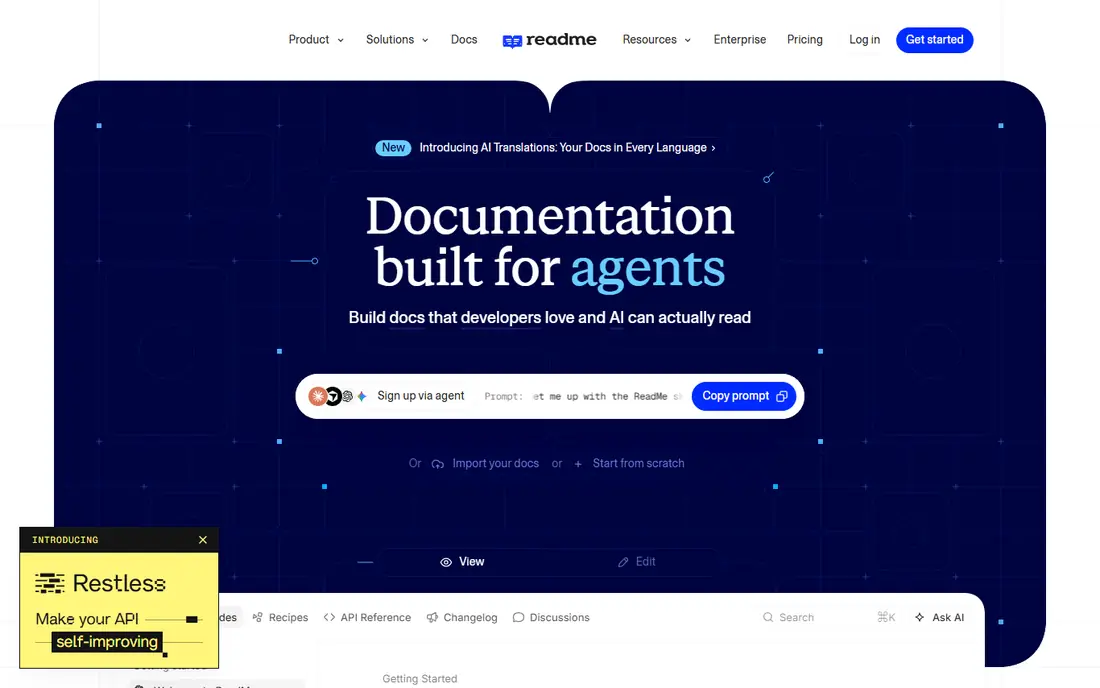
ReadMe works best when your API needs teaching, not just a reference list. Teams can pair step-by-step guides with endpoint details, so a new developer can read the concept, copy a working example, and then check the exact parameters without leaving the hub. That structure helps for APIs with several products, onboarding steps, or common workflows that need explanation in plain order. We also like that product managers and technical writers can edit guides without waiting on an engineer for every small fix.
The trade-off is cost and fit. ReadMe is a content-led hub first, so teams that publish straight from a Git repository and want docs to update on every merge may prefer a more code-centric tool. Pricing is also not a simple flat rate in practice, because projects and extra features can add to the bill. Before you choose it, map how many projects you will publish and whether you need its AI search add-on, then get a clear quote for that shape.
- Strong guides plus reference material in one hub
- Built-in search and analytics
- Familiar editing experience for non-developers
- Pricing can rise with projects and add-ons
- Spec-first teams may find it less code-centric than rivals
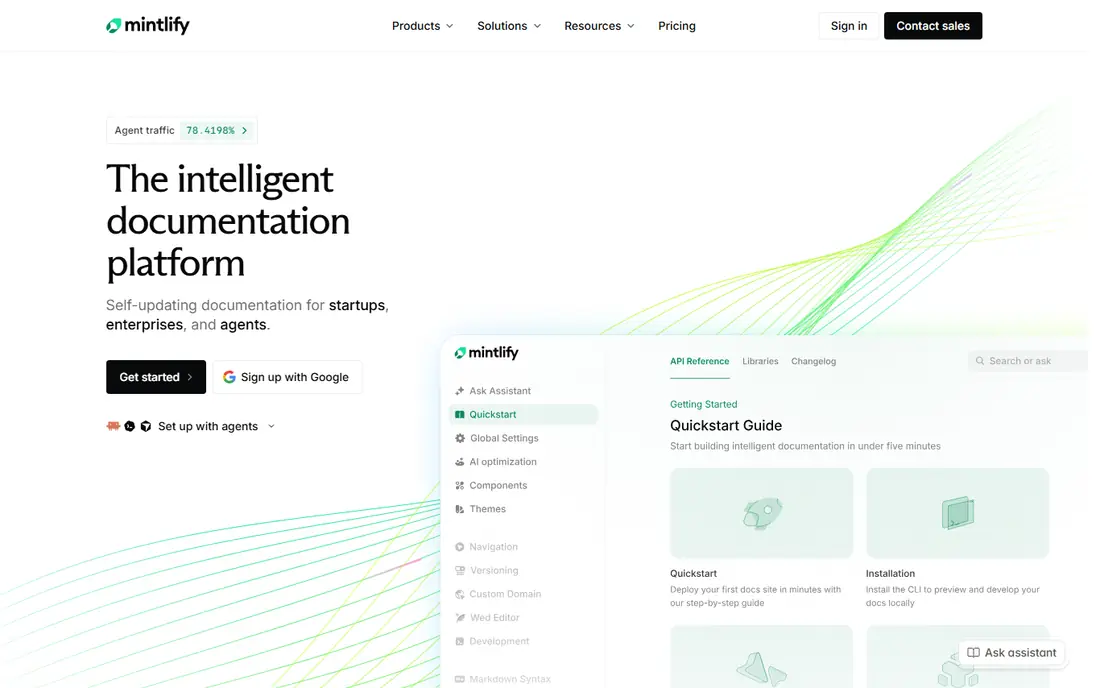
Mintlify appeals to teams that want documentation to look current and read well on a first visit. Reference pages are clean, code samples are easy to copy, and search helps developers find an endpoint without hunting through long menus. Because content lives in Markdown and syncs with Git, engineers can review doc changes with the same pull request flow they use for code. That keeps docs close to the product and reduces the drift that happens when docs live in a separate editor.
The catch is that Mintlify is priced for teams that value that polish, and smaller teams should check the current paid tiers before assuming it fits a tight budget. It is also at its best for reference material, so a site that needs long tutorials, versioned migration guides, and heavy editorial workflow will need careful planning. For a developer-led API with a clear specification, though, it is one of the strongest choices here.
- Modern, readable reference pages
- Docs written in Markdown and kept in Git
- Strong search and code examples
- Higher paid pricing than simpler tools
- Guide-heavy sites may need extra structure work

Postman is the path of least resistance for teams that already live in the app. Developers build requests, save them as collections, and publish documentation from that same material, which means examples stay close to real calls. Workspaces add collaboration, versioning, and public publishing, and the same workspace can hold tests and mock servers. For an internal API or a team that is still shaping its endpoints, that closeness between testing and docs is a real advantage.
The limit shows when documentation becomes the product. A public developer hub built only from collections can feel thinner than a purpose-built portal, with less room for long guides and editorial structure. Paid pricing also scales per user, so a large team should model the full seat count rather than the headline rate. If your developers already test in Postman every day, start there and judge the published result before buying a separate docs platform.
- Docs generated from collections teams already maintain
- Huge existing user base
- Testing, mocking, and monitoring in one place
- Documentation can feel secondary to testing
- Polished public hubs may need paid plans and extra setup
SwaggerHub suits teams that design APIs in OpenAPI first and want one place to edit, review, and publish that specification. It connects naturally with the wider Swagger toolchain, so teams that already use Swagger Editor or code generators do not have to relearn their workflow. Collaboration features let reviewers comment on definitions, and mocking helps front-end teams work before the back end is finished. For regulated or enterprise settings, that familiarity and control often matter more than a fashionable front end.
The downside is presentation. Published docs can look functional rather than striking, and teams that want a highly branded developer portal may need extra work or a second tool. Pricing per designer also means costs grow as more people edit specifications, even if only a few publish. If spec quality and governance are your main concerns, SwaggerHub remains a solid, proven choice.
- Built around the Swagger and OpenAPI toolchain
- Shared design and mocking
- Familiar to enterprise API teams
- Interface feels more traditional than newer rivals
- Per-designer pricing can add up
Redocly treats the OpenAPI specification as the product, and its rendering shows that focus. Endpoints are organized clearly, schemas are easy to read, and large specifications stay navigable rather than turning into one endless page. Teams that lint specs, enforce naming rules, and review changes in Git will find the workflow natural, because docs update from the same source they already control. That discipline pays off when an API has many versions or many consumers who depend on stable contracts.
The trade-off is breadth. Redocly is less suited as a general knowledge base for tutorials, marketing pages, and product guides, so teams with heavy editorial needs may pair it with another docs site. Pricing also varies with seats and modules, so the entry figure alone does not tell the full story. For a spec-first API team, it is a strong and focused pick.
- Excellent OpenAPI rendering
- Strong spec governance features
- Git-friendly workflow
- Less of a general content system than ReadMe
- Pricing depends on seats and modules
Stoplight helps teams design an API well before code is written, then publish documentation from that design. Its visual editor makes it easier for non-specialists to follow a data model, and style rules help a growing team keep naming and structure consistent. Mock servers let consumers test against the design early, which can surface awkward endpoints while they are still cheap to change. For platform teams that review many APIs, that governance layer is the main selling point.
The weakness is scale of community and polish. Stoplight does not have the same huge user base as Postman, so finding public examples and third-party help can take longer. Teams that want a glossy public hub should preview a published site before committing, because the result depends on setup and theme choices. If design quality and consistency matter most, Stoplight deserves a serious trial.
- Visual API design alongside docs
- Style rules and governance
- Mock servers for early testing
- Smaller community than Postman or SwaggerHub
- Public portal polish varies by setup
GitBook works well when documentation is a team effort that includes writers, product managers, and engineers. Editing feels like a modern document editor, so contributors who do not write code can still improve guides, fix steps, and add screenshots. That lowers the barrier to keeping docs fresh, which is often the real problem with API documentation. Git sync on suitable plans also lets engineering teams keep a copy of content under version control.
The limit is depth for pure API reference work. GitBook can present endpoints and examples, but it does not match Redocly or SwaggerHub for spec governance and large reference rendering. Pricing also needs care, because it can combine per-site and per-user charges. If your docs mix product guides, onboarding, and API reference in one place, GitBook is a practical middle ground.
- Easy collaborative editing
- Good for guides and product docs
- Git sync on some plans
- API reference features are less deep than spec-first tools
- Pricing mixes sites and seats
Scalar is the open source option for teams that want modern reference docs without a large subscription. Its rendering is clean, search is fast, and interactive examples let developers try calls from the page. Because the project is open source, teams can self-host, adapt the presentation, and avoid being locked into a vendor pricing model. For a small team or an open source project, that combination is hard to beat on value.
The catch is effort. Scalar gives you a strong reference viewer, not a complete managed developer portal with guides, analytics, and editorial workflow out of the box. Teams that want those extras will need to build or add them, which costs engineering time. If you have that time and you value control and low cost, Scalar is an excellent starting point that can grow with your API.
- Open source reference rendering
- Modern search and interactive examples
- Low cost to start
- Less of a full hosted portal than ReadMe or Mintlify
- Teams must handle more setup themselves
How we picked these
We compared official product pages, pricing pages, and public documentation for tools that publish API reference material in 2026. We favored platforms that are live and maintained, that render real endpoints with working examples, and that cover different needs, from spec-first rendering to guide-led hubs. We did not claim hands-on testing, and we used the vendor site or a public pricing page where a price is stated. Where pricing was unclear or varied by seats and modules, we wrote See website rather than guessing a figure.
What to check before you choose
Start with your source of truth. If your team already keeps an OpenAPI specification in Git, a spec-first tool will save the most work and keep docs current with the least manual effort. If your team writes guides first and adds reference material later, a hub such as ReadMe or GitBook will feel more natural. Write down who edits docs, who reviews them, and how often your API changes, because those answers point to the right category faster than a feature list.
Next, test the reader journey. Publish a small sample with one getting-started guide, one authenticated call, and one error example, then ask a developer outside your team to make a successful call using only the docs. Note where they stall, whether code samples copy cleanly, and whether error messages explain the fix. Also check search, mobile reading, version switching, and whether the docs explain rate limits and authentication before the first endpoint. A platform that passes that small test will usually scale well.
Finally, model the real price. Count editors, viewers, projects, and published sites, and ask whether AI search, analytics, or custom domains cost extra. A low entry price can grow quickly once a second project or a larger team is added. Run the trial on a real API, not a demo spec, and confirm that exports, redirects, and custom domains work before you move your public docs.
Frequently asked questions
Which API platform has the best documentation overall?
There is no single winner for every team. ReadMe and Mintlify lead for polished public portals, Postman leads for teams that test in collections, and Redocly leads for spec-first reference rendering. Choose by your source of truth and your reader journey, not by brand alone.
What makes API documentation good?
Good docs answer authentication, show a working example with real values, explain errors and fixes, and let a developer reach a first successful call quickly. Search, version history, and clear rate limit guidance also matter, because developers return to docs when something breaks, not only when they start.
Should docs be generated from an OpenAPI specification?
In most cases, yes for reference material. Generating from a specification keeps endpoints, parameters, and schemas in step with the API. Guides and tutorials still need human writing, because a specification alone does not explain when to use an endpoint or how a workflow fits together.
Is Postman enough for public API documentation?
Postman can be enough for teams that already maintain collections and need simple published docs. Teams that need long guides, branded portals, and editorial workflow often pair Postman with a dedicated docs platform or move to one when public docs become a priority.
How much should a small team budget for API documentation?
A small team can start free with Scalar or a Postman free plan, then move to a paid platform once public docs matter. Paid platforms in this list vary widely by seats and projects, so use the trial to model your team size and project count before signing an annual plan.
Sources
See where you really rank - block by block
ProMapRanker scans Google Maps across a grid of your service area. Simple monthly plans from $19, white-label on every plan.
Start freeKeep reading
 zscaler alternatives
Best Zscaler Alternatives in 2026
Looking for zscaler alternatives? We compare 9 SASE and zero trust platforms on architecture, data protection, pricing, and fit for your network and team.
Read → zapier alternatives free
Best Zapier Alternatives Free in 2026
Nine automation tools for zapier alternatives free in 2026, all with genuinely free tiers, plus free plan limits, starting prices and upgrade paths explained.
Read → which platform is best for online reputation
Which Platform Is Best for Online Reputation in 2026
Wondering which platform is best for online reputation? We compare 8 review, listing, and response tools for small and multi-location businesses and agencies.
Read →