 ProMapRanker
Best Background Removal Services in 2026

Key takeaways
- Canva and Adobe Express give most people background removal inside tools they already use, so check those first before buying a specialist tool.
- PhotoRoom is our pick for online sellers who need batch processing and clean product shots at scale.
- Clipping Magic suits precise manual fixes where automatic tools leave rough edges around hair or fine detail.
- Free tiers are useful for testing, but most cap resolution, add watermarks or limit commercial use, so read export terms before building a workflow.
- One warning: remove.bg is reported to be closing its standalone site in December 2026 and moving into Canva, so do not build a long-term workflow on it alone.
Quick comparison
| Pick | Great for | Pricing starts at | Free tier | |
|---|---|---|---|---|
 Canva | Removal inside a design workflow | $15 per month | Yes | Visit |
 PhotoRoom | E-commerce sellers and batch work | $12.99 per month | Yes | Visit |
 Adobe Express | Adobe users who want low cost removal | $9.99 per month | Yes | Visit |
 Adobe Photoshop | Full manual control over edges | $22.99 per month | Free trial | Visit |
 Fotor | Budget all-in-one photo editing | $8.99 per month | Yes | Visit |
 Pixlr | Browser editing with AI cutout | See website | Yes | Visit |
 Clipping Magic | Precision manual touch-ups | $3.99 per month | Free trial | Visit |
 Slazzer | High-volume API and bulk removal | See website | Free trial | Visit |
 Pixelcut | Mobile sellers who want clean exports | $10 per month | Yes | Visit |
 remove.bg | Fast single cutouts, short-term use only | $9 per month | Yes | Visit |
The best background removal services
A good background remover saves hours of manual erasing, but the right choice depends on volume, edge quality and where the finished image goes next. We compared official pricing pages, feature pages and app listings, and we kept only services that are live today. Read the remove.bg note in the takeaways and in its entry before you spend on credits there.

Canva is the simplest answer for most people because removal is one step inside a design they are already making. Upload a product photo, remove the background, drop it into a social post, listing image or flyer, and export without switching apps. For small teams, that saved switching time matters more than a small edge-quality difference.
The limit is control. Canva does not offer the brush-level refinement that Photoshop or Clipping Magic give, so tricky hair or transparent objects may need another tool. The remover is also a Pro feature, so the free plan alone will not cover it. If you already pay for Canva Pro, start here.
- Removal sits inside templates and brand kits
- Easy batch use in designs
- Huge template library
- Background remover needs a Pro plan
- Less fine edge control than Photoshop
- Export quality depends on plan
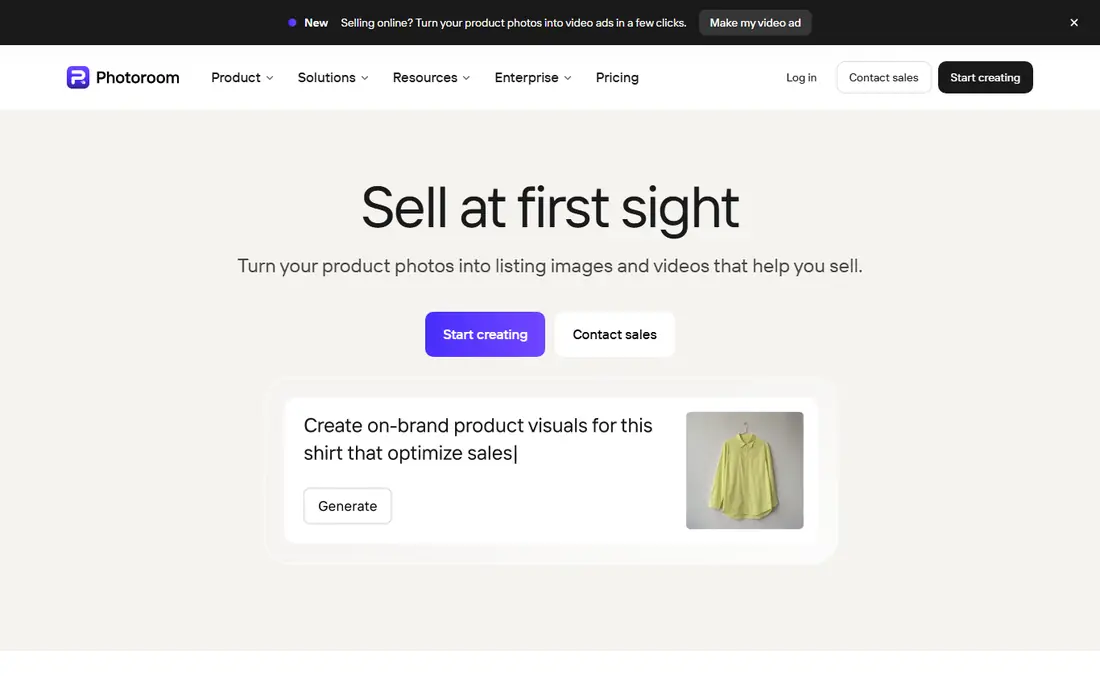
PhotoRoom is built for sellers. It removes backgrounds, replaces them with clean studio-style backdrops, resizes for marketplaces and processes images in batches. That combination is why many small shops use it as their whole listing-photo workflow rather than just a cutout tool. Edge quality on products is consistently clean in our comparison of feature pages and seller guidance.
The free plan is only a trial in practice, since exports are watermarked and not meant for commercial use. Pro starts at $12.99 per month, and API use is billed separately. If you sell online and process photos every week, PhotoRoom is our pick for most sellers.
- Strong batch processing
- Marketplace-ready backgrounds
- Mobile and web apps
- Free exports carry a watermark
- Best features need Pro
- API pricing is separate

Adobe Express gives quick background removal in the browser with little learning time. It suits social posts, simple product shots and small business graphics where speed matters more than pixel-level control. Premium costs $9.99 per month, which is lower than a full Photoshop subscription, and the free plan lets you test the workflow first.
It is not a Photoshop replacement. Complex selections, fine hair and large catalog batches will push you toward a specialist tool. But for occasional removal inside Adobe's design tools, Express is good value and easy to hand to a team member who does not edit photos often.
- Removal included in a low cost Premium plan
- Simple web workflow
- Adobe stock and fonts nearby
- Fewer editing depths than Photoshop
- Batch work is limited
- Some features need Premium
Photoshop remains the standard when an edge has to be perfect. Its automatic selection gets you most of the way, then brushes, masks and refinement tools let you fix hair, fur, glass and fine detail by hand. No one-click tool matches that control, which is why professional retouchers still finish tricky images here.
The price and learning curve are the honest costs. At $22.99 per month for the single app, it is hard to justify for occasional cutouts alone. Buy it when you also need full photo editing, or when your images go to print or high-value listings where a rough edge costs sales.
- Best manual refinement tools
- Select Subject and Refine Edge
- Full editing suite included
- Highest price here
- Learning curve is real
- Overkill for simple cutouts
Fotor suits casual users who want removal plus cropping, filters, collage and design tools without paying for a professional suite. Its background remover works well on clear subjects with plain backgrounds, and Pro at $8.99 per month adds batch processing and higher-quality exports. For a small shop on a tight budget, that bundle is appealing.
Complex subjects expose its limits faster than PhotoRoom or Photoshop will. Hair and busy backgrounds may need a second pass elsewhere. Still, if you want one cheap tool for many small photo jobs, Fotor covers more ground than a cutout-only service.
- Removal plus general editing in one place
- Low Pro price
- Batch tools on paid plans
- Free exports may carry limits
- Edge quality varies on complex photos
- Ads on free use
Pixlr runs entirely in the browser, which makes it handy on shared or low-spec computers. Its AI background remover handles everyday product and portrait shots well, and you can then edit, resize and export in the same tab. The free tier is genuinely useful for trying the tool before paying.
Watch the credit limits. Free AI use is capped, and paid tiers vary, so check the current pricing page before you commit to a volume workflow. For quick, no-install removal with editing attached, Pixlr is a strong free-first option.
- No install needed
- AI cutout plus full browser editing
- Free tier for testing
- AI credits limit free use
- Pricing tiers change
- Interface can feel busy
Clipping Magic is the tool we point to when automatic removal is almost right but not quite. You mark what to keep and what to remove, and its edge tools clean up the border with more care than most one-click services. That makes it ideal for jewelry, hair, plants and other subjects with tricky edges.
It is not built for thousands of images at once, and its credit plans need a read before buying. But for quality over quantity, and for fixing images that other tools mangled, Clipping Magic earns its place. The low starting price also makes it easy to keep as a second tool.
- Excellent manual mark-up tools
- Smart edge refinement
- Good for hair and fine detail
- Credit-based plans can confuse
- No full design suite
- Slower for huge batches
Slazzer targets volume. Its API and bulk tools let marketplaces and catalog teams process many images without opening each one by hand, and free preview credits let you test quality on your own photos first. For developers and operations teams, that pipeline focus matters more than templates or social features.
The trade-off is that Slazzer is a cutout service, not a design suite. You will still need another app for layouts and listing design. Price it by your monthly image count, not by the headline plan, since credit packs scale with volume.
- API and bulk desktop tools
- Fast processing
- Preview credits for testing
- Credit pricing needs careful math
- Design features are thin
- Web tool is simpler than rivals
Pixelcut is built for phone-first sellers who photograph products, remove backgrounds and post listings from the same device. Its templates, background styles and resize options make a phone photo look like a studio shot with little effort. Pro at $10 per month removes watermarks and opens full-quality exports.
Desktop users may prefer PhotoRoom or Canva for batch work, since Pixelcut leans mobile. But if your whole selling workflow lives on your phone, Pixelcut is fast, cheap and hard to beat for everyday listings.
- Mobile-first workflow
- Clean product templates
- Watermark-free Pro exports
- Desktop workflow is thinner
- Pro needed for full quality
- Template style can look similar
We include remove.bg with a clear warning. It still gives fast, high-quality cutouts, and its API has long been a staple for sellers. But multiple reports in 2026 say its standalone site is closing on December 1, 2026, with the service moving into Canva. That means you should not buy long-term credit packs or build a new pipeline on the standalone site without checking its current status first.
For a handful of images right now, it still works well, and the $9 per month Lite plan covers 40 credits. For any lasting workflow, pick Canva, PhotoRoom or Slazzer instead, and treat remove.bg as a short-term tool only. Check the vendor's own announcements before you pay.
- Very fast automatic cutouts
- Strong hair and fur edges
- API and desktop apps
- Standalone site reported closing December 2026
- Credits may not carry over
- Free tier is limited
How we picked these
We compared official pricing pages, feature pages and app listings for services live in October 2026. We kept tools that remove backgrounds from photos reliably, offer clear export terms, and fit either everyday users, sellers or high-volume pipelines. Where pricing was credit-based or varied by tier, we listed the starting plan or wrote See website rather than guessing a per-image cost. We did not claim hands-on testing.
What to check before you pay
Start with your own photos, not the demo gallery. Upload five hard examples from your real work, including hair, glass, white products on white backgrounds and busy scenes. A tool that aces clean studio shots can still fail on your actual catalog, and that gap only shows up on your images.
Next, check the export rules. Free tiers often limit resolution, add watermarks or block commercial use, and credit plans can make a cheap headline price expensive at volume. Confirm the export size you need, whether you can use images commercially, and what happens to unused credits each month.
Match the tool to your volume
Occasional users do best with a tool they already pay for, such as Canva Pro or Adobe Express. Weekly sellers need batch processing and marketplace sizes, which points to PhotoRoom or Pixelcut. Catalog teams processing hundreds of images a month should price API or bulk plans from Slazzer or PhotoRoom and compare per-image cost, not monthly headline price.
Keep an eye on edges and licensing
Hair, fur and transparent objects separate good tools from average ones. If your products include those, budget for a manual tool such as Photoshop or Clipping Magic as a second step. Also confirm you have the right to edit and publish any photo you process, especially for client work or marketplace listings.
Frequently asked questions
Where can I get the best background removal service?
Start with Canva Pro or Adobe Express if you already use those tools, since removal is included. For selling, PhotoRoom is the strongest dedicated choice, and Clipping Magic is best for precise fixes. The best service is the one that handles your real photos at your volume without watermark or resolution limits.
Is remove.bg still available?
As of October 2026, reports say the standalone remove.bg site is closing on December 1, 2026, with the service moving into Canva. Check the vendor's current announcements before buying credits, and do not build a long-term workflow on the standalone site alone.
Can I remove backgrounds for free?
Yes, for testing and occasional use. Canva, Adobe Express, Fotor, Pixlr and Pixelcut all offer free tiers, but most limit resolution, add watermarks or restrict commercial use. For regular commercial work, a paid plan is usually needed for clean, full-resolution exports.
Which tool is best for bulk product photos?
PhotoRoom and Slazzer lead for bulk work, with batch processing and API options. PhotoRoom adds marketplace templates, while Slazzer suits developer-led pipelines. Compare per-image cost at your monthly volume before choosing, since credit pricing varies a lot.
Do I need Photoshop to remove backgrounds?
No, unless you need pixel-level control. One-click tools handle most product and portrait shots well. Photoshop is worth it when edges must be perfect, when images go to print, or when you also need full photo editing in the same subscription.
What image format should I export after removal?
Export as PNG when you need transparency, since JPEG does not support transparent backgrounds. Keep a high-resolution PNG master, then create smaller JPEG or WebP versions for web listings where file size matters.
Sources
See where you really rank - block by block
ProMapRanker scans Google Maps across a grid of your service area. Simple monthly plans from $19, white-label on every plan.
Start freeKeep reading
 zoro.to alternatives
Best Zoro.to Alternatives in 2026
We compare the best zoro.to alternatives in 2026, listing only legal licensed anime streaming services, from Crunchyroll to free options for fans today.
Read → zip alternatives
Best Zip Alternatives in 2026
We compare the best zip alternatives for buy now, pay later in 2026, covering pay-in-4 plans, fees, spending limits, and credit reporting options today.
Read → yesware alternatives
Best Yesware Alternatives in 2026
Compare the best yesware alternatives for sales email tracking, templates, and sequences, with current pricing and honest tradeoffs for small sales teams.
Read →