 ProMapRanker
What Software Is Best for Creating Forms in 2026

Key takeaways
- Google Forms and Microsoft Forms cover simple, free forms best when you already use Google or Microsoft accounts.
- Jotform and Zoho Forms suit teams that need templates, payments, and data tables in one place.
- Typeform and Paperform suit customer-facing forms where completion rate and brand presentation matter most.
- Tally and Fillout offer strong free or low-cost options, but check response limits and branding rules before rollout.
- Formstack fits regulated workflows, while Wufoo and Cognito Forms suit straightforward forms with solid logic and payments.
Quick comparison
| Pick | Great for | Pricing starts at | Free tier | |
|---|---|---|---|---|
 Google Forms | Simple free forms with Sheets | Free | Yes | Visit |
 Jotform | Templates, payments, and workflows | See website | Yes | Visit |
 Typeform | Conversational customer-facing forms | See website | Yes | Visit |
 Microsoft Forms | Forms inside Microsoft 365 | Free | Yes | Visit |
 Zoho Forms | Value inside the Zoho ecosystem | See website | Yes | Visit |
 Formstack | Regulated workflows and approvals | See website | No | Visit |
 Paperform | Brand-led forms and landing pages | See website | Free trial | Visit |
 Tally | Unlimited free forms and responses | See website | Yes | Visit |
 Cognito Forms | Logic-rich forms with payments | See website | Yes | Visit |
The best software for creating forms
The best form software depends on what happens after someone submits. A simple signup needs little more than a clean form and a spreadsheet. An order, application, or approval needs payments, logic, notifications, and a clear record. The nine tools below cover that range, from free basics to workflow-ready builders.

Google Forms is the fastest way to create a usable form. You can add questions, set section branching for multiple choice and dropdown fields, share a link, and watch responses land in Sheets. It works well for signups, internal surveys, RSVPs, and classroom quizzes where design polish matters less than speed.
Limits appear quickly for business use. Branding options are basic, payment collection needs a workaround, and logic is simpler than in dedicated builders. File uploads also require respondents to sign in to Google, which can reduce completion for public forms. For a free, reliable basic form, Google Forms remains the default starting point.
- Free with a Google account
- Instant Sheets results
- Very easy to share
- Limited design control
- Basic logic
- No native payments
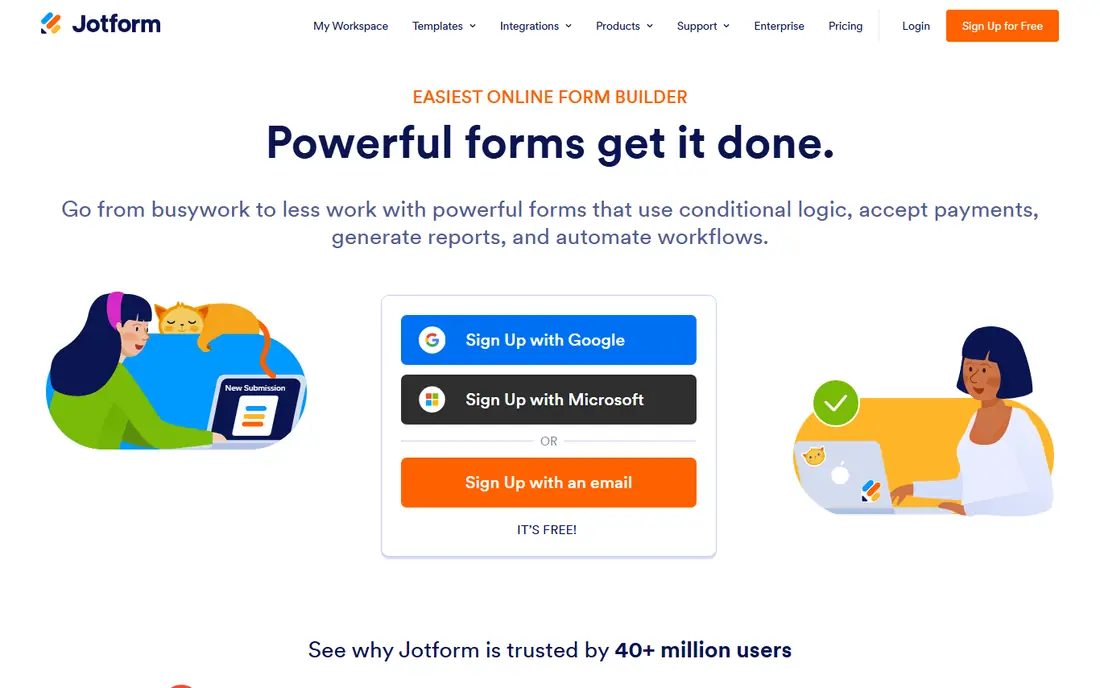
Jotform suits teams that want one place for forms, payments, approvals, and submission data. Templates cover registrations, orders, applications, surveys, and quizzes, and the drag-and-drop builder handles conditional logic, file uploads, and payment fields without code. Jotform Tables organizes submissions, while report tools turn them into summaries.
The free plan is useful for testing but limited to a small number of forms and monthly submissions, so active teams should budget for a paid tier. Pricing also scales with usage, storage, and seats, which can surprise teams that grow fast. For all-in-one form work, especially orders and applications, Jotform offers the broadest toolkit in this list.
- Huge template library
- Payment forms
- Tables, reports, and signatures
- Free plan caps forms and submissions
- Higher usage costs rise quickly
Typeform presents one question at a time, which can lift completion on longer surveys, applications, and lead forms. Design controls, logic, and calculation features let teams build branching paths that feel more like a conversation than a long page of fields. Integrations with common CRM, email, and spreadsheet tools help route results after submission.
The free plan allows only a small number of monthly responses, so it works as a trial rather than a production tier. Paid plans cost more than Google Forms or Tally, which makes Typeform a better fit for customer-facing forms where completion rate justifies the price. Internal forms with high volume may be cheaper elsewhere.
- One-question flow
- Strong design
- Logic and calculations
- Free plan is very limited
- Paid plans cost more than basic builders
Microsoft Forms fits organizations already using Microsoft 365. Staff can create surveys, quizzes, and polls, share them in Teams, and review results in Excel. A free personal account also offers basic forms, though response and sharing rules differ from work and school accounts.
It is not a full replacement for a specialist builder. Design options are modest, logic is simpler, and external respondents face limits that internal teams do not. Payment collection is also not a native strength. For internal feedback, training quizzes, and team polls inside Microsoft 365, Microsoft Forms is convenient and cost-effective.
- Included with many Microsoft plans
- Excel results
- Teams integration
- Public sharing limits
- Simpler design and logic than specialist builders
Zoho Forms works best for teams already using Zoho CRM, Books, or other Zoho apps. Submissions can feed CRM records, trigger approvals, and support workflows without extra integration work. The builder covers logic, payments, file uploads, and notifications, and paid plans remain affordable compared with many rivals.
The free plan limits the number of forms and monthly submissions, so growing teams should plan for a paid tier. Design polish lags behind Typeform and Paperform, which matters for brand-led public forms. For internal operations and Zoho-based workflows, Zoho Forms delivers strong value for the price.
- Low entry price
- Zoho CRM integration
- Approvals and workflows
- Free plan limits forms and submissions
- Design is functional rather than striking
Formstack suits organizations that need forms tied to approvals, signatures, and document workflows. A submission can move through review steps, trigger notifications, and connect to CRM, storage, and payment tools. Compliance features, including HIPAA options on eligible plans, make it a serious option for health, finance, and government-adjacent work.
That depth comes at a higher entry price and a longer setup time than a simple builder. Small teams that only need a contact form will find Formstack more than they need. For regulated processes where audit trails, approvals, and data handling matter, the extra structure and controls justify the cost.
- Workflow and approval tools
- Compliance options
- Strong integrations
- Higher entry price
- More setup than simple builders
Paperform lets teams build forms that look like landing pages, with control over layout, fonts, colors, media, and page structure. That presentation helps for applications, bookings, event registrations, and lead capture where first impressions matter. Payment fields, calculations, and integrations support orders and bookings as well as simple inquiries.
There is no permanent free plan, only a trial, so budget from the first paid tier. Response limits and plan tiers also matter for high-volume campaigns. For brand-led, customer-facing forms where design quality can affect completion, Paperform is one of the strongest choices in this list.
- Strong design control
- Page-style forms
- Payment and booking options
- No lasting free plan
- Higher price for high-volume use
Tally stands out for its free plan, which allows unlimited forms and responses within fair use limits. Logic, file uploads, and integrations are included, and the interface stays clean and fast. Creators, startups, and small teams can run real forms without hitting a small monthly response cap.
The template library and ecosystem are smaller than Jotform, and some advanced features, such as branding removal, custom domains, and partial submissions, sit on the Pro plan. Teams that need heavy workflow automation may also want a broader platform. For a low-cost, reliable form builder, Tally offers unusually generous free access.
- Unlimited forms and responses on free plan
- Clean design
- Logic included
- Fewer templates than Jotform
- Advanced features need Pro
Cognito Forms suits teams that need calculations, repeating sections, and conditional logic without a high price. Order forms can calculate totals, application forms can adapt to answers, and payment fields support common processors. The free plan allows unlimited forms with a monthly entry cap, which helps small teams test real workflows.
Design polish is functional rather than striking, and the template library is smaller than larger rivals. Teams that need a brand-led landing page may prefer Paperform or Typeform. For practical forms where logic and calculation accuracy matter most, Cognito Forms is a dependable, affordable option.
- Strong calculations and logic
- Payment support
- Entry-level pricing
- Design options are modest
- Template range is smaller than Jotform
How we picked these
We compared official pricing pages, free plan limits, and product documentation, and we checked that each builder still offers live form creation in October 2026. We favored tools that cover real use cases, from simple surveys to payments and approvals, and we weighed templates, logic, integrations, and total cost at realistic volumes. We avoided builders that only handle surveys or only handle one niche, so the list works for general form creation.
How to choose form software
Start with the submission, not the builder. List every field you need, any calculations or branching, whether payment is required, and where the data must go after submission. Test that full path with a real submission, including email notifications, spreadsheet or CRM records, and file uploads. A form that looks good but fails on routing will create manual work every week.
Volume, branding, and data handling
Check monthly response limits, form limits, and storage limits on the plan you will actually use, not just the free tier. Confirm branding removal, custom domains, and embed options if the form will sit on your website. Review data handling too: access controls, export options, spam protection, and compliance features for sensitive data. Choose the lowest plan that covers your peak month, not your quiet month.
Testing before rollout
Build a test version, submit it from a phone and a desktop, and check the confirmation message, email, and data record. Test edge cases, such as a required file upload, a payment failure, and a long answer. If the form will collect health, financial, or personal data, confirm the vendor plan supports the compliance level you need before you publish.
Frequently asked questions
What software is best for creating forms for free?
Google Forms and Tally are the strongest free starting points. Google Forms is simplest for internal forms tied to Sheets, while Tally allows unlimited forms and responses within fair use limits. Microsoft Forms is also free for many personal and work accounts, though sharing rules differ by account type.
What is the best software for creating forms with payments?
Jotform, Cognito Forms, and Paperform all support payment fields for orders, registrations, and donations. Jotform offers the widest payment and workflow options, while Cognito Forms suits calculation-heavy order forms. Check transaction fees and processor support before you choose, since those costs sit outside the form subscription.
Is Typeform worth the price?
Typeform can be worth it for customer-facing surveys, applications, and lead forms where completion rate matters. The one-question flow and design controls help longer forms feel less daunting. For internal forms or high-volume data collection, a lower-cost builder such as Tally, Zoho Forms, or Google Forms often gives better value.
Can I use forms for approvals and workflows?
Yes, Formstack, Jotform, and Zoho Forms support approval steps and workflow routing on suitable plans. Map the approval chain before you build, including who approves, what happens on rejection, and how the requester is notified. Test the full chain with a sample submission before rollout.
How do I reduce form abandonment?
Keep the form short, ask only for fields you will use, and group questions into clear sections. Use logic to hide irrelevant questions, show progress on longer forms, and test the mobile view carefully. A clear confirmation message and a short thank-you note also help respondents trust that their submission arrived.
Sources
See where you really rank - block by block
ProMapRanker scans Google Maps across a grid of your service area. Simple monthly plans from $19, white-label on every plan.
Start freeKeep reading
 zscaler alternatives
Best Zscaler Alternatives in 2026
Looking for zscaler alternatives? We compare 9 SASE and zero trust platforms on architecture, data protection, pricing, and fit for your network and team.
Read → zapier alternatives free
Best Zapier Alternatives Free in 2026
Nine automation tools for zapier alternatives free in 2026, all with genuinely free tiers, plus free plan limits, starting prices and upgrade paths explained.
Read → which platform is best for online reputation
Which Platform Is Best for Online Reputation in 2026
Wondering which platform is best for online reputation? We compare 8 review, listing, and response tools for small and multi-location businesses and agencies.
Read →