 ProMapRanker
What's the Best Social Media Management Software in 2026


All-in-one management for mid-sized and large teams · Pricing starts at: $99 per user per month
Key takeaways
- The best social media management software depends on how many networks, users, and clients you handle, not on the longest feature list.
- Per-user and per-channel pricing change the total sharply as teams grow, so price your real team size, not just the headline plan.
- If inbox replies are your main job, pick an inbox-first tool; if planning is your main job, pick a calendar-first tool.
- Free plans are useful for testing, but check limits on scheduled posts, users, and analytics before you build a workflow on them.
- Every tool here supports scheduling, but listening, approvals, and reporting vary widely, so test those features with real posts.
Quick comparison
| Pick | Great for | Pricing starts at | Free tier | |
|---|---|---|---|---|
| Hootsuite | All-in-one management for mid-sized and large teams | $99 per user per month | Free trial | Visit |
 Sprout Social | Analytics-driven teams and social listening | $199 per seat per month | Free trial | Visit |
 Buffer | Simple scheduling for creators and small teams | $6 per channel per month | Yes | Visit |
 Later | Visual-first planning for Instagram and TikTok creators | $25 per month | Yes | Visit |
 Agorapulse | Teams that live in the social inbox | $79 per user per month | Yes | Visit |
 Sendible | Agencies managing many client accounts | $35 per month | Free trial | Visit |
 SocialPilot | Budget-conscious agencies and small teams | $30 per month | Free trial | Visit |
 Zoho Social | Budget teams already using Zoho products | See website | Free trial | Visit |
 Metricool | Analytics and scheduling on a tight budget | $20 per month | Yes | Visit |
 Planable | Content approvals and team collaboration | $33 per month | Yes | Visit |
The best social media management software
Social media management tools schedule posts, organize replies, and report results across networks from one dashboard. We compared official pricing and feature pages, and we focused on scheduling, inbox work, analytics, approvals, and total cost for a realistic team.

Hootsuite remains the broadest all-in-one option, covering planning, publishing, engagement, listening, and reporting across major networks. Its newer AI features help draft and repurpose content, while listening tools track mentions and trends that a simple scheduler would miss. For a team that wants one system for everything, that breadth is the main selling point.
Cost is the main drawback. At $99 per user per month on annual billing for the entry plan in published materials, a team of five pays five times the headline price, and higher tiers cost more. Hootsuite fits teams that will actually use listening, approvals, and analytics, not teams that only need a posting calendar. Try the 30-day trial with your real networks before committing.
- Broad network coverage
- Scheduling, inbox, listening, and analytics in one place
- Enterprise integrations
- Per-user pricing adds up quickly
- No permanent free tier
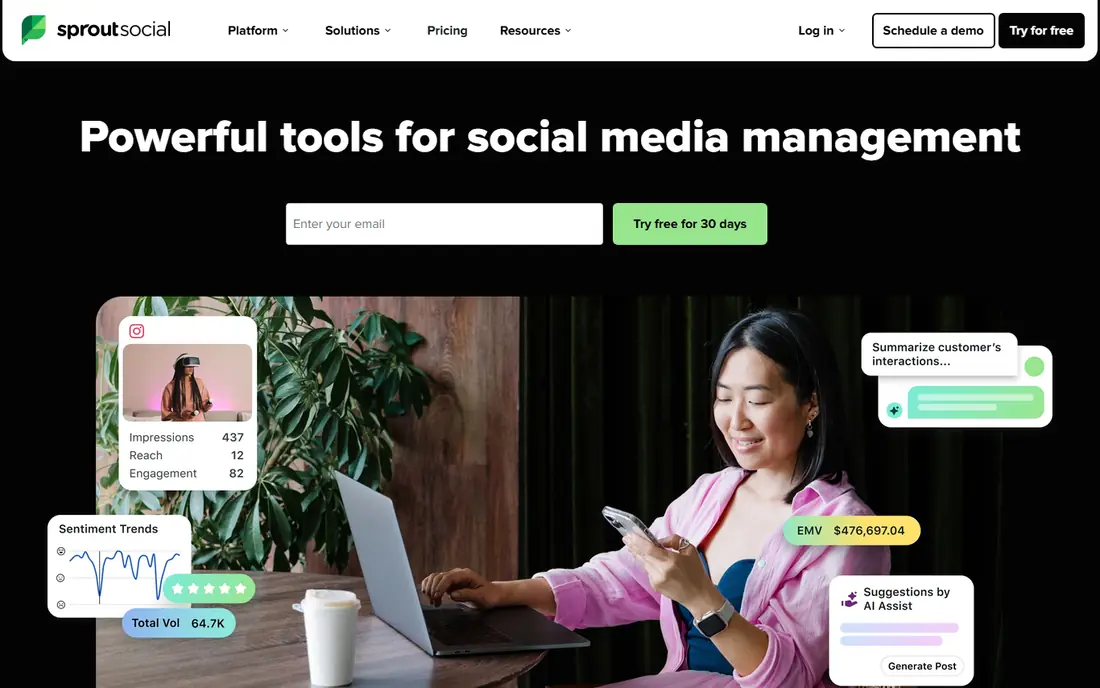
Sprout Social suits teams that need to defend social results with clear reports. Its analytics break down performance by network, post type, and audience, and its inbox brings comments and messages together so replies do not slip through cracks. For a team reporting to clients or executives, that reporting depth can justify the price.
The entry price is high, with Standard listed at $199 per seat per month on annual billing in recent published comparisons, and listening is an add-on rather than a core inclusion. Smaller teams should check whether the Essentials tier, listed in some vendor materials at a lower seat price, covers their needs, and should trial reporting with their own data. Sprout is a strong pick when analytics quality matters more than low cost.
- Strong reporting and analytics
- Unified inbox
- Listening add-on for brand research
- High entry price
- Listening and some advanced features cost extra
Buffer is the tool we recommend first to a solo creator or a small team that mainly needs reliable scheduling. The interface is fast, the queue is easy to understand, and the free plan lets you test real posting before paying. Paid plans bill per channel, which can be cheaper than per-user pricing when one person manages several networks.
Buffer is not a full enterprise platform. Analytics are useful but lighter than Sprout or Hootsuite, and there is no deep listening suite for brand research. If your day is mostly planning and publishing, that trade-off is fine. If your day is mostly replying to a busy inbox or tracking competitors, an inbox-first or listening tool will fit better.
- Clean, fast scheduling
- Free plan for getting started
- Affordable per-channel pricing
- Light analytics and no full listening suite
- Collaboration features are limited on lower plans
Later is built around how visual creators actually plan. You can drag images and videos onto a calendar, preview a feed, and use a link-in-bio page to send followers to products or articles. That visual workflow feels natural for Instagram and TikTok, where the look of a feed and the timing of a video matter as much as the caption.
Later is less strong as a general tool for text-heavy networks such as LinkedIn or X, and its analytics are not as deep as Sprout on higher plans. Creators who live on Instagram and TikTok will likely love it, while a business that posts mainly on LinkedIn should trial a more general scheduler first. The free plan is a good way to test the calendar with one profile.
- Drag-and-drop visual calendar
- Link-in-bio tool
- Strong Instagram and TikTok workflows
- Weaker outside visual networks
- Analytics depth varies by plan
Agorapulse earns its place for teams whose main problem is replies, not posting. Comments, messages, and mentions land in one inbox, where they can be assigned, labeled, and tracked, so a customer question does not sit unanswered on one network while the team works on another. Scheduling and basic reporting sit alongside the inbox, so most daily work stays in one place.
Pricing is per user, with entry plans listed around $79 per user per month on annual billing in recent comparisons, so team size matters. Agorapulse also offers a free plan with limits, which is useful for testing the inbox. If engagement and response time are your key metrics, Agorapulse is often a better fit than a calendar-only scheduler.
- Unified inbox with assignments
- Scheduling and reporting included
- Social listening on higher plans
- Per-user pricing
- Reporting is less deep than Sprout for some teams
Sendible is built for agencies that juggle many clients, each with its own networks, approvals, and reports. Client dashboards, bulk scheduling, and white-label reporting help an agency present work professionally without building reports by hand. The Creator plan, listed around $29 to $35 per month in recent comparisons depending on billing, is a low entry point for a small agency.
The trade-off is polish. Sendible covers a lot, but its interface can feel busier than Buffer or Later, and some reporting depth sits on higher plans. Agencies should trial it with two or three real clients, including approvals and a monthly report, before moving a full roster. For that agency workflow, though, Sendible is a practical and affordable choice.
- Client dashboards and white-label options
- Bulk scheduling
- Approval workflows
- Interface can feel busy
- Some advanced analytics need higher plans
Zoho Social fits small businesses that already run on Zoho, since it shares logins, billing, and CRM data with the wider Zoho suite. Scheduling, monitoring, and reporting cover the basics, and the price is usually lower than premium rivals. For a small team that wants one vendor for CRM, email, and social, that simplicity has real value.
Zoho Social is not a match for a large social team that needs deep listening, complex approvals, or enterprise reporting. Its feature set is deliberately simpler, and its network coverage should be checked against your own channels. If you are already a Zoho shop and your social needs are modest, start here before paying for a larger platform.
- Affordable for Zoho users
- Scheduling, monitoring, and basic analytics
- Integrates with Zoho CRM
- Fewer advanced features than premium tools
- Network coverage and listening are limited
Metricool stands out for small teams that want good analytics without a premium price. It tracks performance across networks, websites, and ads in one dashboard, and its scheduling tools cover the daily posting job. The free plan lets you connect profiles and test reporting, while paid plans start around $20 per month on annual billing in recent comparisons.
Metricool is less strong for teams that spend most of their day in the inbox or need complex approval chains. Its collaboration features exist but are simpler than Planable or Sprout. For a creator or small business that asks, in plain terms, what is working and what should we post next, Metricool gives a clear answer at a fair price.
- Clear analytics across networks
- Free plan for testing
- Affordable paid plans
- Inbox and collaboration features are lighter
- Some features need higher plans
Planable solves a specific pain: getting a post approved without endless screenshots and email threads. Team members and clients can comment directly on a draft, approve it, and see exactly what will publish. That workflow saves time for agencies and marketing teams where legal, brand, or client approval is part of every post.
Planable is not primarily an analytics platform, so teams that need deep reporting should pair it with another tool or use its built-in reports for basic needs. Pricing also depends on workspaces and users, so price your real approval chain. If approvals are your bottleneck, Planable is worth trialing first, since it fixes that bottleneck directly.
- Visual approval workflow
- Comments on posts before publishing
- Client-friendly review pages
- Analytics are lighter than Sprout
- Pricing rises with workspaces and users
How we picked these
We compared official pricing and feature pages for social management tools that are actively sold in 2026, covering scheduling, inbox work, analytics, listening, and approvals, and we left out tools that only post to one network or are no longer maintained. We favored tools with clear pricing, broad network support, and a distinct strength, and we noted where prices are per user, per channel, or per month. We did not run hands-on tests for this roundup, and we did not invent ratings, user counts, or feature claims that vendor pages did not support.
What to check before you buy
Count your real workload before you compare features. List your networks, how many posts you publish each week, how many people reply to comments, and how many clients or approvers touch a post. A tool that looks cheap for one user can become expensive for five, and a tool that looks simple can become slow when approvals and reporting are added. Price the plan that covers your actual team, not the trial team.
Next, trial with real content. Schedule a week of posts, reply to real comments, and build one monthly report in each shortlisted tool. Check whether auto-publishing works for your main networks, since some networks limit certain post types, and check how drafts, approvals, and media libraries behave under real deadlines. Finally, confirm who owns the account, the connected profiles, and the data if you switch tools later, so a change of vendor does not strand your history.
Frequently asked questions
What's the best social media management tool?
The best tool depends on your job. Buffer suits simple scheduling for small teams, Hootsuite and Sprout suit larger teams that need listening and analytics, Agorapulse suits inbox-heavy teams, and Sendible or SocialPilot suit agencies. Start with your main bottleneck, whether that is posting, replying, reporting, or approvals, and shortlist tools that solve that job first.
What's the best social media management software for a small business?
For most small businesses, Buffer or Metricool is a good starting point, since both offer free plans, simple scheduling, and clear analytics at a low price. Later is a strong pick if Instagram or TikTok drives most of your sales. Move to Hootsuite, Sprout, or Agorapulse only when team size, inbox volume, or reporting needs outgrow a simpler tool.
Is there a free social media management tool?
Yes, Buffer, Later, Agorapulse, Metricool, and Planable all offer free plans with limits on profiles, posts, users, or features. A free plan is useful for testing and for a solo creator with one or two profiles. Businesses that post daily across several networks, or that need team approvals and full reports, will usually need a paid plan.
How much does social media management software cost?
Prices range from free plans and low-cost tools around $20 to $35 per month, up to per-user plans around $99 to $199 per seat per month for enterprise platforms. The total depends on whether pricing is per user, per channel, or per month, and on add-ons such as listening. Always price your full team and client list, not just one user.
Can one tool manage all social networks?
Most tools here cover Instagram, Facebook, LinkedIn, TikTok, X, Pinterest, and YouTube, but exact support for features such as stories, reels, or direct messages varies by network and plan. Check the vendor's current network page for the post types you actually use, and trial auto-publishing on each network before you rely on it for a campaign.
Sources
See where you really rank - block by block
ProMapRanker scans Google Maps across a grid of your service area. Simple monthly plans from $19, white-label on every plan.
Start freeKeep reading
 zoro.to alternatives
Best Zoro.to Alternatives in 2026
We compare the best zoro.to alternatives in 2026, listing only legal licensed anime streaming services, from Crunchyroll to free options for fans today.
Read → zip alternatives
Best Zip Alternatives in 2026
We compare the best zip alternatives for buy now, pay later in 2026, covering pay-in-4 plans, fees, spending limits, and credit reporting options today.
Read → yesware alternatives
Best Yesware Alternatives in 2026
Compare the best yesware alternatives for sales email tracking, templates, and sequences, with current pricing and honest tradeoffs for small sales teams.
Read →
SocialPilot
Great for: Budget-conscious agencies and small teams
SocialPilot appeals to agencies and small teams that need to schedule for many accounts without paying enterprise prices. Its plans include bulk scheduling, client management, and team roles, which cover the core agency workflow at a lower price than Hootsuite or Sprout. For a team that posts a lot and reports simply, that value is hard to ignore.
The limits show up in inbox work and deep analytics. SocialPilot handles replies and reports, but not with the depth of Agorapulse or Sprout. Teams that need listening, advanced reporting, or a polished client portal may outgrow it. As a scheduling-first agency tool on a budget, however, it is a strong and honest pick.