 ProMapRanker
What is the Best PSA Software for Small Businesses in 2026


Billing-led small service firms · Pricing starts at: $20 per user per month
Key takeaways
- For most small service firms, BigTime, Scoro, and Productive give the clearest path from tracked time to invoice without enterprise cost.
- PSA software differs from project software by adding billing rates, utilisation, and project profit, so judge it on money, not just tasks.
- Low entry prices can hide missing invoicing, so check whether quotes, time, expenses, and invoices are all included in the plan you price.
- Small firms should start with a short pilot on real client work, since setup effort and billing habits decide success more than feature lists.
Quick comparison
| Pick | Great for | Pricing starts at | Free tier | |
|---|---|---|---|---|
| BigTime | Billing-led small service firms | $20 per user per month | No | Visit |
 Scoro | Financial reporting and forecasting | $17 per user per month | No | Visit |
 Productive | Agency profitability and resourcing | $10 per user per month | No | Visit |
 Ruddr | Low-cost full PSA for small teams | $14 per user per month | No | Visit |
 Accelo | Sales, service, and delivery in one place | See website | No | Visit |
 Avaza | Small teams wanting low flat pricing | Free | Yes | Visit |
 Teamwork.com | Projects plus billable time | $9.99 per user per month | No | Visit |
 Kantata | Skills-based staffing at larger scale | See website | No | Visit |
 HaloPSA | Small MSPs wanting deep PSA control | See website | Free trial | Visit |
The best psa software for small businesses
PSA stands for professional services automation. It joins quoting, projects, time, expenses, resourcing, and invoicing, so a small firm can see whether client work actually makes money. The tools below suit small businesses first, with enterprise options included only where they scale down well.

BigTime is built around the link between recorded time and money. Consultants, accountants, engineers, and IT firms can set bill rates, track work in progress, approve time, and invoice from the same records. The QuickBooks integration is a major reason small firms choose it, since invoices and payments stay aligned with the books.
The entry plan is clearly priced, but higher tiers are quoted and there is no permanent free plan or public trial, only a demo. That makes a guided pilot important. If billing accuracy and project margins are your main pain, BigTime is a strong first pick for a small service firm.
- Strong time and billing link
- Deep QuickBooks integration
- Clear project profit reporting
- No free plan or public trial
- Higher tiers are quoted
- Depth takes time to learn
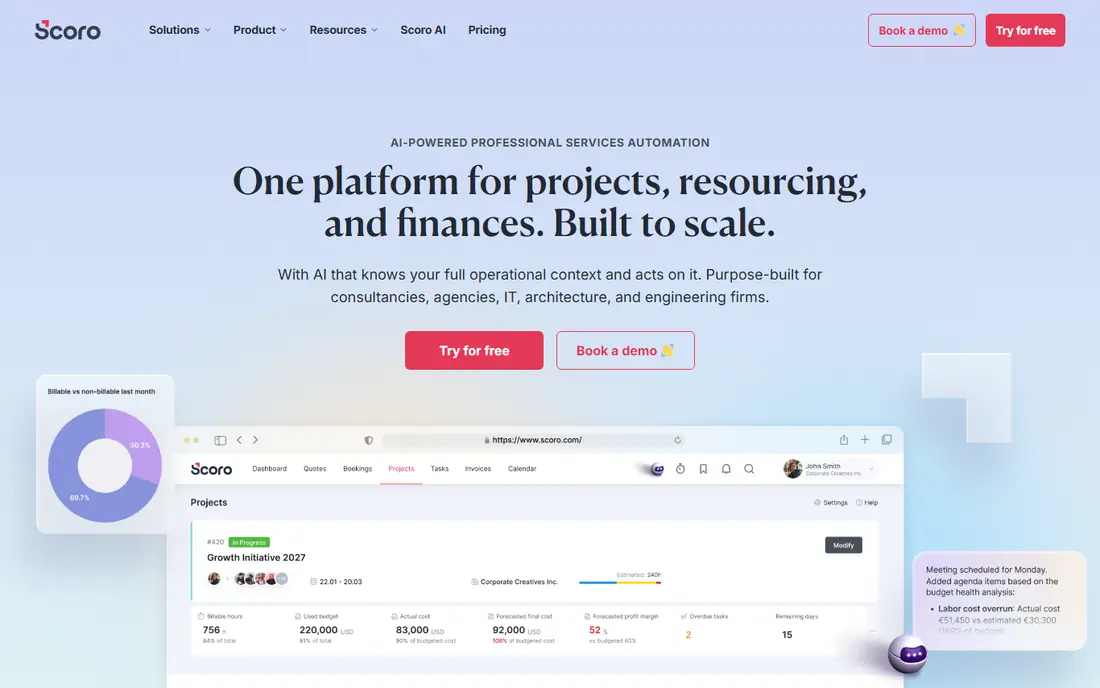
Scoro suits small firms that want to forecast revenue and watch project finances closely. Quotes, projects, time, expenses, and invoices can live in one system, with two-way sync to QuickBooks and Xero. That financial view helps owners see utilisation, pipeline value, and overdue billing without separate reports.
The entry time-billing plan is limited, since full projects and quotes need a higher tier, and entry plans carry a five-user minimum. Small firms should therefore price the tier that covers their real workflow, not the cheapest headline. If reporting and forecasting matter most, Scoro rewards the extra setup.
- Strong financial reporting
- Two-way QuickBooks and Xero sync
- Quotes through invoices in one place
- Entry plan covers time and invoicing only
- Projects need a higher tier
- Five-user minimum on entry plans
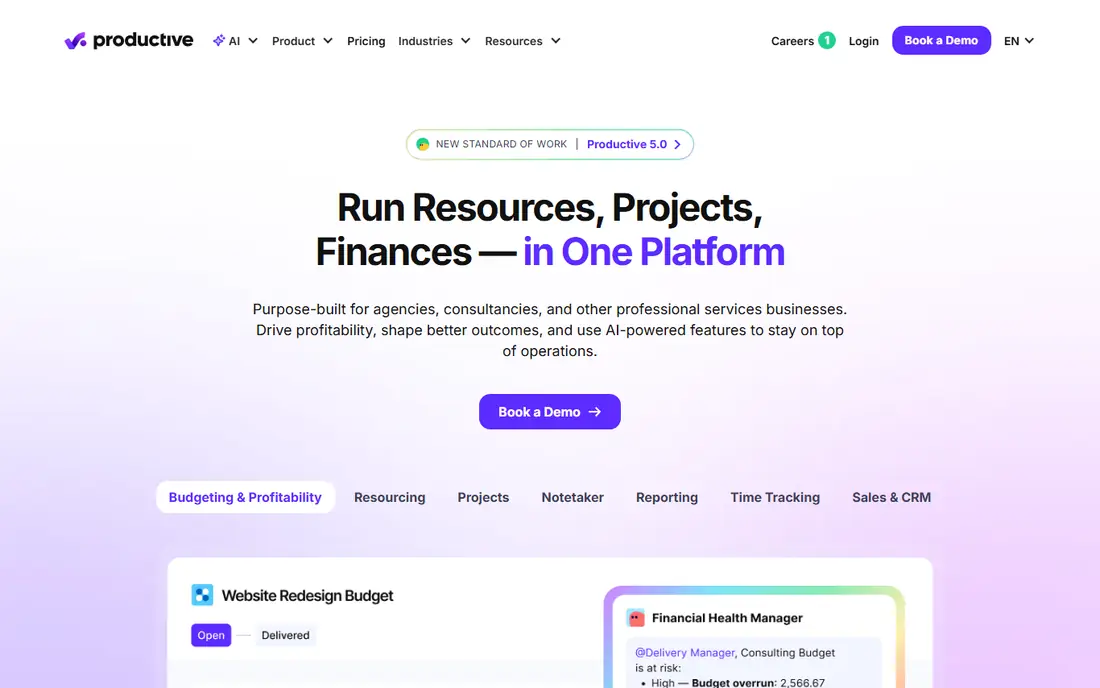
Productive is a good fit for agencies and small consultancies that need to see profit by project and by client. Budgets, resourcing, projects, time, expenses, and reports are included on the entry plan, which keeps the starting cost low. Managers can compare planned hours with actual hours and spot overruns before they eat margin.
Invoicing through integrations needs a higher tier, so firms that want native invoicing should check that plan first. The three-user minimum is modest, but solo users should look at Avaza or Teamwork instead. For a small agency focused on profitability, Productive offers strong value.
- Low entry price
- Budgets, resourcing, and time in one place
- Clear profitability reports
- Invoicing integrations sit on higher tiers
- Three-user minimum
- Accounting sync is one-way for some systems
Ruddr gives small teams a full PSA scope at a low per-user price. Projects, budgets, time, expenses, invoicing, and payments are included on the entry plan, with utilisation reporting to show how much of the week is billable. That completeness at $14 per user per month is rare, and it suits firms that want one system without enterprise pricing.
The trade-off is vendor size and integration breadth compared with larger rivals. Teams that rely on a specific accounting or CRM tool should confirm the link before switching. For a cost-conscious small firm that wants the whole PSA loop, Ruddr is a compelling shortlist pick.
- Low price for full PSA scope
- Projects, budgets, time, expenses, and invoicing included
- Utilisation reporting
- Smaller vendor than BigTime or Scoro
- Integration list is narrower
- Support depth varies
Accelo aims to replace several tools at once. Sales tracking, client work, retainers, tickets, and project delivery sit in one platform, with a client portal and live profitability reporting. That breadth suits small service firms that sell, deliver, and support clients from the same team.
Pricing is now quoted rather than published as a single rate, so budget time for a sales conversation. Users also note a learning curve from the many paths to the same task. If you want one system for the full client journey and can invest in setup, Accelo is worth a demo.
- Sales, retainers, tickets, and projects in one system
- Client portal
- Live profitability reporting
- Pricing is quoted
- Interface can feel cluttered
- Learning curve for new teams
Avaza is the budget-friendly route into PSA-style work. The free plan covers core projects, time tracking, expenses, and invoicing for small teams, and paid plans stay low compared with full PSA suites. That makes it a good first step for a firm moving from spreadsheets to structured billing.
Depth is lighter than BigTime, Scoro, or Accelo, especially on resourcing and forecasting. A firm with complex staffing or multi-stage approvals may outgrow Avaza. For a solo practice or a team of a few people that needs clean time-to-invoice flow, Avaza is a practical start.
- Free plan for small teams
- Projects, time, expenses, and invoicing
- Low paid pricing
- PSA depth is lighter than BigTime
- Resourcing is basic
- Larger firms may outgrow it
Teamwork.com is primarily a project platform that adds billable time, which suits small firms whose main need is delivery with clean billing. The entry plan covers projects and billable time at a low per-user price, and the interface is familiar to teams coming from general project tools.
Invoicing sits on a higher tier, so firms that want time-to-invoice in one plan should price that tier from the start. Reporting on profitability is also lighter than dedicated PSA tools. If project delivery comes first and billing second, Teamwork.com is a comfortable middle ground.
- Strong project management
- Billable time tracking
- Three-user minimum is modest
- Invoicing needs a higher tier
- PSA reporting is lighter
- Full PSA scope needs add-ons
Kantata, formerly Mavenlink, is aimed at larger professional services firms that staff by skill and need deep project financials. Resourcing can match people to projects by skill and availability, and links to Salesforce and accounting systems keep pipeline and finance aligned. That depth helps firms with many concurrent projects and complex staffing.
For a very small firm, Kantata is likely overkill in both price and setup, since pricing is quoted and implementation takes planning. It earns a place here as the scale-up option: a firm that outgrows BigTime or Scoro on resourcing may find Kantata the next step. Small firms should demo it only if staffing complexity is already a real problem.
- Strong skills-based resourcing
- Salesforce and accounting links
- Deep project financials
- Quote-based pricing
- Enterprise scale and setup
- Overkill for very small firms
HaloPSA is a PSA built for managed service providers, and it suits small MSPs that want deep control without an older interface. Ticketing, projects, time tracking, agreements, and billing sit in one system, with strong customisation and integrations to common RMM and accounting tools. Users often praise its modern design compared with older MSP platforms.
Pricing in the US is quoted, so small MSPs should ask for a firm per-agent figure. General consultancies may also find the MSP focus narrower than Scoro or BigTime. For a small MSP that wants a modern PSA it can shape to its own process, HaloPSA is a strong final pick.
- Deep PSA customisation
- Ticketing, projects, time, and billing in one place
- Modern interface
- Pricing is quoted in the US
- MSP focus narrows fit for general consultancies
- Setup depth takes time
How we picked these
We compared official pricing and feature pages, PSA comparison guides, and consultant software reviews, and we favoured tools that are live in October 2026 and cover quoting, projects, time, and invoicing for small firms. We weighed entry price, invoicing completeness, resourcing depth, and accounting links. We did not run hands-on firm trials, and prices marked as quoted reflect vendors that do not publish a single US rate.
What to check before you buy
Start with your billing model. List how you charge: hourly, fixed fee, retainer, or a mix, and test each model in the shortlisted tool with a real past project. A tool that handles hourly billing well may struggle with retainers, and that gap will show up every month.
Next, check time capture habits. If your team logs time late or in bulk, look for timers, mobile entry, and approval flows that fit how they actually work. Also confirm expense handling, bill rates by role, and invoice templates, since those details decide whether finance trusts the system.
Finally, run a pilot on one live client. Track time, approve it, invoice it, and reconcile it in your accounting tool. That single cycle reveals import problems, rate errors, and reporting gaps. Agree who owns the system internally, since PSA tools fail most often when no one maintains rates and project templates.
Frequently asked questions
What is PSA software?
PSA software automates the business side of selling expertise: quoting, project management, resourcing, time tracking, expenses, and invoicing in one system. It differs from project software by linking tracked time to billing rates and project profit. Small firms use it to stop revenue leaking between timesheets and invoices.
How much does PSA software cost for a small business?
Entry prices range from free for Avaza to about $10 to $20 per user per month for Productive, Ruddr, Scoro, and BigTime. Larger platforms such as Accelo, Kantata, and HaloPSA are quoted. Always price the tier that includes invoicing, since entry plans sometimes exclude it.
Can a solo consultant use PSA software?
Yes, though full PSA suites may be more than a solo practice needs. Avaza and Teamwork.com suit solo and very small teams, while BigTime and Productive suit firms with several billable staff. Solo users should favour low flat pricing and simple time capture over resourcing depth.
Do I need PSA if I already use project software?
Not always. If billing is simple and handled in accounting software, project software plus careful invoicing may be enough. PSA earns its place when you juggle many clients, bill rates, retainers, and utilisation targets, and when timesheet-to-invoice work takes hours each month.
Does PSA replace accounting software?
No. PSA handles project billing and work in progress, while accounting software remains the book of record for tax, payroll, and financial statements. Look for a two-way or reliable one-way sync to QuickBooks or Xero, and confirm which system owns invoice numbers.
How long does PSA setup take?
Small firms can pilot in days on a low-cost tool with simple rates and templates. Full rollouts with custom rates, approvals, and accounting sync take weeks, especially on quoted enterprise platforms. Start with one client and one billing model, then expand.
Sources
See where you really rank - block by block
ProMapRanker scans Google Maps across a grid of your service area. Simple monthly plans from $19, white-label on every plan.
Start freeKeep reading
 worlds best local seo company
8 Worlds Best Local SEO Companies for Map Pack Growth in 2026
Compare the worlds best local seo company options for Google Business Profile work, citations, reviews, and multi-location rankings and reporting in 2026.
Read → world's best web hosting company
World's Best Web Hosting Company in 2026
Searching for the world's best web hosting company? We compared 10 hosts on price, renewal rates, speed, and support to help you choose well today in 2026.
Read → who's got the best nanny tax services
Who's Got the Best Nanny Tax Services in 2026
We answer who's got the best nanny tax services, comparing full filing, back taxes, software, and pricing so families can handle nanny taxes correctly.
Read →