 ProMapRanker
What's the Best HR Management Software in 2026


Small businesses starting with payroll · Pricing starts at: $49 per month plus $6 per employee
Key takeaways
- Gusto suits small US businesses that start with payroll, while BambooHR suits teams that want a friendly HR hub.
- Rippling suits growing companies that want HR, payroll and IT access managed together.
- Quote-based platforms such as Workday and ADP suit larger employers, but budgeting needs a written quote.
- Zoho People is the budget entry point, with a free plan for very small teams.
- Employee data is sensitive: use consent, access controls and clear retention rules, and remember this article is general information only, not legal advice.
Quick comparison
| Pick | Great for | Pricing starts at | Free tier | |
|---|---|---|---|---|
| Gusto | Small businesses starting with payroll | $49 per month plus $6 per employee | Free trial | Visit |
 BambooHR | Friendly HR hub for growing teams | See website | No | Visit |
 Rippling | HR, payroll and IT in one place | $8 per employee per month | No | Visit |
 Zoho People | Budget HR for small teams | $4 per user per month | Yes | Visit |
 HiBob | Mid-size teams focused on people experience | See website | No | Visit |
 ADP Workforce Now | Mid-size employers needing scale | See website | No | Visit |
 Paycor | Mid-size US companies standardising HR | See website | No | Visit |
 Workday HCM | Large enterprises | See website | No | Visit |
 Paylocity | Mid-size payroll and engagement | See website | No | Visit |
The best HR management software
HR software holds the most sensitive data a small business keeps: pay, bank details, health-related leave notes and performance records. The right platform should therefore be judged on privacy controls and compliance help as much as on a clean dashboard. The nine platforms below cover small, mid-size and enterprise needs, with a plain note on where each fits.
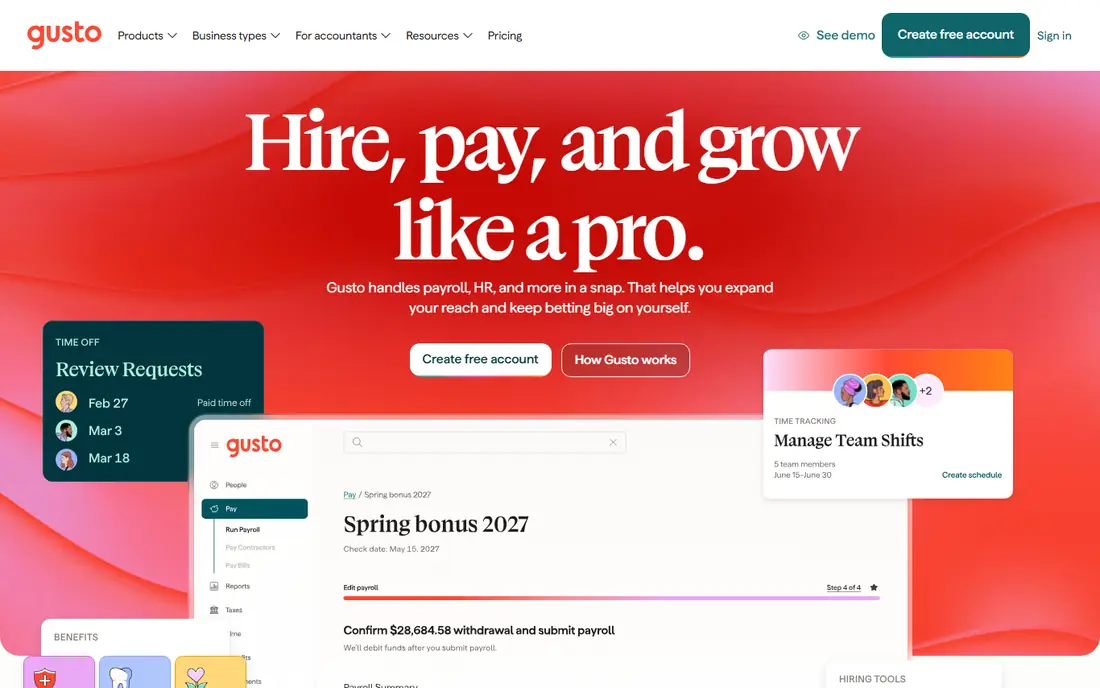
Gusto is the payroll-first platform most small US businesses meet first. It runs payroll, files taxes, manages benefits and onboarding, and lets new hires flow into payroll without retyping forms. For a company making its first hires, that continuity matters more than advanced talent features, and the published price makes budgeting simple.
The limits are depth and scale. Performance management is basic, and multi-state payroll needs a higher tier, so a larger or more complex employer may outgrow it. Gusto also offers a trial period where users pay nothing until they run payroll. For a small team that wants payroll done correctly with HR basics included, Gusto is our starting pick.
- Transparent published pricing
- Payroll, benefits and HR in one place
- Month-to-month billing
- Performance tools are basic
- Multi-state payroll needs a higher tier
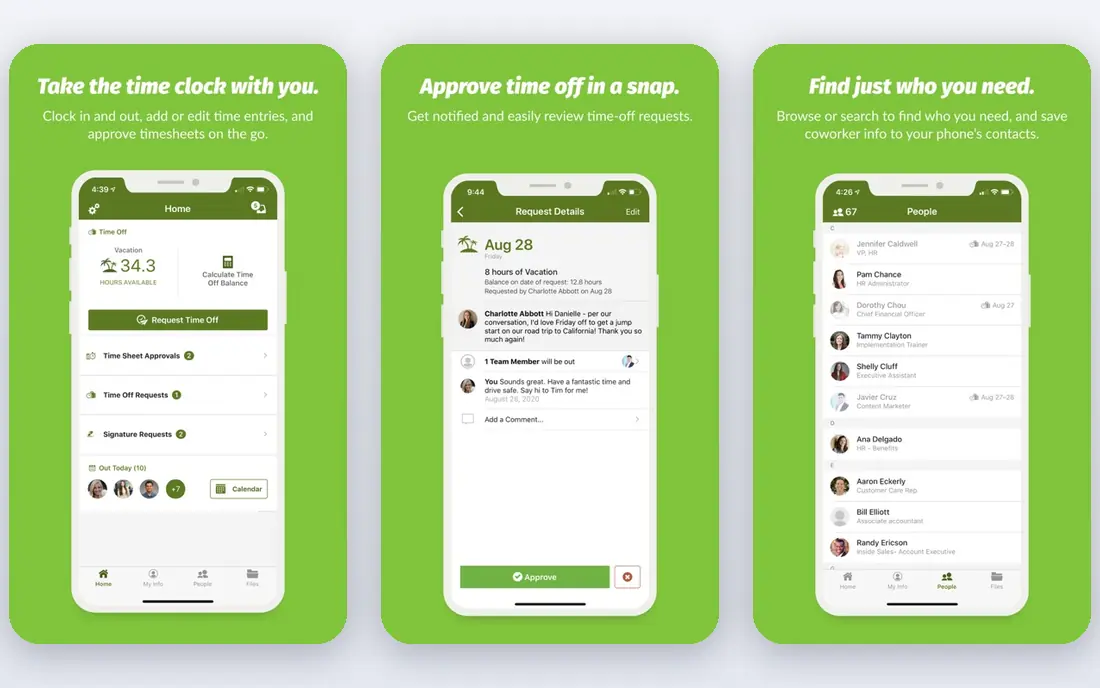
BambooHR is the HR hub many growing teams enjoy using. Employees update their own details, managers approve time off, and onboarding checklists keep new hires on track. Applicant tracking is included, which helps a team hiring steadily without buying a separate recruiting tool. The interface is widely praised for being easy to learn.
Pricing is quote-based, which frustrates small buyers who want a number up front, and payroll, benefits and time tracking are paid add-ons rather than part of the base plan. That means the total cost depends on the modules chosen. For a team that wants a friendly central HR record and can accept a sales conversation, BambooHR is a strong choice.
- Easy employee self-service
- Strong onboarding
- Applicant tracking included
- Quote-based pricing
- Payroll and time tracking are paid add-ons
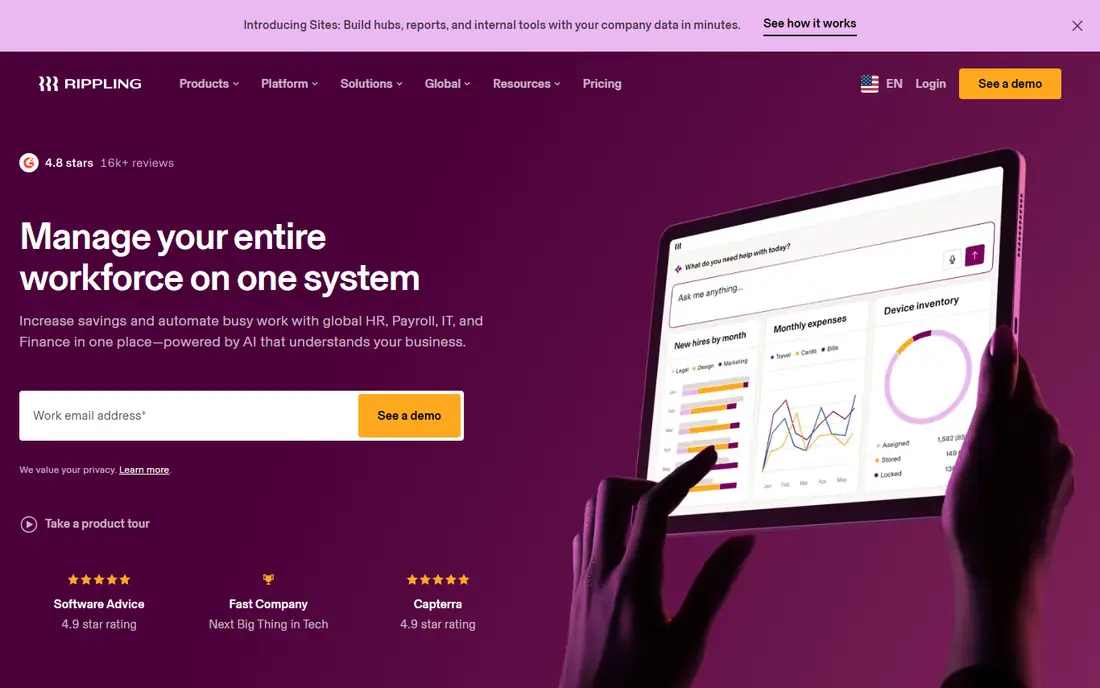
Rippling suits a growing company that wants one system for people, pay and IT access. When someone joins, Rippling can create accounts, assign a device and start payroll from the same record, and when someone leaves, it can revoke access in the same workflow. That joined-up automation reduces the manual steps that cause security gaps.
The headline price is the platform base only. Payroll, time tracking and compliance modules add cost, so the full monthly bill is higher than the starting figure suggests. Setup also needs planning, since automation rules must match real company policy. For a tech-forward team planning to scale, Rippling is worth a demo. For a very small team, it may be more system than needed.
- Unifies HR, payroll and device access
- Strong automation
- Scales well
- Base price excludes payroll and other modules
- Setup takes planning
Zoho People is the budget pick in this list. It covers employee records, time off, attendance, performance and onboarding at a price well below most rivals, and a free plan exists for very small teams. Companies already using Zoho products gain from shared logins and data, which lowers the setup burden.
The interface is busier than BambooHR, and smaller teams may need more self-service to get the most from it. Advanced reporting and enterprise features are thinner than on larger platforms. For a cost-conscious team that needs core HR done well without a large subscription, Zoho People is hard to beat on value.
- Low price
- Free plan for very small teams
- Broad HR features for the cost
- Interface feels busier than BambooHR
- Support and setup need more self-service
HiBob, often called bob, suits mid-size companies that care about engagement, feedback and people analytics as much as records. It offers surveys, performance cycles, org planning and clear dashboards that help managers see team health and turnover patterns. The interface feels modern, which helps adoption among employees who rarely open HR software.
Pricing is quote-based, and payroll is handled through partners or add-ons rather than as a native core in every market, so the total cost needs a careful quote. Implementation fees can also apply. For a mid-size team that wants HR to support culture and retention, HiBob is a strong candidate, provided the quote covers the modules actually needed.
- Strong engagement and culture tools
- Clear people analytics
- Modern interface
- Quote-based pricing
- Payroll needs a partner or add-on
- Implementation can cost extra
ADP Workforce Now is built for mid-size employers that need payroll, benefits, time and talent tools under one established provider. Its compliance monitoring and regulatory alerts help larger employers keep up with changing rules across states, and its scale suits companies that plan to grow well beyond small-business size. Support and implementation help are widely available.
The trade-off is transparency and complexity. Pricing is quote-based, and choosing modules takes time, since the platform covers so much ground. Small businesses may find the sales process heavy for their needs. For a mid-size employer that values an established provider and broad coverage, ADP Workforce Now is a safe, if pricey, choice.
- Broad payroll, benefits and compliance coverage
- Scales to large employers
- Strong support network
- Quote-based pricing
- Setup and module choice can feel complex
Paycor suits mid-size US companies that want to standardise HR, payroll and recruiting on one platform. It offers workforce management, benefits administration, reporting and a broad set of integrations, which helps a growing company replace a patchwork of tools. Managers gain clearer reporting on pay, time and headcount in one place.
Pricing is quote-based, so a written quote is essential before budgeting, and the platform is aimed above the smallest teams. A company with only a handful of employees may find Gusto or Zoho People simpler and cheaper. For a mid-size employer ready to standardise, Paycor is a credible, full-featured option.
- Strong payroll and HR in one system
- Good reporting
- Broad integrations
- Quote-based pricing
- Smaller teams may find it more than they need
Workday HCM is the enterprise platform for large organisations that need HR and finance in one system. It supports global payroll, workforce planning, talent management and audit trails at a scale smaller platforms cannot match, and it suits public companies and multinationals with complex compliance needs. That depth is why large employers accept its cost and implementation time.
For anyone below enterprise scale, Workday is overkill. Pricing is quote-based and implementation can take months, with training and change management to match. Small and mid-size teams should not buy it for features they will not use. Large employers that need unified HR and finance governance will find few rivals at this level.
- Deep HR and finance integration
- Global payroll reach
- Strong workforce planning
- Quote-based enterprise pricing
- Long implementation
- Overkill for small teams
Paylocity combines payroll with engagement, learning and workforce tools for mid-size US employers. Employees get a modern self-service experience, managers get reporting and scheduling tools, and the platform covers benefits and time alongside pay. That mix suits companies that want payroll done well while also supporting communication and recognition.
Pricing is quote-based, and modules add cost, so the final bill depends on the package chosen. Smaller teams may find the sales process and price heavier than Gusto or Zoho People. For a mid-size employer that wants payroll and engagement in one system, Paylocity is a well-rounded choice.
- Payroll plus engagement tools
- Modern employee experience
- Strong US coverage
- Quote-based pricing
- Add-on costs can rise with modules
How we picked these
We compared official pricing pages, product descriptions and public HR guides in October 2026, and we favoured platforms that are actively sold and supported in the US. We included small, mid-size and enterprise options, and we marked quote-based pricing plainly rather than repeating third-party estimates as vendor prices. We did not claim hands-on testing we did not do.
Privacy, consent and compliance notes
Employee data deserves careful handling. Collect only the data you need, limit access by role, get consent where required, and set clear retention rules for leavers. Employment rules vary by state and country, covering pay, leave, hiring and record keeping, so check the rules that apply to your locations and seek professional advice for complex cases. This article is general information only, not legal advice.
Questions to ask in a demo
Ask how access controls work, how data is encrypted, where data is stored, and how you export or delete records when an employee leaves. Ask which compliance alerts are included, how payroll tax filing works in your states, and what happens to pricing when headcount grows. The answers matter more than a demo dashboard, since they decide whether the platform fits your legal and security duties.
Start small, then add modules
Begin with the core record, time off and payroll, then add recruiting, performance or learning only when a real need appears. Adding every module at once raises cost and training time, and unused modules still need administration. Review usage after a few months, and drop modules that no one uses.
Frequently asked questions
What is the best HR software for a small business?
Gusto suits small US businesses that start with payroll, while Zoho People suits budget-conscious teams. BambooHR suits a growing team that wants a friendly HR hub and can accept quote-based pricing.
Is BambooHR or Rippling better?
BambooHR is simpler and more HR focused, while Rippling unifies HR, payroll and IT access. Choose BambooHR for a central HR record, and Rippling when device and account automation matters as much as HR.
Does HR software handle payroll taxes?
Many platforms file payroll taxes and handle new hire reporting, but coverage varies by state and plan. Confirm tax filing, benefits and multi-state support for your locations before buying, and keep your own records as a backup.
How much does HR software cost?
Small-business plans start from a few dollars per user per month, while mid-size and enterprise platforms are quote-based and can cost far more. Always get a written quote that lists modules, implementation fees and renewal terms.
Is employee data safe in HR software?
Reputable platforms use encryption and role-based access, but safety also depends on your settings. Limit admin access, use strong passwords and two-factor authentication, and set retention rules for former employees.
Can HR software replace legal advice?
No. HR software helps with records, workflows and alerts, but employment law varies by state and country and changes often. Seek a qualified adviser for dismissals, contracts, classification and other high-risk decisions.
Sources
See where you really rank - block by block
ProMapRanker scans Google Maps across a grid of your service area. Simple monthly plans from $19, white-label on every plan.
Start freeKeep reading
 worlds best local seo company
8 Worlds Best Local SEO Companies for Map Pack Growth in 2026
Compare the worlds best local seo company options for Google Business Profile work, citations, reviews, and multi-location rankings and reporting in 2026.
Read → world's best web hosting company
World's Best Web Hosting Company in 2026
Searching for the world's best web hosting company? We compared 10 hosts on price, renewal rates, speed, and support to help you choose well today in 2026.
Read → who's got the best nanny tax services
Who's Got the Best Nanny Tax Services in 2026
We answer who's got the best nanny tax services, comparing full filing, back taxes, software, and pricing so families can handle nanny taxes correctly.
Read →