 ProMapRanker
What's the Best Document Processing Platform in 2026

Key takeaways
- Nanonets, Docsumo and Docparser give smaller teams a self-serve entry point, while ABBYY, Rossum and Hyperscience are built for enterprise volume.
- Rossum is the strongest pick for high-volume invoice work, thanks to its validation screen and transactional document focus.
- UiPath Document Understanding fits teams that already run robotic automation and want documents to feed those workflows.
- Cloud APIs from Google, Amazon and Microsoft are cheapest per page, but you must build the review and approval layer yourself.
- Always trial on your own messiest documents, since accuracy on clean PDFs tells you little about phone photos, scans and unusual layouts.
Quick comparison
| Pick | Great for | Pricing starts at | Free tier | |
|---|---|---|---|---|
 ABBYY Vantage | Regulated enterprise documents | See website | No | Visit |
 Rossum | High-volume invoice automation | See website | Free trial | Visit |
 Nanonets | Custom extraction for small teams | $100 per month | Yes | Visit |
 Hyperscience | High-accuracy enterprise processing | See website | No | Visit |
 UiPath Document Understanding | RPA teams | See website | Free trial | Visit |
 Docsumo | Mid-market finance teams | See website | Free trial | Visit |
 Docparser | Fixed-layout parsing on a budget | $39 per month | Free trial | Visit |
 Veryfi | Receipts and invoices by API | See website | Yes | Visit |
 Google Document AI | Developers building extraction | See website | Yes | Visit |
The best document processing platforms
We compared official pricing pages, product documentation and public reviews for intelligent document processing tools that still work in October 2026, and we kept tools that classify, extract and validate data from real business documents.

ABBYY Vantage is the enterprise pick when documents are messy, multilingual and subject to strict controls. Its low-code skill designer lets teams build extraction for invoices, receipts, contracts and other types, and its OCR heritage helps with handwriting and low-quality scans. Banks, insurers and government teams often shortlist it for that reason.
The buying process is the main barrier. Pricing is quote-based by page volume, there is no free version, and most implementations need professional services. Smaller teams will find it slow and costly to evaluate. For large, regulated document volumes, that depth is worth the effort.
- Long OCR history
- Pre-trained skills for many document types
- Low-code skill designer
- Quote-based pricing
- Sales-led evaluation
- Implementation can take months

Rossum is built for accounts payable teams that process invoices at scale. Its validation screen flags low-confidence fields with the document region highlighted, so reviewers fix only what needs attention. Over time, corrections improve extraction, which helps straight-through processing rates rise as volume grows.
Pricing starts high, with third-party sources reporting a Starter plan from $18,000 per year with a one-year minimum, so confirm the current quote on the vendor site. Rossum is also strongest on transactional documents such as invoices and purchase orders, rather than every document type. For AP at scale, it remains a leading choice.
- Strong validation screen
- Template-free invoice capture
- Learns from corrections
- Enterprise entry price
- Mainly transactional documents
- Cloud only
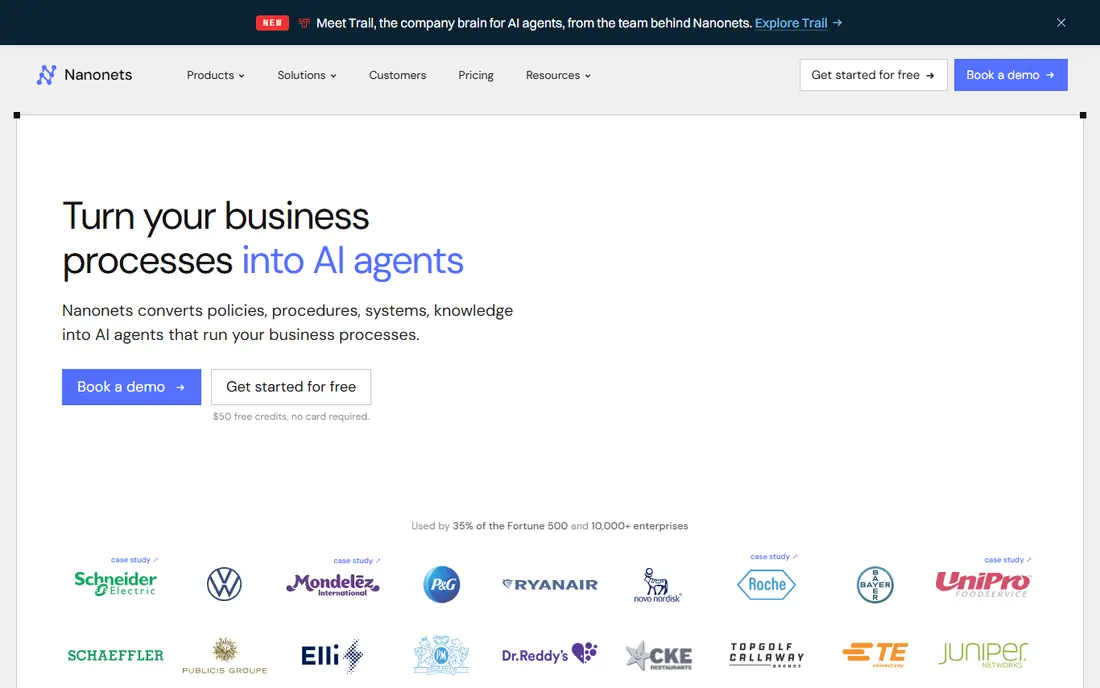
Nanonets suits teams that want custom extraction without an enterprise contract. Pre-trained models cover invoices, receipts, purchase orders and bank statements, and custom models can be trained from sample documents. A visual workflow builder adds validation, approval routing and system integrations without heavy coding.
The pricing model needs care. Starter starts at $100 per month for 100 credits, with workflow blocks priced per run, so a document that passes through several steps can cost more than a simple per-page figure suggests. Track a full month of real documents before you compare Nanonets with a flat per-page API.
- No-code workflow builder
- Custom model training
- Published starter pricing
- Per-run pricing needs tracking
- Enterprise controls sit on higher plans
- Costs rise with workflow steps
Hyperscience targets enterprises where accuracy and audit trails matter more than a low entry price. It handles long, complex and handwritten documents, and human review is part of the workflow rather than an add-on. Deployment options include SaaS, private cloud and on-premises, which helps regulated teams with strict data rules.
That power comes with a heavy buying and implementation process. Smaller teams will find it costly and slow, and simple invoice work does not need this level of tooling. For high-stakes documents at volume, Hyperscience is a serious contender alongside ABBYY.
- Machine-first processing for complex documents
- Human review built in
- Deployment options include private cloud
- Quote-based pricing
- Enterprise implementation
- Overkill for simple invoice jobs
UiPath Document Understanding is the natural pick if your company already runs UiPath robots. Extracted data can flow straight into approvals, system updates and downstream automation, which removes the manual handoff that often breaks document projects. Prebuilt models cover invoices, receipts, purchase orders and identity documents, with custom models for other types.
Teams without an RPA programme will get less value, since the tool is priced and licensed inside the wider UiPath platform. Per-page consumption also needs modelling for high volumes. For RPA-led organisations, though, it keeps documents and automation in one governed system.
- Feeds documents directly into automation
- Prebuilt models for common types
- Strong enterprise controls
- Needs a UiPath licence and setup
- Per-page consumption pricing
- Less suited to teams without RPA plans
Docsumo combines extraction with a review workflow that finance teams can use day to day. Confidence scores show which fields need checking, and exceptions go to reviewers rather than slipping into an accounting system unchecked. That design suits teams that want automation but cannot accept silent errors in financial data.
Third-party sources have reported a Starter plan around $179 per month, but we list See website because the vendor page should be checked for the current plan and page allowance. Docsumo is cloud only, so teams with on-premises rules should confirm deployment options early. For mid-market finance work, it is a balanced choice.
- Built-in review queue with confidence scores
- API and workflow tools
- Finance document focus
- Pricing not published on the main page in some sources
- Cloud only
- Review still needs staff time
Docparser is the budget pick when document layouts stay stable. You build parsing rules for each layout, then send the output to a spreadsheet, webhook or automation tool. Starter starts at $39 per month for 100 documents of up to five pages each, which is far cheaper than enterprise IDP for a small, predictable workload.
The limit is variety. A new vendor layout needs a new rule, so a team receiving invoices from hundreds of suppliers will spend more time maintaining rules than saving it. Docparser also has no built-in review queue or accounting push. For fixed formats and tight budgets, it does the job well.
- Low entry price
- Rule-based parsing you control
- Webhooks and automation outputs
- One rule per layout
- Breaks down with many vendor formats
- No built-in accounting workflow
Veryfi is an API-first tool for receipts, invoices and expense documents. It processes documents in real time, which suits mobile apps, expense tools and field operations where a user photographs a receipt and expects data back quickly. Mobile capture tools improve image quality before extraction, which helps with phone photos.
Pricing is per document, with third-party sources reporting a $500 per month minimum for production plans, so we list See website and recommend confirming the current minimum. The finance focus is also a limit for teams with contracts or legal documents. For receipt and invoice APIs, Veryfi is a strong, focused option.
- Real-time API extraction
- Mobile capture tools
- Free tier for low volumes
- Finance-focused scope
- Paid plans carry a monthly minimum in third-party reports
- Pricing needs a direct check
Google Document AI suits engineering teams that want managed extraction without running their own models. Prebuilt processors cover invoices, receipts, identity documents and contracts, and custom extractors handle other types. Pay-per-use pricing keeps entry costs low, and a free tier covers limited use for testing.
The trade is work. Google gives you extraction, not a finished review screen, approval workflow or accounting integration, so your team must build those parts. Teams without developers should choose a packaged tool such as Nanonets or Docsumo instead. For cloud-native engineering teams, Document AI is a flexible and cost-effective base.
- Managed prebuilt and custom parsers
- Pay-per-use pricing
- Strong Google Cloud integration
- You build the review layer
- Setup needs developers
- Costs vary by processor type
How we picked these
We compared official pricing pages, product documentation and public reviews, and we kept only document processing platforms that still work in October 2026. We favoured tools with classification, extraction and a review step, and we used See website where pricing was quote-based or differed across sources. We did not claim hands-on testing, and we did not list tools that have closed or stopped selling a live document product.
What to check before you pick a document platform
Start with your document mix. Count how many types you receive, how many suppliers or senders use each type, and how many pages the average document runs. A rule-based tool works for a few fixed layouts, while a template-free AI tool is needed when formats change often. Check the billing unit too, since per page, per document and per workflow run can give very different bills for the same inbox.
Next, trial on real documents. Include scans, phone photos, multi-page tables and handwritten notes, and measure how many fields need correction. Check how corrections feed back into the model, how exports reach your accounting or ERP system, and how long data is kept. Finally, confirm security terms, including whether your documents are used to train shared models, and get that answer in writing if it matters to your business.
A short checklist for the trial
Run at least 100 real documents through your top two tools, and score field accuracy, review time and straight-through rate. Test the export to your target system, and ask support how a new document type is added. If adding a type needs a long project, factor that time into the first-year cost.
Frequently asked questions
What is the best document processing platform?
ABBYY Vantage and Hyperscience lead for regulated enterprise work, Rossum leads for high-volume invoices, and Nanonets leads for smaller teams that want custom extraction without an enterprise contract. The best choice depends on document variety, volume and review needs.
What is the difference between OCR and document processing?
OCR turns images into text, while document processing also classifies documents, extracts structured fields, validates values and routes exceptions for review. That extra layer is what turns a scan into data your systems can use.
How much does document processing cost?
Costs range from $39 per month for Docparser and $100 per month for Nanonets to quote-based enterprise pricing for ABBYY, Rossum and Hyperscience. Cloud APIs charge per page, so model your real page and document counts before you compare.
Do I need to train a model for invoices?
No, most tools here offer prebuilt invoice models that work without training. Custom training helps for unusual layouts or document types, but it is optional for standard invoices, receipts and purchase orders.
Is my document data used to train shared models?
It depends on the vendor and plan, so ask directly and get the answer in writing. Some vendors state that customer documents are not used for shared model training, while others may use data for service improvement unless you opt out.
Can a small team use document processing for free?
Yes, Nanonets offers free credits to start, Veryfi offers a free tier, and Google Document AI offers limited free use. Free tiers suit testing and low volumes, but regular business use usually needs a paid plan.
Sources
See where you really rank - block by block
ProMapRanker scans Google Maps across a grid of your service area. Simple monthly plans from $19, white-label on every plan.
Start freeKeep reading
 worlds best local seo company
8 Worlds Best Local SEO Companies for Map Pack Growth in 2026
Compare the worlds best local seo company options for Google Business Profile work, citations, reviews, and multi-location rankings and reporting in 2026.
Read → world's best web hosting company
World's Best Web Hosting Company in 2026
Searching for the world's best web hosting company? We compared 10 hosts on price, renewal rates, speed, and support to help you choose well today in 2026.
Read → who's got the best nanny tax services
Who's Got the Best Nanny Tax Services in 2026
We answer who's got the best nanny tax services, comparing full filing, back taxes, software, and pricing so families can handle nanny taxes correctly.
Read →