 ProMapRanker
What Is the Best Data Extraction Service for Docs in 2026

Key takeaways
- Template-free AI extraction suits varied document layouts, while template tools suit a small set of fixed forms.
- Per-page pricing punishes high volumes, and flat enterprise pricing punishes low volumes, so model your monthly page count first.
- Every serious tool needs a human review step for exceptions, since no extractor is right on every messy scan.
- Documents containing personal data need privacy, retention, and consent checks before upload, not after.
Quick comparison
| Pick | Great for | Pricing starts at | Free tier | |
|---|---|---|---|---|
 Nanonets | Custom extraction for small teams | See website | Free trial | Visit |
 Docsumo | Extraction with a review workflow | $179 per month | Free trial | Visit |
 Rossum | High-volume invoice automation | See website | Free trial | Visit |
 ABBYY Vantage | Regulated enterprise documents | See website | No | Visit |
 Veryfi | Receipts and expenses by API | $500 per month | Yes | Visit |
 Google Document AI | Developers on Google Cloud | See website | Yes | Visit |
 Amazon Textract | Developers on AWS | See website | Yes | Visit |
 Azure AI Document Intelligence | Developers on Microsoft Azure | See website | Yes | Visit |
 Parseur | Template-based parsing for small teams | See website | Yes | Visit |
The best data extraction services for docs
We compared official feature pages, pricing, documentation, and public reviews, focusing on invoices, forms, receipts, and contracts. Only lawful collection and use is covered here: do not upload documents you do not have a right to process, and check privacy and consent rules for any document containing personal data before it leaves your systems.
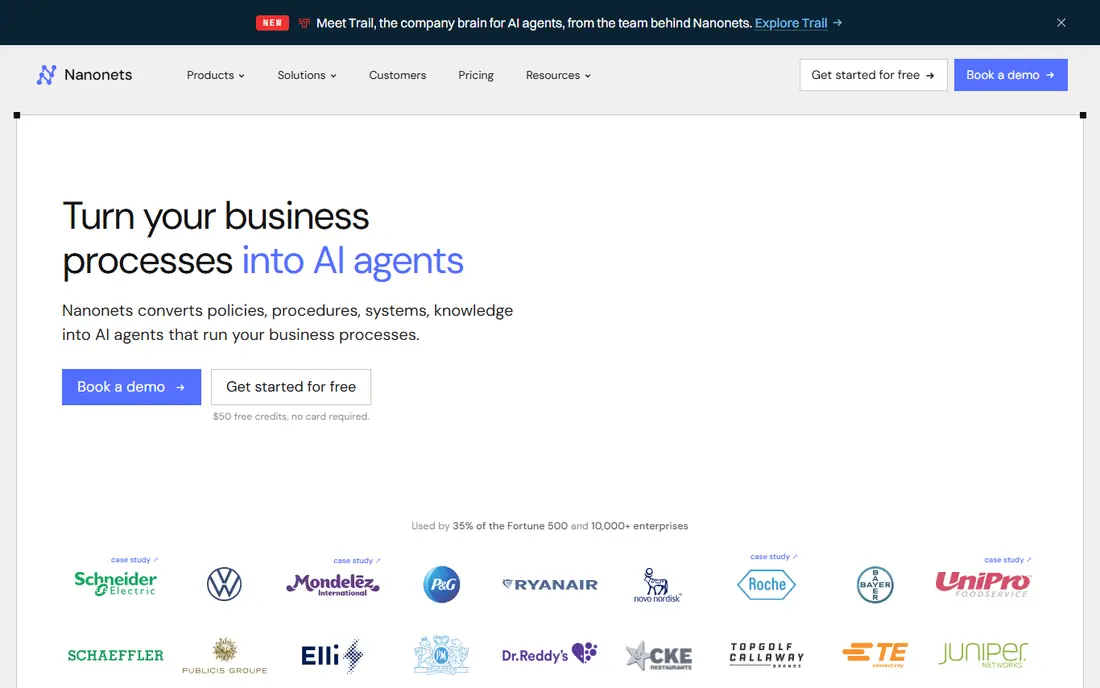
Nanonets fits a team that receives documents in many layouts and wants one extractor to learn them. Users can train custom models for invoices, forms, and other document types, then push extracted fields into accounting, CRM, or spreadsheet tools. That flexibility helps operations teams whose suppliers never use the same invoice format twice.
The cost model needs care. Pay-as-you-go and per-user pricing can climb with volume, and custom models need enough samples to learn well. Start with a trial on your messiest real documents, measure accuracy on the fields that matter, and only then commit to a volume tier.
- Custom models for varied layouts
- API and workflow options
- Suits teams that want extraction plus automation
- Per-run pricing needs tracking at volume
- Training custom models takes sample documents and time
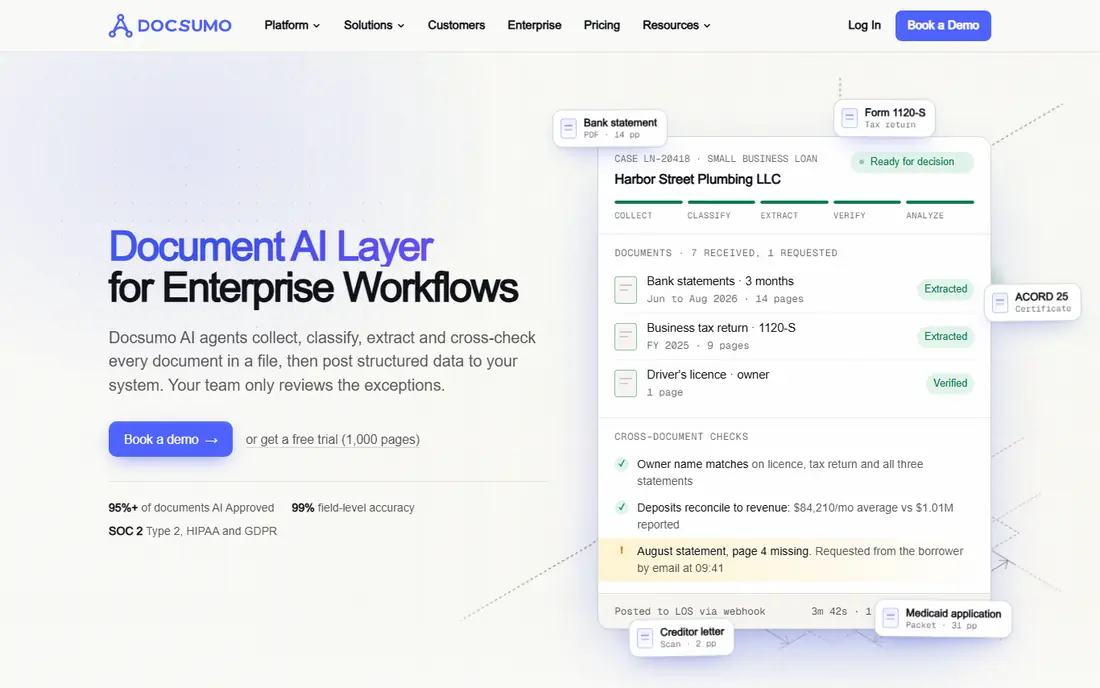
Docsumo suits finance and operations teams that want extraction plus a clean review step in one product. Its Starter plan is listed at $179 per month for 1,000 pages in recent comparisons, which gives a small team a predictable starting point. Reviewers handle only the exceptions, while clean documents flow through, which keeps daily work focused.
Volume is the limit to watch. A team that grows past the Starter page count will need a higher tier, and the per-page cost should be modeled before signing. Docsumo still earns its place here because the review workflow is included, rather than left for the buyer to build.
- Starter plan includes 1,000 pages in several comparisons
- Built-in review screen for exceptions
- API and integrations
- Entry plan limits may bind fast-growing teams
- Complex documents still need human review

Rossum is the enterprise pick for accounts payable teams processing large invoice volumes. Its validation screen lets reviewers correct exceptions quickly, and its AI handles varied layouts without a template for each supplier. That combination reduces manual keying and speeds up approval, which matters most when invoice counts run into thousands per month.
Small firms should look elsewhere. Rossum prices by discussion and its entry cost reflects an enterprise product, so a team with a few hundred pages a month will get better value from Docsumo, Nanonets, or Parseur. Rossum fits when volume, audit needs, and approval workflow justify the investment.
- Strong validation screen for high-volume AP teams
- Template-free extraction for varied layouts
- Enterprise integrations
- Entry price puts it out of reach for small firms
- Implementation takes planning
ABBYY Vantage suits regulated enterprises where accuracy, audit trails, and deployment control matter more than a low entry price. Banks, insurers, and large shared-service teams use its pre-trained models for common documents and train custom models for specialist forms. On-premises and cloud deployment options help firms with strict data rules.
The trade is cost and setup time. Quote-based pricing and implementation work make ABBYY a poor fit for a small team that needs extraction this week. For a large firm with compliance requirements, though, that control is the point, and the platform should be judged on accuracy and audit quality rather than sticker price.
- Long document-capture history
- Pre-trained models plus custom training
- Audit and deployment controls for regulated firms
- Quote-based pricing
- Implementation and training can be lengthy
Veryfi fits developers and expense teams that want a fast API for receipts, invoices, and expense documents. Its Starter plan is listed at $500 per month in recent comparisons, with a free plan offering a limited monthly document count for testing. Real-time extraction suits mobile expense apps and bookkeeping tools that cannot wait for batch processing.
Casual users should weigh the entry price carefully. A team that only extracts a few dozen receipts a month may do better with a template tool or a cloud API with a smaller free tier. Veryfi earns its fee when speed, API quality, and receipt accuracy drive the product.
- Real-time OCR API
- Genuine free tier for small use
- Strong receipt and expense extraction
- Starter price is high for casual use
- API-first design needs developer time
Google Document AI suits engineering teams already on Google Cloud who want managed parsers without training models from scratch. Prebuilt invoice and expense parsers extract structured fields, and the service scales with cloud usage. That managed approach saves the team from maintaining its own OCR models.
The gap is the application around the API. Document AI returns extracted data, but the review screen, approval flow, and downstream integration are the buyer's job. A team without developer time should choose a packaged tool such as Docsumo or Rossum instead of an API alone.
- Managed prebuilt parsers for invoices and expenses
- Scales with Google Cloud
- Limited free tier for testing
- Developers must build the review screen and workflow
- Per-page costs add up at scale
Amazon Textract fits AWS-centered teams that want document extraction inside their existing cloud workflows. AnalyzeExpense handles invoices and receipts, while table and form extraction covers structured documents. Integration with storage, queues, and databases keeps the pipeline inside AWS, which simplifies security review for many firms.
As with other cloud APIs, the buyer builds the product around the extraction. Review screens, confidence thresholds, and human approval steps need design and code. Textract is a strong engine, but it is not a finished accounts payable tool on its own.
- Deep AWS integration
- AnalyzeExpense for invoices and receipts
- Limited free tier for testing
- Raw output needs application work
- Accuracy depends on document quality and layout
Azure AI Document Intelligence, formerly Form Recognizer, suits Microsoft-centered teams that want prebuilt models for invoices, receipts, and identity documents. Its studio lets teams test models quickly, and Azure integration helps firms that already standardize on Microsoft security and storage. Prebuilt models reduce the training burden for common document types.
The same API caveat applies. Extraction is one step, and the review, approval, and posting workflow still needs building. Teams that want a ready review screen should compare packaged tools first, and use Azure when developer capacity and Microsoft alignment make the API route sensible.
- Prebuilt invoice and receipt models
- Strong Microsoft ecosystem links
- Limited free tier for testing
- Application and review workflow must be built
- Per-page pricing needs volume modeling
Parseur suits a small team that receives the same few document types again and again. Users point out the fields once, and Parseur extracts those fields from each new document, including documents arriving by email. That template habit is fast to set up and easy to explain to a non-technical colleague.
Varied layouts are the weakness. When suppliers change invoice designs often, templates need maintenance, and a template-free AI tool will cope better. Parseur wins when the document set is stable and the team values a simple, low-cost parser over enterprise AI.
- Template approach suits fixed document sets
- Email and document parsing in one tool
- Free tier for small volumes
- Templates break when layouts change often
- Less suited to highly varied supplier documents
How we picked these
We compared official feature pages, pricing, documentation, and public reviews, and we kept only services that extract structured fields from documents in 2026, not plain text OCR alone. Services that could not show a real extraction product, pricing signal, or review workflow were left out. We wrote "See website" where a vendor prices by volume, quote, or tier rather than publishing one entry rate.
How to test extraction honestly
Gather your worst documents, not the vendor samples: phone photos, skewed scans, handwritten notes, and multi-page contracts. Run the same set through each shortlisted tool, and score only the fields your business actually uses, such as invoice number, vendor, date, line items, and total. A tool that scores well on clean PDFs but fails on phone photos will fail in daily use.
Then check privacy before any larger upload. Confirm where documents are stored, how long they are retained, whether human reviewers can see them, and whether the vendor trains models on your data. For documents containing personal data, confirm you have a lawful basis and any needed consent, and remove or redact fields you do not need before processing.
Frequently asked questions
What is the difference between OCR and data extraction?
OCR converts an image of text into machine-readable characters, while data extraction identifies and structures specific fields, such as invoice number, date, and total. Most tools here do both steps, but some plain OCR engines leave the field mapping to you.
Do I need templates for modern extraction?
Not always. Template-free AI tools handle varied layouts without a template per supplier, while template tools work well for a small, stable document set. Choose based on how often your layouts change.
How accurate is document extraction?
Accuracy depends on document quality, layout variety, and field complexity. Clean digital PDFs extract well, while crumpled phone photos do not, so test with your own documents and keep a human review step for exceptions.
Can these tools handle handwritten documents?
Some tools handle handwriting better than others, and results vary widely by handwriting quality. Test handwritten samples early if handwriting is common in your documents, and do not rely on vendor samples alone.
What about privacy for documents with personal data?
Check storage location, retention period, reviewer access, and model-training use before uploading. Only process documents you have a lawful right to handle, obtain any needed consent, and redact personal data you do not need.
Which service is best for a small team?
Docsumo and Parseur suit small teams that want a packaged product, while Nanonets suits teams that need custom fields. Cloud APIs suit teams with developers, but they require building the review workflow.
Sources
- https://nanonets.com
- https://www.docsumo.com
- https://rossum.ai
- https://www.abbyy.com
- https://www.veryfi.com
- https://cloud.google.com/document-ai
- https://aws.amazon.com/textract/
- https://azure.microsoft.com/en-us/products/ai-services/ai-document-intelligence
- https://parseur.com
- https://rankite.com/blog/best-ocr-software-for-invoice-processing
See where you really rank - block by block
ProMapRanker scans Google Maps across a grid of your service area. Simple monthly plans from $19, white-label on every plan.
Start freeKeep reading
 worlds best local seo company
8 Worlds Best Local SEO Companies for Map Pack Growth in 2026
Compare the worlds best local seo company options for Google Business Profile work, citations, reviews, and multi-location rankings and reporting in 2026.
Read → world's best web hosting company
World's Best Web Hosting Company in 2026
Searching for the world's best web hosting company? We compared 10 hosts on price, renewal rates, speed, and support to help you choose well today in 2026.
Read → who's got the best nanny tax services
Who's Got the Best Nanny Tax Services in 2026
We answer who's got the best nanny tax services, comparing full filing, back taxes, software, and pricing so families can handle nanny taxes correctly.
Read →