 ProMapRanker
Best Weebly Alternatives in 2026

Key takeaways
- Wix is the closest all-round replacement for Weebly, with a free plan and a wide template range.
- Hostinger is the lowest-cost paid option in this list, while Shopify is the strongest choice for a store-first site.
- Squarespace and Framer suit design-led sites, but both need more design time than a simple builder.
- WordPress.com suits blogging and long-term content, while Webflow suits teams that want fine design control.
- Check renewal prices, not just the first-year price, because many builders raise prices after the intro term.
Quick comparison
| Pick | Great for | Pricing starts at | Free tier | |
|---|---|---|---|---|
 Wix | All-round small business sites | $17 per month | Yes | Visit |
 Squarespace | Design-led brand sites | See website | Free trial | Visit |
 WordPress.com | Blogging and content sites | See website | Yes | Visit |
 Shopify | Online stores | $29 per month | Free trial | Visit |
 Webflow | Fine design control | See website | Yes | Visit |
 GoDaddy | Domain and site in one account | $9.99 per month | Free trial | Visit |
 Hostinger | Lowest-cost paid builder | $2.99 per month | No | Visit |
 Duda | Agencies and client sites | $19 per month | Free trial | Visit |
 Framer | Design-forward marketing sites | $10 per month | Yes | Visit |
The best weebly alternatives
Weebly, now part of Square, still works for simple sites, but its templates and feature pace lag newer builders. The options below cover the same simple-site job, plus stronger design, blogging and selling tools. We compared official pricing pages and public builder comparisons, and we kept only builders that are live in October 2026.

Wix is the most direct Weebly replacement for most small businesses. It offers hundreds of templates, a drag-and-drop editor, booking, blogging and selling tools, and a free plan for testing a site before paying. A small business can usually publish a basic site in a day without hiring a developer.
The free plan has clear limits. It uses a Wix subdomain and shows Wix branding, so it suits a test site rather than a professional business site. Paid plans start at $17 per month on the annual terms in the sources we checked, and the plan you need rises if you add selling or advanced marketing features.
Wix fits owners who want one builder for a brochure site, a blog and a small store. It is less suited to teams that need full code export or a highly custom design system.
- Large template range
- Free plan for testing
- App market for extra features
- Free plan shows Wix branding and a subdomain
- Sites cannot be fully exported to another host
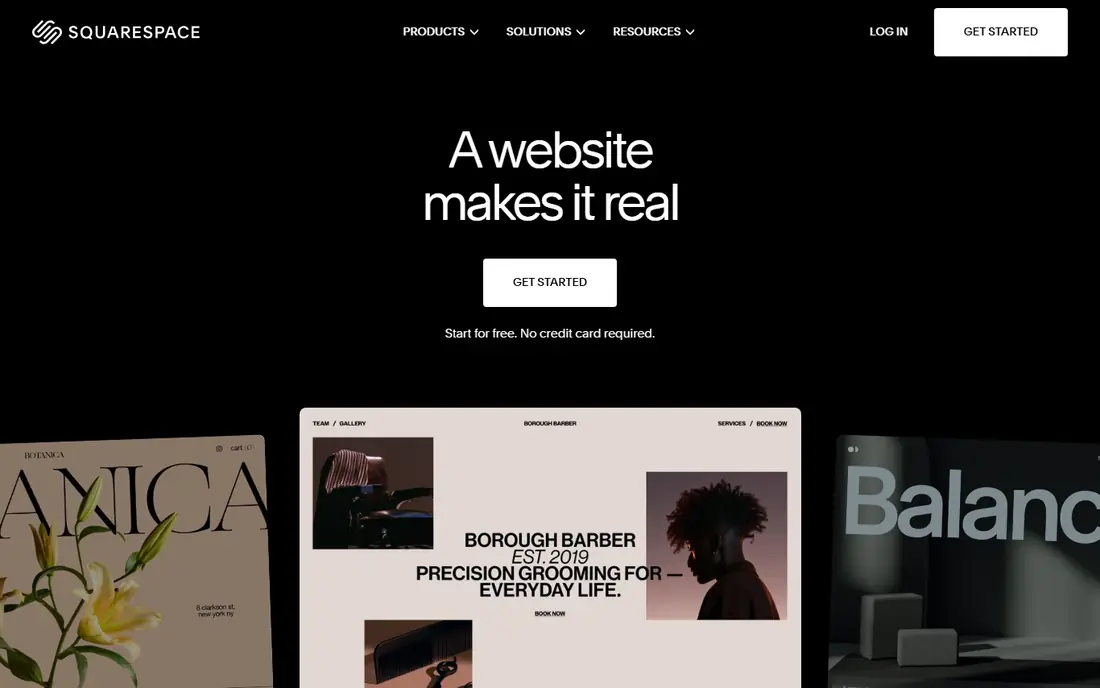
Squarespace remains the design-first choice for photographers, studios and brand-led businesses. Templates are well finished, image handling is strong, and hosting, SSL, SEO basics and scheduling arrive in one subscription. A site built on Squarespace tends to look finished with less tweaking than a site on a budget builder.
The drawback is flexibility and price. There is no permanent free plan, only a 14-day trial, and paid pricing varies by plan and billing term, so we list See website for the entry figure. Template switching can also require rebuilding sections, which matters if you like to change designs often.
Squarespace suits businesses where the look of the site is a selling point. For a simple low-cost site, Wix or Hostinger will be cheaper.
- Polished templates
- Strong image handling
- Hosting, domain and email tools in one plan
- No free plan, only a trial
- Less flexible than Wix for some layouts

WordPress.com is the hosted version of WordPress, and it suits writers and content-led businesses. Blogging tools are mature, scheduling and categories work well, and higher plans open up themes and plugins. A free plan lets a new writer start without paying for hosting.
The catch is that the free and lower plans limit customisation. Plugins, premium themes and full monetisation options sit on higher plans, so the cost of a fully featured site is higher than the free entry suggests. Self-hosted WordPress.org gives more control, but it also means managing hosting, updates and security yourself.
WordPress.com fits bloggers and small publishers who want a stable content platform. It is less suited to owners who want a purely visual drag-and-drop builder.
- Strong blogging tools
- Large theme and plugin range on higher plans
- Free plan for starting
- Lower plans limit plugins and themes
- Branding and subdomain on the free plan
Shopify is the store-first option in this list. It handles products, variants, discounts, shipping, taxes and checkout in a way that general builders only partly match. Themes and apps extend the store, and the checkout is built for conversion rather than added on as an afterthought.
The price reflects that focus. Paid plans start at $29 per month in the sources we checked, with a short free trial, and apps and transaction fees can add to the total. A brochure site that only sells a few items does not need that power, and a cheaper builder will do.
Shopify fits businesses where most revenue comes from online sales. For a mainly informational site with a small shop, Wix or Squarespace may be enough.
- Specialist selling tools
- Wide app and theme range
- Strong checkout and payment options
- Monthly cost is higher than a simple builder
- Content and blog tools are secondary
Webflow gives designers and marketing teams far more control than Weebly. Layout, interactions and CMS collections can be built visually, and the published site can look custom without writing code for every element. That control suits agencies and brand teams that need a distinctive site.
The learning curve is the trade-off. Webflow takes longer to learn than Wix or Weebly, and a non-technical owner may need help for the first build. Paid pricing also depends on whether you need a site plan, a CMS plan or an ecommerce plan, so check the plan that matches your content and selling needs.
Webflow fits teams that value design control and are willing to invest time in learning the tool. Simple sites for a small business are faster on Wix or GoDaddy.
- Precise visual design control
- CMS for content sites
- Clean published sites
- Steeper learning curve than Weebly
- Paid site plans vary by features
GoDaddy appeals to owners who want one vendor for everything. The domain, hosting, email and website builder sit in a single account, and phone support is available. AI-assisted setup can produce a first version of a site quickly, which helps owners who do not want to start from a blank template.
Design flexibility is lower than Wix or Squarespace, and the builder is less suited to a highly custom brand site. Intro pricing starts at $9.99 per month in the sources we checked, but renewal prices are higher, so check the renewal figure before committing to a long term.
GoDaddy fits small businesses that value one account and phone support over maximum design control. Design-led businesses should look at Squarespace or Framer.
- Domain, hosting, email and site in one account
- Phone support
- Fast AI-assisted setup
- Less design flexibility than Wix or Squarespace
- Renewal prices are higher than intro prices
Hostinger is the budget pick in this list. Paid plans start at $2.99 per month on a long-term plan in the sources we checked, and the builder includes AI-assisted setup, templates and hosting. For a simple business site on a tight budget, that entry price is hard to beat.
The catch is renewal pricing. The low figure applies to a long first term, and renewal can be several times higher, so the lifetime cost is not as low as the headline suggests. There is also no permanent free plan, although a money-back period applies on many plans.
Hostinger suits cost-conscious owners who are happy to commit to a longer term for a lower first-term price. Owners who want a free plan for testing should start with Wix instead.
- Very low entry price
- AI builder and templates
- Hosting included
- No free plan
- Renewal price is much higher than the intro price
Duda is built for agencies, freelancers and teams that manage many client websites. It offers client management, team roles, reusable sections and white-label options that general builders do not focus on. That workflow saves time when the same team builds and maintains dozens of sites.
For a single small business site, Duda is more than needed and its entry price of $19 per month in the sources we checked is higher than Hostinger or GoDaddy intro prices. The value shows up at scale, not on one site.
Duda fits agencies and freelancers with a portfolio of client sites. A single-site owner should choose a simpler builder from this list.
- Built for multiple client sites
- Team and client management tools
- Good templates
- Priced for agencies rather than a single small site
- Less known to end users
Framer suits marketing sites that need a modern look fast. AI generation can produce a first draft from a prompt, templates are current, and published sites load quickly. A free plan lets a team test the editor before paying, and paid plans start at $10 per month billed annually in the sources we checked.
The limits matter for larger sites. Framer sites are hosted on Framer, with no full code export, and its CMS and selling tools are less deep than Webflow or Shopify. That makes Framer a marketing-site tool rather than a full store or content platform.
Framer fits startups and small teams that need a polished marketing site quickly. For a store or a large content site, Shopify or WordPress.com are stronger picks.
- Modern templates and AI site generation
- Fast published sites
- Free plan for starting
- No code export for hosted sites
- CMS and ecommerce are more limited than Webflow or Shopify
How we picked these
We compared official pricing pages, template ranges and public builder comparisons, and we kept only builders that are live in October 2026. We covered simple sites, design-led sites, blogging and selling, because Weebly users move for different reasons. Where pricing varied by billing term, we used the annual figure where we could verify it, and See website where the figure was not stable.
What to check before you switch
Start by deciding what the site must do in the next year: inform, capture leads, publish content or sell. That choice narrows the list faster than comparing templates. A store needs Shopify or a builder with real selling tools, while a blog needs strong content tools.
Next, check migration. Moving a Weebly site usually means rebuilding pages and re-uploading images, because builders do not import each other's designs cleanly. Export your content and images first, and keep your domain registration separate if you can, so a future move is easier.
Finally, compare total cost, not just the first year. Add the domain, email, apps and renewal price, and check whether selling tools or a custom domain need a higher plan. A cheap intro price can become an expensive renewal.
Frequently asked questions
What is the best Weebly alternative for a small business?
Wix is the best all-round pick for most small businesses, because it covers a brochure site, blog and small store in one builder with a free plan. GoDaddy suits owners who want domain and support in one account, while Hostinger suits the tightest budgets. The right pick depends on selling needs and design goals.
Can I move my Weebly site to another builder automatically?
In most cases, no. Builders do not import each other's designs cleanly, so plan to rebuild pages and re-upload content. Export text and images from Weebly first, and keep your domain so you can point it to the new site once it is ready.
Is there a free Weebly alternative?
Yes. Wix, WordPress.com, Webflow and Framer all offer free plans, although free plans usually use a subdomain and show builder branding. A free plan works for testing, but a professional business site usually needs a paid plan with a custom domain.
Which Weebly alternative is best for an online store?
Shopify is the strongest choice when online sales are the main goal, because its checkout, product and discount tools are built for selling. Wix and Squarespace can handle a small store, but they are general builders first. Choose Shopify when most revenue will come from the store.
Which builder is easiest for a beginner?
Wix and GoDaddy are the easiest in this list for a beginner, because both offer guided setup and simple editors. Webflow and Duda take longer to learn, although they reward that time with more control. Start with a free plan or trial to test the editor before paying.
Sources
See where you really rank - block by block
ProMapRanker scans Google Maps across a grid of your service area. Simple monthly plans from $19, white-label on every plan.
Start freeKeep reading
 zscaler alternatives
Best Zscaler Alternatives in 2026
Looking for zscaler alternatives? We compare 9 SASE and zero trust platforms on architecture, data protection, pricing, and fit for your network and team.
Read → zapier alternatives free
Best Zapier Alternatives Free in 2026
Nine automation tools for zapier alternatives free in 2026, all with genuinely free tiers, plus free plan limits, starting prices and upgrade paths explained.
Read → which platform is best for online reputation
Which Platform Is Best for Online Reputation in 2026
Wondering which platform is best for online reputation? We compare 8 review, listing, and response tools for small and multi-location businesses and agencies.
Read →