 ProMapRanker
7 Best WebinarJam Alternatives for 2026


Marketers who want straightforward, browser-based webinars with clean registration and engagement analytics · Pricing starts at: 45 dollars a month billed yearly, or 63 dollars a month billed per month, for Starter with 1 host and 50 attendees
Direct answer
Demio is the first pick on this list for Marketers who want simple, browser-based webinars with clean registration and engagement analytics. If your case is different, Livestorm suits marketing teams that want browser-based webinars and BigMarker suits branded virtual events, simulive webcasts, and multi-session programs. The other 4 tools in the list cover narrower or pricier cases.
Key takeaways
- Top of the list is Demio, which targets Marketers who want straightforward, browser-based webinars with clean registration and engagement analytics.
- Check the limits for Livestorm before you commit: pricing is based on active contacts, so every person who joins, watches a replay, or views an on-demand recording uses a credit, which makes the monthly cost hard to predict.
- Just one of the 7 tools, Livestorm, has a free plan.
- WebinarNinja is the one to check for coaches and educators who require webinars plus courses in one account.
Quick comparison
| Pick | Great for | Pricing starts at | Free tier | |
|---|---|---|---|---|
| Demio | Marketers who want straightforward, browser-based webinars with clean registration and engagement analytics | 45 dollars a month billed yearly, or 63 dollars a month billed per month, for Starter with 1 host and 50 attendees | Free trial (14 days) | Visit |
 Livestorm | Marketing teams that want browser-based webinars, capable analytics, and a real free plan to test | From 99 dollars per month for Pro with 100 live attendees, third-party; vendor now prices by active contacts | Yes | Visit |
 BigMarker | Branded virtual events, simulive webcasts, and multi-session programs | 29 dollars a month, third-party; Elite is 249 dollars per month billed annually for 500 attendees, third-party | Free trial (7 days) | Visit |
 ClickMeeting | Small teams that run live, automatic, and premium webinars from one account | 37 dollars per month billed yearly, or 48 dollars per month billed per month, for Live with 50 attendees, third-party reported from a vendor page check on 30 October 2026 | Free trial (30 days) | Visit |
 Zoom Webinars | Teams already on Zoom that require large audiences, production tools, and multi-session events | 66.67 dollars a month billed yearly, or 89 dollars a month billed per month, for 500 attendees, plus a premium Zoom Workplace Pro license | No | Visit |
 GoToWebinar | Recurring webinar programs that require a straightforward, steady switch from WebinarJam | 59 dollars a month billed yearly, or 69 dollars a month billed monthly, for Reach with 500 participants and 1 organizer | Free trial (30 days) | Visit |
 WebinarNinja | Coaches and educators who require webinars plus courses in one account | 0.30 dollars per attendee a month billed yearly, or 0.60 dollars per attendee per month billed per month; 100 attendees cost 30 dollars a month billed yearly | Free trial (14 days) | Visit |
WebinarJam profiles
ProMapRanker put together this guide to WebinarJam for readers who want a clear shortlist without reading every vendor page. It compares 7 tools on starting price, free plans, who each one suits and where each one falls short.
Demio
Great for: Marketers who want straightforward, browser-based webinars with clean registration and engagement analytics
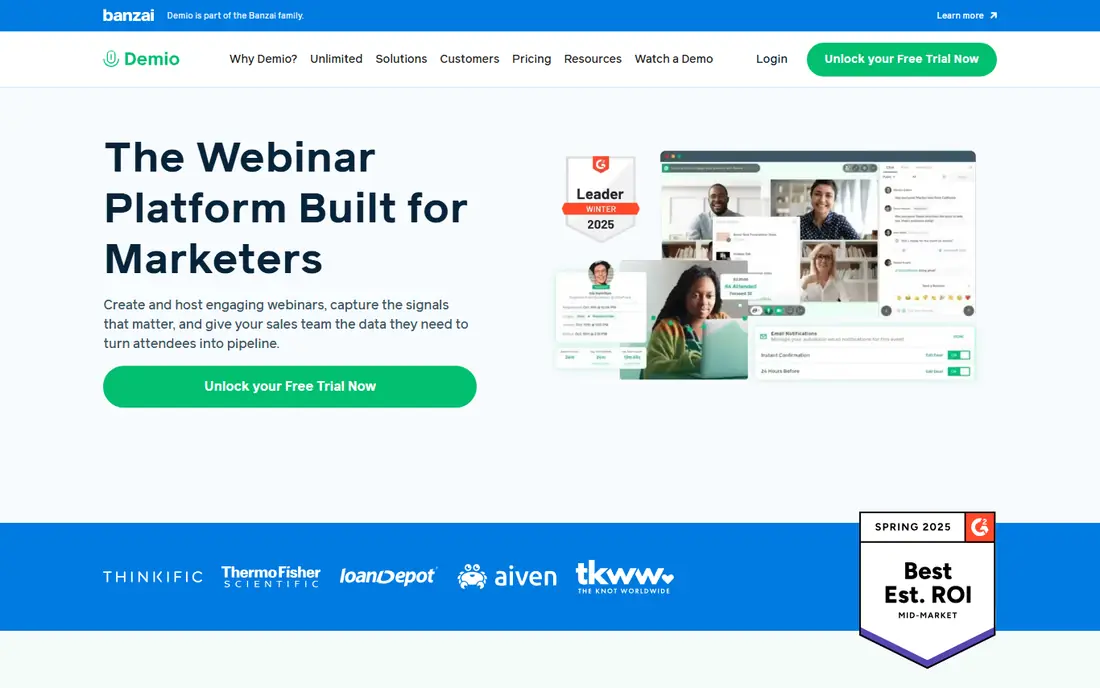
Think of Demio for Marketers who want straightforward, browser-based webinars with clean registration and engagement analytics. Demio does better than WebinarJam on simplicity.
Honest limits: Growth pricing is disputed between 80 and 117 dollars per host a month billed yearly.
As for the details, migration needs care on room size, since a 500-attendee team cannot stay on Starter, and confirm the Growth price in writing, because external figures disagree. Entry price for Demio: 45 dollars per month billed annually, or 63 dollars per month billed. As for free access: Free trial (14 days).
- Engagement analytics
- Runs completely in the browser with no download, live, automatic
- Starter handles only 50 attendees
Livestorm
Great for: Marketing teams that want browser-based webinars, capable analytics, and a real free plan to test

For marketing teams that want browser-based webinars, capable analytics, and a real free plan to test with, Livestorm is a natural candidate. Livestorm does better than WebinarJam on marketing workflow and analytics.
As for the details, migration is straightforward for live webinars, but model the real contact count first, since the 99 dollar figure includes only 100 active contacts. A bigger list needs a larger pack. Livestorm starts at: From 99 dollars per month for Pro with 100 live attendees, third-party. Livestorm has a free plan.
Honest limits: or views an on-demand recording uses a credit, which makes the monthly cost hard to predict.
- Browser-based with no download
- CRM integrations
- Pricing is based on active contacts, so every person who joins, watches a replay
BigMarker
Great for: Branded virtual events, simulive webcasts, and multi-session programs

BigMarker is built with branded virtual events, simulive webcasts, and multi-session programs in mind. Migration suits a team moving to a full event program, but budget for Elite at 500 attendees, not the 29 dollar entry figure, and confirm what the quote contains.
The main drawbacks: the branded event product most B2B teams want is quote-only at enterprise level.
Strengths: Custom registration and branding. Entry price for BigMarker: 29 dollars per month, third-party. Trial and free access: Free trial (7 days).
- CRM profile enrichment
- Q and A, CTAs
- The entry price spans only a small room
ClickMeeting
Great for: Small teams that run live, automatic, and premium webinars from one account
ClickMeeting is a good fit for small teams that run live, automatic, and premium webinars from one account. ClickMeeting does better than WebinarJam on value for small teams and premium webinars.
What ClickMeeting does well: registration pages, polls.
Honest limits: Automatic webinars need the Automated plan at 48 dollars a month billed yearly for 50 attendees.
For everyday use, a coach can run a live session, turn it into an automatic webinar, and charge for a premium workshop without a separate checkout tool. Price to start with ClickMeeting: 37 dollars per month billed annually, or 48 dollars per month billed. On free options: Free trial (30 days).
- Breakout rooms
- Q
- The 500-attendee Live level costs 179 dollars per month, so the cost rises quick with room size
Zoom Webinars
Great for: Teams already on Zoom that require large audiences, production tools, and multi-session events
In short, Zoom Webinars is for teams already on Zoom that require large audiences, production tools, and multi-session events. Migration is straightforward for a Zoom team, since the account already exists, but confirm the attendee level and Workplace license in the quote, because the entry price handles 500 attendees.
Limits to weigh: It is a premium add-on on top of a Workplace Pro license, so the real cost layers on the seat cost.
Best features of Zoom Webinars: Scales to 100,000 attendees. Also, attendees already know how to join a Zoom session, and hosts get breakout rooms, custom layouts, AI chapters, and in-depth reporting. Zoom Webinars cost at the entry level: 66.67 dollars per month billed annually, or 89 dollars per month billed. Zoom Webinars has no permanent free option.
- Q and A, reporting
- Familiar to hosts and attendees
- Pre-recorded sessions need Webinars Plus at 82.50 dollars a month billed yearly
GoToWebinar
Great for: Recurring webinar programs that require a straightforward, steady switch from WebinarJam
Pick GoToWebinar if this describes you: recurring webinar programs that require a straightforward, dependable switch from WebinarJam. Reach spans 500 participants at a lower annual price than WebinarJam Basic, and raise layers on 3 seats, 1,000 participants, branded URLs, cloud recordings, AI summaries, and breakout rooms.
Reasons to shortlist it: automatic reminders and follow-ups.
GoToWebinar does better than WebinarJam on price transparency for recurring programs. Price to start with GoToWebinar: 59 dollars per month billed annually, or 69 dollars per month billed. On free options: Free trial (30 days).
- Clear published levels
- Breakout rooms on raise
- Cloud recording sits on raise at 103 dollars a month billed yearly, not on Reach, so the real starting price for teams that require cloud recordings is higher
WebinarNinja
Great for: Coaches and educators who require webinars plus courses in one account
Where WebinarNinja fits: coaches and educators who require webinars plus courses in one account. WebinarNinja does better than WebinarJam on teaching and lead generation in one account.
Where it is weaker: Per-attendee pricing makes a 500-attendee room cost 150 dollars a month billed yearly.
More specifically, migration fits a team that teaches along with sells, but model the per-attendee cost carefully, since a large room costs more here than on a flat plan. WebinarNinja starts at: 0.30 dollars per attendee per month billed annually, or 0.60 dollars per. On free options: Free trial (14 days). Upsides: Live, automatic, series.
- Q and A, plus CourseNinja for live and on-demand courses
- Premium webinars, supplies, handouts, polls
- More than WebinarJam Basic, with no less expensive level for a small list
WebinarJam cost breakdown
WebinarJam Basic is the baseline at 79 dollars a month billed yearly for 500 attendees. Zoom Webinars opens at 66.67 dollars a month billed yearly for 500 attendees, plus a premium Zoom Workplace Pro license. ClickMeeting Live costs 179 dollars a month for 500 attendees.
In daily use, Livestorm Pro begins from 99 dollars a month for 100 live attendees. So a 500-attendee program needs a bigger pack or a Business quote. In daily use, WebinarJam Basic costs 79 dollars a month billed yearly, or 948 dollars a year.
ClickMeeting Live costs 179 dollars a month, or 2,148 dollars a year. Livestorm does not fit this flat example, since it charges by active contacts, so get a Business quote first.
Picking the right WebinarJam
Check four things before you cancel WebinarJam. Beyond that, first, the attendee cap and session length, since a 100-attendee room and a 1-hour limit will not hold a 500-attendee, 2-hour sales webinar. Third, reminders, since WebinarJam comes with email and SMS, whereas some alternatives depend on Mailchimp, HubSpot, or ActiveCampaign.
WebinarJam: the basics
Export registrant and attendee lists first, download recordings, and save registration copy, reminders, polls, offer timing, and follow-up, since you will rebuild each one in the new system. Rebuild the automatic webinar last, after the live version works, and keep WebinarJam running for one full cycle whereas the new tool runs in parallel.
What went into this list
Pricing pages, product documentation and feature lists were the main sources, and every entry carries at least one honest drawback. Where a vendor does not publish a price, the entry says quote. Where a price depends on seats or billing term, the entry says so. The order reflects how well each tool fits the most common buying scenario for WebinarJam, then price clarity, then free plan access. It is a starting point, not a verdict.
Pre-purchase checklist
- Confirm the entry price on the vendor page for Demio and the others: seat counts and billing terms change the total.
- Test the free plan from Livestorm against your real workload before relying on it.
- Use real work to test the free trial from Demio, BigMarker, ClickMeeting and others, rather than a demo project.
- Add up seats, add-ons and usage charges for WebinarNinja before comparing it with cheaper entries.
- Map your must-have features to a specific ClickMeeting plan before you compare prices.
Frequently asked questions
Which options for WebinarJam have a free plan?
Livestorm is the only tool in this list with a free plan. Free plans usually cap users, projects or features, so check the limits on the vendor page. Several others offer a trial instead.
Do these tools publish their prices?
Yes. Every tool from Demio to WebinarNinja shows a starting price, though seats, add-ons and billing terms still change the final cost.
Can I try these tools before paying?
Often, yes. Livestorm has a free plan and Demio, BigMarker, ClickMeeting and others offer a free trial. Use your own data and a real task during the test, and check what the free tier or trial limits before you rely on it.
What is the best WebinarJam alternative?
The first pick on this list is Demio, because it suits Marketers who want straightforward, browser-based webinars with clean registration and engagement analytics. Livestorm is better for marketing teams that want browser-based webinars, and BigMarker for branded virtual events, simulive webcasts, and multi-session programs. Check price and limits against your own needs before choosing.
How are the tools for WebinarJam ordered?
The order follows typical fit for WebinarJam, with Demio first and WebinarNinja last, then price clarity and free access. It is editorial judgement, not a score, so another team could rank the tools differently.
How much does it cost to switch from WebinarJam to GoToWebinar?
That is 20 dollars a month less than WebinarJam Basic at 79 dollars a month billed yearly, or 240 dollars a year less, before the cost of rebuilding automatic funnels.
Sources
See where you really rank - block by block
ProMapRanker scans Google Maps across a grid of your service area. Simple monthly plans from $19, white-label on every plan.
Start freeKeep reading
 zscaler alternatives
Best Zscaler Alternatives in 2026
Looking for zscaler alternatives? We compare 9 SASE and zero trust platforms on architecture, data protection, pricing, and fit for your network and team.
Read → zapier alternatives free
Best Zapier Alternatives Free in 2026
Nine automation tools for zapier alternatives free in 2026, all with genuinely free tiers, plus free plan limits, starting prices and upgrade paths explained.
Read → which platform is best for online reputation
Which Platform Is Best for Online Reputation in 2026
Wondering which platform is best for online reputation? We compare 8 review, listing, and response tools for small and multi-location businesses and agencies.
Read →