 ProMapRanker
Web App Deployment Best Practices in 2026


Frontend deployment with previews and edge delivery · Pricing starts at: $20 per month
Key takeaways
- Vercel and Netlify suit frontend teams that need previews and fast global delivery.
- Render, Heroku and Railway suit full stack apps with databases and background jobs.
- Fly.io and DigitalOcean App Platform suit teams that want more control over servers.
- GitHub Actions suits teams that want CI CD pipelines separate from hosting.
- AWS Amplify suits teams already inside AWS with frontend and backend needs.
Quick comparison
| Pick | Great for | Pricing starts at | Free tier | |
|---|---|---|---|---|
| Vercel | Frontend deployment with previews and edge delivery | $20 per month | Yes | Visit |
 Netlify | Framework agnostic frontend hosting | $20 per month | Yes | Visit |
 Render | Full stack hosting with databases and workers | $7 per month | Yes | Visit |
 Heroku | Simple platform hosting with add ons | $5 per month | No | Visit |
 DigitalOcean App Platform | Managed hosting with predictable pricing | $5 per month | Yes | Visit |
 Fly.io | Global container hosting close to users | See website | Free trial | Visit |
 Railway | Friendly container hosting with databases | $5 per month | Yes | Visit |
 AWS Amplify | AWS frontend and full stack hosting | See website | Yes | Visit |
 GitHub Actions | CI CD pipelines separate from hosting | Free | Yes | Visit |
The best tools for web app deployment best practices
This is not a list of products called a best practice. It is a list of tools and platforms that support good web app deployment practices, such as continuous integration and delivery, preview deployments, safe rollbacks, health checks and monitoring. Good deployment practice means small, tested changes, automatic checks before release, a fast way back when a release fails, and clear logs when something goes wrong.
We compared platforms and tools that are live in October 2026, with a focus on Git based deployment, preview URLs, rollback, environment handling, build logs and monitoring. We gave weight to how easy it is to set up a pipeline, how clear a failed build is, and how fast a team can revert a bad release. We excluded tools that are only code editors or only design tools with no deployment role.
Vercel suits frontend teams that want a preview URL for every change and fast global delivery. Git pushes trigger builds, previews let reviewers check work before production, and rollback to a prior deployment is fast when a release fails.
The catch is pricing shape. Pro is priced per seat plus usage, and teams should set spend limits and watch compute and bandwidth, since a busy site can cost more than the base plan suggests.
- Git based deploys with preview URLs
- Strong Next.js support
- Instant rollback to prior deployments
- Pro pricing is per seat plus usage
- Commercial use needs a paid plan
- Costs can rise with traffic and compute

Netlify suits teams that want framework agnostic frontend hosting with previews, forms and split testing built in. Builds run from Git, preview URLs support review, and the flat Pro price helps larger teams plan cost.
The catch is credit billing. Free and paid plans use credits for deploys, bandwidth and compute, so teams should track credit use and set alerts before a busy month pushes costs up.
- Git based deploys with previews
- Forms and split testing
- Flat Pro pricing with unlimited members in current plans
- Billing moved to credits, so usage needs tracking
- Advanced server features need separate functions
- Free credit cap is limited
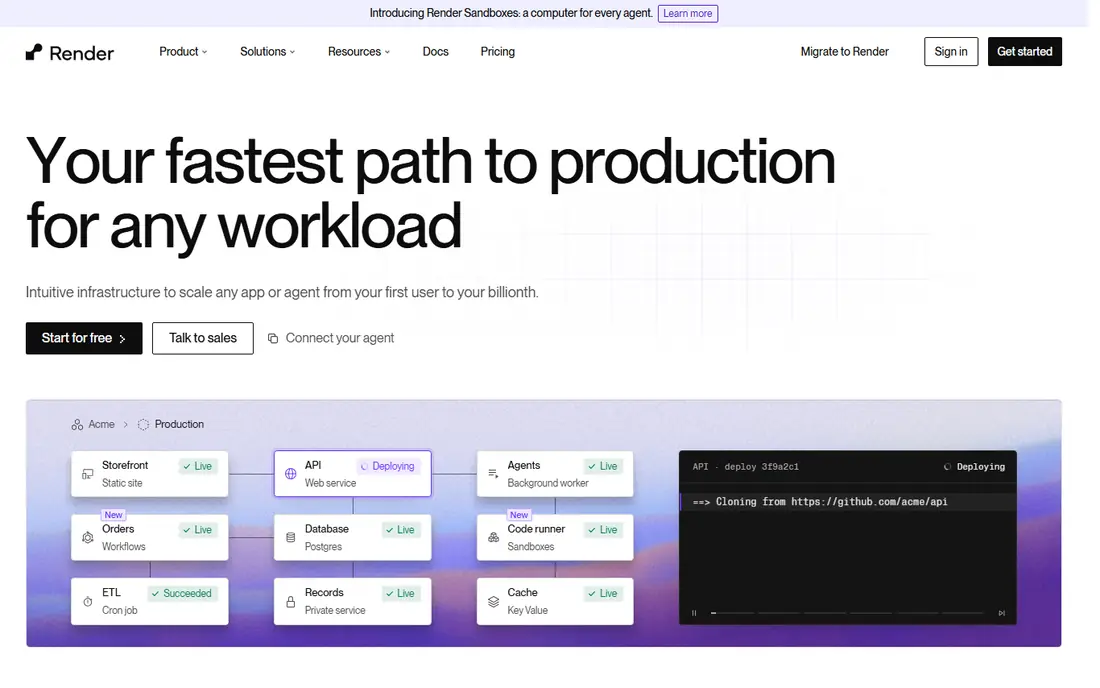
Render suits full stack teams that want web services, background workers and a managed database in one place. Deploys run from Git or a Dockerfile, and the service model is easy to explain to a new team member.
The catch is free tier limits. Free web services sleep after inactivity, which causes slow first requests, so production apps should use a paid instance that stays awake.
- Web services, workers, cron jobs and Postgres in one dashboard
- Git and Dockerfile deploys
- Clear service model
- Free services spin down after inactivity
- Free Postgres expires after a set period
- Paid costs rise with each service
Heroku suits teams that want the simplest Git push deploy with a large add on marketplace for databases, logging and monitoring. The dyno model separates web and worker processes clearly, which helps small full stack apps.
The catch is cost at scale. There is no free tier, add ons bill separately, and higher performance tiers are costly, so teams should total dyno plus add on costs before committing.
- Simple Git push deploys
- Large add on marketplace
- Clear dyno model for web and worker processes
- No free tier
- Add ons add cost
- Performance tiers rise steeply for larger apps
DigitalOcean App Platform suits teams that want managed hosting with clear instance pricing and good documentation. Apps deploy from Git, databases can be managed beside the app, and the pricing model is easier to forecast than pure usage billing.
The catch is edge depth. It is a solid app host, but teams that need advanced edge routing or frontend specific previews may still prefer Vercel or Netlify for the frontend layer.
- App Platform deploys from Git with managed databases
- Clear instance pricing
- Good docs for small teams
- Advanced features need higher tiers
- Global edge features are thinner than Vercel or Netlify
- Managed database costs add up
Fly.io suits teams that need persistent processes, WebSockets or a global footprint that a simple frontend host cannot give. Machines run in many regions, and container deploys give control over runtime and dependencies.
The catch is ops load. Usage based billing needs tracking, and setup takes more skill than a one click PaaS, so small teams should trial with a staging app first.
- Machines run close to users worldwide
- Dockerfile and Git based deploys
- Good for persistent processes and WebSockets
- Pricing is usage based and needs tracking
- Setup needs more ops skill than a simple PaaS
- Dashboard is less guided
Railway suits teams that want container hosting without heavy infrastructure work. It detects many frameworks, provisions Postgres or Redis in a few clicks, and deploys from Git with preview style environments for testing.
The catch is idle cost. Usage billing means a service left running still costs money, so teams should shut down staging services they no longer need and set spend alerts.
- Auto detection for many frameworks
- Postgres and Redis templates
- Usage based billing with a plan minimum
- Usage billing can surprise teams that leave services running
- Free tier limits apply
- Advanced networking needs care
AWS Amplify suits teams already inside AWS who want frontend hosting beside auth, data and storage services. Git based deploys, preview environments and backend resources sit inside one AWS workflow.
The catch is complexity and variable cost. Billing follows build minutes, storage and transfer, and the AWS console can feel heavy for a small team that only needs simple static hosting.
- Git based frontend hosting with backend resources
- AWS integration for auth, data and storage
- Preview deploys
- Pay per build, storage and transfer, so costs vary
- AWS learning curve is steep
- Console can feel complex for small teams
GitHub Actions suits teams that want CI CD pipelines they control, separate from their hosting choice. Workflows run tests, builds and deploys on every push or pull request, with clear logs when a step fails.
The catch is scope. GitHub Actions does not host your app by itself, so pair it with a host from this list, and manage secrets carefully, since a leaked secret in a workflow log can be a serious security fault.
- Automated build, test and deploy workflows from GitHub
- Large marketplace of actions
- Clear run logs
- It is CI CD, not hosting, so you still need a host
- Free minutes have limits
- Complex workflows need care with secrets
How we picked these
We compared official documentation, pricing pages and feature pages, and we checked deployment, preview, rollback and monitoring features in October 2026. We gave weight to Git integration, automated builds, preview deployments, rollback speed, environment variables and observability, and we noted where pricing is usage based. We did not claim hands-on deployment testing on every platform.
How to build a safer deployment process
Ship small changes with automatic checks
Break work into small releases, run tests and lint checks on every pull request, and block a merge when checks fail. A small release is easier to review, easier to roll back, and easier to trace when a bug appears. Keep the main branch deployable at all times, so a hotfix does not wait for unfinished work.
Use preview deployments and staged rollouts
Give every pull request a preview URL so designers, product managers and testers can check a change before it reaches production. For risky changes, roll out to a small share of traffic first, watch error rates and performance, and only then roll out to everyone. A preview and a staged rollout together catch more faults than a final manual check.
Plan rollback, secrets and monitoring before launch
Know how to revert in one step, whether that means redeploying a prior version or flipping a feature flag. Store secrets in the platform secret manager, never in code, and use separate variables for staging and production. Add health checks, logs and alerts for errors, response time and failed jobs, so a bad deploy is visible within minutes.
Frequently asked questions
What are web app deployment best practices?
Good practice includes small tested releases, CI CD checks on every change, preview deployments, staged rollouts, one step rollback, secret management, health checks and monitoring. Tools in this guide support those practices, but the process itself matters most.
Which platform is best for deploying a web app?
Vercel and Netlify suit frontend apps, Render and Railway suit full stack apps with databases, and Fly.io and DigitalOcean suit teams that want more server control. Choose by app type, database needs and team skill.
How do I roll back a bad deployment?
Most platforms in this guide let you redeploy a prior version from the dashboard or from Git, and some support instant rollback to a prior deployment. Test rollback on staging before you need it in production.
What is CI CD in web app deployment?
Continuous integration means code is built and tested on every change. Continuous delivery means a tested change can be released to staging or production with little manual work, often straight from a Git push.
Should I use preview deployments?
Yes, for most teams. Preview URLs let reviewers check a change in a live like environment before it reaches users, which catches layout, data and integration faults earlier and with less risk.
Sources
See where you really rank - block by block
ProMapRanker scans Google Maps across a grid of your service area. Simple monthly plans from $19, white-label on every plan.
Start freeKeep reading
 zscaler alternatives
Best Zscaler Alternatives in 2026
Looking for zscaler alternatives? We compare 9 SASE and zero trust platforms on architecture, data protection, pricing, and fit for your network and team.
Read → zapier alternatives free
Best Zapier Alternatives Free in 2026
Nine automation tools for zapier alternatives free in 2026, all with genuinely free tiers, plus free plan limits, starting prices and upgrade paths explained.
Read → which platform is best for online reputation
Which Platform Is Best for Online Reputation in 2026
Wondering which platform is best for online reputation? We compare 8 review, listing, and response tools for small and multi-location businesses and agencies.
Read →