 ProMapRanker
Best VMware by Broadcom Alternatives in 2026

Key takeaways
- Proxmox VE and XCP-ng give the lowest licence cost for teams willing to run open source platforms.
- Microsoft Hyper-V and Red Hat OpenShift Virtualization suit teams already committed to Windows or container platforms.
- Nutanix AHV and Scale Computing suit teams that want a single vendor for compute and storage together.
- Migration cost is often larger than licence cost, so test backup, networking, and disaster recovery before you switch.
Quick comparison
| Pick | Great for | Pricing starts at | Free tier | |
|---|---|---|---|---|
 Proxmox VE | Low-cost open source virtualisation | Free | Yes | Visit |
 Microsoft Hyper-V | Windows-first estates | See website | No | Visit |
 Nutanix AHV | Hyperconverged enterprise estates | See website | No | Visit |
 Citrix Hypervisor | Xen-based enterprise virtualisation | See website | Free trial | Visit |
 Red Hat OpenShift Virtualization | VM and container consolidation | See website | Free trial | Visit |
 XCP-ng | Open source Xen virtualisation | Free | Yes | Visit |
 Scale Computing HyperCore | Edge and small business clusters | See website | Free trial | Visit |
 Oracle VM VirtualBox | Desktop and test virtualisation | Free | Yes | Visit |
 KVM | Linux kernel virtualisation | Free | Yes | Visit |
The best VMware by Broadcom alternatives
These platforms replace VMware virtualisation, not VMware itself, and they range from free open source hypervisors to managed hyperconverged stacks. We compared deployment models, pricing approaches, and migration effort.
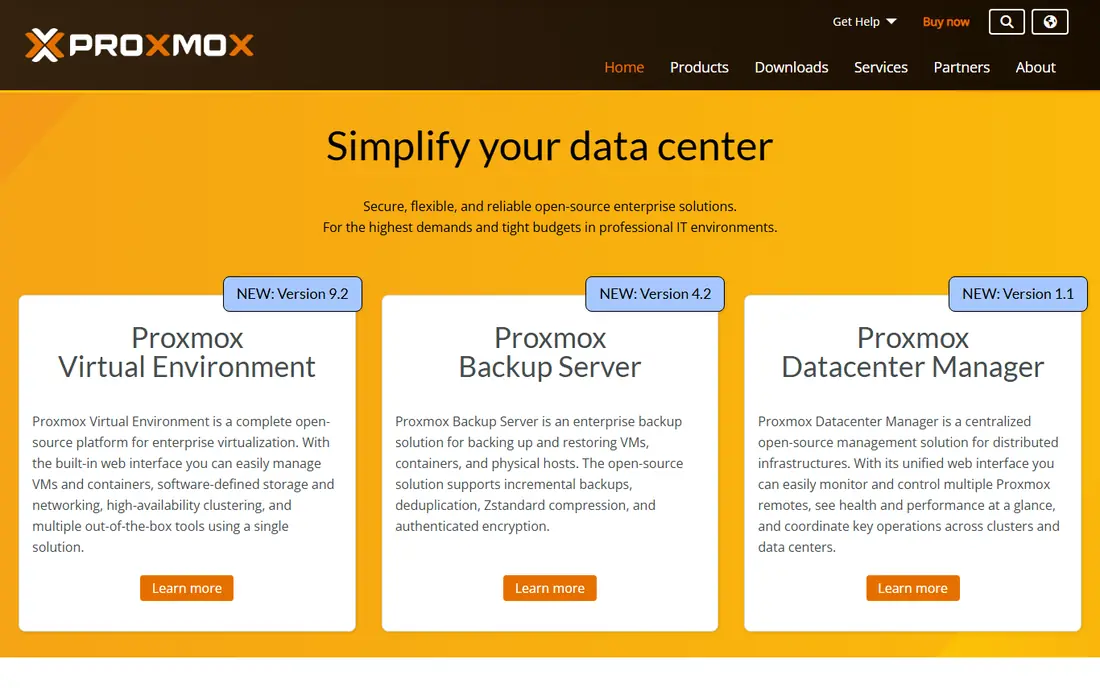
Proxmox VE is the most common first move for teams leaving VMware on cost grounds. The core platform is open source, and clustering, high availability, live migration, storage, and backup tools are included without per-VM fees. That model makes budgeting simple for small and mid-sized estates. The gap is ecosystem depth. Some VMware-specific management, networking, and third-party backup features need a different tool or workflow on Proxmox. Teams with Linux skills adapt quickly, while teams used to a fully managed VMware stack should plan training and migration testing.
- No licence fee for core features
- Clustering, high availability, and live migration included
- Supports VMs and containers
- No direct equivalent to every VMware management feature
- Support is a paid subscription
Hyper-V makes sense when your estate is already Windows-based. It ships as part of Windows Server, integrates with Active Directory and System Center tools, and connects cleanly to Azure for hybrid work. Windows guests run well, and management feels familiar to Windows administrators. Linux guests work, but the tooling and management experience centre on Windows. Licensing also follows Windows Server rules, so you must model host and guest licences together. For a Windows-first shop, Hyper-V often costs less in change than a new platform, even if it is not free on its own.
- Included with Windows Server
- Strong Windows guest support
- Good Azure hybrid options
- Linux guest management is less central than Windows
- Licensing ties to Windows Server editions
Nutanix AHV is the hypervisor inside the Nutanix Cloud Infrastructure stack. It suits enterprises that want compute and storage from one vendor, with central management, snapshots, and disaster recovery built around that stack. Migration tools help move VMware workloads, but the project is larger than a hypervisor swap alone. Cost is the main question. AHV itself is bundled with Nutanix infrastructure, so you cannot judge it from a standalone list price. Get a full-stack quote, including hardware or cloud capacity, and compare it with your current VMware renewal plus storage costs.
- Single platform for compute, storage, and virtualisation
- Strong enterprise management
- Built-in data services
- Pricing is quote-based and tied to a full stack
- Hardware refresh may be part of migration
Citrix Hypervisor, formerly XenServer, fits teams that already use Citrix for desktops or applications. The platform is mature, supports live migration and high availability, and works well for server workloads that sit beside Citrix delivery infrastructure. Existing Citrix skills transfer directly. Its community is smaller than the largest open source platforms, so third-party guides and tools are fewer. Edition and licensing choices also affect which management features you get, so confirm the edition before you plan a migration. For Citrix-aligned estates, the fit is clear.
- Mature Xen-based platform
- Strong desktop and application delivery links
- Enterprise management tools
- Smaller community than Proxmox or Hyper-V
- Licensing and edition choices need care
OpenShift Virtualization lets teams run virtual machines on the same Kubernetes platform as containers. That matters for organisations modernising gradually, because legacy VMs and new container workloads can share networking, storage, and operations tooling. Red Hat support and a large partner ecosystem help at enterprise scale. The trade-off is skill and effort. Your team needs Kubernetes knowledge, and moving VMware workloads onto OpenShift is a platform project, not a simple import. It suits teams already moving toward containers, rather than teams that only want a cheaper hypervisor.
- Runs VMs beside containers on Kubernetes
- Strong Red Hat support
- Good for modernisation projects
- Needs Kubernetes skills
- Migration effort is higher than a like-for-like hypervisor swap
XCP-ng is an open source Xen-based hypervisor with a clear community focus. The core platform is free, and Xen Orchestra provides web-based management, backup, and orchestration. Teams that like the Xen model but want an open source path often choose XCP-ng over a proprietary Xen product. Paid support and some Xen Orchestra features sit behind subscriptions, so check which management features your team needs. For mid-sized Linux estates, XCP-ng offers a capable, low-cost alternative with a straightforward migration path for Xen-based workloads.
- No licence fee for the core platform
- Xen Orchestra management
- Active open source community
- Enterprise support is a separate paid option
- Some advanced features need Xen Orchestra paid tiers
Scale Computing HyperCore targets edge locations, retail sites, and small businesses that need a cluster without a large IT team. The platform combines compute, storage, and virtualisation in a turnkey appliance model, with central management for multiple sites. That simplicity is the main selling point. Very large estates may find the model less flexible than Proxmox or OpenShift, and pricing requires a quote. For a set of small sites that need reliable virtualisation with minimal hands-on work, HyperCore is a practical VMware exit.
- Turnkey hyperconverged clusters
- Simple management
- Good fit for edge and retail sites
- Less suited to very large data centre estates
- Pricing is quote-based
VirtualBox is not a server cluster platform, and we include it for a different job: desktop virtualisation and testing. Developers and support teams can run test VMs on a laptop, try a new operating system, or reproduce a problem without touching production servers. Setup is quick and the price is free for many uses. Do not plan a production VMware replacement around VirtualBox alone. It lacks the clustering, high availability, and central management that server estates need. Use it beside a server platform on this list, for labs and testing.
- Free for personal and evaluation use
- Runs on Windows, Mac, and Linux
- Easy test VMs
- Not designed for production server clusters
- Performance and management limits at scale
KVM is the virtualisation technology inside the Linux kernel, and it powers Proxmox, OpenShift Virtualization, and many cloud platforms. For Linux teams that want to build their own stack, KVM plus tools such as libvirt, oVirt, or OpenStack gives full control without a hypervisor licence fee. Raw KVM is not a finished management product. You must add management, storage, networking, and backup tooling, and that work suits teams with Linux and automation skills. If you want a ready product, pick a platform built on KVM from this list instead of assembling KVM yourself.
- Built into the Linux kernel
- No separate licence fee
- Used by many cloud and enterprise platforms
- Needs a management layer on top
- Raw KVM alone is not a complete product
How we picked these
We compared official product pages, pricing models, and migration guidance for virtualisation platforms that work in October 2026. We kept platforms that run production server VMs or that serve a clear testing role beside a server platform. We left out cloud-only VMware hosting, because that keeps you in a Broadcom licensing relationship rather than replacing VMware.
How to plan a VMware exit
Start with an inventory, not a price list. List every VM, its operating system, storage, network rules, backup job, and any VMware-specific feature it uses. Workloads that rely on specific VMware networking, storage, or management features are the ones that slow a migration, and they need a test plan first. Next, run a pilot with your hardest workloads, not your easiest ones. Test backup and restore, live migration, failover, and disaster recovery on the new platform before you move production systems. A pilot that only boots a VM proves very little. Finally, budget for the project, not just the licence. Training, backup tool changes, monitoring updates, and a rollback plan all cost time. A cheaper licence with a rushed migration can cost more than a careful move to a slightly higher-priced platform.
Frequently asked questions
What is the cheapest VMware by Broadcom alternative?
Proxmox VE, XCP-ng, and KVM have no licence fee for their core platforms, so they are cheapest on licence cost. Total cost still includes hardware, support subscriptions, and engineering time, so compare the full project cost, not just the licence line.
Is Proxmox VE a direct replacement for VMware?
It replaces the core virtualisation job for many estates, including clustering and live migration, but it is not identical to VMware. Some VMware management and third-party features need different tools on Proxmox, so test backup, networking, and disaster recovery in a pilot.
Should Windows shops pick Hyper-V or Proxmox VE?
Hyper-V usually fits better for Windows-first shops, because it integrates with Windows Server and Azure tooling your team already knows. Proxmox VE fits better for Linux-heavy shops or teams that want licence freedom and are comfortable running an open source platform.
Can I keep VMware in the cloud instead of switching?
Yes, but cloud VMware hosting still involves Broadcom licensing, so it is not a true exit from VMware costs. It can be a useful step for cloud consolidation, but it does not solve a renewal price problem on its own.
How long does a VMware migration take?
It depends on estate size and VMware-specific features. A small estate with standard VMs may move in weeks, while a large estate with complex networking, storage, and backup integrations can take months. Pilot testing and backup validation usually take longer than teams first estimate.
Sources
See where you really rank - block by block
ProMapRanker scans Google Maps across a grid of your service area. Simple monthly plans from $19, white-label on every plan.
Start freeKeep reading
 zoro.to alternatives
Best Zoro.to Alternatives in 2026
We compare the best zoro.to alternatives in 2026, listing only legal licensed anime streaming services, from Crunchyroll to free options for fans today.
Read → zip alternatives
Best Zip Alternatives in 2026
We compare the best zip alternatives for buy now, pay later in 2026, covering pay-in-4 plans, fees, spending limits, and credit reporting options today.
Read → yesware alternatives
Best Yesware Alternatives in 2026
Compare the best yesware alternatives for sales email tracking, templates, and sequences, with current pricing and honest tradeoffs for small sales teams.
Read →