 ProMapRanker
Viggle AI Alternatives Compared

Direct answer
For talking photos and presenters, D-ID is where this list starts. Runway is better for character clips with editing control, and Kling AI is better for realistic character motion on a budget. Details, prices and limits for the rest of the 5 tools are below.
Key takeaways
- D-ID sits first on this list: talking photos and presenters.
- Free plans exist at 4 of 5 tools (Runway, Kling AI, PixVerse, Luma Dream Machine).
- Luma Dream Machine is the one to check for smooth camera moves around a character.
- D-ID has the lowest monthly starting price in this list: $5.90/month.
Quick comparison
| Pick | Great for | Pricing starts at | Free tier | |
|---|---|---|---|---|
 D-ID | Talking photos and presenters | $5.90/month | No | Visit |
 Runway | Character clips with editing control | $12/month | Yes | Visit |
 Kling AI | Realistic character motion on a budget | $6.99/month | Yes | Visit |
 PixVerse | Character videos with template effects | $10/month | Yes | Visit |
 Luma Dream Machine | Smooth camera moves around a character | $9.99/month | Yes | Visit |
Viggle AI compared in detail
ProMapRanker compared 5 tools for Viggle AI. The goal is a practical shortlist: published prices, free plan facts, best-fit use cases and honest limits for every entry.
D-ID is built with talking photos and presenters in mind. D-ID serves the business end of the talking character market.
Where D-ID stands out: low entry price for the presenter job.
Honest limits: movement is restricted to head and shoulders presentation.
It is here since a large share of people who start with playful character animation end up needing a presenter that reads a script plainly, and D-ID does that job at one of the lowest entry prices in its class. D-ID cost at the entry level: $5.90/month. D-ID does not include a free plan.
- Turns any portrait into a speaking presenter from text or audio
- Large library of stock avatars if you do not supply a photo
- No free plan, only a trial

Runway targets character clips with editing control. That breadth costs credits.
Drawbacks to consider: monthly credits expire on most plans.
The flagship model charges per second at a rate that makes casual experimenting pricey, and credits on plans below the top level do not roll over. Entry price for Runway: $12/month. Free access exists with Runway.
- Full editor sits around the generator for trimming and restyling footage
- Free account comes with starter credits
- Character consistency across numerous shots still takes reference work
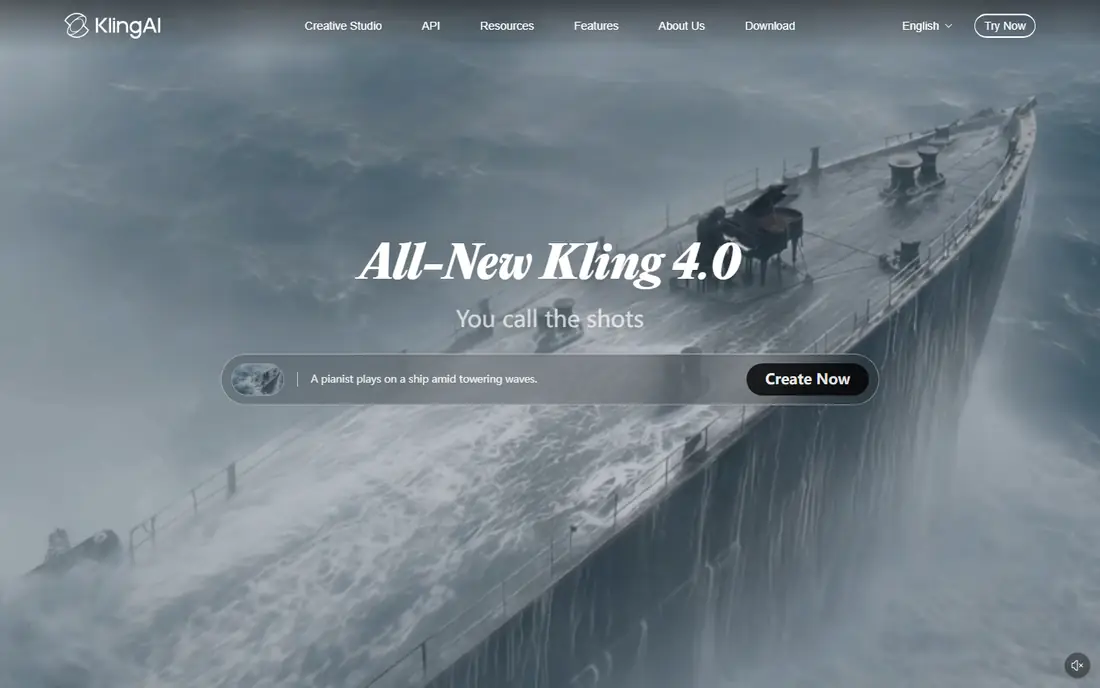
Kling AI is designed for realistic character motion on a budget. Provide it a character still and a prompt and it produces movement with weight and follow through that template tools seldom match. Its lip sync feature can put words in a generated character's mouth, which includes part of the talking character job too.
What to check first: no built in character performance modes like duets or templates.
Worth adding: Kling makes clips, not finished performances. As for the details, at under $7 per month for the entry plan and daily free credits for testing, it is the value pick for creators willing to do that assembly work themselves. Price to start with Kling AI: $6.99/month. Kling AI has a free plan.
- Start and end frame control helps character shots stay consistent
- Lip sync add on manages speech in generated clips
- Credit burn doubles at higher resolution with audio
PixVerse serves character videos with template effects. PixVerse is the other social first choice here, mixing templates, effects and a character feature that holds a subject's look across generations. In daily use, quality control is the caveat.
Template output is uneven, and since the system hosts multiple models at different credit rates, per month of heavy use can cost more than the headline price recommends. More specifically, if the appeal of Viggle was picking a trending template and dropping your character into it, PixVerse is the alternative that feels most familiar, with general image to video generation beside the templates. On cost, PixVerse starts like this: $10/month. PixVerse includes a free tier.
Limits to weigh: Template results vary in quality from week to week.
- Character feature keeps a supplied subject recognisable across clips
- Multi model access in one account
- Credit costs differ sharply between its models
Luma Dream Machine is designed for smooth camera moves around a character. Luma Dream Machine built its reputation on camera work.
Limits to weigh: less template and effects material than the social first tools.
Its Ray models move around a subject the way a gimbal would, and its keyframing lets you pin a character's pose at the start and end of a shot, which hands more staging control than a single prompt. More specifically, there is no audio driven lip sync, and extended clips can soften facial detail, so dialogue scenes belong to D-ID. Entry price for Luma Dream Machine: $9.99/month. A free plan is available with Luma Dream Machine. Best features of Luma Dream Machine: keyframe control lets you set start and end poses for a character.
- Boards help plan a sequence of related shots
- Free level for testing the motion style
- No lip sync or character speech tools
Selection criteria
The comparison looks at four things: starting price, free access, how well the feature set matches Viggle AI, and the main limit of each tool. Seat minimums, billing terms and add-ons can move the real cost, so the starting prices here are a guide and not a quote. Order on the page follows fit for the typical buyer first, then price transparency and free access. Your own requirements should decide the final pick.
A buyer's checklist
- Check the vendor page for the current price: D-ID starts at $5.90/month here, and seats or billing terms can move it.
- Look at free plan limits closely: Runway, Kling AI, PixVerse and Luma Dream Machine have one, and the caps decide whether it is usable for real work.
- Before choosing D-ID, weigh its main limit: no free plan, only a trial, movement is limited to head and shoulders presentation, charges by video minutes so long scripts add up.
- Check the support hours and onboarding help Runway offers; smaller vendors vary a lot here.
- Check whether Kling AI bills monthly or annually, and what cancelling early costs.
Frequently asked questions
Are the free plans enough for regular posting?
They are enough for testing and occasional clips. Regular posting normally outgrows them since free levels carry watermarks, low credit allowances or both.
Which options for Viggle AI have a free plan?
Runway, Kling AI, PixVerse and Luma Dream Machine offer a free plan in this list. Free plans usually cap users, projects or features, so check the limits on the vendor page.
Why is Viggle itself not in the comparison table?
This is a list of alternatives, so the reference product is described in the introduction rather than ranked against its replacements. Its own pricing and limits are covered there and in the buying guide.
Is D-ID the right pick for everyone comparing Viggle AI?
No single tool suits every team. D-ID comes first because it fits talking photos and presenters, while Runway suits character clips with editing control and Kling AI suits realistic character motion on a budget. Match the tool to your own size, budget and workflow before deciding.
Can I try these tools before paying?
Often, yes. Runway, Kling AI, PixVerse and Luma Dream Machine have a free plan. Use your own data and a real task during the test, and check what the free tier or trial limits before you rely on it.
Can any alternative copy Viggle's mix and move workflow exactly?
Not exactly. Runway's performance capture is the closest, since it maps your own recorded movement onto a character. The others animate from prompts, audio or templates instead of copying a template video frame by frame.
Sources
See where you really rank - block by block
ProMapRanker scans Google Maps across a grid of your service area. Simple monthly plans from $19, white-label on every plan.
Start freeKeep reading
 zscaler alternatives
Best Zscaler Alternatives in 2026
Looking for zscaler alternatives? We compare 9 SASE and zero trust platforms on architecture, data protection, pricing, and fit for your network and team.
Read → zapier alternatives free
Best Zapier Alternatives Free in 2026
Nine automation tools for zapier alternatives free in 2026, all with genuinely free tiers, plus free plan limits, starting prices and upgrade paths explained.
Read → which platform is best for online reputation
Which Platform Is Best for Online Reputation in 2026
Wondering which platform is best for online reputation? We compare 8 review, listing, and response tools for small and multi-location businesses and agencies.
Read →