 ProMapRanker
Best Veeam Alternatives in 2026


Backup plus security for small teams · Pricing starts at: $85 per year
Key takeaways
- Commvault, Rubrik and Cohesity suit large, mixed estates where many workload types must be covered under one policy set.
- Acronis and NAKIVO give smaller teams a clearer entry price and a simpler console than most enterprise platforms.
- Druva and HYCU suit teams that prefer a managed cloud service over running backup servers and storage themselves.
- Dell PowerProtect fits shops already standardised on Dell storage, while other buyers should weigh lock-in against that fit.
Quick comparison
| Pick | Great for | Pricing starts at | Free tier | |
|---|---|---|---|---|
| Acronis Cyber Protect | Backup plus security for small teams | $85 per year | Free trial | Visit |
 Commvault | Broad enterprise workload cover | See website | Free trial | Visit |
 Rubrik | Ransomware-focused recovery | See website | Free trial | Visit |
 Cohesity | Consolidating data protection | See website | Free trial | Visit |
 Druva | Managed cloud backup | See website | Free trial | Visit |
 NAKIVO Backup and Replication | Value backup for virtual estates | $2.50 per workload per month | Free trial | Visit |
 Dell PowerProtect | Dell storage estates | See website | Free trial | Visit |
 HYCU | SaaS and Nutanix backup | See website | Free trial | Visit |
The best Veeam alternatives
Veeam is a broad backup platform for virtual, physical, cloud and SaaS workloads, so a replacement must match your estate, not just copy a feature list. These eight tools cover enterprise suites, managed cloud services and lower cost options for virtual environments.
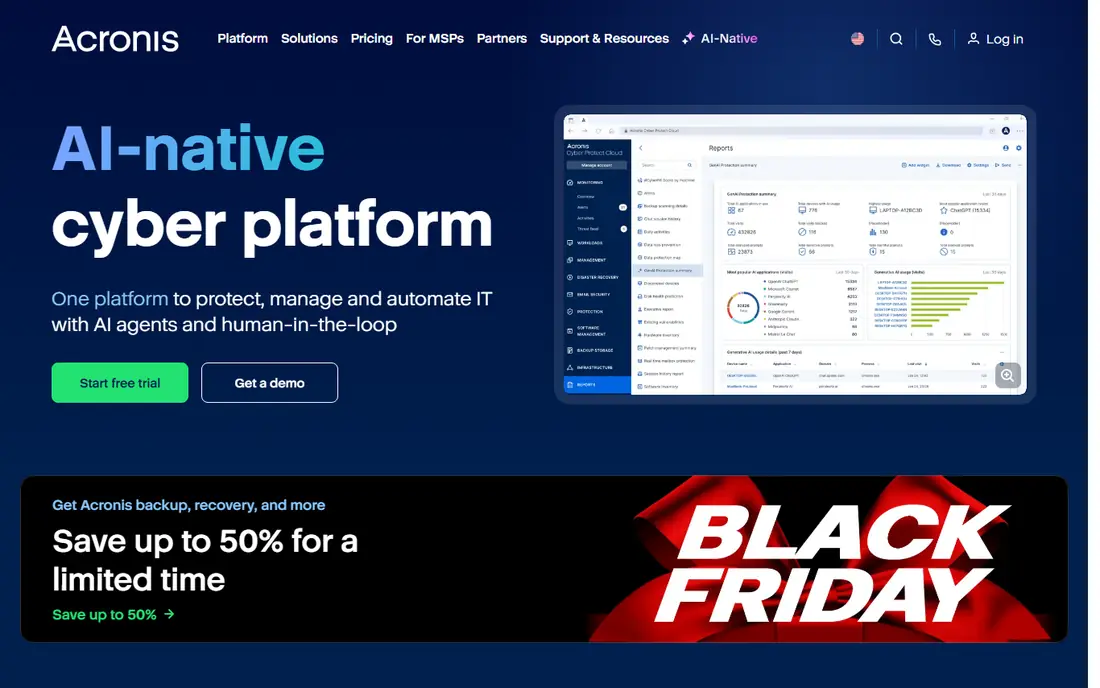
Acronis suits a small or midsize team that wants backup and endpoint protection without running two agents on every machine. It covers workstations, servers, virtual machines and Microsoft 365 data, with image-based backup, incremental scheduling and bare metal recovery. Built-in anti-malware and ransomware protection add a layer that pure backup tools leave to a separate product.
The catch is total cost: the per-workstation price is only part of the bill, since cloud storage is billed separately and server editions cost more. A team with mostly workstations and one file server will find the maths simple. A team with many servers should price the full estate before comparing it with NAKIVO or Druva.
- Backup plus anti-malware in one agent
- Image and file recovery
- Local and cloud targets
- Cloud storage billed separately
- Server pricing rises fast
- Console can feel busy
Commvault is the enterprise choice when the estate includes databases, enterprise applications, virtual platforms, cloud workloads and endpoints under one set of policies. Its application-aware recovery helps restore a database or mailbox properly rather than just returning files, and its cleanroom style recovery options suit ransomware planning. A managed cloud version also exists for teams that do not want to run the platform themselves.
That breadth brings complexity and a sales-led price, so it is rarely the cheapest option for a small estate. Sizing, retention and storage targets need real planning, and administration rewards a team that already runs backup as a discipline. For a large, regulated or mixed estate, that depth is the point. For a simple virtual estate, NAKIVO will feel lighter.
- Very broad workload cover
- Strong application recovery
- Managed cloud option
- Quote-based pricing
- Complex to size
- Needs skilled administration
Rubrik frames backup as cyber recovery first: backups are stored in an append-only form that resists change, and the platform can help hunt for signs of compromise inside backup data before a restore. That matters after ransomware, when restoring the most recent backup may restore the infection as well. Recovery workflows aim to return clean data quickly rather than rebuild from scratch.
Pricing is quote-based and the platform suits midsize to large estates better than a handful of servers. Teams should also confirm how Rubrik fits their cloud mix, since deployment options span on-premises clusters and hosted or managed cloud forms. If ransomware recovery is the main reason you are leaving Veeam, Rubrik belongs at the top of the shortlist.
- Immutable backup design
- Threat hunting in backups
- Fast recovery workflows
- Quote-only pricing
- Appliance or cloud model needs planning
- Smaller fit for tiny estates
Cohesity aims to consolidate backup, recovery and data management for hybrid estates, with read-only snapshots and vault options for ransomware resilience. For a team running several point tools for virtual machines, files, databases and SaaS data, one platform can cut console sprawl and duplicate storage. Its FortKnox style vault concept also gives an isolated copy for serious incidents.
Pricing is quoted by capacity and term, so compare one, three and five year terms carefully rather than assuming the headline term is the cheapest. Buyers should also ask about the current product roadmap, since Cohesity combined with Veritas assets in recent years and roadmaps matter at renewal. For consolidation at scale, it remains a strong enterprise alternative.
- Broad consolidation
- Snapshot and vault options
- Data management features
- Quote-based pricing
- Terms vary by contract length
- Merger-era roadmap needs checking
Druva suits teams that want backup delivered as a managed cloud service, with no servers, storage hardware or patching of a backup platform to maintain. It covers endpoints, SaaS applications such as Microsoft 365 and Google Workspace, and cloud workloads, with policy-based locking for ransomware resilience. Administration happens in one cloud console, which helps a lean IT team.
The trade is control and pricing shape: costs follow users or deduplicated terabytes depending on workload, so model your endpoint count and SaaS data honestly. A team that wants full control over storage location and retention hardware may prefer Commvault or Rubrik. A team that wants backup off its plate will like Druva's managed model.
- Fully managed cloud delivery
- Endpoint and SaaS cover
- No backup servers to run
- Quote-based for many workloads
- Per user or per terabyte pricing varies
- Less control than self-run tools
NAKIVO is our value pick for VMware, Hyper-V, Nutanix and cloud estates that do not need the full enterprise suite. Its subscription pricing is published and easy to model per workload, and it supports immutable repositories, replication for disaster recovery and Microsoft 365 backup. For a small team or a managed service provider, that clarity is a real advantage over quote-only platforms.
It does not match Commvault or Rubrik on the deepest enterprise application and cyber recovery features, so a large regulated estate should test those gaps first. For virtual machines, physical servers and a modest SaaS footprint, NAKIVO covers the core job at a price most small teams can defend. That is why it suits a direct Veeam replacement on a budget.
- Clear low subscription price
- Virtual and cloud cover
- Immutable repository options
- Less enterprise application depth
- Support tiers vary
- Smaller ecosystem than Commvault
Dell PowerProtect fits organisations that already run Dell storage and want backup tightly tied to that hardware. Retention lock and isolated vault copies support ransomware recovery, and the platform spans appliances plus a cloud option for teams moving part of their estate off premises. For a Dell shop, that integration can simplify support and procurement.
Outside a Dell estate, the advantage fades and the hardware plus software cost needs careful comparison with software-only tools. Buyers should also confirm which software edition and vault features their quote includes, since vault copies are not the same as standard backup copies. If your storage is Dell, shortlist it. If not, Rubrik, Cohesity or Commvault may fit better.
- Tight Dell storage integration
- Retention lock and vault options
- Appliance plus cloud paths
- Quote-based pricing
- Strongest inside Dell estates
- Hardware plus software cost
HYCU suits teams with a Nutanix footprint or a long tail of SaaS applications to protect. It offers managed cloud delivery and consumption-based pricing for some workloads, with backup for Nutanix, cloud platforms and SaaS apps such as Microsoft 365. That focus helps a team that has struggled to cover SaaS data with a traditional virtual backup tool.
It is less of a default for a general VMware or Hyper-V estate, where Veeam, NAKIVO or Commvault have deeper roots. Pricing also varies by workload type, so get a quote for your exact mix rather than comparing a single per-user figure. For Nutanix-heavy or SaaS-heavy estates, HYCU is a focused and credible alternative.
- Strong Nutanix fit
- SaaS application cover
- Consumption-based options
- Pricing varies by workload
- Less known for general virtual estates
- Check fit outside Nutanix
How we picked these
We compared official product pages, pricing summaries and public comparison sources for backup platforms that cover the workloads Veeam covers: virtual machines, physical servers, cloud workloads and SaaS data. We kept only platforms that are live in October 2026 and that offer recovery, not just storage. Prices are starting prices where a vendor publishes them, and we wrote See website where pricing is quoted by workload, capacity or contract. We did not claim hands-on testing; our view comes from comparing public documentation and pricing models side by side.
What to check before you switch
Test a restore, not just a backup job. Pick one virtual machine, one database and one SaaS mailbox, restore each to a test location, and time the work. That test reveals gaps in application recovery, permissions and retention that a feature list hides. Also confirm ransomware behaviour: which copies are immutable, who can change retention, and how you prove a backup is clean before you restore it.
Price the full estate, including storage, retention, vault copies and any security features that sit on a higher tier. Quote-based platforms can look similar until storage and term length are added. Finally, check exit terms and data portability, so a future move does not require a full re-backup. A backup tool should protect you from vendor trouble as well as from data loss.
Frequently asked questions
What is the best Veeam alternative for small businesses?
Acronis and NAKIVO are the clearest small business picks, with published entry pricing and simpler consoles. Acronis adds endpoint security, while NAKIVO offers strong value for virtual estates.
What is the best Veeam alternative for ransomware recovery?
Rubrik and Cohesity lead on ransomware-focused recovery, with immutable storage designs and vault or clean recovery options. Commvault also offers strong recovery workflows for large estates.
Can I replace Veeam with a managed cloud backup service?
Yes. Druva and HYCU deliver backup as a managed cloud service, so you do not run backup servers or storage yourself. That suits lean teams, though pricing follows users or data volume.
Does NAKIVO support Microsoft 365 backup?
Yes, NAKIVO offers backup for Microsoft 365 alongside virtual, physical and cloud workloads. Confirm user pricing and retention for your tenant before you commit, since SaaS pricing differs from virtual workload pricing.
How much do Veeam alternatives cost?
Entry pricing ranges from $2.50 per workload per month for NAKIVO and $85 per year for Acronis workstations to quote-based enterprise pricing for Commvault, Rubrik, Cohesity and Dell PowerProtect. Storage, retention and contract term change the total, so price your full estate.
Sources
See where you really rank - block by block
ProMapRanker scans Google Maps across a grid of your service area. Simple monthly plans from $19, white-label on every plan.
Start freeKeep reading
 zoro.to alternatives
Best Zoro.to Alternatives in 2026
We compare the best zoro.to alternatives in 2026, listing only legal licensed anime streaming services, from Crunchyroll to free options for fans today.
Read → zip alternatives
Best Zip Alternatives in 2026
We compare the best zip alternatives for buy now, pay later in 2026, covering pay-in-4 plans, fees, spending limits, and credit reporting options today.
Read → yesware alternatives
Best Yesware Alternatives in 2026
Compare the best yesware alternatives for sales email tracking, templates, and sequences, with current pricing and honest tradeoffs for small sales teams.
Read →