 ProMapRanker
Best UX Research Alternatives, Methods and Tools in 2026

Key takeaways
- Maze leads for fast unmoderated prototype tests, while Lookback leads for live interviews where follow-up questions matter.
- Hotjar and Dovetail cover different jobs, so pairing behaviour observation with a research repository often works better than one tool alone.
- Free plans from Maze, Hotjar, Lyssna and Optimal Workshop let small teams run a first study before paying.
- Participant recruitment is often a separate cost, so check panel pricing as well as the platform fee.
Quick comparison
| Pick | Great for | Pricing starts at | Free tier | |
|---|---|---|---|---|
 Maze | Rapid unmoderated prototype testing | Free | Yes | Visit |
 UserTesting | Video-first moderated and unmoderated testing | See website | No | Visit |
 Hotjar | Heatmaps, recordings and on-page feedback | Free | Yes | Visit |
 Dovetail | Research repository and qualitative analysis | Free | Yes | Visit |
 Lookback | Live interviews and usability sessions | See website | Free trial | Visit |
 Lyssna | Quick first-click, preference and survey tests | Free | Yes | Visit |
 Optimal Workshop | Card sorting and tree testing | Free | Yes | Visit |
 User Interviews | Participant recruitment and management | See website | No | Visit |
The best UX research tools
These tools cover prototype testing, live interviews, behaviour observation and information architecture, so the right pick depends on the question you need to answer.
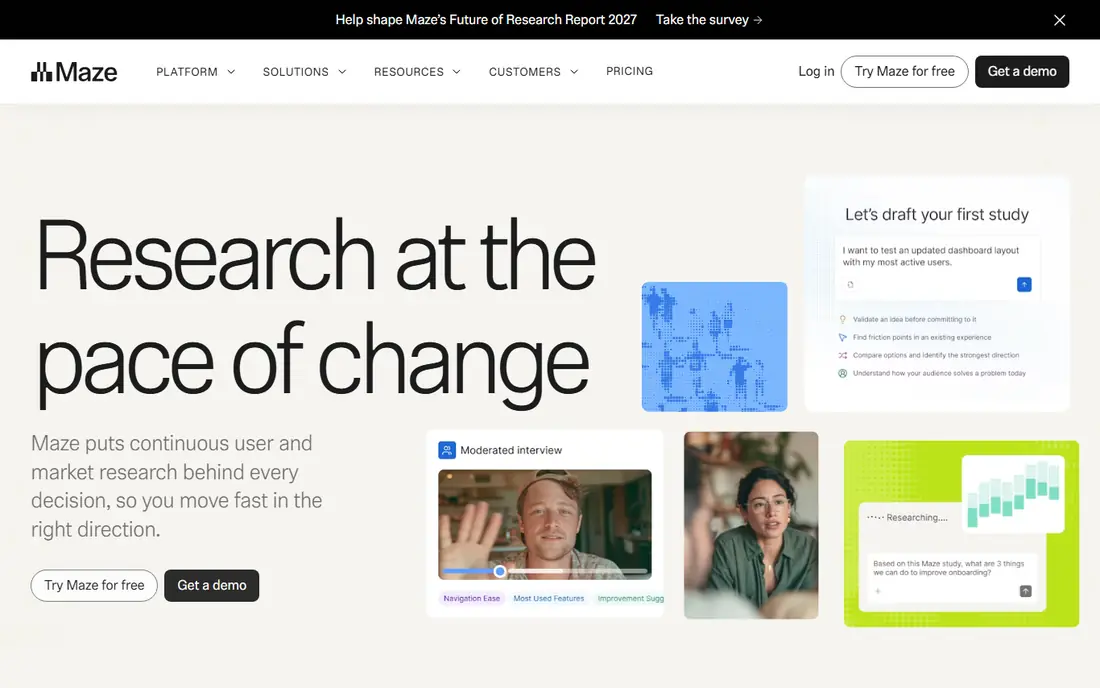
Maze fits product teams testing Figma prototypes before build. It turns a prototype into a task-based test with success rates, misclicks and click paths, so a team can see where people stall without booking interviews. That combination is the reason it appears here, and it shapes the kind of team or reader who will get the most from it. That detail is worth checking against your own use case.
The honest catch is you cannot ask follow-up questions mid-task. That is the nature of unmoderated testing, so pair it with interviews when the reason behind a failure matters. Check that point against your own plans before you commit, and confirm current terms on the official site. Keep that check in mind as you compare the full list.
- Fast prototype tests
- Figma import
- Clear task metrics
- Unmoderated only
- Panel responses cost extra
For larger teams that need video feedback at scale, UserTesting is a practical place to start. Its panel and video recordings make it easier to hear customers explain their choices in their own words, which helps when stakeholders need convincing. The setup stays focused on the job at hand, which helps when time is short. That detail is worth checking against your own use case.
One limit to weigh is quote-based pricing. Ask for a full quote that includes panel costs, since the platform fee alone does not describe the total spend. It may not matter for a small job, but it can matter once a project grows. Keep that check in mind as you compare the full list.
- Large participant panel
- Video feedback
- Moderated and unmoderated options
- Pricing is quote-based
- May suit larger budgets
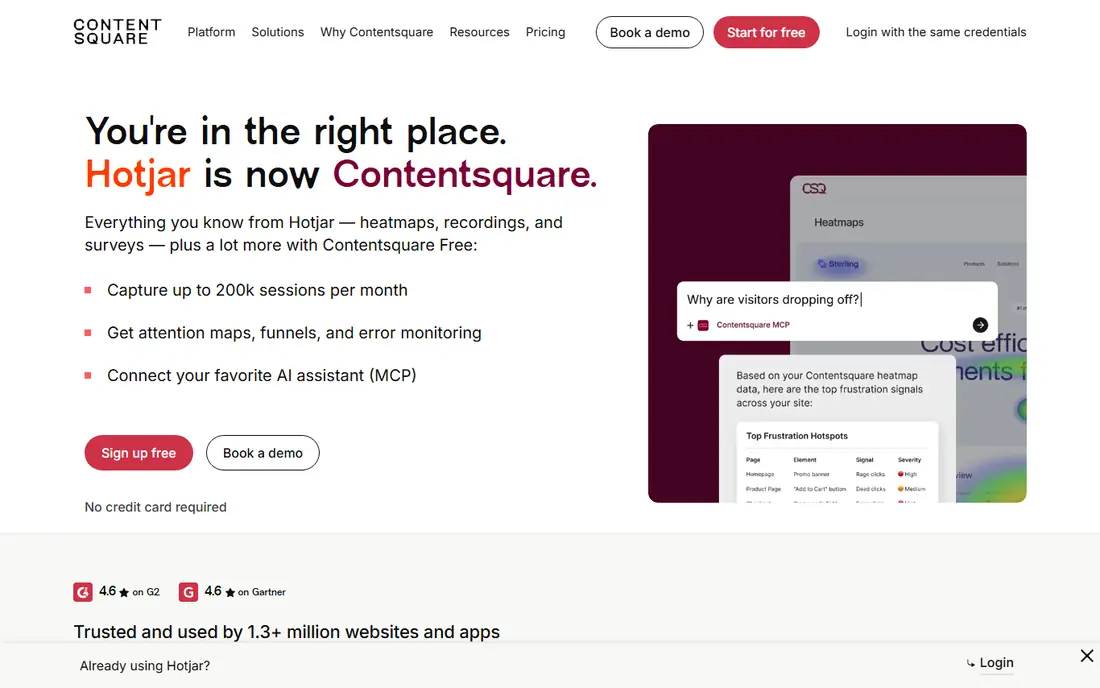
Hotjar is aimed at teams that want to see how visitors use a live site. Heatmaps and recordings show where people click, scroll and hesitate, which is useful when analytics show a drop but not the cause. It is a direct fit for that use, rather than a general tool that happens to cover it. That detail is worth checking against your own use case.
Watch out for it cannot explain why a visitor behaved that way. Use its surveys or follow up with interviews to turn an observed pattern into a finding you can act on. A short trial or a small first project is a sensible way to test whether that limit affects you. Keep that check in mind as you compare the full list.
- Heatmaps and session recordings
- On-site surveys
- Simple setup
- Shows behaviour, not reasons
- Paid plans scale with traffic
Readers who need teams with growing interview and note collections should put Dovetail near the top of a shortlist. It keeps transcripts, notes and clips searchable, so a new team member can find past findings instead of asking the same users the same questions again. That focus shows in how the product presents its core work. That detail is worth checking against your own use case.
The trade-off is it is not a testing tool on its own. Pair it with a testing or interview tool, and treat it as the place where findings live after a study ends. If that trade-off is acceptable, the rest of the product is straightforward to use. Keep that check in mind as you compare the full list.
- Stores interviews and notes in one place
- Tagging and synthesis tools
- Shared workspace
- It organises research rather than running tests itself
Lookback fits researchers running live interviews. Live sessions with observer rooms let colleagues watch without interrupting, and recordings make it easier to quote exact moments later. That combination is the reason it appears here, and it shapes the kind of team or reader who will get the most from it. That detail is worth checking against your own use case.
The honest catch is live sessions take more scheduling effort. Book participants early, keep sessions short, and share a clear task list so the time in the room is used well. Check that point against your own plans before you commit, and confirm current terms on the official site. Keep that check in mind as you compare the full list.
- Live moderated sessions
- Observer rooms
- Session recordings
- Pricing varies by plan
- Panel recruitment is separate
For small teams that need quick answers, Lyssna is a practical place to start. Short tests such as first-click and preference tests give a fast signal on a design choice, without the setup of a full usability study. The setup stays focused on the job at hand, which helps when time is short. That detail is worth checking against your own use case.
One limit to weigh is short tests suit narrow questions only. Use it to compare two options or check a first impression, then use a longer method for complex flows. It may not matter for a small job, but it can matter once a project grows. Keep that check in mind as you compare the full list.
- Fast short tests
- Preference and five-second tests
- Simple test creation
- Panel responses are priced separately
- Best for short tests
Optimal Workshop is aimed at teams fixing navigation and site structure. Card sorting shows how users group content, and tree testing shows whether they can find items in a proposed structure, before a redesign is built. It is a direct fit for that use, rather than a general tool that happens to cover it. That detail is worth checking against your own use case.
Watch out for it does not test visual design or full flows. Use it early, when structure is still open, and test the visual design with a prototype tool afterwards. A short trial or a small first project is a sensible way to test whether that limit affects you. Keep that check in mind as you compare the full list.
- Card sorting
- Tree testing
- Information architecture focus
- Narrow focus on structure
- Paid plans can be costly
Readers who need teams that need participants fast should put User Interviews near the top of a shortlist. It handles screening, scheduling and incentives, which removes the slowest part of many studies and lets researchers focus on the sessions themselves. That focus shows in how the product presents its core work. That detail is worth checking against your own use case.
The trade-off is recruitment costs sit on top of any testing tool. Budget for incentives and panel fees together, and screen carefully so the right people reach the session. If that trade-off is acceptable, the rest of the product is straightforward to use. Keep that check in mind as you compare the full list.
- Recruitment from a large panel
- Screener tools
- Scheduling support
- Participant incentives add to the cost
- Best as a recruitment layer
How we picked these
We compared official feature pages, pricing pages and app listings for tools that are live in October 2026, and we kept only tools with a clear research method behind them. We favoured tools that state what they test, how participants are recruited, and what a free plan or trial includes. Where a price was not published on the vendor site, we wrote See website rather than repeating a third-party figure.
How to choose a UX research tool
Start with the question, not the tool. A prototype test answers whether people can complete a task, a live interview answers why they struggled, and a heatmap shows where attention went. Picking the method first keeps the study short and the findings easier to act on.
Check who will take part and how you will reach them. Your own users give the most relevant feedback, but recruitment takes time. A built-in panel is faster, yet panel costs and screening quality vary, so ask how participants are screened before you buy.
Plan how findings will be stored and shared. A repository such as Dovetail helps a team reuse past interviews instead of repeating them. Without that step, useful quotes stay in one person's notes and the next project starts from zero again.
Frequently asked questions
Do I need more than one UX research tool?
Often, yes, because one method rarely answers every question. A team might test a prototype in Maze, watch real behaviour in Hotjar, and store interview notes in Dovetail. Start with one tool for your most urgent question, then add a second only when a gap appears.
What is the difference between moderated and unmoderated testing?
In moderated testing, a researcher is present and can ask follow-up questions. In unmoderated testing, participants complete tasks alone and results arrive faster. Moderated sessions give richer reasons, while unmoderated tests give faster counts of task success and misclicks.
Can small teams do UX research without a researcher?
Yes, with a narrow question and a simple test. A five-task prototype test or a short survey can surface clear problems. Keep the tasks realistic, avoid leading questions, and share the findings with the people who will fix the problems.
Are free plans enough for a first study?
For many small teams, yes. Free plans usually cover a limited number of studies, responses or seats. They are a fair way to learn the workflow. Check the limits before you launch, since a study that stops halfway is harder to interpret.
How do I recruit participants for a test?
You can invite your own users, use a built-in panel, or use a recruitment service. Your own users are the most relevant, but panels are faster. Screen for the behaviour you need, not just age or job title, and keep the screener short.
Sources
See where you really rank - block by block
ProMapRanker scans Google Maps across a grid of your service area. Simple monthly plans from $19, white-label on every plan.
Start freeKeep reading
 zscaler alternatives
Best Zscaler Alternatives in 2026
Looking for zscaler alternatives? We compare 9 SASE and zero trust platforms on architecture, data protection, pricing, and fit for your network and team.
Read → zapier alternatives free
Best Zapier Alternatives Free in 2026
Nine automation tools for zapier alternatives free in 2026, all with genuinely free tiers, plus free plan limits, starting prices and upgrade paths explained.
Read → which platform is best for online reputation
Which Platform Is Best for Online Reputation in 2026
Wondering which platform is best for online reputation? We compare 8 review, listing, and response tools for small and multi-location businesses and agencies.
Read →