 ProMapRanker
Best UiPath Alternatives in 2026


Enterprise RPA at scale · Pricing starts at: See website
Key takeaways
- Automation Anywhere and Blue Prism are the closest enterprise RPA replacements for large, governed bot fleets.
- Microsoft Power Automate is the natural pick for teams already using Microsoft 365 and Windows desktops.
- IBM RPA, Nintex, Appian, and Pega suit process-led teams that want automation inside a wider workflow platform.
- ElectroNeek and Robocorp offer lower cost entry points for smaller teams and developers.
Quick comparison
| Pick | Great for | Pricing starts at | Free tier | |
|---|---|---|---|---|
| Automation Anywhere | Enterprise RPA at scale | See website | Free trial | Visit |
 Microsoft Power Automate | Microsoft 365 teams | $15 per user per month | Yes | Visit |
 Blue Prism | Governed enterprise automation | See website | No | Visit |
 IBM RPA | IBM platform teams | $840 per month | Free trial | Visit |
 Nintex | Workflow plus RPA | See website | Free trial | Visit |
 Appian | Process apps with automation | See website | Free trial | Visit |
 Pega | Enterprise process automation | See website | No | Visit |
 ElectroNeek | Smaller enterprise RPA teams | See website | Free trial | Visit |
 Robocorp | Developer-led open RPA | Free | Yes | Visit |
The best UiPath alternatives
We compared RPA platforms on bot types, attended and unattended automation, governance, document handling, and pricing clarity. RPA means software robots that follow rules to click, copy, and move data in existing applications, much as a person would. It is best for stable, repetitive tasks with clear rules.
Automation Anywhere is the most direct enterprise rival to UiPath. It covers bot building, orchestration, document processing, and process discovery in one platform. Teams running hundreds of bots value its central control room and governance features.
The main drawback is cost clarity. Smaller teams may find the sales-led model heavy for a first project. For large teams with a clear automation pipeline, that scale and control are exactly why it ranks first here.
- Long established RPA platform with attended and unattended bots
- Cloud and on-premises options
- Document automation and AI features
- Enterprise pricing is quote based
- Full deployment can need specialist skills
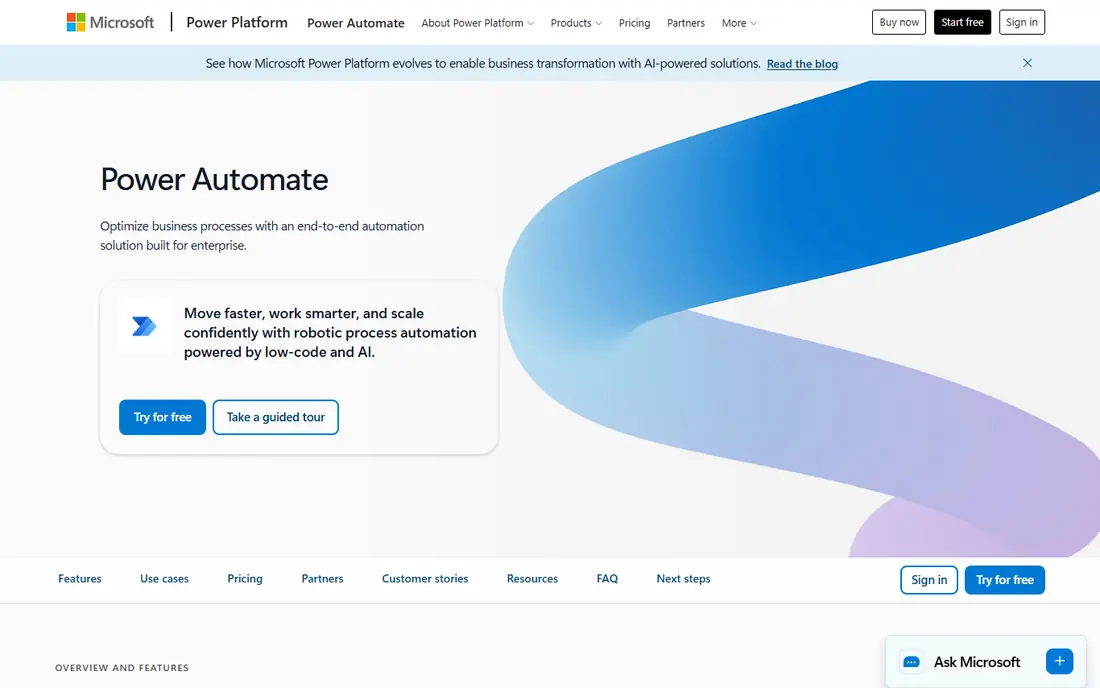
Power Automate is the practical choice for most Microsoft shops. Cloud flows handle approvals and app integration, while Power Automate Desktop handles desktop tasks that need clicks and keystrokes. Staff who already use Outlook, SharePoint, and Teams face a shorter learning curve.
Watch the plan boundaries. The entry premium price covers many users, but unattended RPA, machine groups, and some AI features sit in higher tiers. Map your bot types before purchase, or a cheap start can grow quickly.
- Deep Microsoft 365 and Teams integration
- Desktop RPA included in premium plans
- Low entry price for individual users
- Advanced RPA and unattended bots need higher plans
- Complex enterprise governance can get tangled across Microsoft services
Blue Prism, now part of SS&C, has always pitched itself as the controlled, IT-led RPA option. Its object-based design and central control suit banks, insurers, and other regulated teams that need a clear audit trail for every bot action. That discipline is a genuine strength in high-risk processes.
Citizen developers may find it less inviting than lighter tools. Building and changing bots often needs trained developers and formal change control. If your priority is speed for business users, a lighter platform may fit better.
- Strong governance, audit, and control features
- Designed for central IT control of bot fleets
- Stable enterprise deployments
- Less friendly for casual citizen developers
- Pricing and setup are enterprise oriented
IBM RPA fits organisations that already use IBM software or need strong on-premises control. It handles attended and unattended bots, plus integration with IBM business automation tools. The published starter pack price gives buyers a clearer starting point than many rivals.
Small teams should think carefully. At the published starter level, IBM RPA is priced for a committed program, not a single trial bot. Larger IBM customers get more value from shared support, licensing, and integration.
- Combines RPA with IBM process and AI tools
- On-premises and cloud options
- Starter pack pricing is published
- Entry price is high for small teams
- Best value comes inside a wider IBM estate
Nintex suits teams that need workflow first and bots second. Many processes need approvals, forms, and document steps before a bot touches a legacy system. Nintex handles those steps in the same platform, which keeps the whole process visible.
Pure RPA buyers should check bot limits and licensing carefully. If most of your work is high-volume unattended bots in legacy apps, a dedicated RPA platform may offer deeper bot management. If your work is process-led, Nintex covers more ground.
- Combines workflow automation, forms, and RPA
- Strong Microsoft and SharePoint heritage
- Process mapping tools help design before building
- RPA is one part of a wider suite, so pure RPA depth varies by plan
- Pricing is quote based
Appian is a low-code platform first, with RPA as part of a wider automation set. Teams can build a case management app, add approvals, and use bots for steps that still need a legacy interface. That end-to-end view helps when a process spans people, systems, and bots.
Buyers who only need bots should compare Appian against a focused RPA tool on price. Appian earns its place when the app, the workflow, and the bot all matter, and when a single platform for all three saves integration work.
- Low-code process apps with RPA and AI built in
- Strong case management and approvals
- Good for end-to-end business processes
- Platform pricing is enterprise oriented
- RPA alone is not its cheapest use case
Pega targets large organisations with complex, regulated processes. Its workflow and decision tools handle cases that change as new facts arrive, while RPA handles repetitive system steps inside those cases. That combination suits insurers, banks, and public sector teams.
The trade-off is scale. Pega projects tend to need experienced implementers and longer timelines. A team with a handful of simple bots will find lighter tools faster and cheaper to run.
- Strong enterprise workflow, case management, and decisioning
- RPA fits inside large process programs
- Mature governance
- Enterprise cost and implementation effort
- Overkill for small bot projects
ElectroNeek aims at mid-sized teams that want real RPA without the heaviest enterprise sales process. Its studio, bot runner, and orchestration tools cover attended and unattended work, plus document handling for common business files. That breadth helps smaller automation teams standardise on one tool.
Check integration coverage for your specific legacy apps before committing. The largest vendors have wider connector libraries and partner networks. For common business systems, ElectroNeek covers the ground most teams need.
- RPA with document and process tools in one platform
- Lower entry friction than the largest vendors
- Studio tools for bot building
- Smaller ecosystem than UiPath or Automation Anywhere
- Enterprise references are fewer at the largest scale
Robocorp is the developer-friendly outlier here. It builds on open source Robot Framework concepts and lets teams write, version, and run robots with code. Developers who prefer Git, tests, and code review over visual studios will feel at home.
Business users should not expect a simple citizen-developer studio. Robocorp rewards teams with engineering capacity and punishes teams that need business staff to build bots alone. For a code-led automation team on a tight budget, it is a strong, honest option.
- Open source robot framework roots
- Python based automation that developers can version and test
- Low cost entry
- Needs developer skills, so business users get less drag-and-drop help
- Support and orchestration are more do-it-yourself
How we picked these
We compared official feature pages, pricing pages, and public documentation for RPA platforms live in October 2026. We looked for attended and unattended bot support, orchestration, governance, and a clear fit for either enterprise fleets or smaller teams. We did not claim hands-on testing, and we used See website where a vendor does not publish a starting price.
How to choose the right RPA tool
Start with bot type, not brand. Attended bots help a person during their work. Unattended bots run on a schedule or trigger without a person present. Many tools cover both, but licensing, machine setup, and governance differ sharply between the two.
Next, check the apps your bots must touch. Legacy desktop apps, Citrix or virtual desktops, and web apps each need different bot capabilities. Run a proof of concept on your hardest app, not your easiest one, since that is where RPA projects often stall.
Finally, plan for bot care. Bots break when apps change, passwords expire, or screen layouts shift. Ask who owns bot maintenance, how changes are tested, and how bot failures are alerted. A tool with strong orchestration and logging saves far more time than a tool that only builds bots quickly.
Frequently asked questions
Is Power Automate a full replacement for UiPath?
For many Microsoft-centred teams, yes, especially for cloud flows and desktop automation. For very large, heavily governed bot fleets, Automation Anywhere or Blue Prism may match UiPath more closely. The right answer depends on bot volume and governance needs.
Do I need developers to use RPA?
It depends on the tool and the process. Visual studios help business users build simple bots, but complex, fragile, or regulated processes still need developer or specialist help. Plan for a mix of citizen builders and central oversight.
What processes suit RPA best?
Stable, rule-based, high-volume tasks with structured data suit RPA best. Examples include copying data between systems, reconciling reports, and processing standard forms. Tasks that need judgment, messy unstructured input, or frequent app changes suit other automation types better.
How much does RPA cost?
Costs vary widely, from free developer tools to quote based enterprise platforms. Microsoft Power Automate publishes a $15 per user per month premium starting price, while IBM RPA publishes an $840 per month starter pack. Most enterprise rivals require a quote tied to bot count and features.
Can RPA replace system integration?
No, RPA is a workaround when a direct integration is missing, costly, or slow to build. A proper API or system integration is usually more stable long term. Use RPA where integration is impractical, and revisit integration for your highest volume processes.
Sources
See where you really rank - block by block
ProMapRanker scans Google Maps across a grid of your service area. Simple monthly plans from $19, white-label on every plan.
Start freeKeep reading
 zyte alternatives
Best Zyte Alternatives in 2026
These zyte alternatives cover managed scraping APIs, proxy networks and no code tools for lawful collection from your own or consented sources only in 2026.
Read → zerto alternatives
Best Zerto Alternatives in 2026
Compare the best zerto alternatives for disaster recovery and replication, with recovery targets, cloud options and honest trade-offs for teams in 2026.
Read → zerofox alternatives
Best ZeroFox Alternatives in 2026
We compared 9 zerofox alternatives for brand protection, phishing takedowns, dark web monitoring, and social impersonation, with clear coverage notes.
Read →