 ProMapRanker
Top Workflow Automation Software Comparison in 2026

Key takeaways
- Zapier wins on app coverage and ease of use, while Make wins on value for complex, multi-step workflows at higher volumes.
- n8n and Activepieces suit technical teams that want self-hosting and code-level control.
- Power Automate is the default for Microsoft 365 shops, while Workato and Tray.ai suit enterprise teams with governance needs.
- Pricing models differ sharply: per-task, per-operation, per-execution, and per-user pricing can lead to very different bills for the same workflow.
Quick comparison
| Pick | Great for | Pricing starts at | Free tier | |
|---|---|---|---|---|
 Zapier | Widest app coverage, easiest start | $29.99 per month | Yes | Visit |
 Make | Complex visual workflows at good value | $9 per month | Yes | Visit |
 n8n | Self-hosted and technical workflows | Free | Yes | Visit |
 Microsoft Power Automate | Microsoft 365 teams | $15 per user per month | Free trial | Visit |
 Workato | Enterprise integration and governance | See website | No | Visit |
 Tray.ai | Enterprise low-code automation | See website | No | Visit |
 Pipedream | Developer workflows and code steps | $29 per month | Yes | Visit |
 Activepieces | Open source automation | Free | Yes | Visit |
 Pabbly Connect | Budget multi-step automation | $14 per month | Free trial | Visit |
 Integrately | One-click ready automations | $19 per month | Free trial | Visit |
The best workflow automation software tools
Workflow automation tools connect apps so work moves without manual copying: a new lead can reach a CRM, a form can create a task, and an order can trigger an invoice. The tools in this comparison differ in app coverage, pricing, and how much technical skill they need.

Zapier remains the easiest way to connect apps without code. Its catalog covers thousands of apps, its templates cover common jobs such as lead routing and notifications, and a two-step Zap can be running in minutes. The free plan covers 100 tasks per month, while the Professional plan starts at $29.99 per month for 750 tasks.
The cost model is the main watch point: each successful action step counts as a task, so a five-step workflow uses five tasks per run. At higher volumes, Make or n8n often cost far less for the same work. For small teams with simple workflows and a need for broad app coverage, Zapier is still hard to beat.
- Largest app catalog
- Very easy setup
- AI features and tables for simple apps
- Per-task pricing punishes multi-step workflows at scale
- Limited branching compared with Make or n8n

Make, formerly Integromat, uses a visual canvas where you can branch, filter, loop, and route data between apps in one scenario. That visual logic suits workflows that need conditions, such as sending a lead to different owners by region or checking a record before creating a task. The free plan covers 1,000 operations per month, and paid plans start at $9 per month.
Make charges per operation rather than per task in the same way as Zapier, which often makes it cheaper at comparable volumes. The interface takes longer to learn, and its app catalog is smaller than Zapier, though it still covers the major CRM, email, sheet, and messaging tools most teams need.
- Visual branching, routers, and loops
- Lower cost per operation than Zapier
- Strong templates
- Steeper learning curve than Zapier
- App catalog is smaller
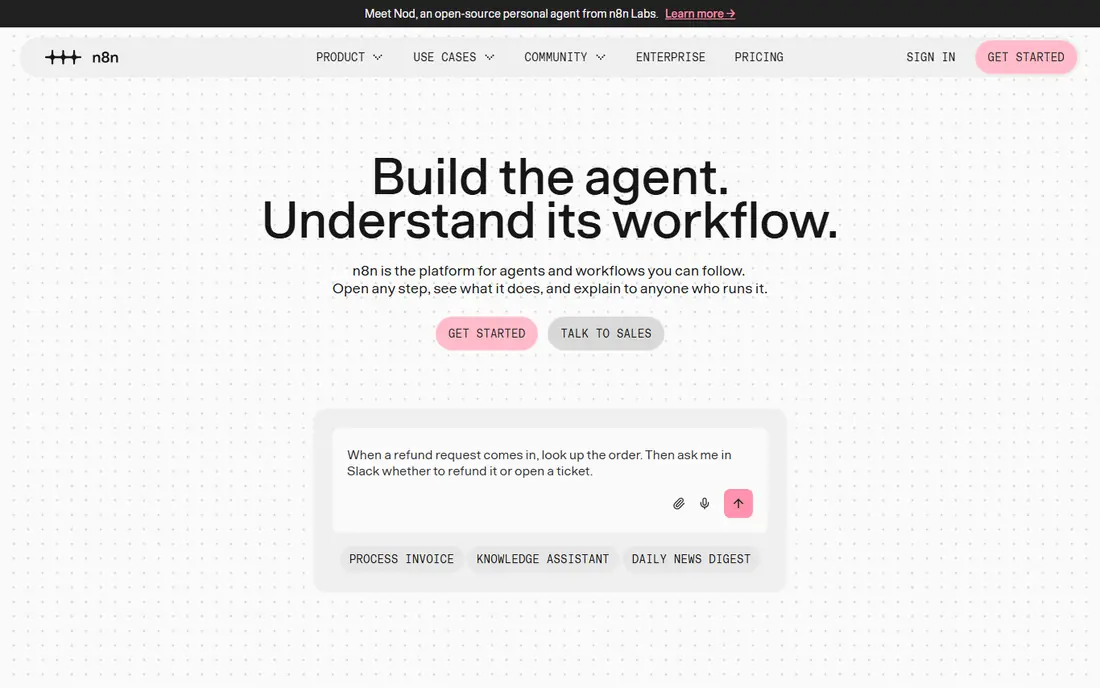
n8n is a fair-code automation platform that technical teams use for complex workflows, AI agents, and custom logic. It offers hundreds of integrations plus HTTP and code nodes, so you can connect almost any API, even if no ready node exists. Self-hosting is free, with no task limits beyond your own server, while cloud plans start from about $20 per month.
Self-hosting brings responsibility: updates, backups, monitoring, and security fall to you, and a failed workflow can drop data if no one watches it. For teams with a developer on hand and a need for data control, n8n gives the most power per dollar. For non-technical teams, Zapier or Make will be faster to adopt.
- Free self-hosted option
- Code and AI nodes
- Data stays on your servers when self-hosted
- Self-hosting needs maintenance and monitoring
- Cloud pricing is per execution
Power Automate is the natural choice if your team lives in Microsoft 365, Teams, SharePoint, and Dynamics. Flows can trigger from emails, forms, and files, approve requests, and move data between Microsoft apps with little setup. Desktop flows add robotic process automation for older Windows apps that have no API. The Premium plan is listed at $15 per user per month.
Outside the Microsoft stack, Power Automate is less broad than Zapier, and per-user pricing can add up for large teams. If most of your work already sits in Microsoft apps, the integration and tenant controls outweigh those limits. If your stack is mixed, compare it with Make or Zapier first.
- Deep Microsoft 365 and Teams integration
- Desktop flows for legacy apps
- Per-user pricing
- Best value inside Microsoft stack
- Non-Microsoft coverage is less broad than Zapier
Workato is an enterprise automation platform built around recipes that connect business systems such as Salesforce, NetSuite, Workday, and ServiceNow. It offers governance, access controls, and monitoring that IT teams need when automation touches finance, HR, or customer data. Recipes can run many times without per-run task billing in the same way as Zapier, though pricing is contract based.
Workato is not priced for a small team: contracts often start in five figures per year. For a company that needs IT-managed automation across core systems, that cost buys control and reliability. For a small business with a handful of app links, Zapier, Make, or Pabbly will do the same job for far less.
- Enterprise governance and security
- Recipes for business systems
- Strong ERP and CRM coverage
- Quote-based pricing
- Overkill and costly for small teams
Tray.ai, formerly Tray.io, offers a low-code platform for building complex, multi-step integrations with branching, data transformation, and AI assistance. It suits operations and IT teams that need to connect many systems, handle large data volumes, and manage automation centrally. Governance, logging, and access controls support enterprise use.
Pricing is quote based and enterprise oriented, so small teams should not expect a self-serve price. The builder is also more technical than Zapier, which means a non-technical team may need help to get started. For a mid-market or enterprise team with complex integration needs, Tray.ai is a strong alternative to Workato.
- Low-code builder for complex integrations
- Enterprise governance
- AI-assisted building
- Quote-based pricing
- Learning curve for non-technical users
Pipedream is built for developers who want to mix ready integrations with code. You can trigger workflows from webhooks, schedules, or app events, then add code steps in Node.js or Python to transform data, call APIs, or handle edge cases that no-code steps cannot. A free tier with daily limits lets developers test, with paid plans from $29 per month based on credits.
Non-developers will find Zapier or Make easier, since Pipedream expects comfort with code and APIs. For a technical team that wants the speed of integrations plus the freedom of code, Pipedream is a flexible middle ground between a no-code tool and building everything from scratch.
- Code steps in Node.js and Python
- Huge app catalog for developers
- Free tier with daily limits
- Developer focus means non-coders may struggle
- Paid plans start at $29 per month
Activepieces is an open source automation platform with a visual builder and a growing catalog of pieces for common apps. Self-hosting is free, which appeals to teams that want data control without a large bill, while the cloud offers a free tier with 1,000 tasks per month. It also supports AI steps and shared pieces from the community.
The catalog is smaller than Zapier or Make, so check that your key apps are covered before you commit. Community support can also vary. For a small team or a technical user who values open source and self-hosting, Activepieces is a low-cost way to automate common workflows without a per-task bill that grows quickly.
- Free self-hosted option
- Open source pieces
- Cloud free tier with 1,000 tasks per month
- Smaller app catalog than Zapier
- Cloud features and support vary by tier
Pabbly Connect offers multi-step automation at a lower monthly price than Zapier, with plans reported from $14 per month. It covers many common apps, supports multi-step workflows without charging per step in the same way as Zapier, and has offered lifetime deals in the past. That makes it attractive for small businesses and freelancers with steady, simple workflows.
The app catalog is smaller, and the interface is less polished than the leaders, so check your apps and test a real workflow before you switch. If your apps are covered and your workflows are straightforward, Pabbly can cut automation costs sharply. If you need rare apps or complex branching, Make or n8n may serve you better.
- Low monthly price
- Multi-step workflows
- Lifetime deal options have been offered
- Smaller app catalog than Zapier
- Interface is less polished
Integrately focuses on ready automations: pick two apps and a job, such as adding a form response to a sheet, and turn it on with one click. That simplicity suits small teams that want common links running quickly without building a workflow from scratch. Plans start at a reported $19 per month, with a free trial to test.
Complex logic, branching, and custom data transforms are harder in Integrately than in Make or n8n. If your workflows are standard and your apps are covered, the ready library saves time. If you need conditional routing or API work, choose a more flexible tool instead.
- Large library of ready one-click automations
- Simple setup
- Low entry price
- Less flexibility for complex custom logic
- App coverage is narrower than Zapier
How we picked these
We compared official pricing pages, feature pages, and public product comparisons checked in September and October 2026 for workflow automation tools that connect business apps. We kept tools that are live and maintained, that support multi-app workflows, and that publish enough pricing detail to compare. Where pricing is quote based, we wrote See website rather than repeating a third-party estimate as a list price.
How to compare workflow automation software
Start by listing your top ten workflows and the apps they touch. Then count runs per month and steps per run, since that decides whether per-task, per-operation, or per-user pricing is cheapest for you. A tool that looks cheap for 100 runs a month may be costly at 10,000 runs.
Test the same workflow in two tools
Build the same lead routing or order workflow in your top two picks and run it for two weeks. Measure setup time, failure rate, and the time to fix a break when an app changes. That test reveals differences in error handling, logging, and support that a feature list hides.
Check governance before you scale
As automation grows, you need to know who owns each workflow, what data it touches, and what happens when it fails. Check version history, permissions, error alerts, and audit logs, especially if workflows touch customer, finance, or HR data. Enterprise tools cost more partly because they cover this ground.
Avoid putting everything on one platform
Different workflows suit different tools: a simple form-to-sheet link may suit Integrately, a complex approval chain may suit Make, and a developer API job may suit Pipedream. Using one platform for everything is simpler to manage, but it can force a poor fit for some jobs. Keep your core workflows on one main platform and use a second tool only where it clearly fits better.
Frequently asked questions
What is the best workflow automation tools comparison for small businesses?
For most small businesses, Zapier is easiest and Make is best value. Zapier wins on app coverage and setup speed, while Make wins on cost for multi-step workflows. Pabbly Connect and Integrately are budget options if your apps are covered.
What is the top workflow automation software for Microsoft 365 teams?
Microsoft Power Automate is the top pick for Microsoft 365 teams, thanks to deep Teams, SharePoint, Outlook, and Dynamics integration and per-user pricing at $15 per month for Premium. It also adds desktop flows for legacy Windows apps.
Is n8n better than Zapier?
n8n is better than Zapier for technical teams that want self-hosting, code steps, and lower costs at scale. Zapier is better for non-technical teams that want the widest app catalog and the fastest setup. Choose based on team skill and workflow volume, not on features alone.
How much does workflow automation cost?
Costs range from free self-hosted n8n and Activepieces, through $9 per month for Make and $29.99 per month for Zapier Professional, to quote-based enterprise contracts for Workato and Tray.ai. Your bill depends on runs, steps, seats, and AI usage, so test with real volumes before you commit.
Can I switch workflow tools later?
Yes, but switching takes work: you must rebuild workflows, remap fields, and retest triggers. Keep a list of each workflow, its apps, and its logic, and export or document that list as you build. That record makes a future move far easier than rebuilding from memory.
Sources
- https://www.zapier.com/pricing
- https://www.make.com/pricing
- https://www.n8n.io/pricing
- https://www.microsoft.com/power-platform/power-automate/pricing
- https://www.workato.com
- https://www.tray.ai
- https://www.pipedream.com/pricing
- https://www.activepieces.com
- https://www.pabbly.com/connect/pricing
- https://www.integrately.com/pricing
See where you really rank - block by block
ProMapRanker scans Google Maps across a grid of your service area. Simple monthly plans from $19, white-label on every plan.
Start freeKeep reading
 zscaler alternatives
Best Zscaler Alternatives in 2026
Looking for zscaler alternatives? We compare 9 SASE and zero trust platforms on architecture, data protection, pricing, and fit for your network and team.
Read → zapier alternatives free
Best Zapier Alternatives Free in 2026
Nine automation tools for zapier alternatives free in 2026, all with genuinely free tiers, plus free plan limits, starting prices and upgrade paths explained.
Read → which platform is best for online reputation
Which Platform Is Best for Online Reputation in 2026
Wondering which platform is best for online reputation? We compare 8 review, listing, and response tools for small and multi-location businesses and agencies.
Read →