 ProMapRanker
Top Rated AI Photo Editor Software in 2026


Layered editing and generative AI · Pricing starts at: $22.99 per month
Key takeaways
- Adobe Photoshop and Lightroom remain the professional standard, with AI masking, generative fill, and removal tools built into familiar workflows.
- Topaz Photo AI is the specialist pick for denoising, sharpening, and upscaling problem images.
- Luminar Neo and ON1 Photo RAW offer strong AI editing without a subscription, through one-time purchases.
- Pixlr, Canva, and Fotor cover quick AI edits free, and they are the best starting points for casual editors.
Quick comparison
| Pick | Great for | Pricing starts at | Free tier | |
|---|---|---|---|---|
| Adobe Photoshop | Layered editing and generative AI | $22.99 per month | No | Visit |
 Adobe Lightroom | Photo libraries and RAW editing | $11.99 per month | No | Visit |
 Luminar Neo | Creative AI edits without a subscription | $129 one-time | No | Visit |
 Topaz Photo AI | Denoise, sharpen, and upscale | $199 one-time | No | Visit |
 DxO PhotoLab | Image quality and RAW processing | $249.99 one-time | No | Visit |
 ON1 Photo RAW | Full editor without a subscription | $99.99 one-time | No | Visit |
 Canva | Fast social and marketing edits | Free | Yes | Visit |
 Fotor | Beginner-friendly AI enhancements | Free | Yes | Visit |
 Pixlr | Free browser editing with layers | Free | Yes | Visit |
The best top rated ai photo editor software
AI photo editors now handle the slow parts of editing: masking a subject, removing an object, cleaning noise, and replacing a sky. The nine tools below range from free browser editors to professional suites, so you can match the tool to your photos and your budget.
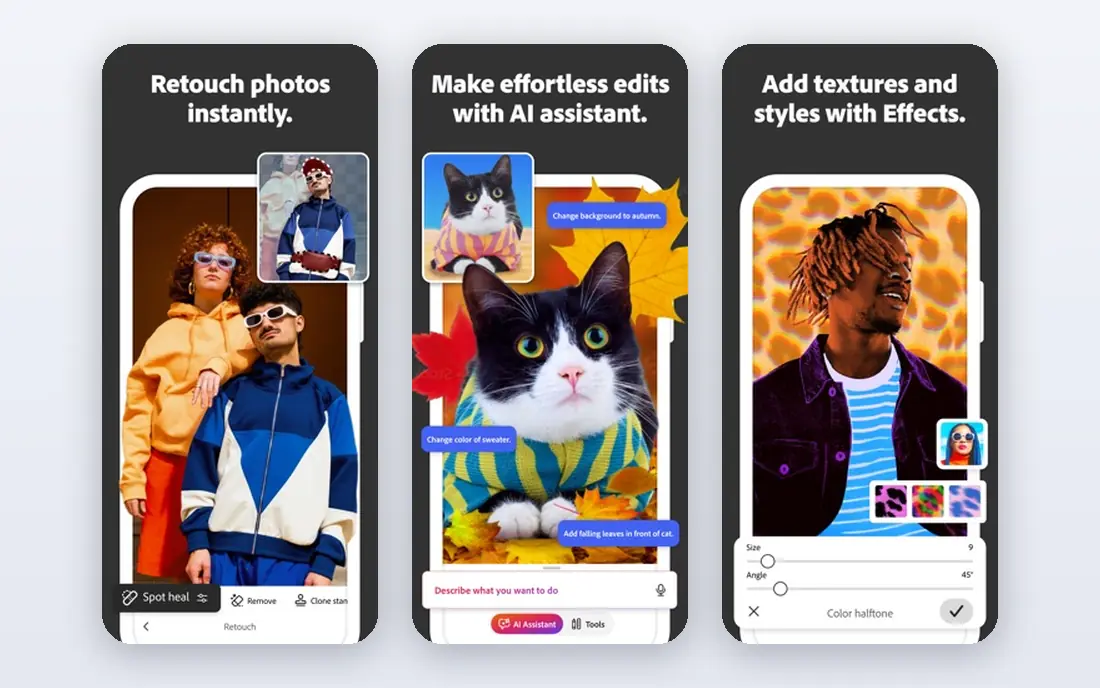
Photoshop is still the deepest photo editor available, and its AI tools now handle jobs that once took careful manual work. Generative Fill can extend or replace parts of an image from a text prompt, the Remove tool clears distractions, and AI selection tools mask hair and complex edges faster than manual paths. Layers and masks give full control over every change.
The cost and the learning curve are the barriers. At $22.99 per month, Photoshop is a commitment, and beginners face a large interface with many tools they will never use. For professional retouching, compositing, and commercial work, Photoshop remains the standard; for quick enhancements, a simpler tool on this list is faster.
- Generative Fill and Remove tools
- Precise layers, masks, and retouching
- Huge plugin and tutorial ecosystem
- Subscription costs $22.99 per month
- Steep learning curve
- More power than casual editors need
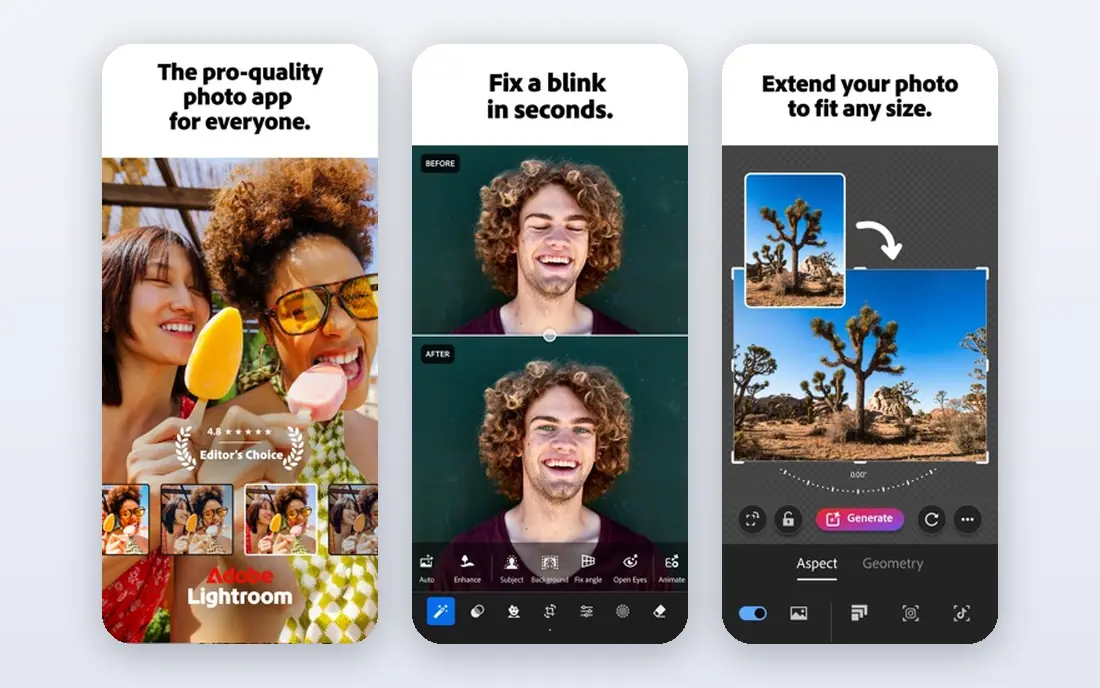
Lightroom is the best pick for photographers who edit hundreds of photos, not one hero image. Its library tools organize, rate, and filter large shoots, while AI masking selects subjects, skies, and backgrounds with one click for targeted adjustments. Generative Remove cleans distractions, and presets speed up consistent looks across a set.
The subscription model is the main drawback, with the Lightroom plan at $11.99 per month for 1 TB of cloud storage billed annually. The catalog system also takes some learning for newcomers. For photographers who shoot RAW regularly and need organization plus editing in one place, Lightroom is the most complete choice.
- AI masking for subjects, skies, and backgrounds
- Strong RAW processing and library organization
- Syncs across desktop and mobile
- Subscription based
- Catalog workflow takes learning
- Generative features are narrower than Photoshop

Luminar Neo is built around AI tools that produce finished-looking photos quickly. Sky replacement, portrait retouching, noise reduction, and object removal run in a few clicks, and the interface is friendlier than Photoshop for photographers who want results without layers. It also works as a plugin inside Photoshop and Lightroom for users who keep an Adobe workflow.
The pricing needs a careful read. The perpetual desktop license starts at $129, but generative AI tools are included for one year, after which an upgrade pass is needed to keep using them. For photographers who want strong AI editing without a monthly bill, Luminar Neo still offers good value, especially during sales.
- One-time perpetual desktop license from $129
- AI sky replacement, portrait retouching, and object removal
- Works as a plugin for Photoshop and Lightroom
- Generative AI tools need an upgrade pass after the first year
- Catalog features are thinner than Lightroom
- Trial is limited
Topaz Photo AI is a specialist, not a general editor, and it excels at fixing problem images. Its AI models remove noise while preserving detail, sharpen soft or slightly blurred photos, and upscale low-resolution images for print or large displays. Autopilot detects the issues in each photo and suggests corrections, which suits batch work on event or wildlife shoots.
The limit is scope. Topaz Photo AI does not replace a full editor: it enhances images that you then finish in Lightroom, Photoshop, or another tool. At $199 one-time, it is a considered purchase, but for photographers who regularly rescue high-ISO or old photos, it earns its price.
- Best-in-class denoising, sharpening, and upscaling
- Automatic detection of image problems
- Works as a plugin for Lightroom and Photoshop
- One-time price from $199
- Focused on enhancement, not full editing
- Preview rebuilding can feel slow on large files
DxO PhotoLab is the image-quality pick for photographers who put RAW processing above all else. Its DeepPRIME noise reduction is widely praised for removing noise while keeping fine texture, and its lens corrections are built from lab measurements of specific camera and lens combinations. Local adjustments and masking cover most editing needs without leaving the app.
The drawbacks are interface and organization. PhotoLab feels more technical than Luminar or Lightroom, and its library tools are thinner. At $249.99 one-time, it is also the priciest one-time purchase here. For photographers who judge an editor by output quality on difficult RAW files, PhotoLab is hard to beat.
- DeepPRIME noise reduction preserves fine detail
- Excellent lens corrections
- One-time perpetual license at $249.99
- Interface is less friendly than Luminar
- Library features are thinner than Lightroom
- No subscription option for spreading cost
ON1 Photo RAW aims to be Lightroom plus Photoshop in one app without a subscription. It covers browsing, RAW processing, layers, masking, portrait retouching, and effects, with AI tools for masking and noise reduction. The one-time price of $99.99 makes it one of the cheapest full editors here, and a 30-day trial lets you test it properly.
The trade-off is polish. ON1's AI tools and interface are less refined than Adobe's, and the tutorial community is smaller. For photographers who want one app, one purchase, and no monthly bill, ON1 Photo RAW is a strong value pick.
- Full editor with layers, masking, and AI tools
- One-time purchase at $99.99
- Includes versions for current and next release years in some offers
- Interface can feel busy
- AI features are less polished than Adobe's
- Smaller tutorial ecosystem
Canva is the best AI photo editor for people who edit photos as part of design work, not as photographers. Magic Edit changes parts of an image from a prompt, background remover cuts out subjects in seconds, and one-click enhancements fix lighting and color. Templates for social posts, ads, and presentations mean edited photos go straight into finished designs.
The limit is photographic depth. Canva does not offer RAW processing, layered retouching, or fine noise control, and its best AI features sit on the Pro plan. For social media, marketing, and quick fixes, Canva is the fastest option; for serious photography, pair it with a dedicated editor.
- Free tier with Magic Edit and background removal
- Huge templates for social posts
- Browser-based with no install
- Not a RAW editor or a professional photo tool
- Advanced AI features sit on Pro
- Export quality depends on the plan
Fotor is the easiest AI editor on this list for beginners. One-click enhancement fixes exposure and color, AI portrait tools retouch headshots, and batch editing applies the same fixes to many photos at once. The free tier covers casual use, and the browser-based editor needs no install.
The catch is control. Fotor automates more and lets you fine-tune less than Luminar or Lightroom, and the best features sit on the Pro plan. For family photos, listings, and social posts, Fotor's speed is ideal; for careful creative work, a desktop editor fits better.
- Free tier with one-click AI enhancement
- AI headshot and portrait tools
- Batch editing for many photos at once
- Free tier has limits
- Advanced features sit on Pro at about $9 per month
- Less control than desktop editors
Pixlr is the best free browser-based editor for users who want layers and real editing tools without installing software. It offers AI background removal, generative tools, and classic layer-based editing in a browser tab, and the free tier covers a surprising amount of everyday work. Premium Plus plans start at about $2.49 per month for users who want more.
The trade-offs are ads on the free tier and AI depth that trails Photoshop and Luminar. For students, casual editors, and anyone on a shared computer, Pixlr is the most capable free option that still feels like a real editor.
- Free browser editor with layers and AI tools
- No install needed
- Generous free tier for casual editing
- Interface carries ads on the free tier
- AI features are lighter than paid rivals
- Advanced tools sit on Plus plans
How we picked these
We compared official pricing pages, feature documentation, and current photo editing guides, and we kept only tools that are live and genuinely use AI for editing tasks such as masking, removal, enhancement, denoising, or upscaling. We noted where prices vary by offer or plan rather than inventing a single figure. Our comparisons rest on vendor documentation and public reviews, not on hands-on testing.
Choosing the right AI editor for your photos
Start with the photo, not the feature list
Portrait photographers benefit most from Luminar Neo and Fotor. RAW shooters benefit most from Lightroom, DxO PhotoLab, and ON1. Social creators benefit most from Canva and Pixlr. Match the tool to the photos you actually edit.
Check how AI output is licensed and stored
Generative tools differ in how they handle your images and what rights apply to AI-generated content. Read the vendor terms before using generative features for commercial work, and prefer tools that process locally when privacy matters.
Test on your hardest photo
Run the same difficult photo, such as a noisy indoor portrait or a backlit outdoor scene, through two or three editors before paying. Compare skin texture, edge detail, and color, not just speed, since AI quality varies by image type.
Watch subscription totals over two years
A $22.99 monthly plan costs far more over two years than a $129 one-time license. Add up the full two-year cost, including any upgrade passes for generative features, before choosing between subscription and purchase.
Frequently asked questions
What is the best AI photo editor app for beginners?
Canva, Pixlr, and Fotor are the easiest starting points, with free tiers, one-click enhancements, and no install for the browser tools. For beginners who want to grow into photography, Luminar Neo offers AI power with a gentler learning curve than Lightroom.
What is the best AI photo editor software for professionals?
Adobe Photoshop and Lightroom remain the professional standard, with the deepest AI masking, generative, and retouching tools. Topaz Photo AI is the best specialist addition for denoising and upscaling, and DxO PhotoLab leads on RAW image quality.
What is the best free AI photo editor?
Pixlr offers the most capable free browser editing with layers and AI tools. Canva's free tier covers design-adjacent editing, and Fotor's free tier covers quick enhancements and headshots. Combining free tools covers most casual needs at no cost.
Can AI upscale old or low-resolution photos?
Yes. Topaz Photo AI is the specialist for upscaling, denoising, and sharpening, and Luminar Neo offers photo restoration for damaged images. Results depend on the source: decent originals upscale well, while tiny thumbnails have limits no AI tool can overcome.
Do AI photo editors replace manual editing?
Not fully. AI handles masking, cleanup, and enhancement quickly, but final retouching for print and commercial work still benefits from human judgment on color, skin texture, and composition. The best workflow uses AI for the slow steps and manual control for the finish.
Sources
See where you really rank - block by block
ProMapRanker scans Google Maps across a grid of your service area. Simple monthly plans from $19, white-label on every plan.
Start freeKeep reading
 outreach alternatives
Outreach Alternatives in 2026
Compare outreach alternatives for 2026, from Salesloft and Apollo to HubSpot and Lemlist, with pricing, channels, features, limits, and honest trade-offs.
Read → best web conference tools
Best Web Conference Tools in 2026
Compare the best web conference tools for meetings, webinars and team calls, with current pricing, free plans and honest limits for each option here today.
Read → best voice cloning tools
Best Voice Cloning Tools in 2026
Compare the best voice cloning tools in 2026, from ElevenLabs and Descript to Resemble and Cartesia, with consent rules, pricing, licenses, and limits.
Read →