 ProMapRanker
Top Productivity Tracking Software in 2026


Simple timer with strong reports · Pricing starts at: $9 per user per month
Key takeaways
- Toggl Track is our pick for teams that want a simple timer people actually use, with strong reports and a free plan for small teams.
- Clockify is the best budget choice, with a generous free tier and the lowest paid starting price on this list.
- Harvest suits agencies that turn tracked time into invoices without a second tool.
- Time Doctor and Hubstaff add monitoring features that need a clear team policy, since screenshots and activity tracking affect trust.
- Automatic tools such as Timely and RescueTime suit people who forget timers, while manual timers suit people who want control over every entry.
Quick comparison
| Pick | Great for | Pricing starts at | Free tier | |
|---|---|---|---|---|
| Toggl Track | Simple timer with strong reports | $9 per user per month | Yes | Visit |
 Clockify | Budget tracking for teams | $3.99 per user per month | Yes | Visit |
 Harvest | Time tracking tied to invoicing | $9 per user per month | Yes | Visit |
 Hubstaff | Remote teams needing monitoring and payroll | $4.99 per user per month | Free trial | Visit |
 Time Doctor | Productivity visibility and distraction alerts | $6.67 per user per month | Free trial | Visit |
 RescueTime | Automatic personal productivity tracking | $7 per month | Yes | Visit |
 Everhour | Tracking inside Asana, Jira, and Trello | $8.50 per user per month | Yes | Visit |
 Timely | Automatic AI timesheets | $9 per user per month | Free trial | Visit |
 TimeCamp | Automatic tracking with invoicing | See website | Yes | Visit |
The best productivity tracking software
We compared productivity trackers on timer ease, automatic capture, reporting, invoicing, and monitoring features. Productivity tracking covers both time tracking and focus tracking, so we included manual timers, automatic tools, and monitoring tools, and we note where monitoring raises a trust question for teams.
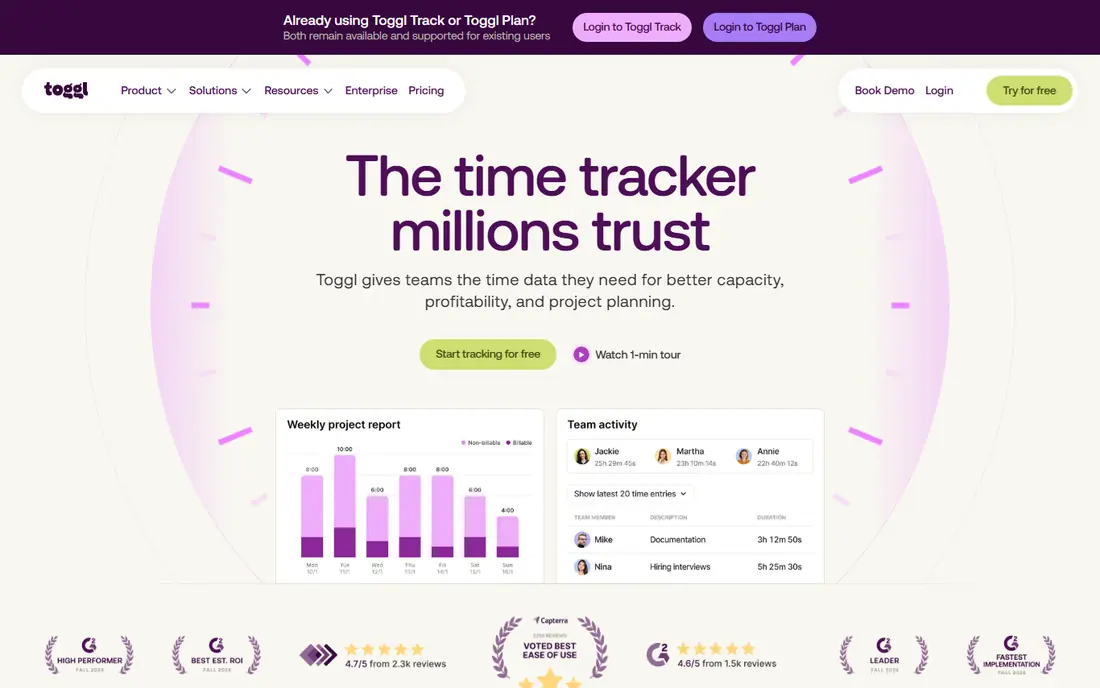
Toggl Track wins on adoption, which is the real test for any tracker. The one-click timer runs in the browser, on the desktop, and on mobile, and the free plan covers small teams with unlimited projects and time entries. Reports break hours down by project, client, and team member in a layout that stays readable, and the browser extension starts timers inside tools such as Asana, Notion, and Google Docs.
The paid Starter plan at $9 per user per month adds billable rates, rounding, and project estimates, while Premium at $18 adds approvals and profitability reporting. That price is higher than Clockify for a similar seat, so Toggl is worth it when simplicity drives use. If your team resists tracking, Toggl low friction helps. If they do not, cheaper tools do much of the same job.
- One-click timer on web, desktop, and mobile
- Strong reports by project and client
- Browser extension works inside many tools
- Billable rates need a paid plan
- No screenshots or monitoring
- Premium plan is pricier than rivals
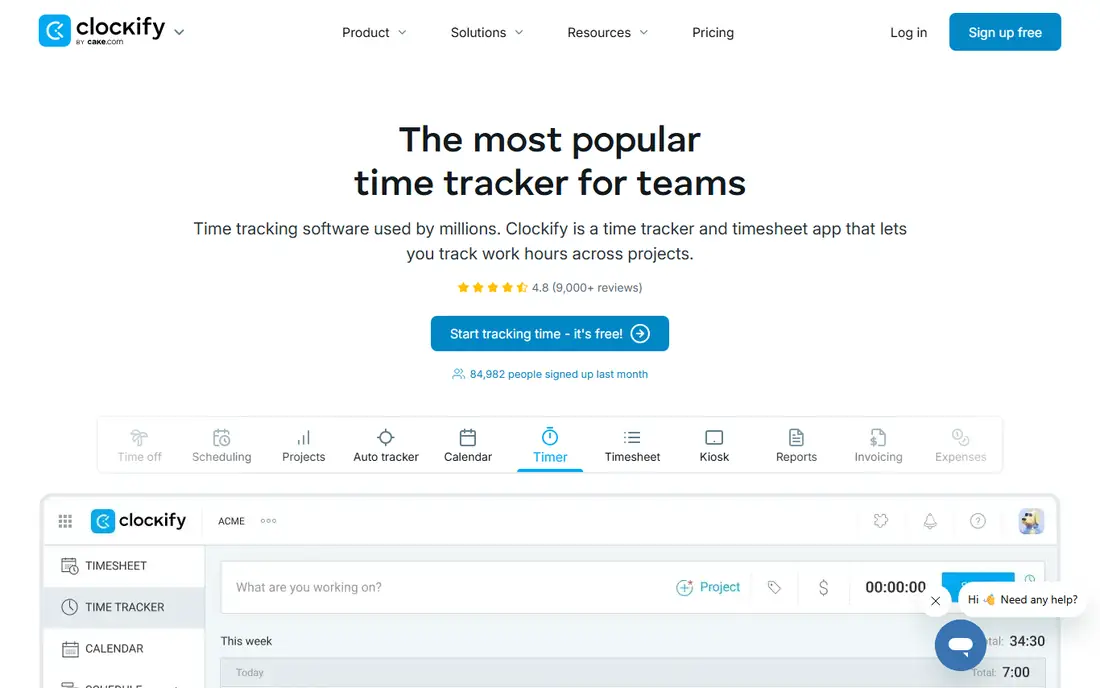
Clockify is the budget pick for teams that want solid tracking without a high monthly bill. The free tier covers small teams with core tracking, basic reporting, and a calendar view, and paid plans start at $3.99 per user per month billed annually. Paid tiers add billable rates, timesheet approvals, invoicing, and admin controls at prices that undercut most rivals.
The interface is functional rather than polished, and the free tier now caps the number of users, so larger teams should check the current limit before relying on free access. For a freelancer or a small team that wants tracking and invoicing at a low cost, Clockify is hard to beat on value.
- Generous free tier for small teams
- Lowest paid starting price here
- Invoicing and approvals on paid plans
- Interface is less polished than Toggl
- Free tier now caps users
- Advanced features need higher tiers
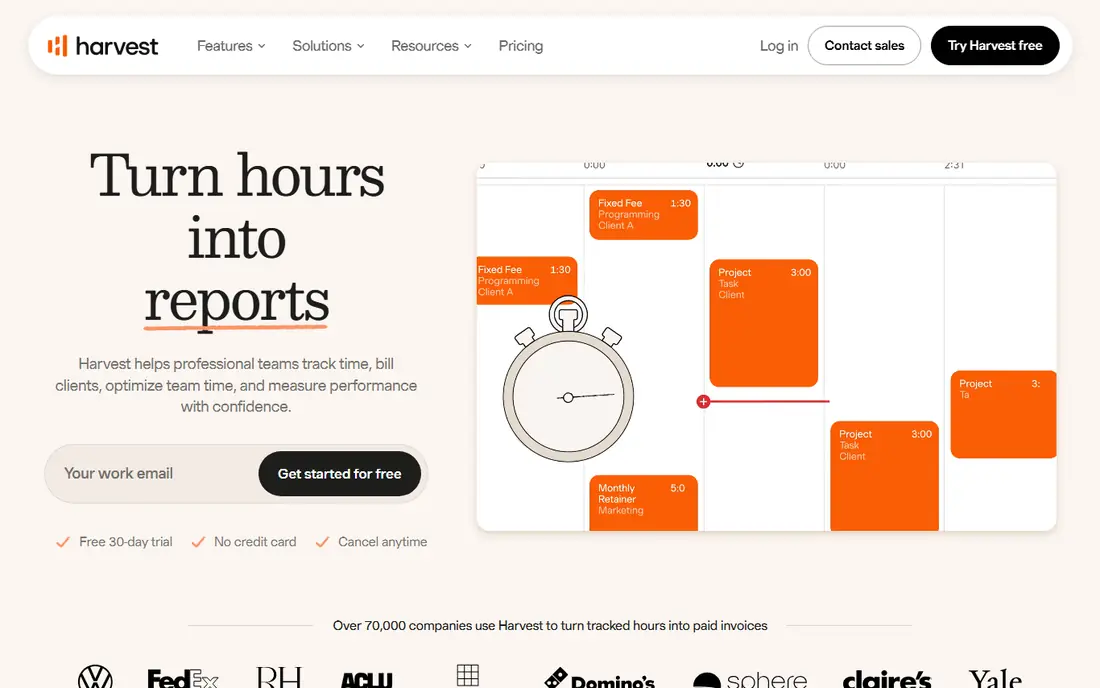
Harvest is the pick for consultancies and agencies that bill clients for time. Tracked hours and expenses flow straight into invoices, so the gap between doing the work and billing for it shrinks to a few clicks. Timesheets are clean, project budgets are visible, and clients can see where their hours went.
The free plan is narrow, covering one user and two projects, so most teams will need the paid plan at $9 per user per month billed annually. Harvest also lacks the monitoring tools of Hubstaff or Time Doctor, which is a plus for trust but a limit if you need proof of work. For billing-led teams, the invoice link is the deciding feature.
- Time flows directly into invoices
- Clean timesheets and expense tracking
- Good for client billing
- Free plan limited to one user and two projects
- No monitoring features
- Higher price than Clockify
Hubstaff suits remote teams that need accountability and payroll in one system. Screenshots, activity levels, app tracking, and GPS for field teams give managers a clear view of work, and payroll features turn tracked time into pay without a separate spreadsheet. For distributed teams with hourly staff, that combination is practical.
Monitoring is also the risk. Screenshots and activity scores can damage trust if a team learns about them after the fact, so set a written policy, tell staff what is tracked, and limit monitoring to what the job actually needs. Hubstaff offers a 14-day trial rather than a free plan, so run a pilot with a small team before rolling it out widely.
- Screenshots and activity levels for remote teams
- GPS and payroll features
- Integrations with payroll tools
- Monitoring can harm trust if used without a clear policy
- No permanent free plan
- Setup takes more time than a simple timer
Time Doctor focuses on productivity visibility rather than just hours. It tracks apps and websites, flags distractions, and reports on productive versus unproductive time, which helps managers spot where a remote team loses hours. Screenshots and activity tracking add proof of work for hourly or client-billed roles.
As with Hubstaff, the monitoring features need care. Tell your team what is measured, why it is measured, and how the data will be used, and avoid using activity scores as a sole measure of performance. Time Doctor starts at $6.67 per user per month billed annually, with a 14-day trial, so test it with volunteers before a full rollout.
- Distraction alerts and productivity analytics
- Screenshots and app tracking
- Useful for remote accountability
- No permanent free plan
- Monitoring needs a clear team policy
- Interface is busier than Toggl
RescueTime is the pick for individuals who forget to start a timer. It runs in the background, records which apps and sites you use, and sorts them into productive and distracting categories, then reports where your day actually went. Focus sessions and distraction blocking help turn that data into better habits, rather than just a record of lost time.
It is a personal tool first, not a team billing system, so agencies that need client invoices should look at Harvest or Toggl instead. The paid plan at $7 per month billed annually adds full history and focus tools, while the free tier covers basic tracking. For a solo worker who wants honest data about their own day, RescueTime is the lowest-effort option here.
- Automatic tracking with no timers to start
- Focus sessions and distraction blocking
- Personal productivity reports
- Less suited to team billing
- Paid plan needed for full features
- Automatic categories need occasional correction
Everhour is built for teams that already live in a project tool. Instead of opening a separate timer, you track time directly on tasks in Asana, Jira, Trello, or Notion, which keeps time data attached to the work itself. Budgets, estimates, and invoicing features help agencies that bill from those tasks.
The trade-off is dependence on those integrations. If your team does not use one of the supported project tools, Everhour loses much of its advantage, and paid plans have a minimum team size to check before signing up. For a team already organized in Asana or Jira, though, the in-task timer is a genuine time saver.
- Timer lives inside project tools
- Good for agencies in Asana or Jira
- Budgets and invoicing features
- Minimum team size on paid plans reported
- Less useful outside its integrations
- No monitoring features
Timely takes the opposite approach to Toggl: instead of asking you to start a timer, it captures your work automatically and drafts timesheets for review. That suits consultants, lawyers, and agency staff who juggle many small tasks and forget to log each one. You review and approve the draft, so the record stays under your control.
Automatic capture is not perfect, and entries need checking before they reach a client invoice, especially for private or sensitive work. Timely starts at $9 per user per month with a trial, which is pricier than Clockify for a similar seat. If manual timers keep failing in your team, Timely automatic approach may be worth the premium.
- Automatic capture drafts timesheets without timers
- Clean team reporting
- Good for people who hate manual entry
- No permanent free plan
- Automatic capture needs review for accuracy
- Higher price than Clockify
TimeCamp mixes automatic tracking with invoicing, which suits small teams that want both without paying for two tools. It records app and website use, supports manual entries too, and turns tracked time into invoices for clients. A free tier covers solo users, which makes it easy to test before committing a team.
The interface is less refined than Toggl, and some pricing and feature details are best confirmed on the vendor page before you rely on them. For a small team that wants automatic capture plus invoicing at a low starting cost, TimeCamp is a practical alternative to the better-known names on this list.
- Automatic app-based tracking
- Invoicing features
- Free tier for solo users
- Interface is less polished than Toggl
- Pricing details need checking on the vendor page
- Team features need paid plans
How we picked these
We compared official pricing pages, feature lists, and public reviews for trackers live in October 2026. We favored tools with a clear timer or automatic capture, readable reports, and a published price or free tier, and we included both manual and automatic options so teams with different habits can find a fit.
How to choose the right tracker without harming trust
Start with the question you need answered. If you need client billing, pick a timer with invoicing, such as Harvest or Clockify. If you need personal focus data, pick an automatic tool such as RescueTime. If you need proof of work for remote staff, pick a monitoring tool only after a written policy is in place.
Run a two-week pilot with real work, not a demo project, and ask the team what felt intrusive or slow. A tracker that staff avoid will produce worse data than no tracker at all, and a pilot surfaces that problem before you pay for a year. Check exports too, since your time data should leave the tool cleanly if you switch later.
Finally, agree on how the data will be used. Time data should help with estimates, staffing, and billing, not serve as a daily scoreboard for punishment. Teams that use tracking to improve estimates and protect staff from overload get better data, and better data makes the next estimate more accurate.
Frequently asked questions
What is the best productivity tracking software for a small team?
Toggl Track suits small teams that want a simple timer with strong reports, while Clockify suits teams on a tight budget. Harvest is best when tracked time must turn into client invoices.
What is the best productivity tracking app for individuals?
RescueTime suits individuals who want automatic tracking without timers, while Toggl Track suits individuals who prefer a manual timer with clear reports. Both offer free tiers to test before paying.
What is the best productivity tracking software for remote teams?
Hubstaff and Time Doctor suit remote teams that need screenshots, activity levels, and payroll features, but both need a clear, shared monitoring policy. Toggl Track and Clockify suit remote teams that want tracking without monitoring.
Does productivity tracking software monitor screenshots?
Some tools do and some do not. Hubstaff and Time Doctor offer screenshots and activity tracking, while Toggl Track, Clockify, and Harvest do not. Check the feature list and tell your team exactly what is tracked before you roll a tool out.
Is there a free productivity tracking app?
Yes. Toggl Track, Clockify, Harvest, RescueTime, Everhour, and TimeCamp all offer free tiers or free plans, though limits vary by user count and features. Compare the free limits against your team size before you choose.
Sources
- https://rankite.com/blog/best-hours-tracker-app
- https://rankite.com/blog/best-time-tracking-software-for-small-business
- https://toggl.com
- https://clockify.me
- https://www.getharvest.com
- https://hubstaff.com
- https://www.timedoctor.com
- https://www.rescuetime.com
- https://everhour.com
- https://timelyapp.com
- https://www.timecamp.com
See where you really rank - block by block
ProMapRanker scans Google Maps across a grid of your service area. Simple monthly plans from $19, white-label on every plan.
Start freeKeep reading
 zoro.to alternatives
Best Zoro.to Alternatives in 2026
We compare the best zoro.to alternatives in 2026, listing only legal licensed anime streaming services, from Crunchyroll to free options for fans today.
Read → zip alternatives
Best Zip Alternatives in 2026
We compare the best zip alternatives for buy now, pay later in 2026, covering pay-in-4 plans, fees, spending limits, and credit reporting options today.
Read → yesware alternatives
Best Yesware Alternatives in 2026
Compare the best yesware alternatives for sales email tracking, templates, and sequences, with current pricing and honest tradeoffs for small sales teams.
Read →