 ProMapRanker
Top Productivity Software Recommendations in 2026

Key takeaways
- Todoist is our pick for most individuals, since it is fast, simple and cheap enough to use every day without a learning curve.
- Notion suits people who want notes, docs and tasks in one workspace, while Asana suits teams that need clear ownership across projects.
- ClickUp gives the most features per dollar, but its depth can slow down teams that only need simple task lists.
- Trello remains the easiest board tool to adopt, especially for small teams and visual planners.
- Slack, Toggl Track and Obsidian fill gaps the task tools miss, covering team chat, time tracking and private notes.
Quick comparison
| Pick | Great for | Pricing starts at | Free tier | |
|---|---|---|---|---|
 Todoist | Personal and shared task lists | $4 per month | Yes | Visit |
 Notion | Notes, docs and tasks together | $10 per user per month | Yes | Visit |
 Asana | Team task coordination | $10.99 per user per month | Yes | Visit |
 ClickUp | Feature-rich all-in-one work hub | $7 per user per month | Yes | Visit |
 Trello | Simple visual boards | $5 per user per month | Yes | Visit |
 Monday.com | Visual project tracking | $9 per seat per month | Yes | Visit |
 Evernote | Clipping and scanned notes | See website | Yes | Visit |
 Obsidian | Private linked notes | Free | Yes | Visit |
 Slack | Team messaging | $7.25 per user per month | Yes | Visit |
 Toggl Track | Simple time tracking | $9 per user per month | Yes | Visit |
The best top productivity software recommendations
We compared these tools on how they handle tasks, notes, collaboration, pricing and mobile use. The list covers personal planners, team project tools and supporting apps for chat, time and notes, so you can build a small stack rather than forcing one tool to do everything.
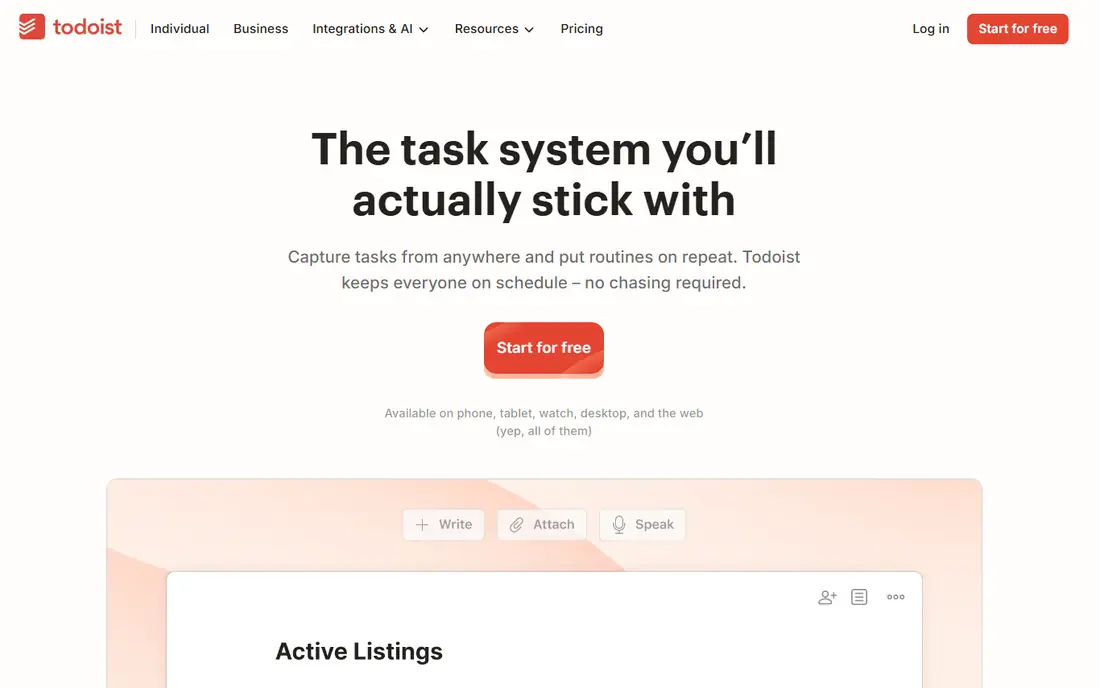
Todoist wins for people who mainly need to remember and finish tasks. You can type a task in plain words, add a due date in the same sentence, and move on, which keeps capture fast on a phone or a desktop. Projects, labels and filters give enough structure for most personal and small-team work without turning task management into a second job.
The limit shows up on larger projects. Todoist has no rich timeline, workload view or deep reporting, so a team running many linked projects will outgrow it. For one person or a small team, though, that simplicity is the point. Our pick for most people is Todoist Pro, since it stays cheap and stays out of the way.
- Very fast task capture
- Natural language due dates
- Works on almost every platform
- Weak for complex project reporting
- Collaboration features are lighter than Asana or ClickUp
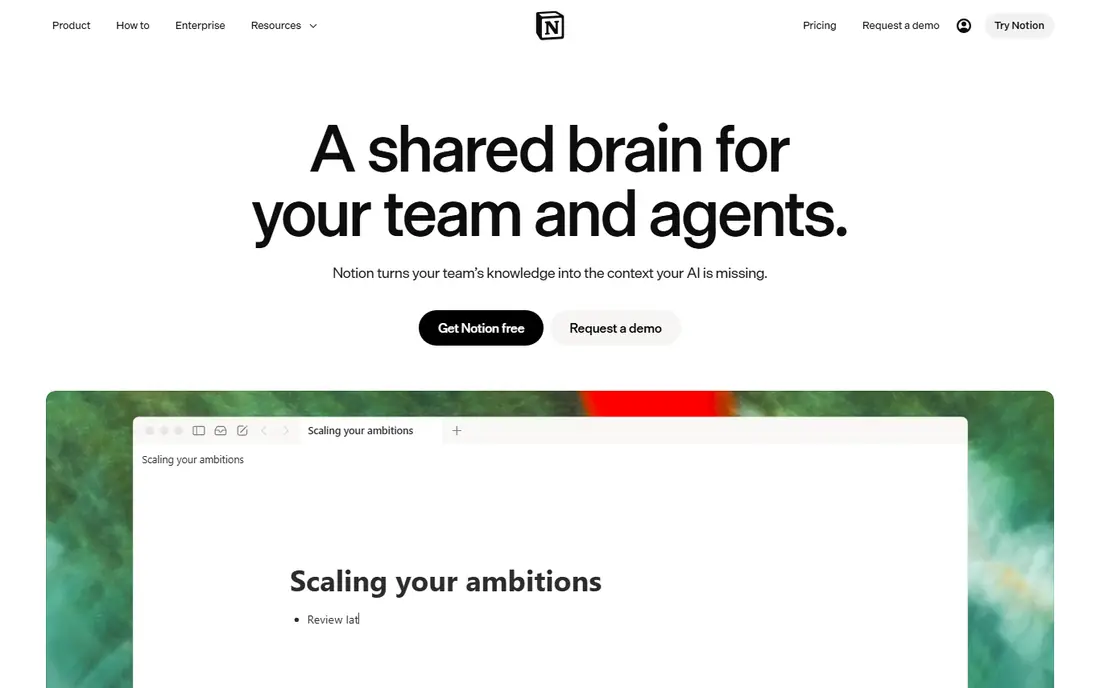
Notion suits people who are tired of keeping notes in one app and tasks in another. A project page can hold the brief, the meeting notes, the task list and the reference links in one place, and databases let you view the same work as a list, a board or a calendar. Templates help new users start without designing a system first.
That flexibility has a cost. A blank Notion workspace can feel overwhelming, and large pages can load slowly. Start with one template for your main workflow, and add structure only when a real need appears. For writers, researchers and small teams, Notion is the best single home for work that mixes writing and doing.
- Flexible pages, databases and wikis
- Good templates
- Tasks live next to the docs that explain them
- Can feel slow on very large workspaces
- Setup takes time if you build from scratch

Asana is the tool we would choose for a team that needs everyone to know who owns what and when it is due. Tasks carry an owner, a due date and a project, and the same work can be viewed as a list, a board or a timeline. That clarity reduces the check-in messages that eat up a workday, and new members can follow a project without a long training session.
The free plan suits very small teams, but growing teams will need a paid plan for more seats and stronger automation. Reporting and workload views also improve on higher tiers. Pick Asana when coordination, not customization, is your main problem, and you want a tool the whole team will actually use.
- Clear ownership and deadlines
- List, board, timeline and calendar views
- Easy for new team members to learn
- Advanced reporting and automation sit on higher tiers
- Free plan is limited to small teams
ClickUp gives the most features per dollar in this list. Tasks, docs, goals, whiteboards, time tracking and chat sit in one workspace, and the free plan covers unlimited members with generous limits. For a small business that wants one tool instead of four subscriptions, that value is hard to ignore.
The risk is complexity. ClickUp can do so much that a team can spend weeks setting it up and still feel lost. Keep the setup small at first, with one space per team and a handful of views, and add features only when someone asks for them twice. For value and range, ClickUp is our top team pick.
- Huge feature set for the price
- Docs, goals, whiteboards and chat in one workspace
- Generous free plan
- Depth can overwhelm new users
- Setup needs care to stay tidy
Trello remains the easiest board tool to adopt. A board is a set of lists, a card is a task, and dragging a card from one list to another shows progress at a glance. That simplicity works well for content calendars, hiring pipelines, personal projects and small team workflows where a full project system would be overkill.
Trello struggles when work has many dependencies, deadlines and reports. Paid plans add timeline views and automation, but they do not turn Trello into Asana. Choose Trello when visual status matters most and your team wants to start today, not after a week of setup.
- Boards anyone can understand in minutes
- Fast card creation
- Good mobile app
- Thin reporting and dependencies
- Large projects can feel messy
Monday.com suits managers who want to see project status without opening every task. Boards use color, status labels and timeline columns to show where work stands, and dashboards pull that status into charts for a team or a client. Automations can move items, send reminders and update statuses without manual work.
Small teams should check the seat rules before buying, since minimum seats and seat buckets can make a small team pay for more seats than it needs. The free plan covers up to two seats, which is enough to test the core boards. Pick Monday.com when visual reporting and automation matter more than a rock-bottom price.
- Colorful, visual boards
- Strong automations
- Good dashboards for managers
- Seat minimums can raise the bill for tiny teams
- Pricing tiers take care to compare
Evernote is still a strong choice for people who collect a lot of reference material. Web clipping saves articles with their source, scanned documents become searchable, and notebooks keep research separate from daily notes. For students, researchers and professionals who build a personal library, that capture and search matter more than fancy task features.
The free plan is limited, and Evernote has changed its pricing and plans more than most tools here, so confirm the current price before you commit. Choose Evernote when your main job is collecting and finding information, and pair it with Todoist or Asana for tasks.
- Strong web clipping
- Good search inside notes and scans
- Notebooks keep research tidy
- Free plan is limited
- Paid pricing has changed often, so check the current page
Obsidian takes a different approach to notes. Your notes live as plain Markdown files on your own device, so you own them and can open them in any text editor. Links between notes build a personal web of ideas, and a graph view shows how topics connect, which suits writers, researchers and students with long-running projects.
The catch is that sync across devices and online publishing are paid add-ons, and Obsidian expects you to build your own system. There is no ready-made task board or team workspace. Pick Obsidian when privacy, ownership and linked thinking matter most, and you are happy to set the tool up your own way.
- Notes stored as plain files on your device
- Links connect ideas
- Fast even with large vaults
- Sync and publishing are paid extras
- Setup suits people who like to tinker
Slack is the team chat tool most small businesses will meet first. Channels separate work by team, project or topic, direct messages handle quick questions, and integrations bring alerts from Asana, Trello, Google Drive and many other tools into the same window. That mix keeps routine updates out of email.
The free plan limits message history, so older decisions can slip out of search, and a busy Slack can distract a team if channels multiply. Set a few clear channel rules, and move lasting decisions into Notion, Asana or a doc. Choose Slack when your team needs fast, organized chat, and you already use other tools for tasks and docs.
- Channels keep team chat organized
- Strong app integrations
- Good search on paid plans
- Message history is limited on the free plan
- Chat can distract if channels grow unchecked
Toggl Track answers a question the task tools leave open: where did the time actually go. A one-click timer starts and stops work, and reports show time by project, client or team member. Freelancers can use those reports for invoices, and managers can see which projects take more time than planned.
Toggl Track does not manage tasks, so it works best beside Todoist, Asana or Trello. The free plan suits individuals and teams of up to five, which covers many small businesses. Pick Toggl Track when billing, capacity or simple time awareness matters, and you want tracking that takes seconds, not minutes.
- One-click timers
- Simple reports for clients and teams
- Free plan covers small teams
- No task management of its own
- Deeper reporting needs a paid plan
How we picked these
We compared official feature pages, pricing pages and public reviews for productivity tools that work in October 2026. We kept tools with a real free plan or a low-cost entry, a working mobile app, and a clear job inside a personal or small-team workflow. We favored a mix of task managers, note tools, team chat and time tracking, rather than listing ten tools that all do the same thing.
How to build a productivity stack that lasts
Start with one task tool, not three. Pick Todoist for personal work, or Asana, Trello or ClickUp for a team, and use it for every task for two weeks. If a task lives in email, chat or a paper note, it does not exist in the system, and the system will fail for reasons that have nothing to do with the tool.
Next, add only the tool that fixes a real pain. Add Notion or Obsidian when notes and reference material pile up, Slack when email threads grow too long, and Toggl Track when you need to bill time or check capacity. Review the stack every few months, and drop any tool that no one opens. A small stack you use beats a large stack you ignore.
Frequently asked questions
What are the top productivity software recommendations for individuals?
Todoist is our top individual pick for tasks, with Notion for notes and docs and Obsidian for private linked notes. Start with Todoist and add a note tool only when your notes start to pile up in too many places.
What is the best productivity software for a small team?
Asana suits most small teams for clear ownership and deadlines, while Trello suits visual teams and ClickUp suits teams that want many features for a low price. Run a real project through the free plan for two weeks before paying, since team adoption decides the winner.
Is there free productivity software that is actually useful?
Yes. Todoist, Notion, Trello, ClickUp, Obsidian and Toggl Track all have usable free plans, and Slack has a free plan with limited message history. Free plans suit individuals and very small teams, while larger teams usually need a paid plan for more seats and reporting.
Should I use one app for everything, or several specialized apps?
One app works when your work is mostly tasks, and ClickUp or Notion can cover a lot in that case. Specialized apps work better when you have distinct jobs, such as chat in Slack, time in Toggl Track and notes in Obsidian, since each tool does its own job well.
How much should a small team expect to pay?
Expect roughly 5 to 11 dollars per user per month on annual billing for the task tools in this list, with chat and time tracking adding a similar amount per user. Check seat minimums, since Monday.com and similar tools can raise the bill for very small teams.
What is the best productivity software for visual planners?
Trello is the simplest visual option, with boards and cards that anyone can learn in minutes. Monday.com adds color, dashboards and automations for managers who want visual reporting, while Notion databases can show the same work as a board, a list or a calendar.
Sources
See where you really rank - block by block
ProMapRanker scans Google Maps across a grid of your service area. Simple monthly plans from $19, white-label on every plan.
Start freeKeep reading
 zscaler alternatives
Best Zscaler Alternatives in 2026
Looking for zscaler alternatives? We compare 9 SASE and zero trust platforms on architecture, data protection, pricing, and fit for your network and team.
Read → zapier alternatives free
Best Zapier Alternatives Free in 2026
Nine automation tools for zapier alternatives free in 2026, all with genuinely free tiers, plus free plan limits, starting prices and upgrade paths explained.
Read → which platform is best for online reputation
Which Platform Is Best for Online Reputation in 2026
Wondering which platform is best for online reputation? We compare 8 review, listing, and response tools for small and multi-location businesses and agencies.
Read →