 ProMapRanker
Top Process Server Software in 2026

Key takeaways
- ServeManager is the most established all-in-one choice, while DocketServe suits mobile-first field work.
- Per-job, flat monthly, and per-serve pricing all appear in this market, so compare cost at your real job volume.
- GPS-stamped attempts, photos, and client portals cut status calls more than any single feature.
- Firms that only need serves done, rather than software to run, should also consider a service platform such as Proof or ABC Legal.
Quick comparison
| Pick | Great for | Pricing starts at | Free tier | |
|---|---|---|---|---|
 ServeManager | All-in-one serve management | See website | Free trial | Visit |
 ServeNow | Directory reach plus software | See website | No | Visit |
 Proof | Firms wanting serves handled online | See website | No | Visit |
 Process Server's Toolbox | Operations plus admin automation | See website | No | Visit |
 DocketServe | Mobile-first field operations | Free | Yes | Visit |
 Paper Tracker | Established office and field software | See website | No | Visit |
 CROSStrax | Serving inside case management | See website | No | Visit |
 Process Server One | Nationwide service plus software | See website | No | Visit |
 ABC Legal | National service platform | See website | No | Visit |
The best process server software
Process server software has a simple job: keep every serve, attempt, proof, and invoice in one place, with evidence a court will accept. The tools below differ in whether they serve firms, individual servers, or both, and in how they charge.
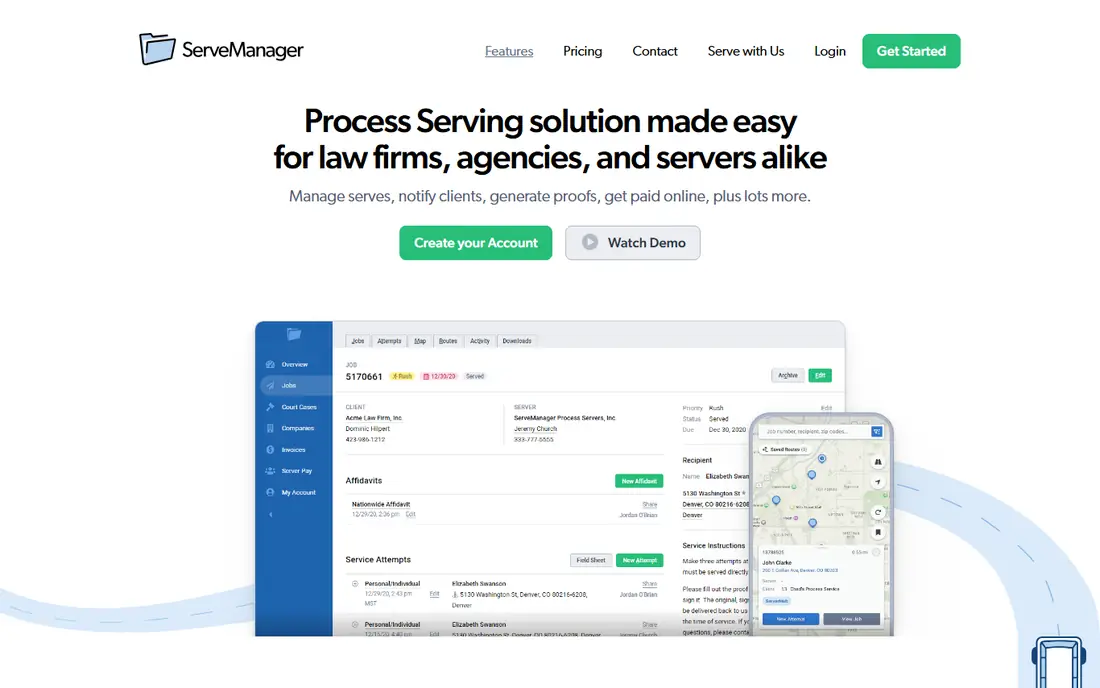
ServeManager is the most established name in this market, and it covers the full job: create a serve, assign it, record attempts with GPS data, generate a proof, invoice the client, and take payment online. Clients can be invited to a portal where they enter serves, upload documents, and check status without calling the office, which cuts one of the biggest time drains in a serving business.
Pricing is tied to job volume in published comparisons, so a solo server and a busy agency will see very different totals. The interface also shows its age next to newer mobile-first tools. Even so, for a firm or agency that wants one system for the whole workflow, ServeManager remains the safest default, with a trial to test it on real jobs first.
- Established all-in-one workflow
- Job tracking with GPS attempts
- Client portal and online payments
- Pricing varies by job volume
- Interface feels older than newer rivals
- Setup takes time for large teams
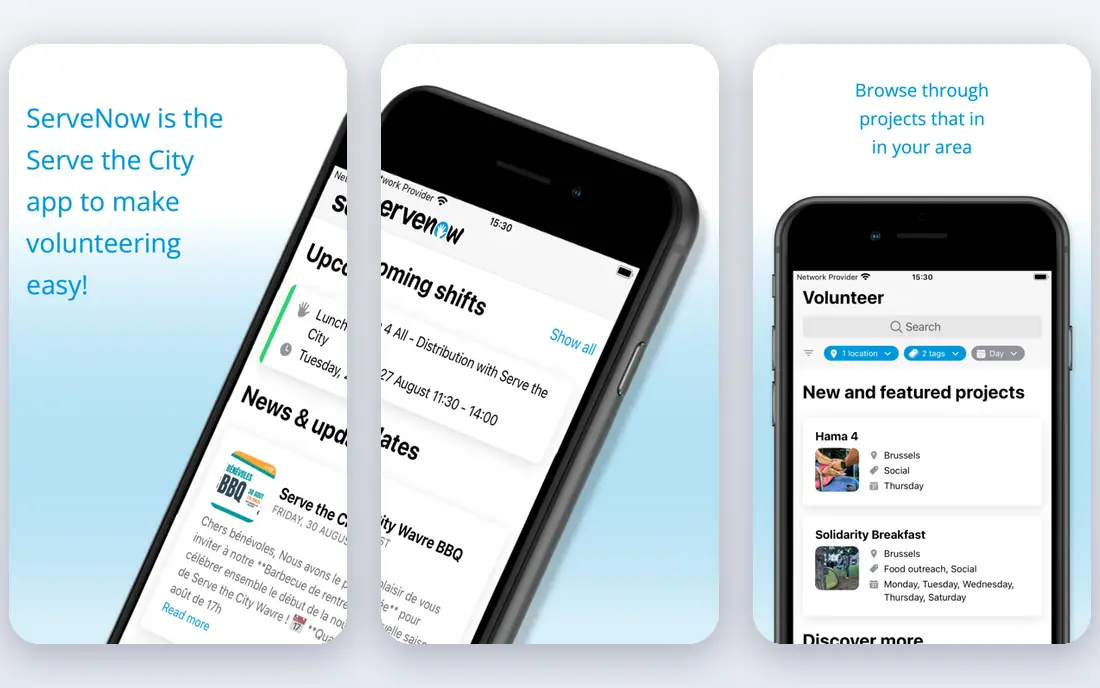
ServeNow is best known as a directory of pre-screened process servers, searchable by county, city, or zip code, and that reach is its main advantage. A law firm that needs coverage in an unfamiliar jurisdiction can find a local server, while servers can gain work from firms that find them through the directory. Software tools for managing serves sit alongside that network.
The trade-off is that ServeNow is not a pure software purchase. Firms that already have their own servers and only want job management may prefer a dedicated tool such as ServeManager or DocketServe. For firms that regularly need new coverage, though, the combination of directory and job tools is practical, and the screening step adds confidence when hiring a server you have not used before.
- Large directory of screened servers
- Job tools alongside the directory
- Useful for finding coverage
- Software is paired with a directory model
- Pricing is not a simple flat rate
- Less suited to firms that need only software
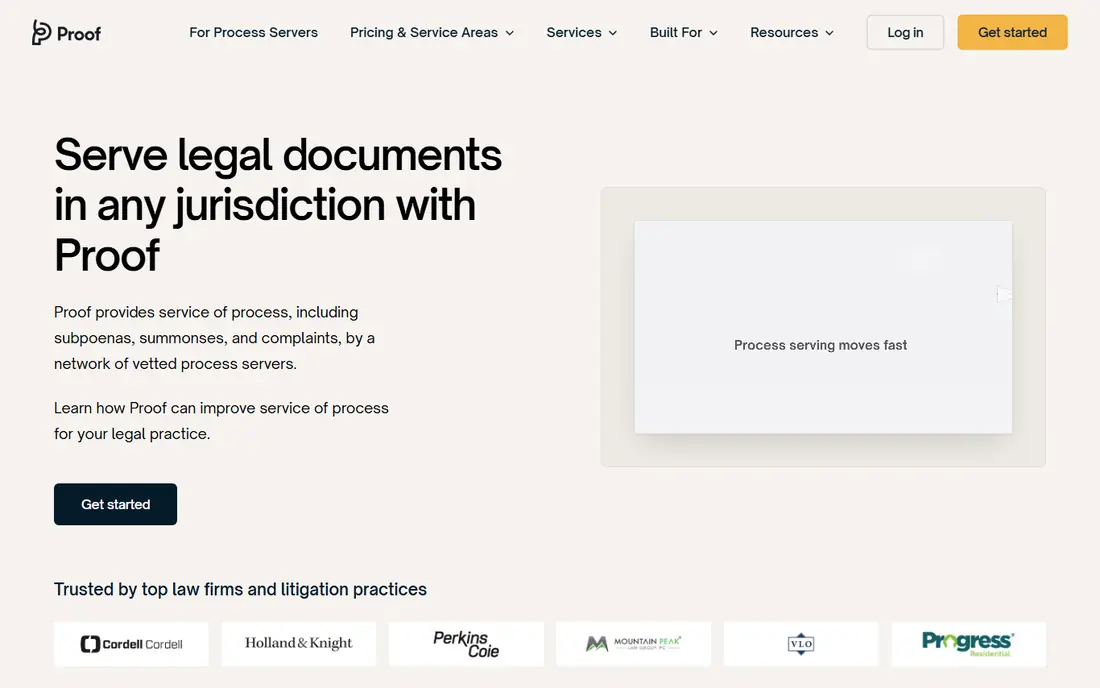
Proof is a service platform rather than software you buy to run your own serving business, and that distinction matters. Law firms upload documents, order serves online, and track a nationwide network of vetted servers through one dashboard, with GPS-mapped attempts, photos, timestamps, and completed affidavits. Billing is consolidated, so finance teams are not chasing invoices from many servers.
For a firm, the appeal is hands-off scale: no recruiting, no chasing status updates, and a dedicated operations manager on some plans. For a process server, Proof is a source of work rather than a tool to run a business. Pricing is per serve and varies by speed and jurisdiction, so firms should compare it with the cost of managing serves in-house before switching.
- Nationwide vetted server network
- Live GPS and photo evidence
- Consolidated billing
- A service platform, not just software
- Per-serve pricing
- Less control than running your own servers
Process Server's Toolbox covers the operational core that many serving businesses need: jobs, clients, invoicing, and document generation in one system. It automates admin steps that otherwise eat office time, such as populating job details through each stage and producing proofs from entered data. For firms that want fewer spreadsheets and fewer retyped details, that automation is the main selling point.
Pricing is not published in a simple form, so buyers need a quote for their team size and volume. The interface is functional rather than modern, and onboarding rewards a careful setup of templates and client data. Teams that value depth over polish, and that run a steady volume of serves, will get the most from it.
- Jobs, clients, invoicing, and documents in one place
- Automation for admin tasks
- Long track record
- Pricing is not published clearly
- Interface is functional rather than polished
- Onboarding takes care
DocketServe is built for servers who work from a phone in the field. Attempts can be GPS-gated, with photo evidence attached to the job, and routes can be batched so a server covers nearby serves in one trip. Stripe billing is built in, so getting paid does not require a separate invoicing tool. A free tier for up to a small number of jobs per month makes it easy to test on real work.
The free tier is genuinely useful for a solo server starting out, but busy servers will need a paid plan, with published comparisons listing $49 and $99 per month tiers. DocketServe is also newer and smaller than ServeManager, so firms with complex office workflows should test its reporting and client portal carefully. For field-first work, it is one of the freshest options here.
- Free tier for low volume
- GPS-gated attempts and photo evidence
- Route batching and Stripe billing
- Free tier caps at a small job count
- Newer and smaller than ServeManager
- Paid tiers needed at volume
Paper Tracker is one of the longest-running tools in this market, and it covers both sides of the business: office work such as invoices, proofs of service, field sheets, statements, and accounts, plus a mobile app for servers with routing, attempt recording, GPS timestamps, and photo uploads. A client web portal lets clients check status, print returns and invoices, and view documents you mark visible, which reduces status calls.
The interface reflects its age, and pricing is handled through sales rather than published plans. For firms that want a proven, complete system and do not mind an older look, Paper Tracker remains a solid choice. Solo servers who want a modern phone-first experience may prefer DocketServe, while larger firms should compare Paper Tracker with ServeManager on reporting depth.
- Full office and field coverage
- Client web portal
- Invoice, proof, and statement generation
- Older interface
- Pricing through sales
- Mobile app is functional rather than modern
CROSStrax suits firms where process serving is one part of a wider case or investigative workflow, rather than the whole business. It places serving jobs alongside case management, so staff can track serves, documents, and billing without switching systems. That joined-up view helps firms that also handle investigations, court filing support, or related legal support work.
The breadth is also the limit. A solo process server who only needs job tracking, attempts, and proofs may find CROSStrax heavier than a focused tool. Pricing is not published, so a quote is needed. For a firm that already manages cases in one system and wants serving inside it, CROSStrax is worth a demo.
- Process serving inside wider case work
- Useful for investigative firms
- Workflow and billing tools
- Broader than pure serve management
- Pricing is not published
- May be more than a solo server needs
Process Server One is a nationwide service for firms that need documents served, e-filed, or subpoenas domesticated, rather than software for servers to run their own operations. Firms order serves through the service, track them online, and receive proofs, without managing individual servers themselves. Published comparisons list serves from $65 in California, with prices varying by jurisdiction and service level.
That per-serve model is simple for occasional or out-of-area work, but it adds up for firms with high, steady volume, where hiring and managing servers directly may cost less per serve. For a firm, the right question is volume: occasional nationwide serves fit this model well, while daily local serves usually fit a software-plus-own-server model better.
- Nationwide document service
- E-filing and subpoena support
- Per-serve pricing model
- A service, not just software
- Per-serve costs add up at volume
- Less suited to servers running their own business
ABC Legal is a national legal support service that firms use to order serves, track progress online, and handle related tasks such as court filing. Its scale suits firms with serves across many states, or with urgent and hard-to-serve matters where a single local server may not be enough. Online ordering and status tracking keep the firm informed without phone chasing.
Like Proof and Process Server One, ABC Legal is a service, not software for running your own serving business, so servers looking for job management tools should look elsewhere on this list. Pricing varies by serve type, location, and speed, so firms should get quotes for their typical serve mix. For firms that want coverage and tracking without building a server network, ABC Legal is a practical option.
- Large national service network
- Online ordering and tracking
- Court filing support
- A service platform, not standalone software
- Pricing varies by serve
- Less control than in-house serving
How we picked these
We compared official product pages and public vendor comparisons for tools and platforms that handle process serving jobs today in the US. We kept software that manages serves, attempts, proofs, and billing, plus service platforms that firms actually use to get serves done, since the search terms cover both needs. We left out generic case management tools with no serving workflow, and tools with no public product presence. Prices are shown as See website where the vendor does not publish a simple list price, and per-serve prices are noted only where published comparisons list them.
How to choose process server software
Start with who you are in this market. A solo server needs a mobile app for attempts, GPS evidence, and simple invoicing. A serving agency needs job assignment, client portals, and volume pricing. A law firm needs either software to manage its own servers, or a service platform that handles serves for it. Picking the wrong category is the most common mistake, so settle that question first.
Next, test the evidence workflow. Record a test attempt with GPS, a photo, and notes, then generate the proof and check whether it matches the format your courts expect. Check how clients see status, whether they can upload documents, and how invoices and payments flow. A tool that looks good in a demo but produces awkward proofs will cost time on every job.
Finally, price it at your real volume. A free tier that caps at five jobs a month is not free for a server doing fifty, and a per-serve service that looks cheap for one job can cost more than software for a hundred. Run a one-month trial on live jobs, count status calls before and after, and keep the system that reduces chasing and rework, not just the one with the lowest sticker price. This article is general information, not legal advice, and service rules vary by state and court.
Frequently asked questions
What is the best software for process servers?
ServeManager is the most established all-in-one pick for firms and agencies, while DocketServe suits mobile-first solo servers. The best choice depends on whether you run an office, work in the field, or hire a service to handle serves. Trial both styles on real jobs before committing.
What is the best process server software for a small firm?
DocketServe is a good starting point for low volume, thanks to its free tier, while ServeManager suits a small firm that expects to grow and needs client portals and online payments. Compare the cost at your monthly job count, not just the entry price, and check proof formats for your courts.
How much does process server software cost?
It varies widely. DocketServe offers a free tier for low volume, ServeManager prices by job volume with a trial, and service platforms such as Proof and Process Server One charge per serve. Most office systems on this list are quoted rather than published, so ask for a price tied to your job count and user count.
Do I need software, or a process server service?
If you are a server or agency running serves yourself, you need software. If you are a law firm that only needs serves completed, a service platform such as Proof or ABC Legal may be simpler, since it provides the server network and tracking. Many firms use both: software for local work they manage, and a service for out-of-area serves.
What features matter most in process server software?
GPS-stamped attempts, photo evidence, clean proof generation, a client portal, and simple invoicing matter most, because they reduce disputes and status calls. Route batching helps field servers, while assignment, reporting, and billing tools help agencies. Check proof formats for your courts before you judge any other feature.
Sources
- https://www.servemanager.com
- https://www.servenow.com
- https://www.proofserve.com
- https://www.processserverstoolbox.com
- https://www.docketserve.com
- https://www.papertracker.com
- https://www.crosstrax.com
- https://www.processserverone.com
- https://www.abclegal.com
- https://www.guideflow.com/blog/process-server-software
See where you really rank - block by block
ProMapRanker scans Google Maps across a grid of your service area. Simple monthly plans from $19, white-label on every plan.
Start freeKeep reading
 zscaler alternatives
Best Zscaler Alternatives in 2026
Looking for zscaler alternatives? We compare 9 SASE and zero trust platforms on architecture, data protection, pricing, and fit for your network and team.
Read → zapier alternatives free
Best Zapier Alternatives Free in 2026
Nine automation tools for zapier alternatives free in 2026, all with genuinely free tiers, plus free plan limits, starting prices and upgrade paths explained.
Read → which platform is best for online reputation
Which Platform Is Best for Online Reputation in 2026
Wondering which platform is best for online reputation? We compare 8 review, listing, and response tools for small and multi-location businesses and agencies.
Read →