 ProMapRanker
6 Best Knowledge Base Software with AI Automation Options for 2026


Firms already on Jira and Atlassian · Pricing starts at: See website
Direct answer
For firms already on Jira and Atlassian, Confluence is where this list starts. Document360 is the stronger choice for customer-facing docs with AI writing help, while Slite suits small teams wanting AI-maintained internal docs. The remaining 3 options are covered below with prices and limits.
Key takeaways
- Confluence sits first on this list: firms already on Jira and Atlassian.
- The main caution on Slite: entry-level plan caps AI search at 30 questions per seat each month.
- Bloomfire is the one to check for large research and insights libraries.
- The lowest published monthly entry price here is $10 per user/month, from Slite.
Quick comparison
| Pick | Great for | Pricing starts at | Free tier | |
|---|---|---|---|---|
| Confluence | Firms already on Jira and Atlassian | See website | Yes | Visit |
 Document360 | Customer-facing docs with AI writing help | See website | No | Visit |
 Slite | Small teams wanting AI-maintained internal docs | $10 per user/month (billed annually) | Free trial | Visit |
 Guru | Governed AI answers across numerous tools | See website | No | Visit |
 Help Scout | Support teams pairing a help center with an inbox | $25 per user/month (billed yearly) | Yes | Visit |
 Bloomfire | Large research and insights libraries | See website | No | Visit |
Knowledge Base Software with AI Automation, one by one
Choosing knowledge base software with AI automation usually comes down to price, fit and limits. This ProMapRanker guide sets 6 tools side by side on those three points, with the facts kept short and checkable.
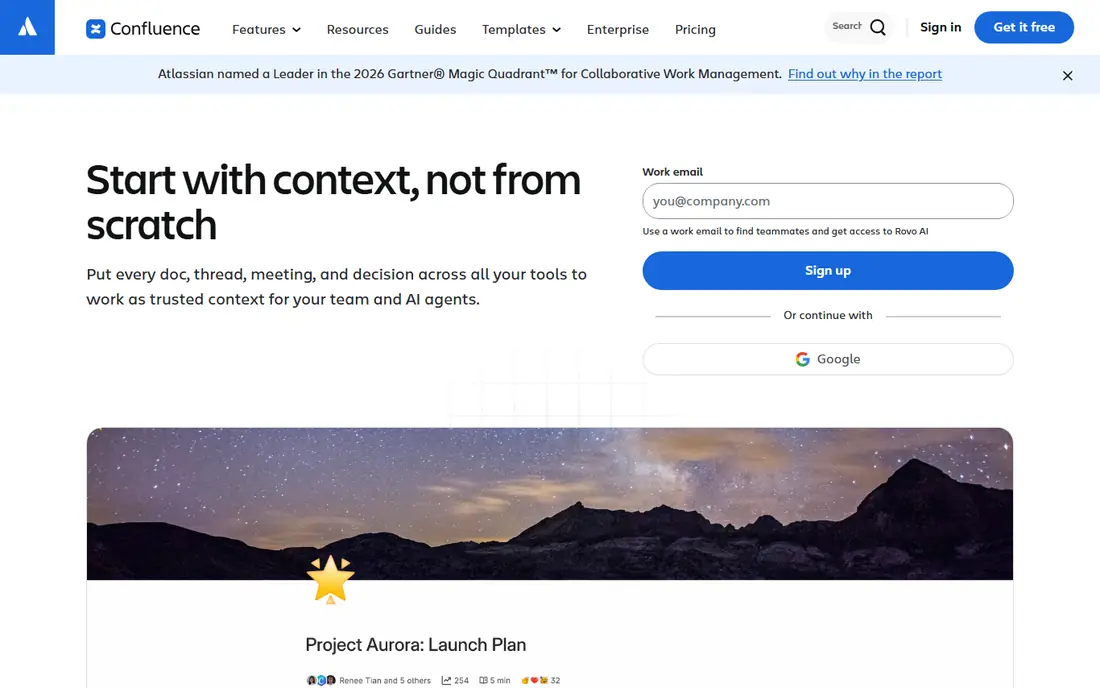
Choose Confluence for businesses already on Jira and Atlassian. If your engineers already live in Jira, the integration story is hard to beat. In daily use, for SMB buyers the free plan is a real way to start.
Watch-outs: Editor and page tree feel heavy to non-technical staff.
It is restricted in users and storage and the AI features are reserved for premium cloud plans. Premium levels are priced per user, and the admin controls are mature: page permissions, spaces per team, audit choices on the higher plans and a big marketplace of extensions. Worth adding: check Atlassian's pricing page for current per-user rates and Rovo usage terms, since both have shifted in the past year. Confluence shows no starting price here, so confirm the cost on the vendor site. Confluence includes a free tier.
- Rovo AI search and agents for premium cloud plans
- Free plan for small teams
- Marketplace extras can push total cost up
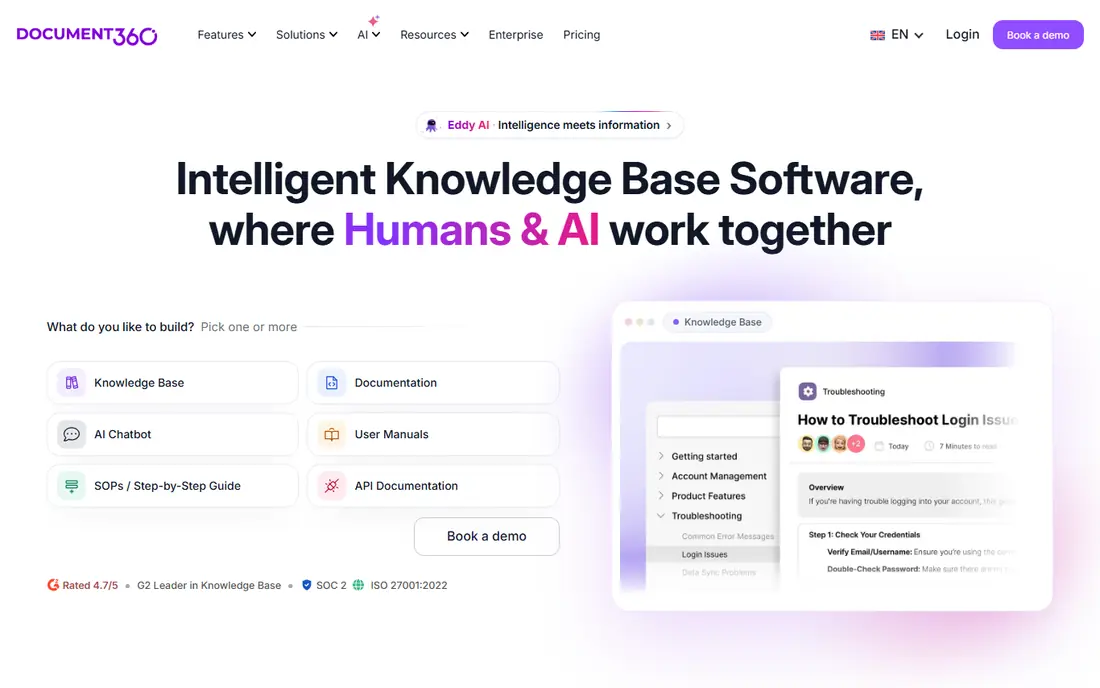
Document360 makes the most sense for customer-facing docs with AI writing help. Security buyers will note SOC 2 Type II, ISO 27001 and a choice of datacenter location. For everyday use, Document360 states plainly that it does not present flat pricing and quotes based on team accounts, workspaces, languages, security needs, privacy model and AI Premium Suite usage.
It separates the editor portal from the reader site, supports public, private or mixed knowledge bases, and lets you run multiple projects (for instance a public help center and a private internal handbook) under one account. On the plus side, every customer gets a success manager and onboarding sessions, and standard content migration from Confluence, Google Docs, SharePoint or PDFs is included in most quotes. Document360 does not show a starting price in this comparison, so check the vendor site for current pricing. Document360 does not include a free plan.
Trade-offs to know: Visual authoring tools (screen capture, video) sit in a premium add-on.
- Long integration list handling Zendesk, Freshdesk, Intercom
- Slack and Teams
- Quote-only pricing makes fast comparisons hard

In short, Slite is for small teams wanting AI-maintained internal docs. The Basic plan at $10 per user/month (billed annually) comes with unlimited docs, Ask (AI search and answers within Slite), a doc verification workflow, a Knowledge Management Panel and API plus MCP access. Worth adding: AI search is capped at 30 questions per seat a month and the writing assistant at 30 AI edits per user a month, whereas file uploads top out at 200MB and storage at 5GB per user.
Watch-outs: Entry-level plan caps AI search at 30 questions per seat each month.
Upsides: Clear published per-seat pricing.
The automation gets more interesting on Pro at $20 per user/month. That level layers on the Slite Agent, search across connected tools, doc fact-checking with suggested fixes, agent workflows and 50 monthly credits per seat, along with OpenID SSO and a custom domain for public docs. Also, watch the limits on Basic. Starting cost for Slite: $10 per user/month. Free options: Free trial.
- Doc verification and fact-checking with suggested fixes
- Markdown and HTML
- The Slite Agent and cross-tool search need the $20 Pro plan
Guru serves governed AI answers across numerous tools. Guru's own pricing page says they now verify and unverify information for you, which targets the oldest problem in any wiki: content that quietly goes out of date. Guru lists SOC 2 Type II, HIPAA and GxP compliance, SSO and SCIM, data loss prevention masking, centralized audit logs.
Trade-offs to know: Package model is heavier than a small team needs.
A commitment that your data never trains its models. The main limit is the buying process. From a buyer's view, governance is the other draw. The automation piece buyers should look at is its Knowledge Agents. From a buyer's view, Guru no longer displays self-serve levels; pricing is a package that bundles system access plus a team of option engineers for knowledge architecture, agent tuning and rollout. Check the vendor site for Guru pricing; none is listed in this comparison. No free plan comes with Guru.
- Knowledge Agents can verify and unverify content on their own
- 100+ integrations plus MCP delivery to other AI tools
- No published price
For support teams pairing a help center with an inbox, Help Scout is a natural candidate. Its Docs product builds a searchable, branded help center. It lives in the same product as the shared inbox, so agents can pull articles into replies without switching tools.
The AI automation centers on Envoy, an assistant that hands instant answers from your knowledge base content and other sources you add. For everyday use, annual billing saves about 16 percent compared to monthly. Also, the Standard plan at $25 per user/month (billed yearly) bundles an AI inbox assistant, several knowledge bases and entry-level workflows. Plus at $45 layers on unlimited AI drafts and Salesforce, Jira and HubSpot integrations; Pro is $75. On cost, Help Scout starts like this: $25 per user/month. Free access exists with Help Scout.
Trade-offs to know: Envoy costs scale with volume and can be hard to forecast.
- Every plan has Docs sites built in
- Envoy AI answers customers from your knowledge base on a pay-per-resolution basis
- Docs is a help center
Where Bloomfire fits: large research and insights libraries. It is widely used with market research, insights and customer-facing teams that store large volumes of reports, recordings and presentations and need people to find answers inside them. Its AI search indexes the content of files, including transcribed audio and video, and returns direct answers instead of just a list of documents.
From a buyer's view, the product also leans on social knowledge sharing. From a buyer's view, the downside for SMBs is cost and process. For everyday use, for organizations where lots of knowledge lives in a handful of senior people's heads, that capture loop is valuable. This comparison lists no price for Bloomfire; ask the vendor. There is no free plan with Bloomfire.
Trade-offs to know: Sales-led pricing geared toward bigger organizations.
- Q&A features that capture expert knowledge
- AI-powered search across documents
- No free plan or self-serve start
How we chose
ProMapRanker used vendor pricing pages and product documentation as the base, then compared plans, free access and documented limits for 6 tools. Plan names, prices and limits change often. Treat the figures here as a starting point and verify them with the vendor. The ranking is editorial: typical fit first, then clear pricing, then free access. If your needs are unusual, read the profiles rather than relying on position.
Pre-purchase checklist
- Get a written quote from Confluence, Document360, Guru and Bloomfire; the list shows no starting price for them.
- Check what the free option really includes: Confluence and Help Scout offer a free plan, and usage caps differ.
- Use real work to test the free trial from Slite, rather than a demo project.
- Read the limits listed for Confluence first: editor and page tree feel heavy to non-technical staff.
- Ask Confluence which support channels and response times come with the plan you would buy.
- Confirm you can export your data from Document360, so leaving later does not mean losing records.
Frequently asked questions
Do these tools train AI models on my data?
Policies differ by vendor. For every other tool, read the vendor's AI or trust documentation and ask sales to confirm in writing before uploading sensitive content.
How are the tools for knowledge base software with AI automation ordered?
The order follows typical fit for knowledge base software with AI automation, with Confluence first and Bloomfire last, then price clarity and free access. It is editorial judgement, not a score, so another team could rank the tools differently.
Can AI answers in a knowledge base be wrong?
Yes. AI tools create answers from whatever content you feed them, so outdated or conflicting pages result in wrong answers. Choose a tool with citations and verification workflows, and assign owners to your most-used pages.
Can I try these tools before paying?
Often, yes. Confluence and Help Scout have a free plan and Slite offers a free trial. Use your own data and a real task during the test, and check what the free tier or trial limits before you rely on it.
What does AI automation actually do in a knowledge base?
It typically includes four jobs: answering questions in plain language from your docs, drafting or rewriting articles, flagging outdated or duplicate content, and pushing answers into tools like Slack or a help desk. The better products cite which page an answer came from so readers can check it.
What is the cheapest option for knowledge base software with AI automation in this list?
On published monthly entry prices, Slite is the lowest here at $10 per user/month. Entry price is only part of the cost, because seats, add-ons and billing terms can change the total.
Sources
See where you really rank - block by block
ProMapRanker scans Google Maps across a grid of your service area. Simple monthly plans from $19, white-label on every plan.
Start freeKeep reading
 zscaler alternatives
Best Zscaler Alternatives in 2026
Looking for zscaler alternatives? We compare 9 SASE and zero trust platforms on architecture, data protection, pricing, and fit for your network and team.
Read → zapier alternatives free
Best Zapier Alternatives Free in 2026
Nine automation tools for zapier alternatives free in 2026, all with genuinely free tiers, plus free plan limits, starting prices and upgrade paths explained.
Read → which platform is best for online reputation
Which Platform Is Best for Online Reputation in 2026
Wondering which platform is best for online reputation? We compare 8 review, listing, and response tools for small and multi-location businesses and agencies.
Read →