 ProMapRanker
Top Flyer Design Software Online in 2026

Key takeaways
- Canva and Adobe Express give beginners the fastest path from a blank page to a finished flyer.
- PosterMyWall suits event promoters who need flyers, social posts, and video from one template.
- VistaCreate, Visme, and Venngage suit teams that need brand kits and consistent layouts.
- Check export quality before you pay, since free downloads and print-ready files are not the same thing.
Quick comparison
| Pick | Great for | Pricing starts at | Free tier | |
|---|---|---|---|---|
 Canva | Everyday flyer design | See website | Yes | Visit |
 Adobe Express | Quick branded flyers | $9.99 per month | Yes | Visit |
 VistaCreate | Template variety on a budget | $10 per month | Yes | Visit |
 PosterMyWall | Event and promotion flyers | $13 per month | Yes | Visit |
 Visme | Branded promotional layouts | $12.25 per user per month | Yes | Visit |
 Fotor | Photo-led flyers | $3.99 per month | Yes | Visit |
 Venngage | Information-heavy flyers | $10 per month | Yes | Visit |
 Desygner | Print-ready PDF flyers | See website | Yes | Visit |
 Snappa | Fast social and flyer graphics | See website | Yes | Visit |
The best online flyer design software
We compared template range, ease of use, brand tools, and export options. The best online flyer design software is the one that lets you finish a flyer you are happy to print or post, without learning a professional design program first.

Canva is the easiest starting point for most flyer makers. You pick a flyer size, choose a template, swap the text and photos, and download the result. The template range covers events, sales, classes, restaurants, and community notices, so you rarely start from blank.
The free plan is genuinely useful for simple flyers, but premium templates, stock photos, and brand tools need a paid plan. If you design flyers often, the paid plan pays for itself in saved time. If you design rarely, test the free plan with your real flyer first.
- Huge template library
- Easy drag-and-drop editor
- Print ordering available
- Premium elements need a paid plan
- Free exports can include watermarks on paid assets

Adobe Express suits people who want polished flyers with Adobe-quality fonts and photos. The editor is simple, with templates for events, sales, and social posts, plus AI tools that can draft a layout from a short prompt. The free plan covers basic flyer work well.
Brand kits and whole-design resizing sit behind Premium, so teams that reuse one brand style should price that tier. If you already use Adobe tools, Express fits naturally into that workflow.
- Adobe fonts and stock assets
- AI-assisted layouts
- Brand kits on paid plans
- Resizing and brand kits need Premium
- Narrower document range than Canva
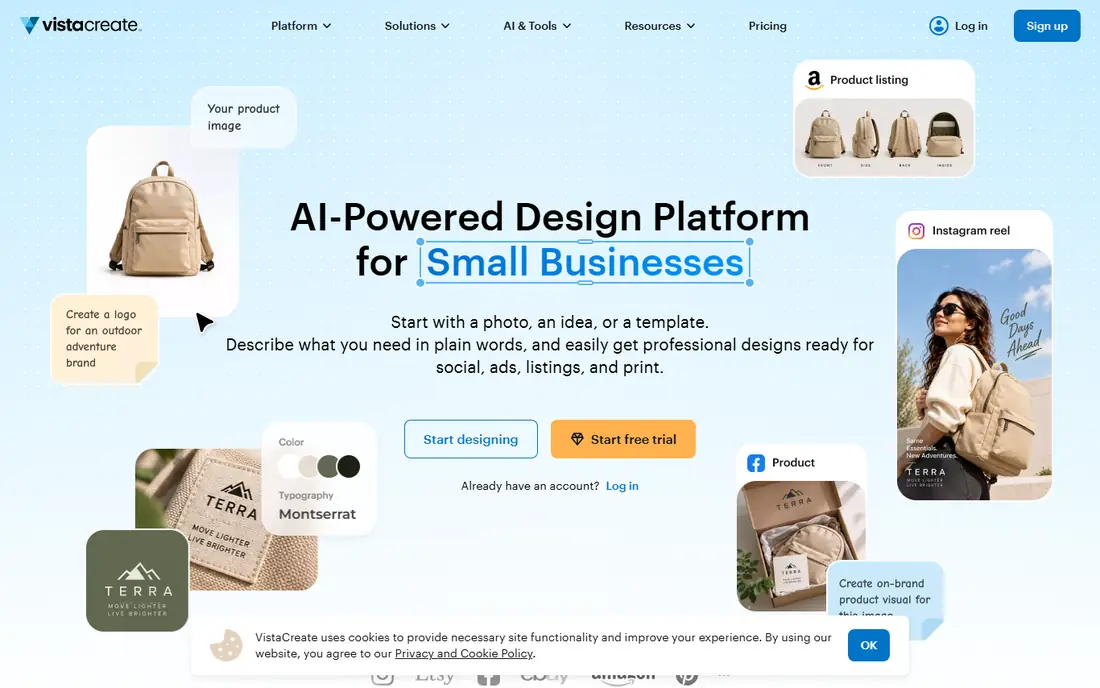
VistaCreate, formerly Crello, offers a strong template library at a lower paid price than many rivals. Static and animated flyers are both covered, which helps when the same design needs to work as a printed flyer and a social post. The editor stays simple for beginners.
The free plan is useful for trying templates, but high-definition downloads and full brand tools need Pro. Small teams should also check seat limits, since some plans cover fewer users than expected.
- Large template library
- Animated flyer options
- Affordable paid plan
- Free plan limits downloads and brand tools
- One seat on some plans
PosterMyWall is built for promoters. Its templates cover concerts, classes, sales, church events, and community notices, with video versions for social feeds. That event focus makes it faster to find a fitting layout than in a general design tool.
Free downloads are basic quality, so print-ready high-resolution files need a paid plan or a purchase. If you print flyers regularly, price the paid tier from the start. For social-only promotion, the free tier goes further.
- Event-focused templates
- Video flyers
- Social publishing tools
- High-resolution downloads cost extra on free plans
- Some templates feel dated
Visme suits teams that want flyers to match a wider brand system. Brand kits, charts, and data visuals help when a flyer needs to present prices, schedules, or statistics clearly. The same tool also covers presentations and documents, which helps small marketing teams.
The free plan is limited on downloads, and the editor takes a little longer to learn than Canva. If your flyers are mostly simple event notices, a simpler tool will be faster. If brand consistency matters, Visme earns its place.
- Strong brand kit tools
- Data visuals for flyers
- Presentation and document options
- Free plan limits downloads
- Learning curve is higher than Canva
Fotor is a good pick when photos carry the flyer. Its photo editing tools are stronger than most template editors, so you can clean up a venue photo or product shot before placing it on a flyer. The paid entry price is also among the lowest here.
The template library is smaller than Canva or VistaCreate, so you may need to adapt a layout rather than find an exact match. Before printing, confirm export resolution and file type, since those settings decide whether a flyer prints cleanly.
- Low paid entry price
- Strong photo editing
- Template-led flyer maker
- Template range is smaller than Canva
- Check print export settings before ordering
Venngage works well when a flyer must explain something, not just announce it. Schedules, pricing tables, menus, and how-to steps fit its infographic-style templates better than in a purely photo-led editor. That structure helps readers scan the key details fast.
The free plan limits downloads, and photographic flyers may feel less natural here. For schools, nonprofits, and local services that pack information into a flyer, Venngage is a strong choice.
- Clear infographic-style layouts
- Good for schedules and data
- Brand tools on paid plans
- Free plan limits downloads
- Less suited to purely photographic flyers
Desygner suits people who care about print output. It offers PDF editing and export options aimed at printing, with a large library of templates and assets. That print focus helps when a flyer must go to a local printer at the right size and quality.
The interface is busier than the simplest editors, and premium templates and stock need a paid plan. If you print often and want control over PDF output, Desygner is worth testing against Canva.
- PDF editing
- Print-focused export options
- Large asset library
- Interface feels busier than Canva
- Premium assets need a paid plan
Snappa is the speed pick. You choose a size, pick a template, edit text and images, and download, with little learning time. Preset sizes cover common flyer and social formats, which helps when one design must work in several places.
The trade-off is depth. Advanced typography, layers, and effects are more limited than in Canva or Adobe Express. For quick, clean flyers on a deadline, that simplicity is a strength, not a weakness.
- Very fast template workflow
- Preset sizes for print and social
- Simple editor
- Template range is smaller than Canva
- Advanced design controls are limited
How we picked these
We compared official feature pages, pricing pages, and public reviews, and we favored online tools that still offer real flyer design in October 2026. We checked template range, free plan limits, brand tools, and export options, since a flyer tool is only useful if the final file prints or posts cleanly. Where pricing was not published, we used See website.
How to make a flyer that works
Start with one message, not five. A flyer should answer what, when, where, and how to act, in that order, with the most important detail largest. If a reader cannot grasp the point in three seconds, cut text before adding decoration.
Next, test the export early. Download a test flyer at the size you will print or post, and check text sharpness, photo quality, and margins. Free plans often limit resolution, so a design that looks fine on screen can print soft. Fix export settings before you finalize the layout.
Finally, keep your brand consistent. Use the same colors, fonts, and logo placement across flyers, and save a template once you find a layout that works. A saved template turns each new flyer into a ten-minute job instead of a fresh design project.
Frequently asked questions
What is the best online flyer design software for beginners?
Canva is usually best for beginners, thanks to its template range and simple editor. Adobe Express is a close second, especially for people who like Adobe fonts. Try both free plans with your real flyer before paying.
What is the best software to make flyers for print?
Canva, Adobe Express, Desygner, and VistaCreate all support print exports, but check resolution and PDF options on your plan. Free downloads may not be print-ready, so confirm file type and quality before ordering prints. A test print saves costly reprints.
Can I design a flyer for free online?
Yes, Canva, Adobe Express, VistaCreate, PosterMyWall, and others offer free plans that cover basic flyers. Free plans may limit high-resolution downloads, brand kits, or premium assets. For a simple flyer, a free plan is often enough.
How much does flyer design software cost?
Free plans cover basic work, while paid plans here range from about $3.99 to $13 per month. Team and business plans cost more per user. Start free, then pay only for the export quality or brand tools you actually need.
Do I need design experience to make a good flyer?
No, template-led tools are built for non-designers. Pick a template close to your event, change the text and photos, and keep the layout simple. Good contrast, one clear headline, and a single call to action matter more than advanced design skill.
Sources
See where you really rank - block by block
ProMapRanker scans Google Maps across a grid of your service area. Simple monthly plans from $19, white-label on every plan.
Start freeKeep reading
 zscaler alternatives
Best Zscaler Alternatives in 2026
Looking for zscaler alternatives? We compare 9 SASE and zero trust platforms on architecture, data protection, pricing, and fit for your network and team.
Read → zapier alternatives free
Best Zapier Alternatives Free in 2026
Nine automation tools for zapier alternatives free in 2026, all with genuinely free tiers, plus free plan limits, starting prices and upgrade paths explained.
Read → which platform is best for online reputation
Which Platform Is Best for Online Reputation in 2026
Wondering which platform is best for online reputation? We compare 8 review, listing, and response tools for small and multi-location businesses and agencies.
Read →