 ProMapRanker
Top Childcare Management Software in 2026


Small to mid-size centers that want simple daily use · Pricing starts at: See website
Key takeaways
- The best childcare management software covers attendance, billing, enrollment, and parent communication in one place, so staff stop copying the same facts between tools.
- Flat monthly pricing suits small centers with steady enrollment, while per-child pricing suits home providers and programs that grow in small steps.
- Parent communication is often the deciding factor, because a clear daily feed and fast messaging cut phone calls and repeat questions.
- Quote-based platforms can still be the right fit for large or multi-site programs, but you should confirm payment processing fees before you sign.
- No single platform fits every size, so shortlist by center size, billing depth, and how much setup help your team will need.
Quick comparison
| Pick | Great for | Pricing starts at | Free tier | |
|---|---|---|---|---|
| Brightwheel | Small to mid-size centers that want simple daily use | See website | Yes | Visit |
 Procare Solutions | Large centers and multi-site groups | See website | No | Visit |
 Lillio | Programs focused on learning records | See website | Free trial | Visit |
 Famly | Centers that want flat monthly pricing | $49 per month | Free trial | Visit |
 Playground | Modern centers that want billing plus engagement | $50 per month | Free trial | Visit |
 Kangarootime | Centers that want billing and subsidy support | See website | Free trial | Visit |
 illumine | Centers that want clear per-child pricing | $0.99 per student per month | Free trial | Visit |
 MyKidReports | Small programs that want published pricing | $0.99 per child per month | Yes | Visit |
The best childcare management software
We compared official feature pages, pricing pages, and public user reviews for these platforms, with attention to billing, attendance, parent messaging, and setup effort. The right choice depends less on the longest feature list and more on the work your team does every day.
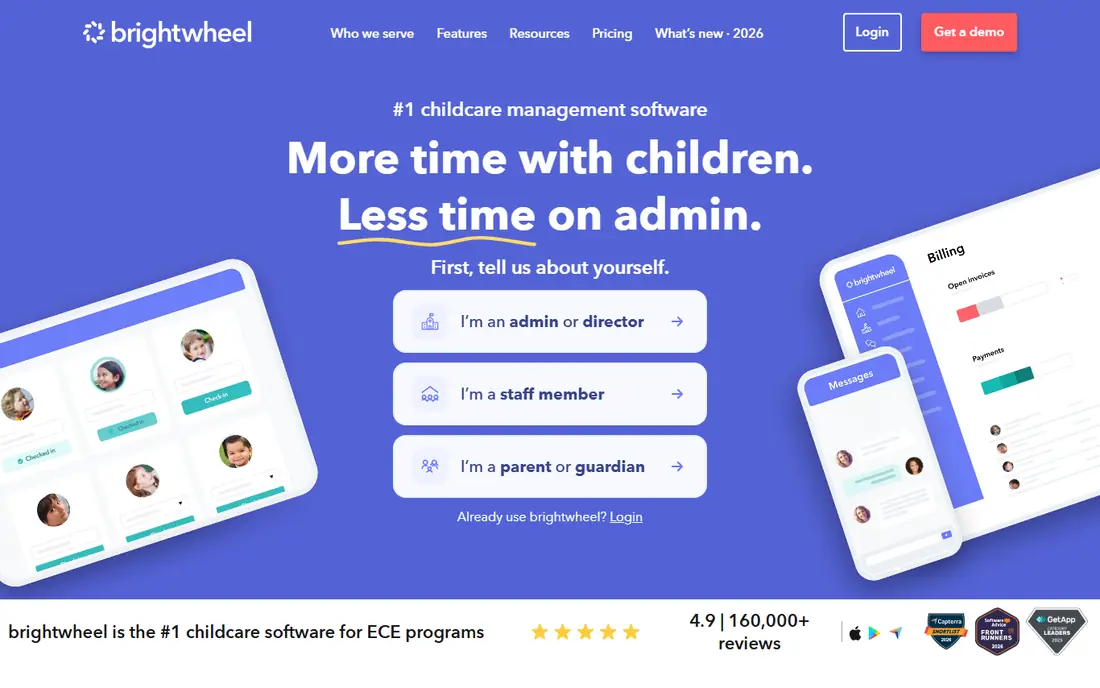
Brightwheel suits a center that wants staff to open one app, record attendance, send a photo, and move on. The daily report flow is easy to learn, which matters when new teachers join mid-year and parents expect updates without a training session. Billing sits beside communication, so a family can see invoices and messages in the same place instead of chasing two systems.
The trade-off is depth. A large group that needs payroll, complex finance reports, or central control across many sites may find the simpler structure limiting. Pricing also requires a conversation for paid plans, so ask for the full monthly total, including payment processing, before you compare it with a flat-rate rival. For many single-site centers, that simplicity is the point, and the free basic option gives a low-risk way to test daily use.
- Simple check-in and daily reports
- Strong parent messaging and photo sharing
- Billing and tuition invoicing in the same app
- Pricing is quote-based for paid tiers
- Deeper finance tools are limited compared with enterprise platforms
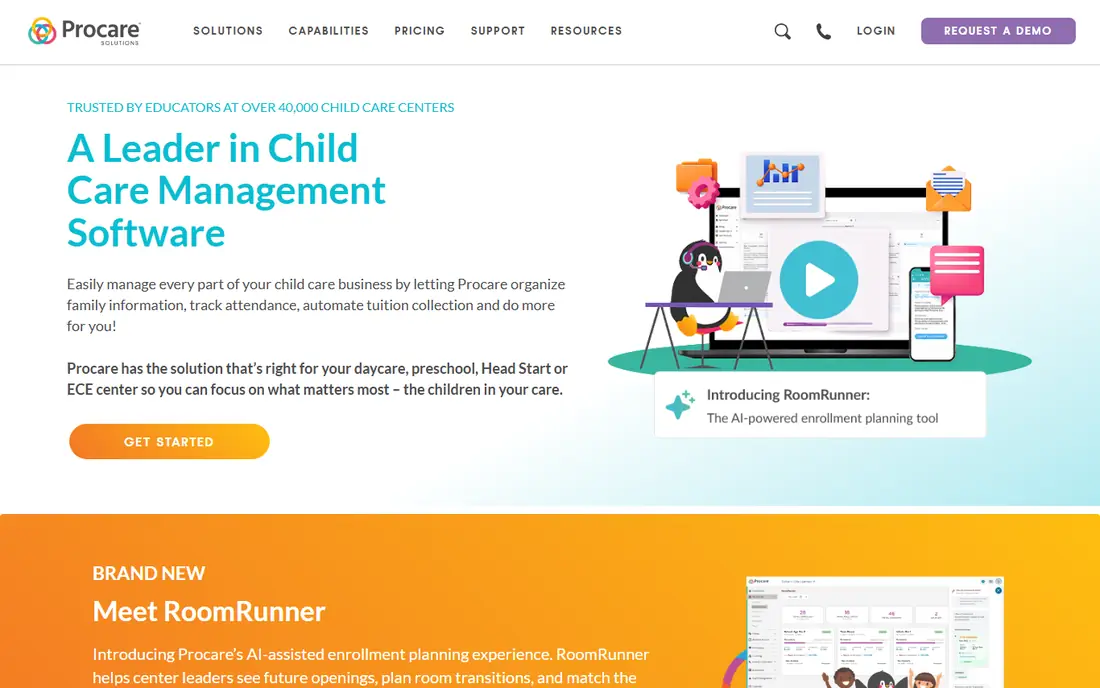
Procare Solutions is built for organizations that treat childcare as a business with payroll, staff records, centralized billing, and reporting across locations. Enrollment, attendance, tuition collection, and staff time tracking run in one system, which helps a director see the whole operation instead of piecing together separate reports. For franchises and groups, that central view is often worth the extra setup.
The honest catch is effort. Implementation is a project, not a quick switch, and smaller centers may pay for depth they rarely use. The interface also reflects its enterprise roots, so staff used to phone-first apps may need training. If you run one small classroom, start elsewhere. If you run several sites and need finance controls, Procare belongs at the top of the shortlist.
- Deep billing, payroll, and HR tools
- Strong multi-location management
- Long track record in childcare administration
- Pricing is quote-based
- Setup and learning take more time than simpler tools
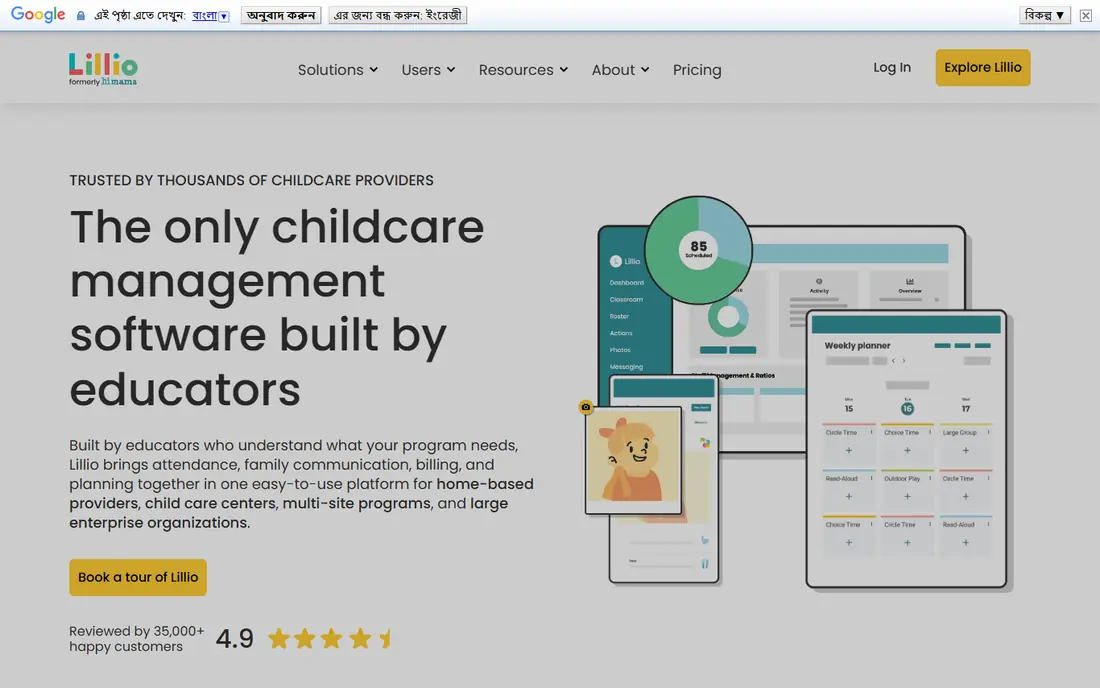
Lillio, formerly HiMama, puts learning documentation at the center. Teachers can record observations, milestones, and daily activities, then share them with parents in a clear feed. That focus helps programs that want families to see progress, not just attendance times and meal notes. Check-in, health screening, and meal tracking add practical daily value beside the learning tools.
Billing is present, but it is not the main reason to choose Lillio. Centers that need deep payroll or complex multi-site finance should compare it carefully with Procare. Pricing is also quote-based, so request a written quote that covers the plan, add-ons, and payment fees. For curriculum-led preschools, the documentation tools and parent feed make it a strong fit.
- Strong daily documentation and learning observations
- Parent updates with photos and videos
- Check-in and health screening tools
- Pricing is quote-based
- Billing depth is lighter than enterprise finance platforms
Famly aims to remove admin work rather than add another dashboard to check. Digital enrollment, automated billing, staff scheduling, and parent messaging run in one platform, which helps a small team keep the day moving. Real-time message translation is a practical plus for centers serving families who speak different languages at home.
The limits are worth noting. Its integration set is smaller than the largest US platforms, and reporting does not go as deep as enterprise finance tools. That may not matter for a single center that wants clean daily operations. The flat starting price also makes budgeting simple, though you should confirm what is included at that tier and what costs extra as enrollment grows.
- Flat monthly starting price
- Digital enrollment through billing in one flow
- Real-time message translation for multilingual families
- Smaller integration set than some US incumbents
- Analytics are less deep
Playground is a modern all-in-one option for centers that want billing and parent engagement without juggling separate tools. Attendance, registration, paperwork, and messaging sit beside tuition billing, so office work follows the same flow as classroom updates. Payroll tools on relevant plans add value for centers that want staff pay handled near the rest of the operation.
As with most platforms in this group, the starting price is only part of the story. Confirm which features your plan includes, especially payroll, food program tools, and multi-site controls. A center that only needs core billing and messaging may find the lower tier enough, while a growing group should price the higher tier before committing. The clean design helps staff adoption, which is often where a new system succeeds or stalls.
- Billing, attendance, registration, and communication in one system
- Payroll tools on relevant plans
- Modern interface
- Some advanced features sit on higher tiers
- Pricing details vary by program size and plan
Kangarootime suits centers that spend too much time on billing, especially where subsidy billing adds extra steps. Automated invoicing, attendance tracking, and menu planning run in one platform, and the parent app gives families access across centers in a group. That combination helps directors who manage more than one site and need consistent billing rules.
The platform is less focused on learning documentation than Lillio, so a curriculum-led preschool should weigh that gap. Pricing is quote-based, so ask for the full cost at your enrollment level, including payment processing. For centers where billing accuracy and subsidy handling matter most, Kangarootime is a practical shortlist option.
- Automated billing and invoicing
- Subsidy billing support
- Parent app with multi-center access
- Pricing is quote-based
- Learning and curriculum tools are less central than on documentation-first rivals
illumine is useful when you want to know the bill before the sales call. The per-student starting price makes it easy to model cost at 20, 60, or 200 children, and the platform covers billing, attendance, enrollment, and parent communication. Lead follow-up and enrollment tools help centers that lose inquiries between a tour and a signed form.
Higher tiers hold some of the deeper tools, so a small program should check whether the entry plan covers its daily needs. The company is also younger in the US market than Procare or Brightwheel, which matters if you value a long local track record. For centers that prize transparent pricing and a full enrollment flow, illumine is easy to compare and easy to trial.
- Clear per-student starting price
- Enrollment CRM and lead follow-up tools
- Billing, attendance, and parent communication in one system
- Some advanced tools sit on higher tiers
- Smaller US track record than the oldest incumbents
MyKidReports is the most direct option for a home provider or small center that wants to start without a sales call. The price is published, there is a free tier for up to 5 children, and core tools for billing, check-in, enrollment, and daily reports sit in one login. That clarity removes the usual pricing guesswork and lets a small program test the system on real families.
Depth is the limit. A large group with payroll, complex finance, or central multi-site controls will likely need a larger platform. Support and integrations are also narrower than the biggest names. For a small program that needs core management done well at a predictable per-child cost, MyKidReports is a strong, low-friction choice.
- Published per-child price with no setup fee stated
- Free for up to 5 children
- Billing, check-in, enrollment, and parent app in one login
- Smaller feature depth than enterprise platforms
- Less suited to complex multi-site finance needs
How we picked these
We compared official feature and pricing pages, app store listings, and public user reviews, and we favored platforms that are live in October 2026 and cover the core job: attendance, billing, enrollment, and parent communication. We kept a mix of large enterprise tools and smaller, transparently priced options, and we marked quote-based pricing as See website rather than repeating third-party estimates as vendor facts. Where sources disagreed on a price or free tier, we chose the more cautious wording and flagged it for a final check with the vendor.
What to check before you buy
Start with your daily flow, not the feature list. List the tasks that eat time now: check-in, billing, subsidy forms, parent messages, staff scheduling, and enrollment follow-up. Then test those exact tasks in a trial with two or three staff members and a few parents, because a tool that looks good in a demo can still slow down a busy morning.
Ask four pricing questions in writing: the monthly subscription at your enrollment, payment processing fees, any per-child or per-classroom charges, and what happens to your data if you leave. Check parent access too, including how families without strong tech skills will check in, pay, and read updates. Finally, confirm support hours and onboarding help, since a center cannot pause care while staff learn a new system.
A short trial checklist
Run check-in for a full morning, send a billing reminder, share a daily report with photos, and add a new family from inquiry to enrollment. Note every step that needed help or a workaround. If more than one core task feels awkward in the trial, it will feel worse at full enrollment.
Frequently asked questions
What is the best childcare management software for a small center?
For a small center, we would start with Brightwheel, Famly, or MyKidReports, depending on whether you value simple daily use, flat monthly pricing, or published per-child pricing. Test check-in, billing, and parent messaging with real staff before you commit, since daily ease matters more than a long feature list.
What is the best management app for childcare with billing and payroll?
Procare Solutions is the strongest fit in this list when payroll and deep finance matter, and Playground is worth checking on relevant plans. Confirm payroll scope, tax handling, and reporting in writing, because payroll features vary by plan and location.
Are there best childcare management apps with a free plan?
Yes. Brightwheel lists a free basic option and MyKidReports is free for up to 5 children, while several other platforms offer a free trial instead of a free plan. A free plan is useful for testing, but check which billing and reporting tools it includes before you rely on it.
What are the best childcare management software platforms for multi-site groups?
Procare Solutions, Kangarootime, and Playground are the strongest multi-site candidates here, thanks to central billing and reporting tools. Ask how pricing changes per site, how parent access works across locations, and how data moves if a site closes or changes hands.
How much does childcare management software cost?
Costs in this list range from free small tiers and $0.99 per child per month to flat rates near $49 to $50 per month and quote-based enterprise pricing. Payment processing fees sit on top of the subscription for many platforms, so always ask for the all-in monthly total at your enrollment.
Should a home provider use the same software as a large center?
Not always. A home provider usually needs fast check-in, simple invoicing, and clear parent updates, while a large center needs payroll, multi-site controls, and deeper reporting. Start with the smallest tool that covers your daily work well, and move up only when growth creates a clear gap.
Sources
See where you really rank - block by block
ProMapRanker scans Google Maps across a grid of your service area. Simple monthly plans from $19, white-label on every plan.
Start freeKeep reading
 zoho inventory alternatives
6 Alternatives to Zoho Inventory, Compared on Price and Fit
Zoho Inventory alternatives: 6 tools compared on price, free plans and fit. Katana leads the list for manufacturers. Fit and flaws are laid out for each entry.
Read → zoho crm alternatives
Best Zoho CRM Alternatives (2026)
Need Zoho CRM alternatives? We compare 7 tools on cost, free access and who each suits. Every pick gets a straight assessment. Built for quick decisions.
Read → zelle alternatives
Best Zelle Alternatives in 2026
Compare the best Zelle alternatives for sending money to friends, paying sellers and moving funds abroad, with honest notes on fees, speed and safety in 2026.
Read →