 ProMapRanker
Top Blended Learning Software in 2026


Higher education and K-12 at scale · Pricing starts at: See website
Key takeaways
- Canvas and Moodle lead for institutions that need a full learning system, while Google Classroom leads for simple, low cost classroom work.
- D2L Brightspace and Blackboard Learn suit larger institutions with complex assessment, accessibility, and reporting needs.
- Schoology and Edsby suit K-12 districts, while TalentLMS, Docebo, and Absorb LMS suit workplace training.
- Blended learning works when online work and in person teaching share one plan, not when online material is simply added on top of class time.
Quick comparison
| Pick | Great for | Pricing starts at | Free tier | |
|---|---|---|---|---|
| Canvas LMS | Higher education and K-12 at scale | See website | Free trial | Visit |
 Moodle | Open source control and customization | Free | Yes | Visit |
 Google Classroom | Simple K-12 assignment work | Free | Yes | Visit |
 D2L Brightspace | Adaptive learning and analytics | See website | No | Visit |
 Blackboard Learn | Large structured institutions | See website | No | Visit |
 Schoology | K-12 engagement and assessment | See website | No | Visit |
 TalentLMS | Fast workplace training setup | Free | Yes | Visit |
 Docebo | Enterprise workplace learning | See website | No | Visit |
 Absorb LMS | Corporate training at mid scale | See website | No | Visit |
The best blended learning software
Blended learning mixes in person teaching with online lessons, practice, and assessment. The best blended learning platforms keep that mix in one place, so teachers can see who completed online work before class and who needs extra help after it.
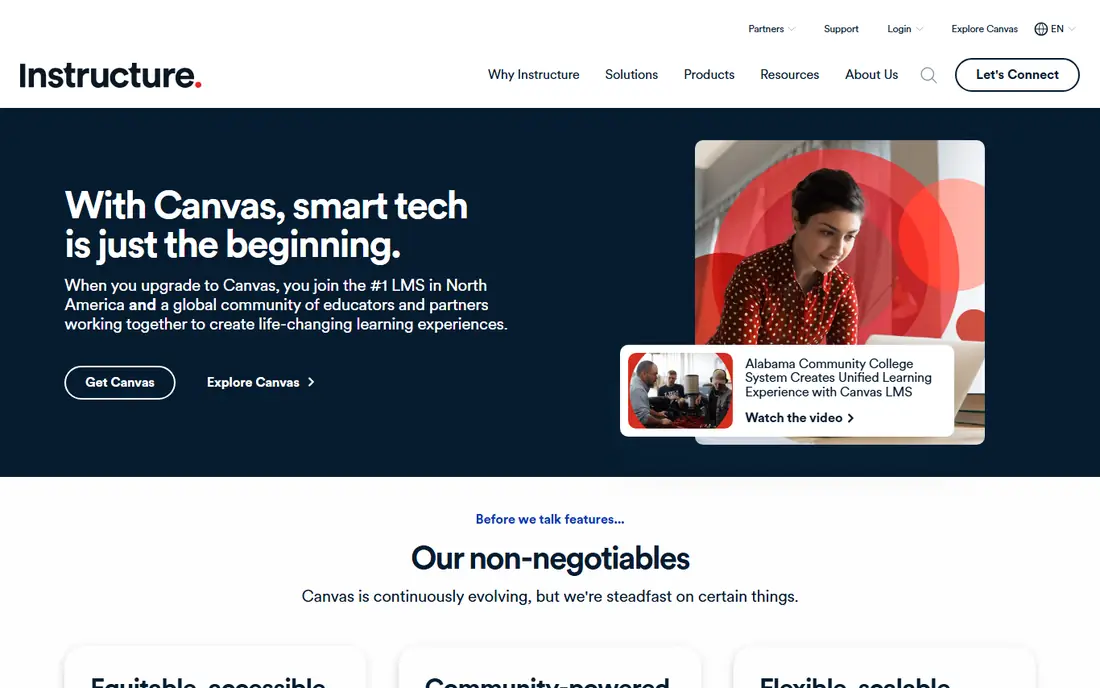
Canvas is our pick for most colleges and larger school systems that need a dependable core system. Teachers can build courses, grade work, and run discussions without a steep learning curve, and students get a consistent layout across courses. Its integration options also help schools connect other tools they already use.
The main drawback is cost transparency. Canvas does not publish a simple price list, so a school must request a quote and allow time for procurement. Smaller schools with tight budgets should compare it with Moodle and Google Classroom before committing.
- Clean interface for teachers and students
- Strong integration options
- Widely used in higher education
- Institutional pricing is quote based
- Setup takes planning for large districts
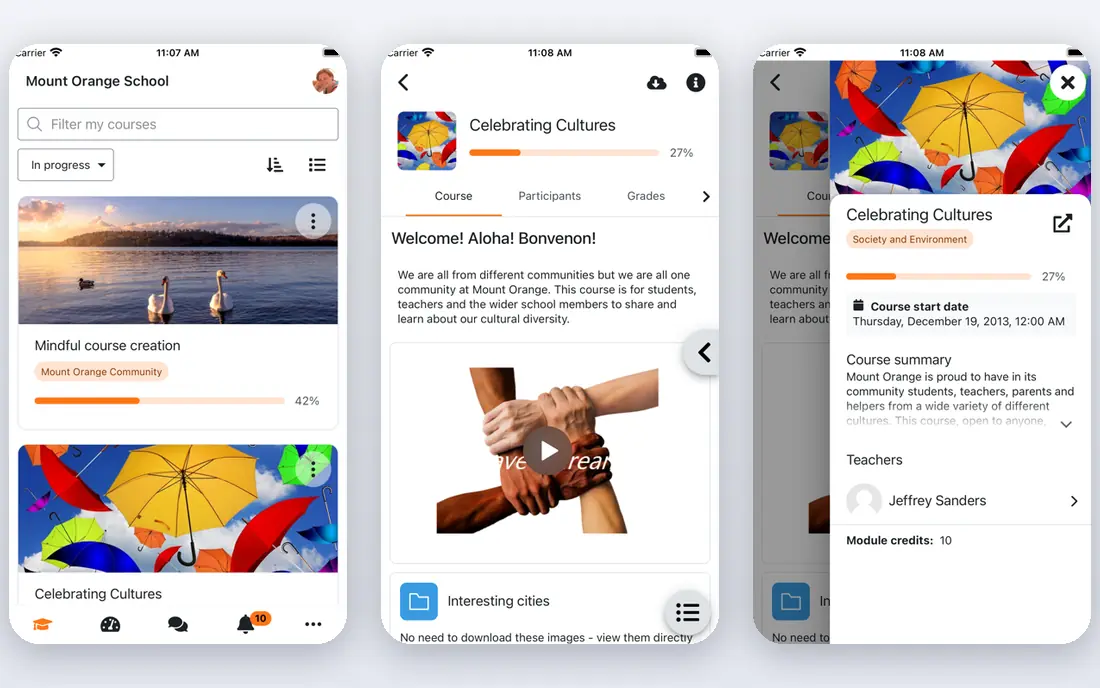
Moodle suits institutions that want control over their system and have IT capacity to run it. The core software is free, and plugins add tools for quizzes, grading, gamification, and analytics. Schools and training teams can shape it around their own curriculum rather than fitting into a vendor template.
That freedom comes with work. Hosting, security updates, and plugin compatibility fall to the institution, and total cost rises once staff time and hosting are counted. Moodle is a strong value choice for teams with technical support, and a poor fit for teams that want a fully managed service.
- Free open source core software
- Large plugin library
- Full control over data and hosting
- Needs IT support for hosting and updates
- Interface can feel dated without customization
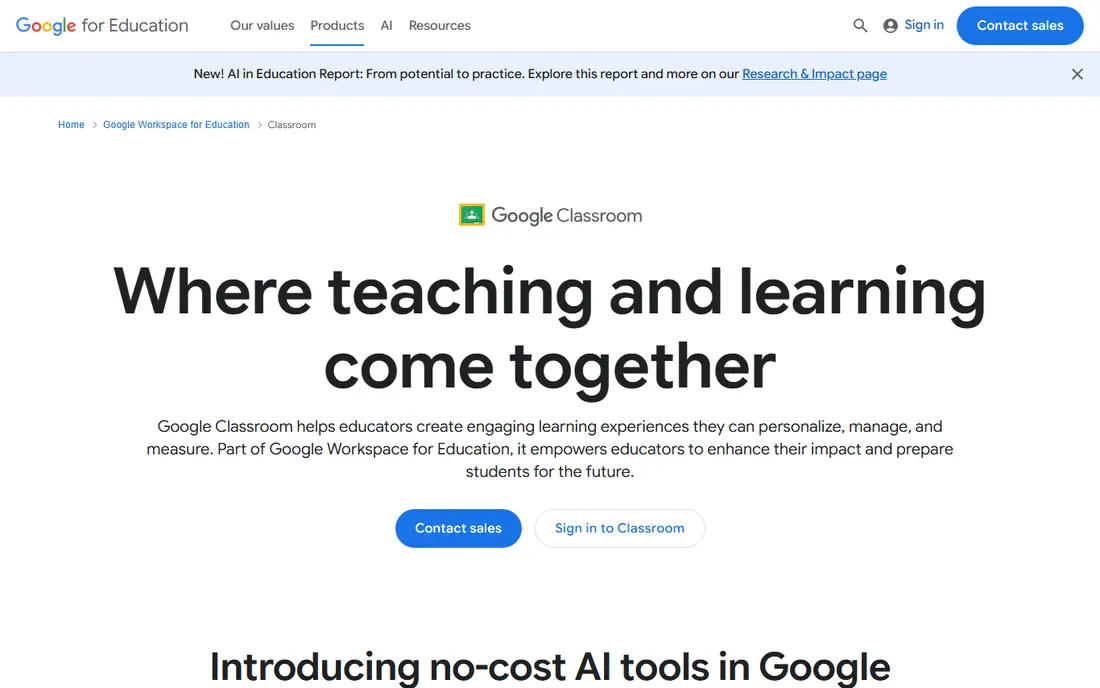
Google Classroom is the simplest route to blended learning for schools already using Google Workspace. Teachers can post assignments, collect work, and give feedback in a few clicks, and students already know the Google tools involved. For daily classroom work, that simplicity beats a heavier system.
Its limits show in larger programs. Advanced grading workflows, complex course design, and detailed analytics are thinner than in Canvas or Brightspace. Schools that need a full degree program system should treat Classroom as a classroom tool, not a complete institutional platform.
- Free for qualifying schools
- Simple assignment workflow
- Tight fit with Google Workspace tools
- Fewer advanced LMS features
- Less suited to complex higher education programs
Brightspace suits institutions that want data to guide teaching. Its adaptive tools adjust content based on student performance, and its analytics help staff spot students who may need help early. Accessibility support is also a clear strength, which matters for public institutions.
Teachers need more onboarding time than with Classroom or Canvas, and pricing requires a sales conversation. For a university or large district that will use analytics daily, that investment pays off. For a small school, the complexity may outweigh the benefit.
- Strong accessibility support
- Adaptive learning tools
- Predictive analytics for at risk students
- Quote based pricing
- Steeper learning curve for teachers new to the system
Blackboard Learn, now part of Anthology, suits large universities that need strict structure, detailed tracking, and central administration. Its controls help institutions manage many courses, programs, and compliance needs from one system. Long term users also benefit from a large support community.
Smaller teams often find it heavy. Setup and migration take time, and quote based pricing makes quick comparison hard. It remains a solid pick for institutions that already run on it or need its administrative depth, rather than for a school seeking a light start.
- Strong administrative controls
- Deep academic tracking
- Long history in higher education
- Migration and setup can be complex
- Interface feels heavy for small teams
Schoology suits K-12 districts that want students to actually engage with online work. Its interface feels familiar to students used to social apps, and its assessment tools help teachers check understanding before class. Parent communication features also help schools keep families informed.
Higher education teams will find Canvas and Brightspace more common in their sector, which can matter for transfer and support. For a district focused on K-12 blended classes, Schoology is a strong, focused choice.
- Familiar social style interface for students
- Strong assessment tools
- Parent communication features
- Quote based pricing
- Less common in higher education
TalentLMS is the fastest route to blended workplace training. A small business can set up courses, enroll staff, and track completion without a long implementation project. Its free plan covers very small teams, which makes it easy to test before paying.
It is not built for academic programs. Schools that need complex grading, degree tracking, or research tools should look at Canvas, Moodle, or Brightspace instead. For onboarding, compliance, and skill training at work, TalentLMS keeps the job simple.
- Free plan for small teams
- Fast setup
- Simple course builder for workplace training
- Less academic depth
- Advanced features need higher plans
Docebo suits larger employers that train staff across locations and need clear reporting. Managers can see completion and skill gaps, and course content can be organized for different roles and regions. Its scale and reporting set it apart from small team tools.
The cost and setup reflect that enterprise focus. Small teams will find TalentLMS cheaper and faster, while Docebo pays off when training volume, compliance reporting, and multiple audiences justify the investment.
- Scales for large workforces
- Strong content and AI assisted tools
- Good reporting for managers
- Enterprise pricing
- Setup needs planning and admin time
Absorb LMS suits mid sized companies that want a polished learner experience without enterprise complexity. Staff can find courses, complete training, and see progress clearly, and admins get reporting that shows completion across teams. Import tools help move existing material into the system.
Academic institutions will miss the degree and research tooling of Canvas and Brightspace. For corporate training, though, Absorb strikes a useful balance between ease of use and reporting depth.
- Clean learner experience
- Solid reporting
- Content import tools for existing training material
- Pricing is quote based
- Less academic tooling than Canvas or Moodle
How we picked these
We compared official product pages, pricing models, and use cases for the best blended learning platforms and best blended learning software in current vendor and review sources. We favored systems that exist and work in October 2026, support both online and in person teaching, and serve a distinct audience, from K-12 to enterprise training. We did not claim hands on testing. Our picks rest on published features, pricing transparency, and fit for a real blended program.
How to run a blended program well
A platform alone does not make blended learning work. The online part should prepare students for class, and class time should build on what students already did online. When online work is just extra homework, completion drops and teachers gain little.
Design the mix before buying
Decide which topics suit video and practice, and which need live discussion, labs, or feedback. Use the platform for the first group, and protect class time for the second. Pilot with one course or one team, measure completion and assessment results, then expand to more courses.
Plan support and training
Teachers need time to learn the system and to redesign lessons, not just a login. Budget for training, course templates, and help during the first term. Students also need clear instructions on where to find work, how it is graded, and what happens if they fall behind.
Check data and privacy early
Review how the platform stores student data, who can see grades, and how it handles accessibility. A system that meets accessibility and privacy rules will save trouble later, especially for public schools and regulated training programs.
Frequently asked questions
What is blended learning software?
Blended learning software is a system that supports a mix of in person teaching and online learning. It usually includes course pages, assignments, quizzes, grades, and reports, so teachers can track online work alongside classroom work.
Which blended learning platform is best for schools?
Canvas suits larger schools and colleges, Google Classroom suits simple K-12 work, and Schoology suits K-12 districts that want strong engagement and parent tools. Moodle suits schools with IT support that want open source control.
Is Moodle really free?
The Moodle core software is free to download and self host. Hosting, support, and staff time still cost money, and managed hosting plans carry a fee. Total cost depends on how the school runs it.
What is the best blended learning software for workplace training?
TalentLMS suits small teams that need a fast start, Absorb LMS suits mid sized companies, and Docebo suits larger employers with complex reporting needs. Choose based on team size and reporting requirements, not on feature count alone.
Can Google Classroom replace a full LMS?
Google Classroom works well for daily assignments in schools using Google Workspace. It lacks some advanced LMS features for degree programs, complex grading, and detailed analytics, so larger institutions often pair it with or replace it by a full LMS.
How do we choose between Canvas and Brightspace?
Canvas suits teams that value a clean interface and broad adoption, while Brightspace suits teams that value adaptive learning and analytics. Trial both with a real course, and compare teacher onboarding time and reporting needs before deciding.
Sources
See where you really rank - block by block
ProMapRanker scans Google Maps across a grid of your service area. Simple monthly plans from $19, white-label on every plan.
Start freeKeep reading
 zscaler alternatives
Best Zscaler Alternatives in 2026
Looking for zscaler alternatives? We compare 9 SASE and zero trust platforms on architecture, data protection, pricing, and fit for your network and team.
Read → zapier alternatives free
Best Zapier Alternatives Free in 2026
Nine automation tools for zapier alternatives free in 2026, all with genuinely free tiers, plus free plan limits, starting prices and upgrade paths explained.
Read → which platform is best for online reputation
Which Platform Is Best for Online Reputation in 2026
Wondering which platform is best for online reputation? We compare 8 review, listing, and response tools for small and multi-location businesses and agencies.
Read →