 ProMapRanker
Best Timeline Software Alternatives in 2026

Key takeaways
- Preceden is the best web-first choice for layered project and history timelines that need sharing and privacy controls.
- Aeon Timeline suits writers and researchers who need detailed dates, relationships, and offline work.
- Office Timeline is the most practical pick when the final output must be a PowerPoint slide for a meeting.
- TimelineJS is free and strong for public web timelines built from a spreadsheet, but it needs more setup than a drag-and-drop tool.
- Start with the free plan or trial, and check export options before you build a timeline you will need for years.
Quick comparison
| Pick | Great for | Pricing starts at | Free tier | |
|---|---|---|---|---|
 Aeon Timeline | Writers and researchers | $65 one-time | Free trial | Visit |
 Preceden | Layered web timelines | $10 per month | Free trial | Visit |
 Office Timeline | PowerPoint timelines | $59 per year | Yes | Visit |
 Tiki-Toki | Visual history timelines | $9.50 per month | Yes | Visit |
 TimeGraphics | Quick public timelines | Free | Yes | Visit |
 Sutori | Classroom timelines | See website | Yes | Visit |
 TimelineJS | Free spreadsheet timelines | Free | Yes | Visit |
 Lucidchart | Diagrams with timelines | See website | Yes | Visit |
The best timeline software alternatives
A good timeline tool does more than place dates on a line. It should let you group events, show relationships, adjust scale, and share or export the result in a form other people can read. We compared tools for project work, history teaching, fiction writing, and presentations.
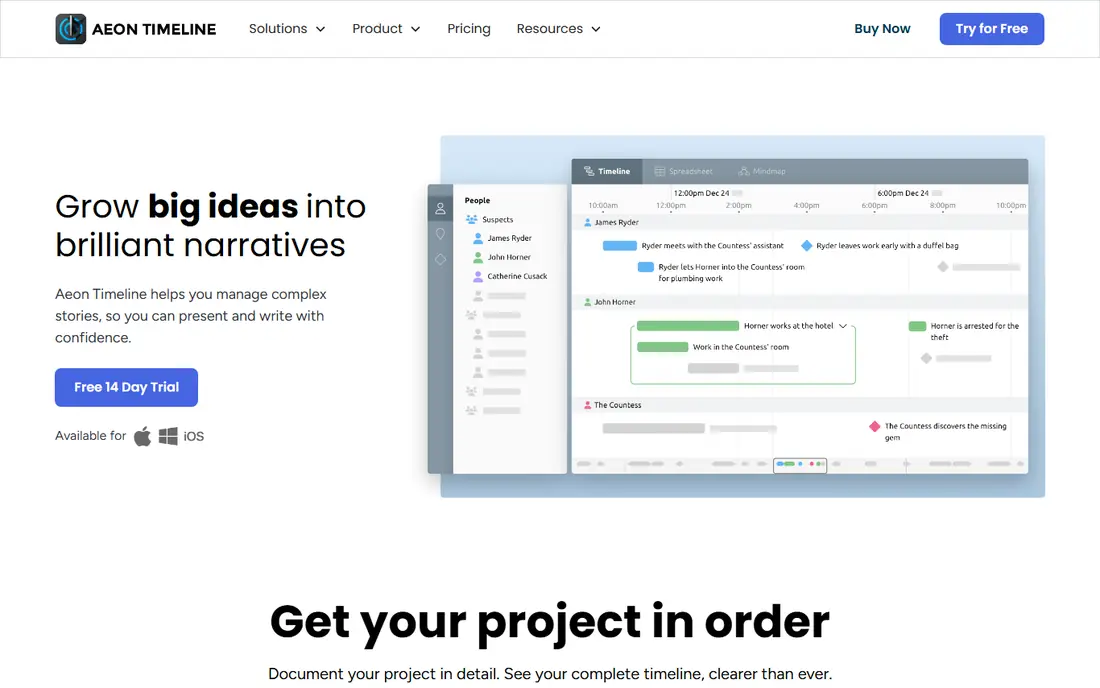
Aeon Timeline is built for people who need precision. Writers can track fictional dates, characters, and plot threads, while researchers can handle uncertain dates and complex event relationships. The timeline view lets you compare parallel threads, which is hard to do well in a slide or a spreadsheet.
The price is a one-time purchase of $65, with a year of updates included and further update years at $35. That model suits a single user who wants to own the tool rather than rent it. The trade is setup time. Expect to spend an evening learning the structure before a large project feels natural, and check whether your collaborators need the same app to edit the file.
- Detailed event and relationship tracking
- Works on Mac, Windows, and iOS
- One-time purchase with a year of updates
- Learning curve is steeper than a simple web tool
- Collaboration is more limited than web-first tools

Preceden is the web tool we would pick for a shared project timeline. Layers let you separate workstreams, departments, or historical periods on one timeline, so a reader can focus on one layer or see the whole picture. Privacy settings control who can view a timeline, and sharing and export options cover common presentation needs.
Paid plans start at $10 per month billed annually, with a free trial to test the layout. That price is fair for a team that will use timelines often, but it is more than a casual user needs for a single school project. If your timeline is public and simple, a free tool below may cover it. For client work and internal planning, Preceden earns its place.
- Layers organize complex timelines
- Privacy controls and sharing options
- Clean web interface
- Paid plans are needed for fuller use
- No offline desktop app in the same way as Aeon Timeline

Office Timeline solves a very specific problem well. Many project timelines end up as a PowerPoint slide, and this tool builds that slide without forcing you to draw boxes by hand. Templates cover roadmaps, project plans, and Gantt-style views, and the online tool lets you build a timeline in a browser when you are away from PowerPoint.
Pricing starts at $59 per year for the student and home PowerPoint add-in, with higher plans for professional use and an online tool at $99 per year in some listings. Check the current plan page before you buy, since the add-in and online tiers differ. The free plan is useful for a short timeline, but a long project plan will need a paid tier for unlimited items and richer layouts.
- Builds timelines directly in PowerPoint
- Strong templates for project plans
- Online tool also available
- Free plan limits items per slide
- Higher plans are needed for swimlanes and dependencies
Tiki-Toki is a good choice when the timeline itself needs to look good. It supports background images, embedded media, and a 3D view that suits history projects, museum displays, and classroom work. A reader can scroll through events and open media without learning a complex interface.
The free plan allows one timeline, which is enough to test the style or to publish a single project. Paid plans start at $9.50 per month and add multiple timelines and extra features. If you need many timelines for different classes or clients, the cost adds up, so compare it with Preceden for a multi-timeline workload. For one polished public timeline, Tiki-Toki is hard to beat on looks alone.
- Attractive visual timelines with images and video
- Embed options for websites
- Simple creation flow
- Free plan is limited to one timeline
- Paid plans are needed for multiple timelines and fuller features
TimeGraphics is the fastest way to get a timeline online. You can create a public timeline with media, zoom and pan through periods, and share a link without installing software. For a student assignment, a blog post, or a quick project overview, that speed matters more than advanced features.
The free tier covers public timelines up to 18 events, which is a real limit for a long history project. Premium plans add more events and private options, with prices listed from a low daily rate to an annual plan. If your timeline must stay private, check the premium terms before you start, since the free tier is built for public sharing. For a short, public timeline, start here and upgrade only if you outgrow it.
- Fast to start
- Free public timelines
- Media support with drag-and-drop editing
- Free timelines are public and limited in event count
- Premium features need a paid plan
Sutori blends a timeline with a story format, which makes it a natural fit for teachers and students. A timeline can hold text, images, video, and questions in sequence, so a lesson reads as a guided story rather than a bare list of dates. Collaboration tools let a class build a timeline together, and the result is easy to share with parents or other classes.
The weakness is pricing clarity. Sutori lists education plans on its site, but the exact price for your school or district may need a quote or a plan check, so we list it as See website. For a single classroom, the free tier is worth testing first. For a whole school, ask for a written quote that covers student accounts, privacy controls, and data retention.
- Timeline and story format suits teaching
- Collaboration for classes
- Media and quiz-style elements
- Pricing is less transparent on the public page
- Less suited to large enterprise project portfolios
TimelineJS, from Northwestern University Knight Lab, is the best free option for a public web timeline. You fill in a Google Sheet with dates, headlines, text, and media links, and the tool turns it into an interactive timeline you can embed on a website. That spreadsheet workflow is familiar to many teachers and journalists, and it makes bulk editing fast.
The trade is polish and control. You get a clean, readable timeline, but you do not get the same design freedom as Tiki-Toki or the project features of Preceden. Setup also takes a little care, since a badly formatted date or a broken media link will show up in the published timeline. For a newsroom, museum, or classroom on a zero budget, TimelineJS is an excellent starting point.
- Free to use
- Builds from a Google Sheet
- Supports images, video, and maps
- Needs a spreadsheet and some setup
- Styling options are more limited than paid design tools
Lucidchart is not a timeline-only tool, and that is its appeal for many workplaces. If your team already makes flowcharts, org charts, and process diagrams, adding a timeline in the same tool keeps everything in one place. Templates give you a starting layout, and collaboration lets several people edit and comment on the same diagram.
The downside is focus. A dedicated tool such as Aeon Timeline or Preceden will handle complex dates and layers better than a general diagram tool. Lucidchart pricing also varies by plan, so we list it as See website and suggest checking the current individual and team rates. Choose Lucidchart when timelines are one part of a wider diagram workload, not your only need.
- Timeline templates inside a full diagram tool
- Collaboration and sharing
- Integrates with common work apps
- Timelines are one feature among many
- Pricing varies by plan and team size
How we picked these
We compared official feature pages, pricing pages, and public documentation for each tool, plus reviews from users who built real timelines. We kept tools that are still offered in October 2026, that let you create and share a timeline today, and that cover different needs rather than repeating the same web timeline eight times. We checked that each homepage belongs to the product named.
We did not count a tool that only makes a static chart image as a full timeline tool unless it also supports dated events and a readable timeline view. Prices are starting prices where the vendor publishes them, and See website marks plans where pricing varies by education, team, or quote terms.
How to choose the right timeline tool
First, decide who will read the timeline. A public history timeline needs a clean web view and media support, while a project timeline for executives needs a slide or a printable view. A fiction timeline needs private notes, relationships, and dates that may not match the real calendar. Pick the audience first, then the tool.
Second, check scale and time range. A timeline with ten events is a different job from one with five hundred events across centuries. Look for layers, zoom, and filtering when the event count grows, and test how the tool handles dates before the year 1 or dates that are only approximate. A tool that forces every event into a single day will frustrate a historian or a novelist.
Third, test export and sharing before you commit. Can you embed the timeline, export a PDF or image, or hand the file to someone who does not have the same app? Timelines often outlive the project that created them, so a tool with a clear export path is worth more than a prettier tool that locks your work inside one account. Run a small test timeline end to end, including sharing, before you build the full version.
Frequently asked questions
What is timeline software used for?
Timeline software places dated events on a visual line so readers can see order, overlap, and gaps. People use it for project plans, history lessons, legal case chronologies, product roadmaps, and fiction writing. The best tool depends on the audience and on how many events you need to show.
Is there good free timeline software?
Yes. TimelineJS is free and strong for public web timelines, TimeGraphics offers a free public tier, and Tiki-Toki and Lucidchart offer free plans with limits. Free plans usually limit event counts, privacy, or export options, so check those limits for your project.
Which tool is best for PowerPoint?
Office Timeline is the most direct choice, since it builds timelines inside PowerPoint and offers templates for project plans. Preceden and Lucidchart can also export visuals for slides, but they need an extra step to place the result in a deck.
Can I use timeline software for fiction writing?
Yes, and Aeon Timeline is built for that use. It handles fictional dates, character arcs, and relationships between events. A simple web tool can also work for a short story, but a novel with many threads benefits from a dedicated writing timeline.
How do I share a timeline with a class or client?
Use the sharing link, embed code, or export option that fits your audience. Public tools such as TimelineJS and TimeGraphics suit open web sharing, while Preceden offers privacy controls for client work. Always check whether a free timeline is public by default before you share sensitive project dates.
Sources
See where you really rank - block by block
ProMapRanker scans Google Maps across a grid of your service area. Simple monthly plans from $19, white-label on every plan.
Start freeKeep reading
 zyte alternatives
Best Zyte Alternatives in 2026
These zyte alternatives cover managed scraping APIs, proxy networks and no code tools for lawful collection from your own or consented sources only in 2026.
Read → zerto alternatives
Best Zerto Alternatives in 2026
Compare the best zerto alternatives for disaster recovery and replication, with recovery targets, cloud options and honest trade-offs for teams in 2026.
Read → zerofox alternatives
Best ZeroFox Alternatives in 2026
We compared 9 zerofox alternatives for brand protection, phishing takedowns, dark web monitoring, and social impersonation, with clear coverage notes.
Read →