 ProMapRanker
Best Taplio Alternatives in 2026


LinkedIn writing and analytics · Pricing starts at: $19.95 per month
Key takeaways
- AuthoredUp is our pick for solo LinkedIn writers who want a strong editor and deep post analytics in one place.
- Buffer and Publer suit creators who post to LinkedIn plus other networks and want simple scheduling at a lower cost.
- Hootsuite and Sprout Social fit larger teams that need approvals, permissions and reporting across many accounts.
- Supergrow and ContentIn focus on AI drafting for LinkedIn, while Metricool and SocialBee balance scheduling with reporting.
- Check LinkedIn safety rules before using any tool that automates comments, messages or connection activity.
Quick comparison
| Pick | Great for | Pricing starts at | Free tier | |
|---|---|---|---|---|
| AuthoredUp | LinkedIn writing and analytics | $19.95 per month | No | Visit |
 Supergrow | AI LinkedIn content and carousels | See website | Free trial | Visit |
 ContentIn | AI ghostwriting for LinkedIn | See website | Free trial | Visit |
 Buffer | Simple multi-network scheduling | Free | Yes | Visit |
 Hootsuite | Team social management | $99 per user per month | Free trial | Visit |
 Sprout Social | Enterprise reporting and approvals | $199 per seat per month | Free trial | Visit |
 Metricool | Scheduling plus cross-channel reports | $25 per month | Yes | Visit |
 Publer | Affordable multi-network publishing | See website | Yes | Visit |
 SocialBee | Content categories and recycling | See website | Free trial | Visit |
The best Taplio alternatives
Taplio built its name on LinkedIn AI writing, post ideas and analytics, but it is not the right fit for every creator. Some people want a cheaper editor, some want multi-network scheduling, and some need team controls. These nine tools cover those different needs, and we compared their official feature pages, pricing pages and app listings to sort them.

AuthoredUp is built for people who write on LinkedIn themselves and want that writing to be easier to shape and easier to measure. Its editor adds formatting, hooks, readability checks and a live preview of how a post will look in the feed, which helps catch awkward line breaks and weak openings before publishing. The analytics go further than basic likes and impressions, with post comparisons, reaction breakdowns and follower growth over time.
The trade-off is scope. AuthoredUp does not cover other social networks, so it is a poor pick as a sole scheduler for a creator who also posts daily to other platforms. It also lacks the lead generation database that draws some buyers to Taplio. For a solo LinkedIn writer, though, that focus is a strength, because every feature is aimed at one network rather than spread thin.
- Strong LinkedIn editor with previews
- Deep post analytics
- No automation that risks account restrictions
- LinkedIn only
- Scheduling works through a browser extension
- No lead database
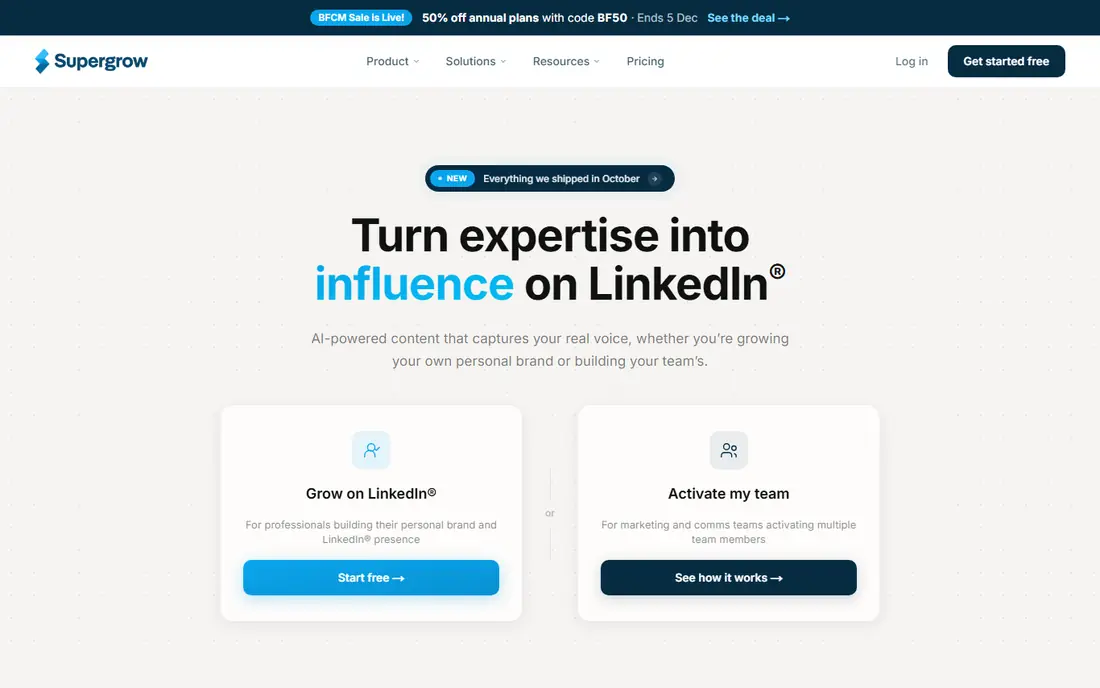
Supergrow suits creators who stare at a blank draft and want a faster starting point. It can turn an interview, a video or a document into post ideas, and its carousel builder helps turn a long idea into slides without opening a separate design tool. That makes it useful for people who publish several times a week and need a steady flow of drafts.
The catch is that AI drafts still need editing. A draft that sounds generic will perform like a generic post, so we suggest treating Supergrow as a first draft tool, not a publish button. Check the current pricing page before you commit, since plans and AI limits change, and keep automated first comments off unless you are sure they fit LinkedIn rules.
- AI content ideas trained on your voice
- Carousel maker
- Post repurposing from video and documents
- LinkedIn only
- Some automation features need care with LinkedIn rules
- Analytics are thinner than AuthoredUp
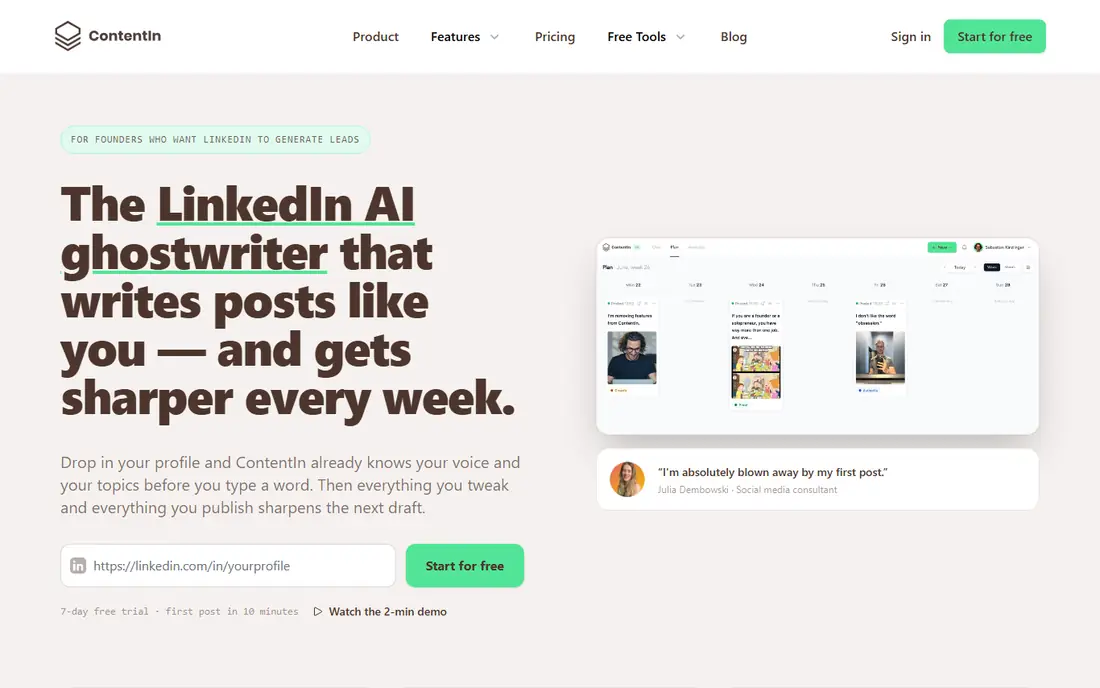
ContentIn is aimed at LinkedIn creators who want AI help that sounds closer to their own voice. It learns from posts you have already published, which can reduce the flat, templated feel that generic AI writing often has. The calendar, scheduling and tagging support mean you can plan a week of posts in one sitting rather than drafting on the day.
Like other AI tools, it works best when you edit for facts, tone and personal detail. A ghostwriter cannot know what happened in your meeting yesterday unless you tell it, so the strongest posts still start with a real note from you. If you post mainly on LinkedIn and want AI drafting plus scheduling, ContentIn is a direct Taplio rival worth testing.
- Ghostwriter trained on your past posts
- LinkedIn calendar and scheduling
- Supports tagging in posts
- LinkedIn only
- AI output still needs human review
- No multi-network publishing
Buffer is the simplest tool on this list, and that is why many creators start here. You can queue posts for LinkedIn and other networks from one calendar, and the free plan lets you test the workflow before paying. For a small business owner who posts a few times a week and does not need LinkedIn-only analytics, that simplicity saves time.
The limit is depth. Buffer will not give you the hook library, readability scoring or deep LinkedIn analytics that AuthoredUp offers, and its AI help is closer to caption ideas than full ghostwriting. Pair it with a separate writing tool if LinkedIn growth is your main goal, or accept it as a low cost scheduler that does the basics well.
- Clean scheduling across networks
- Generous free plan to start
- Simple analytics on paid plans
- LinkedIn-specific writing tools are basic
- AI help is limited to captions
- Deeper reports need a paid plan
Hootsuite fits marketing teams and agencies that manage company pages, campaigns and multiple staff accounts. It adds approval workflows, assigned roles and reports that a solo creator does not need but a team cannot work without. Monitoring tools also help a brand track mentions and respond from one inbox.
For an individual LinkedIn creator, Hootsuite is usually more tool than needed, and the price reflects that. It is also stronger for company pages than for personal profile analytics, so check which account types your plan covers. Choose it when coordination and reporting matter more than LinkedIn writing help.
- Publishing across many networks
- Team roles and approvals
- Monitoring and reporting for brands
- Expensive for solo creators
- LinkedIn personal profile support is limited
- Setup takes time
Sprout Social is a step up again in price and control, aimed at larger teams that need clear ownership of every post. Managers can approve content before it goes out, teams can work from shared calendars, and reports can be shaped for clients or senior leaders. That governance is the main reason to pay more than Buffer or Publer.
Solo creators and very small teams will likely find Sprout Social hard to justify, because the LinkedIn writing experience is not its main strength. If your problem is scale, approvals and reporting across many accounts, it earns its place. If your problem is writing better LinkedIn posts, a LinkedIn-first tool will serve you better for less money.
- Strong reporting and approval workflows
- Good team permissions
- Broad network coverage
- High price for small teams
- Annual plans only on some tiers
- LinkedIn writing features are not the focus
Metricool suits creators and small teams who want to see all their networks in one report. You can schedule posts, check best times, track growth and compare performance without exporting data to a spreadsheet. That cross-channel view is helpful when LinkedIn is one part of a wider content plan, not the whole plan.
The catch is that the free plan is limited, and LinkedIn work often needs a paid plan to be practical. AI writing is also basic, so Metricool works best as a scheduler and reporter, paired with your own writing process. For a team that values clear reports over AI drafting, it is a solid middle priced choice.
- Scheduling and analytics in one dashboard
- Covers many networks
- Useful competitor and hashtag data
- LinkedIn needs a paid plan for full use
- AI writing is basic
- Interface can feel busy at first
Publer is worth a look when budget is the main filter. It covers scheduling across networks, lets you recycle evergreen posts, and offers bulk options that save time for teams with a large content bank. The free plan is enough to test whether the workflow fits before you pay.
It will not replace a LinkedIn analytics tool, and it does not offer the same depth of AI writing as Supergrow or ContentIn. Treat Publer as a practical publishing hub: strong on getting posts out on time, lighter on telling you why a post worked. Check the current plan limits for channels and scheduled posts before moving a full calendar over.
- Low cost scheduling for many networks
- Bulk scheduling and recycling
- Simple team sharing
- LinkedIn analytics are basic
- Design tools are limited
- Support and limits vary by plan
How we picked these
We compared official feature pages, pricing pages and app store listings for LinkedIn tools that cover writing, scheduling, analytics or team publishing. We kept only tools that are live in October 2026 and that offer a clear use for a Taplio buyer, whether that use is LinkedIn writing, multi-network scheduling or team reporting. We left out tools that rely mainly on risky automation, and we used See website where a price was not clearly published on the vendor page we checked.
We did not claim hands-on testing. Our judgement comes from what each vendor publishes, how its plans are structured, and how its strengths and limits compare with the others on this list. Prices change, so check the vendor pricing page on the day you buy.
How to choose without paying for the wrong tier
Start with the job you do most often. If you write LinkedIn posts yourself, pick a LinkedIn-first editor or AI tool and test its drafts for a week before paying. If you publish to several networks, pick a scheduler with a free plan and check that it supports the account types you actually use, including personal profiles and company pages.
Next, check three practical limits: how many channels or profiles the plan allows, how many scheduled posts it allows, and what happens to analytics when you cancel. A cheap plan that caps channels can cost more once you add a second brand. Also read the LinkedIn safety guidance for any tool that offers automation, and avoid tools that promise growth through automated engagement. A short trial that uses your real content, not sample posts, will tell you more than a feature list.
Frequently asked questions
What is the best Taplio alternative for solo LinkedIn creators?
AuthoredUp is our pick for solo writers who want editing and analytics, while Supergrow and ContentIn suit creators who want more AI drafting help. Buffer is better if you also post to other networks and want a low cost start. The best choice depends on whether writing, AI help or multi-network scheduling matters most to you.
Can I use a Taplio alternative for free?
Yes, Buffer, Metricool and Publer offer free plans, though each limits channels, posts or analytics. AuthoredUp offers free tools but not a full free plan, and most LinkedIn-first AI tools use a free trial instead. Check the free plan limits before you build a full calendar around one tool.
Are Taplio alternatives safe for my LinkedIn account?
Tools that use official publishing routes and avoid automated comments, messages and connection requests are generally safer. Risk rises with tools that automate engagement or scrape profiles. Read the vendor safety notes and LinkedIn rules, and avoid any tool that asks for your LinkedIn password outside an official sign-in flow.
Do I need a separate analytics tool with Buffer or Publer?
You may, if LinkedIn post level detail matters to you. Buffer and Publer give useful basic stats, but AuthoredUp and similar LinkedIn tools give deeper post comparisons and history. Many creators use a scheduler for publishing and a LinkedIn tool for analysis, which can still cost less than a large team platform.
Which Taplio alternative is best for teams?
Hootsuite and Sprout Social are the strongest team options here, because they add roles, approvals and reporting. Metricool and Publer can work for small teams with simpler needs. For a team that only creates LinkedIn content, a business plan from a LinkedIn-first tool may be cheaper and more focused.
Sources
See where you really rank - block by block
ProMapRanker scans Google Maps across a grid of your service area. Simple monthly plans from $19, white-label on every plan.
Start freeKeep reading
 zoro.to alternatives
Best Zoro.to Alternatives in 2026
We compare the best zoro.to alternatives in 2026, listing only legal licensed anime streaming services, from Crunchyroll to free options for fans today.
Read → zip alternatives
Best Zip Alternatives in 2026
We compare the best zip alternatives for buy now, pay later in 2026, covering pay-in-4 plans, fees, spending limits, and credit reporting options today.
Read → yesware alternatives
Best Yesware Alternatives in 2026
Compare the best yesware alternatives for sales email tracking, templates, and sequences, with current pricing and honest tradeoffs for small sales teams.
Read →
SocialBee
Great for: Content categories and recycling
SocialBee works differently from a simple queue. You sort posts into categories, such as tips, questions or promotions, and SocialBee keeps those categories balanced over time. That helps a business that wants a varied feed without planning every post by hand, and recycling means good evergreen posts do not disappear after one use.
The setup is the price of that system. You need to build categories, add enough posts to each one, and review the mix before it feels automatic. LinkedIn analytics are also lighter than a dedicated LinkedIn tool. Choose SocialBee when you manage a steady content library across networks and want structure, not when you need deep LinkedIn post data.