 ProMapRanker
Best Synthesia Alternatives in 2026

Key takeaways
- HeyGen is the most general pick for realistic avatars and translation, while Colossyan is the stronger pick for training with quizzes and SCORM export.
- D-ID offers the lowest entry price here, which suits photo-based avatars and developer projects more than long training courses.
- Credit and minute limits matter more than the headline price, since a short monthly allowance can run out after a few videos.
- Only create an avatar of a real person with that person's clear consent, and keep a record of that consent before publishing.
Quick comparison
| Pick | Great for | Pricing starts at | Free tier | |
|---|---|---|---|---|
 HeyGen | Realistic avatars and translation | $24 per month | Yes | Visit |
 Colossyan | Training with quizzes and SCORM | $59 per month | Yes | Visit |
 D-ID | Budget photo avatars and API use | $4.70 per month | Free trial | Visit |
 Elai | Slide and document to video | $23 per month | Yes | Visit |
 VEED | Avatars inside a full browser editor | $12 per month | Yes | Visit |
 Captions | Short-form avatar ads | $24.99 per month | Yes | Visit |
 DeepBrain AI | News-style presenter videos | $24 per month | Yes | Visit |
 Pictory | Turning articles into video | $19 per month | Free trial | Visit |
The best synthesia alternatives
AI avatar tools turn a script into a presenter video without a camera, a studio or an actor. That is useful for training, product explainers and marketing clips, but the tools differ in avatar quality, language support and how they meter minutes. The list below includes only legitimate creative tools, and none of them is Synthesia itself. A plain warning applies to every tool here: do not create an avatar or a cloned voice of a real person without that person's clear consent.

HeyGen is our general pick for teams that need polished avatar video across many languages. Its Creator plan offers a credit allowance that covers a useful amount of standard avatar video each month, plus translation and voice cloning features that help a single script reach several markets. The free tier lets a new user test the look and voice quality before paying, though exports are limited.
The credit system needs care. Premium avatar models cost more credits per finished minute, so a plan that looks generous on standard avatars can feel tight on the highest quality setting. Price your real script length and your chosen avatar tier, not just the plan name, and confirm whether real-time conversational avatars are included or sold separately.
- Large avatar and language range
- Video translation on paid plans
- Voice cloning on paid plans
- Credit limits can run out fast on high-end avatars
- Real-time avatars are a separate product
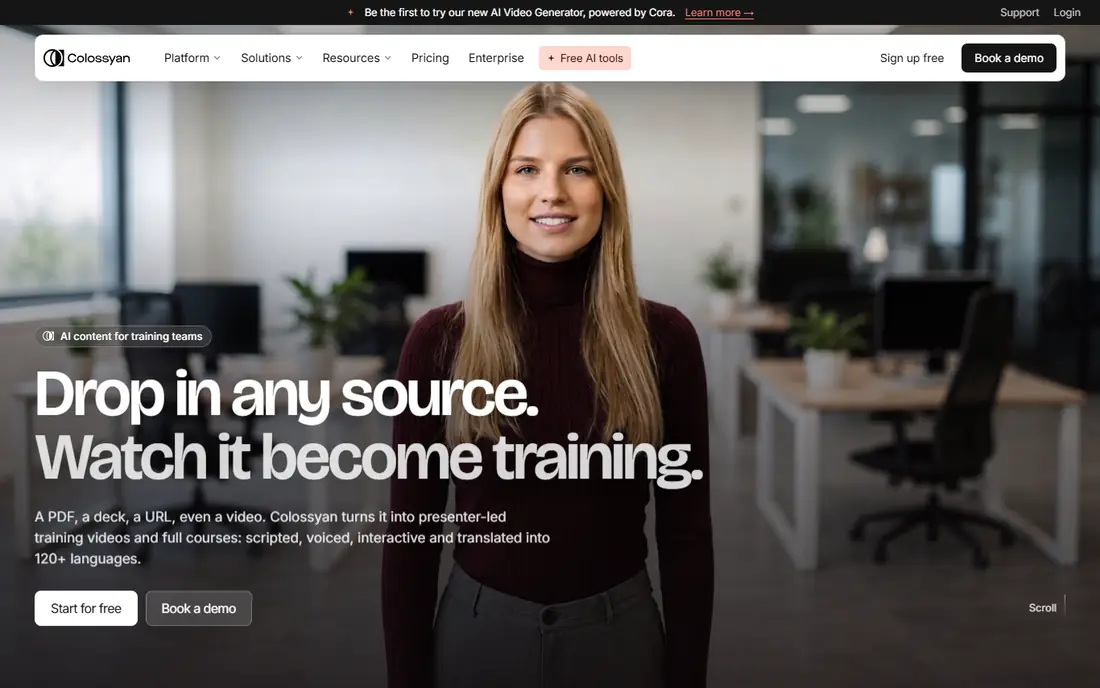
Colossyan is built for learning teams rather than for social clips. It turns scripts and documents into training videos, adds branching choices and quizzes, and exports to learning systems through SCORM on paid plans. That combination suits onboarding, compliance training and internal courses where completion and assessment matter as much as the video itself.
The price reflects that focus. Entry paid pricing sits above general avatar tools, and the free tier is best for a short test rather than a full course. If you only need a few marketing clips, HeyGen or VEED will cost less. If you publish training at scale, the quiz, branching and SCORM features can justify the higher plan.
- Branching scenarios and quizzes
- SCORM export on paid plans
- Collaborative editing for learning teams
- Higher entry price than general avatar tools
- Free tier minutes are limited
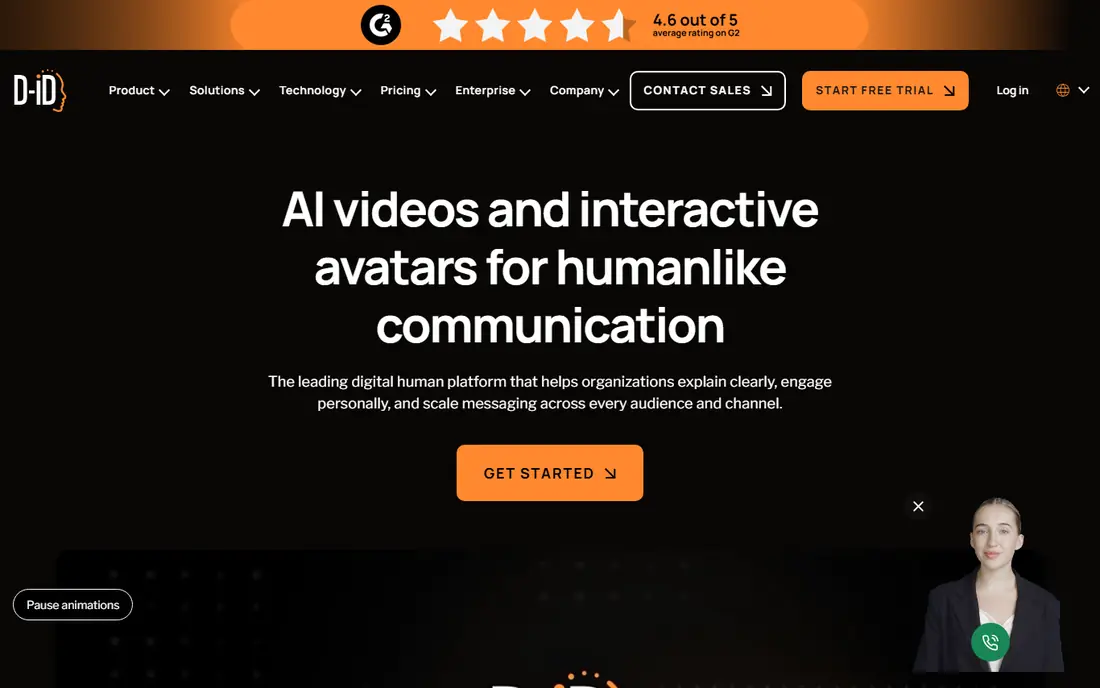
D-ID is the budget entry point here, and it suits a different job from a full training suite. It animates a photo into a talking head, which works for short explainers, product demos and developer projects that embed an avatar in an app or site. The API is a real draw for teams that generate videos in code rather than by hand in an editor.
Photo quality sets the ceiling. A clear, front-facing photo gives a far better result than a low-resolution or angled image, and long scripts can expose the limits of a single-photo avatar. Use D-ID for short, photo-led clips and API projects, and choose a studio avatar tool for longer presenter-led training.
- Very low entry price
- Photo-to-video avatars
- Developer API for embedded use
- Trial is time-limited rather than a permanent free plan
- Quality varies by source photo
Elai suits teams that already have decks and documents and want to turn them into video without rebuilding the content. You can import a presentation or a document, add an avatar presenter, and generate a narrated version for training or sales enablement. That import route saves time when the source material already exists in slide form.
The free tier is short, so treat it as a test of the import and avatar quality rather than a production plan. Paid minutes are metered, and extra minutes add cost, so count the total length of your deck narrations before choosing a plan. For a team with many long decks, a higher allowance tool may work out cheaper per finished minute.
- Imports slides, PDFs and URLs
- Custom avatars on paid plans
- Straightforward editor
- Free tier covers only a short total length
- Extra minutes cost more per minute
VEED is a good pick when an avatar is only part of the video. It pairs avatar generation with a browser timeline editor, captions, translation and stock media, so a marketing team can build a complete social or explainer video in one place. That breadth matters when most of your work is editing, and the avatar is a presenter segment inside a larger cut.
The trade-off is depth. A dedicated avatar studio may offer more avatar styles, finer lip-sync control or larger language coverage for presenter-led training. VEED wins when the edit, the captions and the publish step matter as much as the avatar itself, and when a team wants one subscription for several video jobs.
- Avatars plus a full timeline editor
- Captions and translation
- Stock media and templates
- Avatar work is one feature among many, not the sole focus
- Credit metering applies to AI features
Captions, formerly known for auto-captions, now covers short-form avatar work through its Mirage feature and related tools. It suits creators and small marketing teams that publish short ads and social clips on a phone-first workflow. The appeal is speed: script, avatar, captions and export in one app, without a desktop editing session.
Long training content is not its strength. Minute and credit limits, plus a mobile-first editor, make it a poor fit for a 20-minute course with chapters and quizzes. For short ads, product teasers and social explainers, though, it is one of the fastest routes from script to post.
- Mobile-first short-form workflow
- Avatar ads and captions in one app
- Fast turnaround for social clips
- Less suited to long training videos
- Credit limits apply to AI features
DeepBrain AI, sold as AI Studios, aims for a broadcast-style presenter look. It turns scripts, prompts and documents into avatar-led videos, with multilingual support and a clean presenter format that suits news-style updates, corporate messages and training intros. For a team that wants a formal presenter rather than a casual social avatar, the style is a good match.
The free tier covers only a few short videos, so most real use needs a paid plan. Length caps and credit limits also mean a team should budget by finished minutes, not by video count. Test the presenter style on your own script first, since a formal look that suits a corporate update may feel stiff for a casual social clip.
- Photo-realistic presenter style
- Multilingual output
- Document and script input
- Free tier is very limited
- Credit and length caps need watching on larger projects
Pictory is the odd one out here, and that is why it earns a place. It is strongest at turning an article, a script or a long text into a video with stock footage, captions and narration, rather than at building a long presenter-led course. For a blog or marketing team that already publishes written content, that repurposing workflow can produce a steady stream of video with little extra filming.
Avatar support is thinner than on a dedicated avatar platform, so do not buy Pictory mainly for presenter video. Buy it when your bottleneck is turning text into watchable video quickly. If you need a presenter on screen for most of the video, HeyGen or Colossyan will serve you better.
- Turns blog posts and scripts into video
- Stock footage and captions
- Simple workflow
- No permanent free plan, only a trial
- Avatar features are thinner than dedicated avatar studios
How we picked these
We compared official pricing pages, feature pages and public roundups, and we kept only tools that generate avatar or script-to-video content and that work in October 2026. We excluded Synthesia itself, and we excluded any tool whose main use is creating likenesses of people without consent. Prices are entry paid plans where published, and free plan details reflect the limits that affect a first project.
How to choose, and how to use avatars fairly
Start with the finished video, not the avatar demo. A demo clip with a short, simple script can hide lip-sync problems, odd pacing and credit burn on a longer script. Run your own script, at your real length, through two or three free tiers, and watch the result on a phone with sound off and sound on, since captions and pacing both matter.
On consent, keep the rule simple. Use stock avatars, or an avatar of yourself or a colleague who has agreed in writing to that use, and keep the consent record with the project. Do not clone a voice or face from a photo or video you found online, and do not use an avatar to imply that a real person said something they did not say. A short consent note in your project file protects your team and the person depicted.
Frequently asked questions
What is the best alternative to Synthesia for training?
Colossyan is the strongest training pick here because of quizzes, branching and SCORM export. HeyGen is a good general alternative when you need translation and a wider avatar range but do not need SCORM on the entry plan.
Which Synthesia alternative is cheapest?
D-ID has the lowest entry paid price in this list, at $4.70 per month on annual billing. It suits short photo avatars and API use, while longer training work may cost less per minute on a higher allowance plan.
Can I use my own face as an avatar?
Yes, on tools that support custom avatars, but you must give your own clear consent and follow the vendor's verification steps. The same rule applies to any colleague: get written consent before creating or publishing their avatar.
Do these tools work for marketing videos?
Yes, especially HeyGen, VEED and Captions, which cover translation, editing and short-form ads. Pick by length and style, since a tool built for short ads may struggle with a long course, and vice versa.
How do credits and minutes affect the real price?
Credits and minutes are the real budget, not the plan name. A plan with a low headline price can cost more per finished minute than a higher plan with a larger allowance, so divide the plan price by the finished minutes you actually publish each month.
Sources
See where you really rank - block by block
ProMapRanker scans Google Maps across a grid of your service area. Simple monthly plans from $19, white-label on every plan.
Start freeKeep reading
 zscaler alternatives
Best Zscaler Alternatives in 2026
Looking for zscaler alternatives? We compare 9 SASE and zero trust platforms on architecture, data protection, pricing, and fit for your network and team.
Read → zapier alternatives free
Best Zapier Alternatives Free in 2026
Nine automation tools for zapier alternatives free in 2026, all with genuinely free tiers, plus free plan limits, starting prices and upgrade paths explained.
Read → which platform is best for online reputation
Which Platform Is Best for Online Reputation in 2026
Wondering which platform is best for online reputation? We compare 8 review, listing, and response tools for small and multi-location businesses and agencies.
Read →