 ProMapRanker
SuperOps Alternatives in 2026


Small to mid-size MSPs that want RMM and PSA in one place · Pricing starts at: $129 per technician per month
Key takeaways
- Per-technician pricing suits small teams with many endpoints, while per-device pricing suits shops with a small client estate and a larger team.
- Atera and Syncro bundle remote monitoring with ticketing and billing, so smaller MSPs can avoid buying a separate PSA tool.
- NinjaOne and Datto RMM focus more on endpoint management, which fits teams that already have a PSA or prefer a specialist RMM.
- Action1 gives small shops a practical free starting point for patching, but it is not a full replacement for a combined RMM and PSA platform.
- Quote-only tools need a written quote covering contract length, endpoint counts, and renewal terms before any fair comparison is possible.
Quick comparison
| Pick | Great for | Pricing starts at | Free tier | |
|---|---|---|---|---|
| Atera | Small to mid-size MSPs that want RMM and PSA in one place | $129 per technician per month | No | Visit |
 NinjaOne | Teams that need strong endpoint management and automation | See website | No | Visit |
 Syncro | MSPs that want RMM, PSA, and billing in one subscription | $129 per user per month | No | Visit |
 Datto RMM | MSPs already using Datto backup and continuity tools | See website | No | Visit |
 N-able N-central | Larger MSPs with complex, multi-client estates | See website | No | Visit |
 Pulseway | IT teams that work mainly from mobile devices | See website | No | Visit |
 HaloPSA | MSPs that want PSA depth first and RMM second | See website | No | Visit |
 Action1 | Small teams that need patching on a tight budget | Free | Yes | Visit |
The best SuperOps alternatives
These eight options cover the main ways MSPs replace SuperOps: a combined RMM and PSA platform, a specialist RMM, a PSA-first system, or a low-cost patching tool. We compared official feature pages, pricing pages, and public documentation to sort them by pricing model and scope.
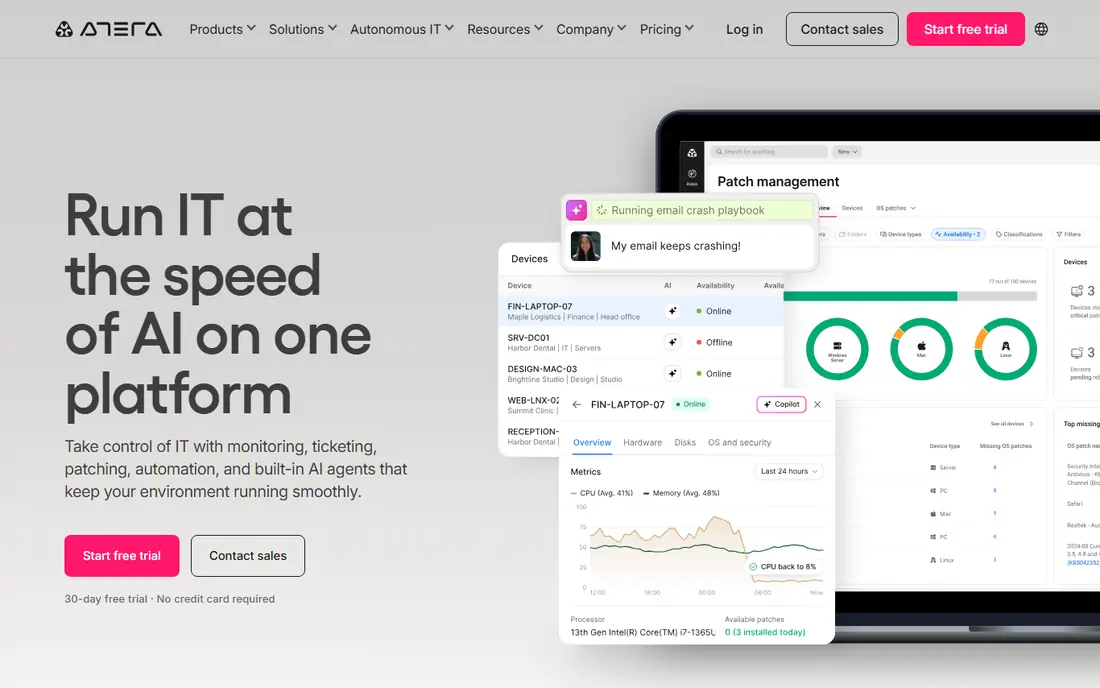
Atera charges per technician rather than per device, which changes the math for many small MSPs. A team with three technicians and hundreds of endpoints pays for three seats, not for every machine under management. That model also makes budgeting simpler, since adding a client device does not by itself raise the monthly bill. Ticketing, remote access, patching, and reporting sit in the same platform, so a small team spends less time moving between tools.
The trade-off is headcount. A growing team will see costs rise even if endpoint counts stay flat, and some features, including support for Mac and Linux devices on certain plans, require a higher tier. Atera still suits lean teams that want one system for daily service work. Test the automation and ticketing flow during a trial with real client tickets, not sample data, before committing.
- Per-technician pricing with unlimited endpoints
- Built-in ticketing and remote access
- AI-assisted scripting and automation features
- Costs rise with each technician added
- Some advanced features sit on higher tiers
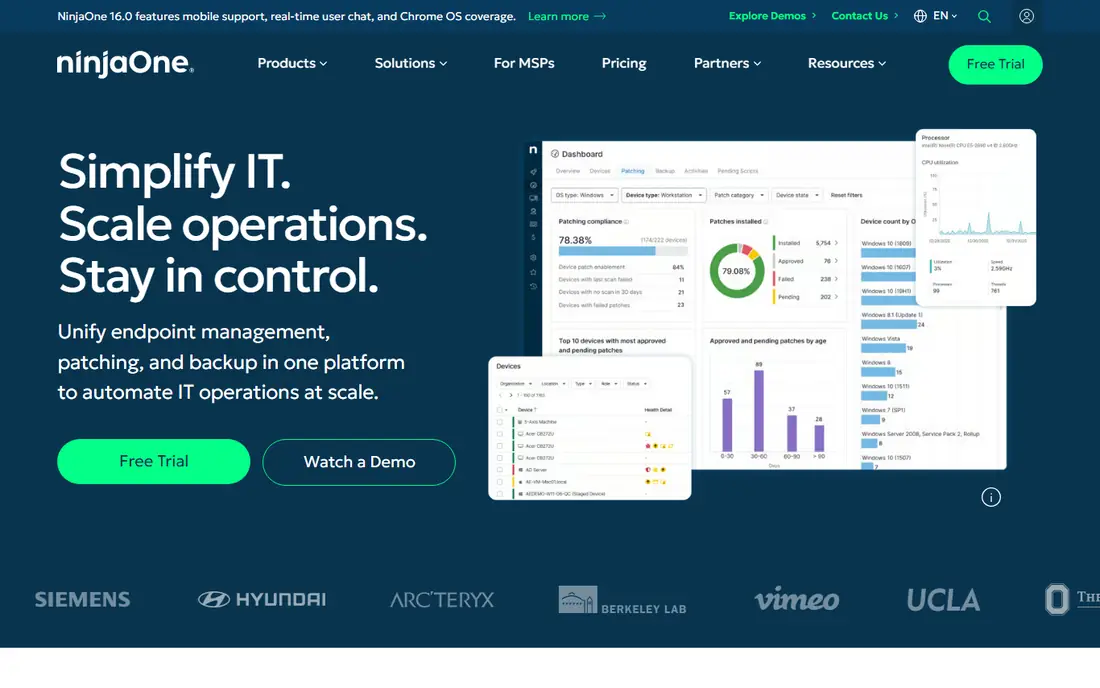
NinjaOne is best understood as an endpoint platform first. Patch management, software deployment, remote access, and monitoring are its core strengths, and its automation tools help teams handle routine work across many devices without manual checks. For MSPs with large endpoint counts, that depth matters more than having billing or full PSA workflows in the same window.
The main catch is pricing clarity. Published figures vary by volume and package, so two MSPs can receive quite different quotes. Teams that need a full PSA may also need a second product or an integration. If endpoint control is the priority and a PSA is already in place, NinjaOne is a strong candidate. If one combined system is the goal, compare it directly with Atera or Syncro on ticketing depth.
- Broad endpoint coverage across Windows, Mac, and Linux
- Strong patching and automation
- Clear device-level visibility
- Pricing is quote-based and varies by volume
- PSA features are less central than in combined platforms
Syncro pairs remote monitoring and management with a native PSA, which is its clearest selling point. Tickets, client billing, and invoicing live alongside device monitoring, so a technician can move from an alert to a ticket to an invoice without switching systems. Per-technician pricing with unlimited endpoints keeps the model simple for teams with dense client estates.
Smaller shops should still check whether the full PSA surface is more than they need. The breadth of features can feel heavy when a team only wants monitoring and simple tickets. For MSPs that bill clients monthly and want that billing tied to service work, Syncro is one of the most complete SuperOps alternatives. Run a trial that includes invoicing, not only monitoring, to judge the whole workflow.
- Native PSA with ticketing and invoicing
- Per-technician pricing with unlimited endpoints
- Built-in remote access
- Interface can feel busy for very small teams
- Some advanced PSA depth costs more on higher tiers
Datto RMM makes most sense for MSPs already invested in Datto backup and business continuity. Shared policies, alerting, and remote access sit naturally next to backup status, which helps technicians spot a failing backup and a struggling endpoint in the same routine. That pairing reduces context switching during incident work and gives clients a clearer continuity story.
Outside that ecosystem, the case is thinner. Pricing requires a quote, and a full PSA usually comes from a separate Datto product or another vendor. Teams that do not use Datto backup should compare Datto RMM on monitoring depth alone, without assuming the bundle benefit. For Datto shops, though, the alignment is a genuine advantage.
- Strong fit alongside Datto backup products
- Remote monitoring and policy-based automation
- Established MSP channel
- Pricing is quote-only
- PSA pairing usually means a separate product
N-able N-central is built for scale and control. It offers detailed automation policies, network monitoring, and management across many clients, which suits larger MSPs with varied estates and stricter service standards. Teams that run structured onboarding, patch windows, and compliance checks will find more room to standardize here than in simpler tools.
That depth comes with cost in time. Small teams may find setup slow and the interface demanding, and quote-only pricing makes early comparison harder. N-central is a better fit when a team has dedicated staff for platform management and a large enough estate to justify the effort. Smaller MSPs should weigh whether they will use its depth or pay for controls they rarely touch.
- Deep automation and policy controls
- Broad device and network coverage
- Suited to larger estates
- Pricing is quote-only
- Setup and learning curve can be steep for small teams
Pulseway stands out for mobile-first work. Technicians can check alerts, run commands, and restart services from a phone, which helps small teams and on-call staff who are often away from a desk. That mobile focus is practical for field work, after-hours incidents, and shops where one technician covers many sites.
The limits are scope and price transparency. Pulseway is not a full PSA replacement, so teams that need deep ticketing, contracts, and billing will need another tool or an integration. Quote-only pricing also means a sales conversation before a firm number. For mobile-heavy teams that value fast response over PSA depth, it is worth a trial. For billing-heavy MSPs, pair it with a PSA in the comparison.
- Strong mobile app for monitoring and remote actions
- Alerting that works well on the go
- Per-device pricing model
- Pricing is quote-only
- PSA depth is lighter than combined platforms
HaloPSA takes the opposite approach to most RMM-first tools. It starts with service management: tickets, workflows, contracts, billing, and client portals. That focus suits MSPs whose main pain is service delivery and client communication rather than device monitoring alone. Teams with defined processes can shape HaloPSA around service levels, approvals, and reporting.
Configuration is the price of that flexibility. Getting workflows, ticket types, and billing rules right takes planning, and smaller teams may prefer a simpler out-of-the-box PSA. RMM coverage is lighter than in dedicated monitoring platforms, so some shops pair HaloPSA with a separate RMM. If PSA depth is the gap SuperOps left behind, HaloPSA deserves a close look.
- Highly configurable ticketing and service workflows
- Strong contract and billing options
- Good fit for process-driven teams
- Pricing details are less transparent online
- Configuration takes time to get right
Action1 is the budget entry point on this list. Its free tier covers the first 200 endpoints, which gives small internal IT teams and very small MSPs a way to handle patching and basic endpoint management without an upfront subscription. Setup is straightforward, and the focus on patching keeps the tool easy to understand.
It is not a like-for-like SuperOps replacement. Ticketing, billing, and full PSA workflows are outside its scope, so teams that need those functions will still need another system. Action1 works best as a patching layer, a starting point for a tiny shop, or a companion to a PSA. Larger MSPs should treat it as a specialist tool, not as the single platform for the whole business.
- Free for the first 200 endpoints
- Patching and endpoint management without a per-seat fee at small scale
- Quick setup
- Not a full RMM and PSA replacement
- Advanced MSP workflows require other tools
How we picked these
We compared official product pages, pricing pages, and public documentation for MSP platforms that cover remote monitoring, patching, ticketing, or PSA work. We favored tools that are live and supported in October 2026, that serve MSPs or internal IT teams, and that could plausibly replace the combined RMM and PSA role SuperOps plays. Where pricing was quote-only, we said so rather than repeating a third-party estimate as fact.
What to check before you switch
Start with your pricing model, not the feature list. Count technicians and endpoints separately, then run both models against your real numbers. A per-technician tool can look cheap for a dense estate and costly for a large team, while a per-device tool flips that result. Check contract terms at the same time, including minimums, renewal terms, and what happens to pricing when you add clients.
Next, test the daily workflow. Create a ticket from an alert, assign it, resolve it, and bill for the time, using your own process. Check remote access on the devices you actually support, including Mac and Linux if clients use them. Confirm how data exports work, since ticket history and device records matter if you switch again later. A short trial that covers billing and reporting tells you far more than a demo focused on dashboards.
Frequently asked questions
What are the best alternatives to SuperOps?
Atera and Syncro are the closest combined RMM and PSA replacements for small to mid-size MSPs. NinjaOne and Datto RMM suit teams that want stronger endpoint management, while HaloPSA suits teams that want PSA depth first. The right pick depends on team size, endpoint count, and whether billing and ticketing must sit in the same tool.
Is there a free alternative to SuperOps?
Action1 offers a free tier for the first 200 endpoints, focused on patching and endpoint management. It does not replace a full PSA, so free in this case means free patching, not a free combined platform. Teams that need ticketing and billing on a free tier will need to combine tools or accept a paid plan.
Is per-technician or per-device pricing better for an MSP?
Per-technician pricing usually wins when each technician manages many endpoints, since new devices do not raise the bill. Per-device pricing usually wins for small estates with a larger team, or when endpoint counts are low and stable. Run both models on your actual technician and endpoint numbers before choosing.
Do I need a PSA as well as an RMM?
Many MSPs do, because monitoring alone does not handle tickets, contracts, and billing. Combined platforms such as Atera and Syncro include both, while specialist RMM tools often pair with a separate PSA. If client billing and service reporting matter to your business, treat PSA depth as a required feature, not an extra.
How hard is it to migrate from SuperOps?
Migration effort depends on ticket history, client records, device policies, and billing data. Export what you can before the switch, rebuild automation policies in the new tool, and run both systems in parallel for a short period if possible. Plan time for staff training, since ticketing and automation workflows differ between platforms.
Sources
See where you really rank - block by block
ProMapRanker scans Google Maps across a grid of your service area. Simple monthly plans from $19, white-label on every plan.
Start freeKeep reading
 zoho inventory alternatives
6 Alternatives to Zoho Inventory, Compared on Price and Fit
Zoho Inventory alternatives: 6 tools compared on price, free plans and fit. Katana leads the list for manufacturers. Fit and flaws are laid out for each entry.
Read → zoho crm alternatives
Best Zoho CRM Alternatives (2026)
Need Zoho CRM alternatives? We compare 7 tools on cost, free access and who each suits. Every pick gets a straight assessment. Built for quick decisions.
Read → zelle alternatives
Best Zelle Alternatives in 2026
Compare the best Zelle alternatives for sending money to friends, paying sellers and moving funds abroad, with honest notes on fees, speed and safety in 2026.
Read →