 ProMapRanker
Best Statusbrew Alternatives in 2026

Key takeaways
- Hootsuite and Sprout Social suit larger teams that need approval workflows, deep reporting and many integrations.
- Buffer, Metricool and Zoho Social suit small teams and solo creators who want lower prices and simpler scheduling.
- SocialPilot, Agorapulse and Sendible sit in the middle, with agency friendly pricing and solid inbox tools.
- Meta Business Suite is free for Facebook and Instagram, but it does not replace a multi network scheduler.
- Check profile limits, user seats and approval steps before you switch, since those limits drive the real monthly cost.
Quick comparison
| Pick | Great for | Pricing starts at | Free tier | |
|---|---|---|---|---|
 Hootsuite | Large team scheduling | $99 per user per month | Free trial | Visit |
 Sprout Social | Deep reporting and approvals | See website | Free trial | Visit |
 Buffer | Simple low cost scheduling | See website | Yes | Visit |
 SocialPilot | Small agencies on a budget | See website | Free trial | Visit |
 Agorapulse | Inbox first engagement | See website | Free trial | Visit |
 Sendible | Agencies with many clients | See website | Free trial | Visit |
 Metricool | Analytics and scheduling in one | See website | Yes | Visit |
 Zoho Social | Zoho users and small teams | See website | Yes | Visit |
 Meta Business Suite | Free Facebook and Instagram tools | Free | Yes | Visit |
The best Statusbrew alternatives
Statusbrew is a capable social suite, but its price and plan limits push many teams to look elsewhere. These nine alternatives cover solo creators, small agencies and larger teams, and each one was checked against official feature and pricing pages where possible.

Hootsuite is the safe, well known move for teams that need one calendar for many accounts. You can schedule posts, manage messages in one inbox, review performance and assign work to teammates, all from a single dashboard. The integration list is long, which helps if your team also uses design, CRM or analytics tools.
The main drawback is cost. The starting price is per user, so a team of five pays far more than a solo user, and some reporting and listening features need a higher tier. If you are a small team with a tight budget, a cheaper tool below may cover your daily scheduling just as well. If you need scale, approvals and a mature platform, Hootsuite remains a solid choice.
- Wide network support
- Strong scheduling and inbox tools
- Many third party integrations
- Price rises quickly with seats
- Some features sit on higher plans

Sprout Social suits teams that treat social as a core channel, not a side task. Its Smart Inbox pulls messages together, approval steps keep posts on brand, and reports go beyond simple counts to show trends, audience growth and competitor context. For managers who need to show results to clients or senior staff, those reports save real time.
That depth comes at a price, and smaller teams may find the entry plan costly for basic scheduling. Sprout also rewards teams that use its full workflow, so a solo creator who only schedules posts will pay for features they rarely open. Check the current pricing page and trial terms before you commit, and compare seat costs against Hootsuite for your team size.
- Clear approval workflows
- Detailed reporting and listening tools
- Strong inbox for teams
- Higher price than most tools here
- Can be more than a small team needs
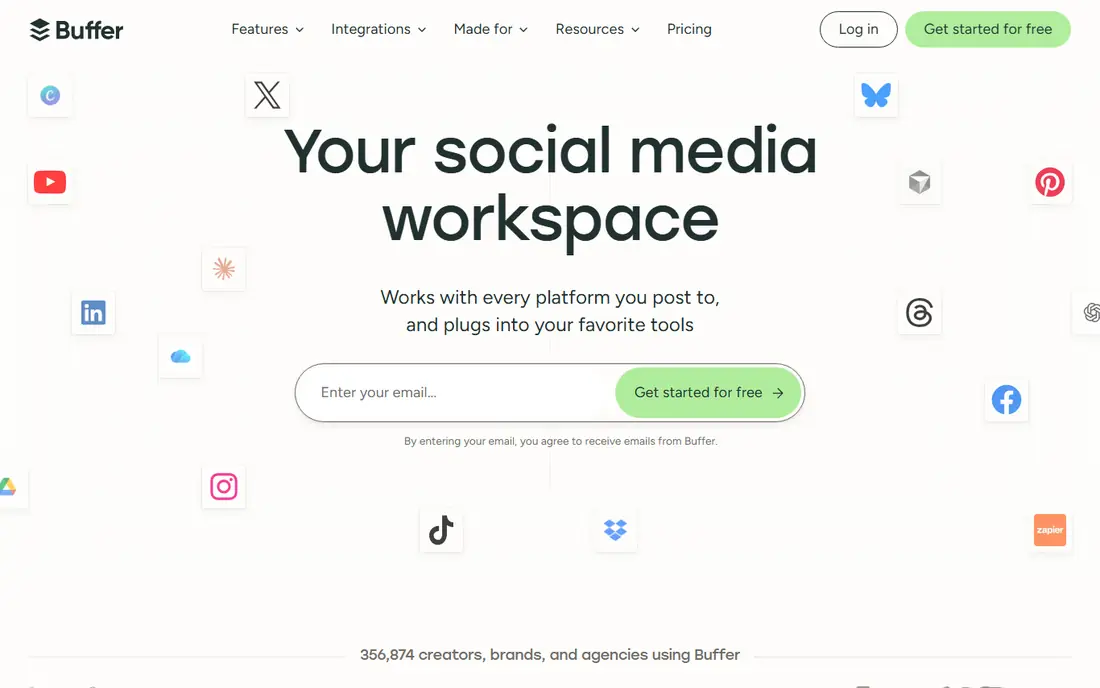
Buffer is our pick for people who want scheduling to feel simple. You connect channels, add posts to a queue or calendar, and publish on a steady rhythm without learning a large platform. The interface stays calm, the mobile app is handy, and the free tier lets light users test the core workflow before paying.
The trade-off is depth. Buffer does not match Sprout or Hootsuite for listening, detailed reporting or complex approval chains. That is fine for creators and small businesses that mainly need consistency, and less fine for agencies that need client approvals and deep audits. If your main problem is staying consistent, Buffer solves it at a fair price.
- Very easy to learn
- Clean calendar and queue
- Free tier for light use
- Analytics are simpler than enterprise tools
- Approval and listening tools are limited
Agorapulse puts replies and engagement first, which suits teams that get a lot of comments and messages. The inbox groups conversations, lets you assign items, and keeps ad comments in view, so nothing important slips past a busy team. Publishing, queues and shared calendars sit beside the inbox, so the same team can plan and reply in one place.
It is not the cheapest option here, and setting up reports to match a client format takes some care. For teams where inbox work is half the job, that cost is easier to justify than for teams that only schedule posts. Try the trial with your real inbox volume, since that is where Agorapulse either earns its price or does not.
- Strong unified inbox
- Good approval and team tools
- Useful competitor and engagement reports
- Entry price is mid range, not budget
- Learning curve for full reporting setup
Sendible is aimed at agencies and marketers who juggle many brands. You can build client dashboards, set approval steps, reuse content from libraries, and schedule across networks from one calendar. That structure helps when each client has different tones, times and approval needs, and it keeps client work separate from internal work.
Solo users may find Sendible heavier than Buffer or Metricool, since many features exist for agency workflows they will never use. Pricing also depends on profiles and users, so map your client count before you choose a tier. If you manage several brands, Sendible is a practical Statusbrew alternative with a clear agency focus.
- Client dashboards and approvals
- Bulk scheduling and content libraries
- Good for multi brand work
- Can feel complex for a solo user
- Some integrations need setup time
Metricool suits creators and small businesses that want to see results without buying a separate analytics tool. You can schedule posts, review growth, check best posting times and track ads performance in the same dashboard. The free tier is useful for testing, and the layout makes trends easy to spot even for non specialists.
Where Metricool is lighter is team workflow. Inbox management and multi step approvals are not as strong as Sprout, Agorapulse or Sendible, so larger teams may need another tool for replies. If your main need is plan, publish and learn from results, Metricool covers that loop well at a friendly price. Check the current free tier limits, since they change by channel.
- Clear analytics beside scheduling
- Free tier for getting started
- Supports ads reporting on some plans
- Inbox and approval tools are lighter than rivals
- Some features vary by network
Zoho Social is the obvious pick if your business already uses Zoho CRM, Zoho Desk or other Zoho apps. Posts, monitoring and basic reports sit in a familiar Zoho layout, and data can flow into the wider Zoho setup your team already knows. For small teams, that closeness can matter more than having the largest feature list.
Outside the Zoho world, Zoho Social is a competent but not leading scheduler. Its integration range is narrower, and listening tools are simpler than Sprout or Hootsuite. If you do not use Zoho elsewhere, compare it on price and ease of use alone. If you do, it is often the lowest friction choice on this list.
- Fits well with other Zoho apps
- Simple scheduling and monitoring
- Free tier for basic use
- Smaller integration range than Hootsuite
- Advanced listening is limited
Meta Business Suite is not a full Statusbrew replacement, but it is a useful free starting point. If most of your audience lives on Facebook and Instagram, you can schedule posts and stories, reply to messages and comments, view insights and run ads without paying for another tool. For a new business, that covers a lot of daily work at no cost.
The limit is scope. It does not schedule TikTok, LinkedIn, X or other networks in the same calendar, and it lacks the agency approvals and cross network reports that paid suites provide. Use it alone if Meta is your whole social presence, or pair it with Buffer or Metricool if you need other networks as well. Either way, it is worth claiming before you pay for anything else.
- Free for Facebook and Instagram
- Built in inbox, insights and ads tools
- No extra scheduler needed for Meta channels
- Covers only Meta networks
- No cross network calendar for TikTok, LinkedIn or X
How we picked these
We compared official feature pages, pricing pages and trial terms for each tool, and kept only tools that are live and usable in October 2026. We favoured tools that cover scheduling, inbox work or reporting, and we noted where a tool is strong in one area but light in another. We did not claim hands-on testing we did not do, and we left out Statusbrew itself, since this list is for alternatives. Where a price could not be verified from the vendor page at the time of writing, we wrote See website rather than guessing.
What to check before you switch
Start by counting profiles, users and posts. A tool that looks cheap for one user can become costly once you add teammates and client accounts. Make a short list of must have features, such as approvals, bulk scheduling or ad comment management, and test those exact features in a trial with real content.
Test the inbox with real volume
Scheduling demos always look smooth. The inbox is where teams feel pain, so import your real accounts during a trial and reply to a busy day of messages. Check assignment, filters and search, and see how long it takes a new teammate to find and answer a message.
Check reporting for your audience
If you report to clients or managers, export a sample report early. Look at date ranges, competitor data, and whether the report format needs manual cleanup. A tool that saves an hour on scheduling but costs an hour on reports has not saved you anything.
Frequently asked questions
What is the best free Statusbrew alternative?
Meta Business Suite is free for Facebook and Instagram, while Buffer, Metricool and Zoho Social offer free tiers for multi network use. Free tiers limit profiles, posts or features, so check those limits against your posting volume before you rely on them.
Which Statusbrew alternative is best for agencies?
SocialPilot and Sendible suit small to mid sized agencies, thanks to client dashboards, approvals and multi brand calendars. Sprout Social and Hootsuite suit larger agencies that need deeper reporting and more integrations, at a higher price.
Is Buffer a good Statusbrew alternative?
Buffer is a good alternative if you mainly need simple scheduling and a clean calendar. It is a weaker fit if you need complex approvals, listening or deep team reporting, where Sprout, Hootsuite or Agorapulse offer more depth.
Can I migrate scheduled posts from Statusbrew?
Most tools do not import scheduled posts directly from a rival, so plan to rebuild your queue or use bulk import tools where offered. Export your content calendar first, then recreate posts in the new tool and check times, media and links before you cancel the old account.
Do these tools support TikTok, LinkedIn and X?
Support varies by tool and plan, and some networks limit certain post types through third party tools. Check the supported networks page for each vendor before you buy, and test the exact post types you use, such as video, carousels or stories.
Sources
See where you really rank - block by block
ProMapRanker scans Google Maps across a grid of your service area. Simple monthly plans from $19, white-label on every plan.
Start freeKeep reading
 zscaler alternatives
Best Zscaler Alternatives in 2026
Looking for zscaler alternatives? We compare 9 SASE and zero trust platforms on architecture, data protection, pricing, and fit for your network and team.
Read → zapier alternatives free
Best Zapier Alternatives Free in 2026
Nine automation tools for zapier alternatives free in 2026, all with genuinely free tiers, plus free plan limits, starting prices and upgrade paths explained.
Read → which platform is best for online reputation
Which Platform Is Best for Online Reputation in 2026
Wondering which platform is best for online reputation? We compare 8 review, listing, and response tools for small and multi-location businesses and agencies.
Read →
SocialPilot
Great for: Small agencies on a budget
SocialPilot is built with small agencies in mind. You can manage many clients, schedule in bulk, invite clients to approve content, and keep costs lower than the big enterprise suites. That mix makes it popular with agencies that need to serve several brands without paying enterprise prices for each seat.
The interface is functional rather than beautiful, and new users may need a short period to learn where reports and client settings live. Advanced analytics and white label options also sit on higher plans, so check the plan table for the features your clients expect. For value focused agencies, SocialPilot is one of the best balances in this list.