 ProMapRanker
Best Splitwise Alternatives in 2026

Key takeaways
- Tricount is the easiest free swap for most groups, with no ads, no limits, and no account needed for many members.
- Settle Up suits roommates and couples with recurring bills, thanks to saved shares and recurring expenses.
- Splid and Spliit suit trips where you want a fast ledger without asking everyone to sign up.
- Splittr suits small groups that want a simple, offline friendly trip ledger with a low cost ad removal option.
- PayPal and Venmo suit groups that want to split and pay in the same app, rather than tracking a ledger and settling elsewhere.
Quick comparison
| Pick | Great for | Pricing starts at | Free tier | |
|---|---|---|---|---|
 Tricount | Trips and general groups | Free | Yes | Visit |
 Settle Up | Roommates and recurring bills | Free | Yes | Visit |
 Splid | One-off trips | Free | Yes | Visit |
 Splittr | Simple trip ledgers | $0.99 per month | Yes | Visit |
 Spliit | Self-hosted and no account groups | Free | Yes | Visit |
 PayPal | Split and pay in one app | Free | Yes | Visit |
 Venmo | US friends who already pay each other | Free | Yes | Visit |
 Split The Bill | Groups that resist new apps | See website | Yes | Visit |
 Tab | Single restaurant checks | See website | Yes | Visit |
The best splitwise alternatives
These nine apps help groups track who paid, who owes what, and how to settle up. We compared official store listings and product pages, and we focused on setup friction, since a splitting app only works if the whole group actually uses it.

Tricount, now part of bunq, is the most straightforward replacement for most groups. You create a group, add expenses, and invite others through a link, without forcing every member to create an account for basic use. Multiple currencies, offline entry, and photo attachments cover the realities of group travel.
The main limit is that Tricount tracks the ledger rather than moving money itself, so final payment still happens through a bank or payment app. For many groups that is fine, since the hard part is agreeing on the numbers. If you want a free, unlimited ledger with the least friction, Tricount is our pick for most people.
- Free with no ads or limits
- Offline use
- Multi-currency support
- Payment settlement depends on external apps
- Fewer analytics than paid ledgers
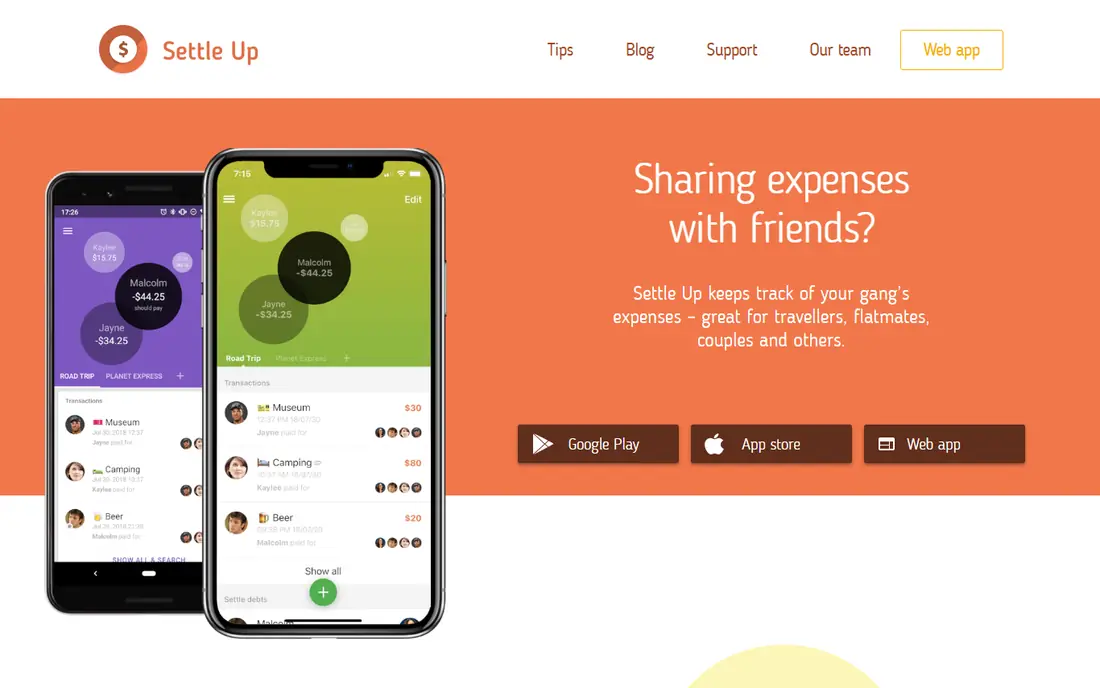
Settle Up shines for ongoing groups rather than one-off trips. Saved default shares mean a roommate split does not need re-entering for every grocery run, and recurring expenses handle rent and utilities without manual reminders. Groups can be shared by link, and the web version helps members who prefer a browser.
The free tier covers the core ledger, while premium adds ad free use, receipt photos, categories, and exports. That split is fair for most households, since the free version already handles daily splitting. If your group shares costs every week, Settle Up is the most practical long term choice here.
- Saved default shares
- Recurring expenses
- Multi-currency and web access
- Full use works best when members install the app
- Premium features are paid
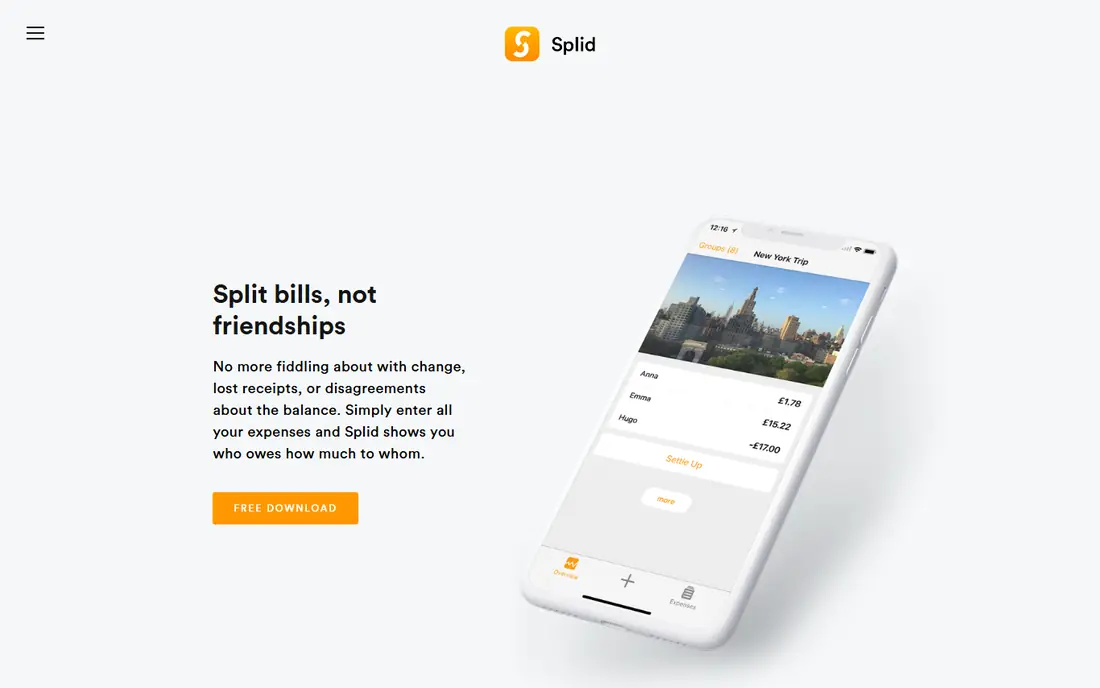
Splid is built for the trip that starts on Friday and ends on Sunday. One person sets up the group, adds expenses in any currency, and shares a summary when it is time to settle. Offline use helps on flights and in places with patchy signal, and the interface stays out of the way.
The free version limits you to one group at a time, with a one-time $4.99 upgrade for unlimited groups and export. That is a low cost for frequent travelers, but households that run several groups at once may prefer Tricount or Settle Up. For a single trip ledger, Splid is fast and calm to use.
- No account needed for basic use
- Offline use
- Simple PDF and Excel export on upgrade
- Free version is limited to one group at a time
- No ongoing household features
Splittr keeps the job small. Add people, add expenses, and see who owes whom, with support for multiple currencies and offline entry. The design suits travelers who want to log a bill in seconds and move on, rather than manage categories, charts, and recurring rules.
Ads are the main annoyance on the free tier, with removal options at $0.99 per month, $4.99 per year, or $14.99 for lifetime access based on store listings. That low price makes it easy to test. If you want a no fuss trip app and do not need household features, Splittr is a good fit.
- Simple expense entry
- Offline use
- Low cost ad removal
- Ads on the free tier
- Smaller feature set than full household apps
Spliit is an open source splitter that lets groups create a ledger through a link without accounts. That makes it attractive for privacy minded users and for teams that want to host the tool themselves. The interface is plain, which is a strength when the goal is a clear list of expenses and balances.
The trade is polish and breadth. Multi-currency handling is more limited than Tricount or Settle Up, and there is no paid support team behind a hosted version. For a group that values open source and self-hosting, or simply wants a link based ledger with no signup, Spliit is a credible choice.
- Open source
- No account needed
- Can be self-hosted
- Multi-currency support is limited
- Fewer polish features than commercial apps
PayPal is not a dedicated ledger, but it solves the second half of splitting that dedicated apps leave open. You can split a bill, send payment requests, and settle in the same app, which removes the step of copying balances into another service. That matters for groups that already use PayPal for payments.
The limit is ledger depth. PayPal does not offer the same group history, weighted splits, and recurring tracking as Tricount or Settle Up. Use it when the group is small, the bill is fresh, and payment matters more than long term tracking. For a dinner bill, it is often the fastest path from split to paid.
- Bill splitting built in
- Money moves in the same app
- Wide availability
- Not a full group ledger
- Transaction fees can apply to some payments
Venmo works as a splitter for US groups that already pay each other through the app. Splitting a charge, requesting payment, and settling can happen in a few taps, without asking friends to learn a new ledger. The social feed also makes it clear when a request has been paid.
It is not a replacement for a proper group ledger. Long trips, weighted shares, and multi-currency groups will quickly outgrow it, and its US focus limits international groups. Check privacy settings before using the feed for shared bills. For a quick split among US friends, Venmo is the lowest friction option.
- Familiar US payment app
- Easy requests and splits
- Social feed for payments
- US focused
- Not a full expense ledger
- Privacy settings need checking
Split The Bill is built around one insight: a split fails when half the group will not install an app. Recipients can view and settle through a link without installing anything or creating an account. That makes it useful for mixed groups with different phones, habits, and patience for new apps.
The product is newer and smaller than Tricount or Settle Up, and it does not claim an offline mode. For a group that has already rejected three splitting apps, though, the link first design may be the difference between a settled bill and another ignored request. Test it on one dinner before relying on it for a long trip.
- No install or signup for recipients
- Link based sharing
- Mixed group friendly
- No offline mode claimed
- Newer and smaller than established apps
Tab, formerly Plates, focuses on a single restaurant check rather than a running group ledger. Diners can split by item, share, or custom amounts, which solves the common case where one person had the steak and another had a salad. The flow is quick and does not ask the group to adopt a long term app.
That focus is also the limit. Tab will not track a week of trip expenses or monthly household bills in the way Tricount or Settle Up do. Use it for the meal in front of you, and use a ledger app for everything that lasts longer than dinner. For restaurant splits, it is the most targeted tool in this list.
- Built for one check at a time
- Fast item level splitting
- Simple sharing
- Not a running ledger
- Limited use for trips or households
How we picked these
We compared official app store listings, product pages, and public feature descriptions, and we kept only apps that are live in October 2026. We looked for a clear ledger or splitting flow, a way to invite members without heavy signup friction, and a settlement path that groups can actually complete. We left out apps that had shut down or could not be verified as a current splitting product.
How to pick the right splitter
Start with your group, not the feature list. A trip group needs fast entry, offline use, and multi-currency support. A household needs recurring bills and saved shares. A dinner group needs item splitting and instant payment. The app that wins is the one the slowest adopter in your group will actually open.
Next, test settlement before the trip. Add a test expense, check the balance math, and confirm how the group will pay. Agree on currency, rounding, and who pays shared costs such as tips and fees. A five minute test saves a week of awkward messages later.
Finally, keep records simple. Export or screenshot the final balances when a trip ends, and settle promptly while memories are fresh. A splitter is a tool for fairness, not a debt collection service, so clear communication matters as much as the app you choose.
Frequently asked questions
What are the best alternatives to splitwise?
Tricount, Settle Up, Splid, Splittr, and Spliit are the closest dedicated alternatives, with PayPal and Venmo covering split and pay in one app. Tricount is the easiest free swap for most groups, while Settle Up suits households with recurring bills. Pick based on whether you need a trip ledger, a household ledger, or a quick payment.
Is there a completely free splitwise alternative?
Yes. Tricount is free with no ads or limits based on its store listing, and Spliit is free and open source. Splid and Settle Up also have free tiers, with paid upgrades for extra groups or premium features. Check the current store listing before you commit a group, since free terms can change.
Which splitwise alternative is best for trips?
Tricount and Splid are both strong for trips, with offline use and multi-currency support. Tricount suits groups that want unlimited groups at no cost, while Splid suits a single trip with a very simple interface. Splittr is another low cost trip option with offline entry.
Do friends need an account to use these apps?
It varies. Tricount, Splid, Spliit, and Split The Bill let many members join through a link without a full account. Settle Up works best when members install the app, though web access is available. If your group resists new apps, choose a link based option first.
Can these apps handle multiple currencies?
Yes, most dedicated splitters support multiple currencies, including Tricount, Settle Up, Splid, and Splittr. Spliit has more limited multi-currency support. Check conversion handling before a multi-country trip, since rates and rounding can affect final balances.
How do I settle up after using a splitting app?
Most ledger apps show who owes whom after simplifying balances, but payment still happens through a bank or payment app unless the splitter includes payments. PayPal and Venmo close that loop in one app. Agree on a payment method before the trip, and settle while the balances are fresh.
Sources
See where you really rank - block by block
ProMapRanker scans Google Maps across a grid of your service area. Simple monthly plans from $19, white-label on every plan.
Start freeKeep reading
 zscaler alternatives
Best Zscaler Alternatives in 2026
Looking for zscaler alternatives? We compare 9 SASE and zero trust platforms on architecture, data protection, pricing, and fit for your network and team.
Read → zapier alternatives free
Best Zapier Alternatives Free in 2026
Nine automation tools for zapier alternatives free in 2026, all with genuinely free tiers, plus free plan limits, starting prices and upgrade paths explained.
Read → which platform is best for online reputation
Which Platform Is Best for Online Reputation in 2026
Wondering which platform is best for online reputation? We compare 8 review, listing, and response tools for small and multi-location businesses and agencies.
Read →