 ProMapRanker
Best Alternatives to WordPress in 2026


Small businesses wanting an all-in-one builder · Pricing starts at: $17 per month
Key takeaways
- Wix and Squarespace suit small businesses that want hosting, security, and updates handled for them.
- Webflow and Framer suit design-led teams that want visual control without managing plugins.
- Ghost suits writers and publishers who want newsletters and memberships built in.
- Joomla and Drupal remain free self-hosted options for teams with developer support, but they need more maintenance.
Quick comparison
| Pick | Great for | Pricing starts at | Free tier | |
|---|---|---|---|---|
| Wix | Small businesses wanting an all-in-one builder | $17 per month | Yes | Visit |
 Squarespace | Design-led small business sites | $19 per month | Free trial | Visit |
 Webflow | Designers wanting visual control plus a CMS | Free | Yes | Visit |
 Ghost | Writers and publishers with memberships | $15 per month | No | Visit |
 Shopify | Selling online with a simple site | $29 per month | Free trial | Visit |
 Joomla | Self-hosted sites with built-in structure | Free | Yes | Visit |
 Drupal | Complex sites with developer support | Free | Yes | Visit |
 Framer | Fast marketing and portfolio sites | $10 per month | Yes | Visit |
 Duda | Agencies building client sites at scale | $19 per month | Free trial | Visit |
 Craft CMS | Custom content sites for agencies | Free | Yes | Visit |
The best alternatives to wordpress
WordPress is free software, but hosting, themes, plugins, and maintenance add real cost and work. The platforms below either host everything for you, or give you a different kind of control.

Wix is our pick for most small businesses leaving WordPress because they are tired of updates and plugin conflicts. You get hosting, security, and updates in one bill, a drag-and-drop editor, and an app market for bookings, stores, and marketing tools. The Light plan costs $17 per month billed annually, with higher plans for stores and larger businesses.
The main catch is portability. Wix sites are hard to move to another platform, so you should treat Wix as a long-term home, not a trial. The free plan is useful for testing the editor, but it shows Wix ads and uses a subdomain, so it is not a real business site on its own.
- Free plan to test
- Drag-and-drop editor
- Hosting, security, and updates handled
- App market for extras
- Free plan shows Wix ads on a subdomain
- Sites are hard to move off Wix
- Design freedom has limits
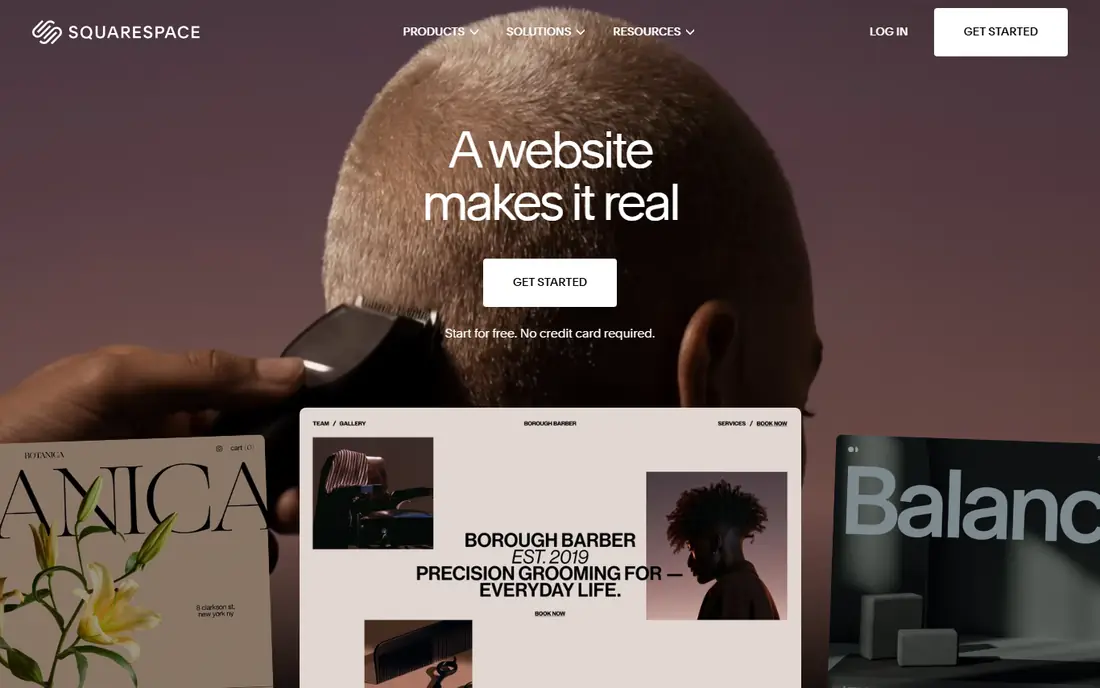
Squarespace suits businesses that care about how the site looks and want one bill for site, store, and domain. Its templates are consistently polished, and blogging, commerce, scheduling, and member areas are built in rather than added through plugins. The Basic plan costs $19 per month billed annually, rising to $99 per month on the Advanced plan.
The limit is flexibility. Squarespace has fewer extensions than WordPress, and complex custom features may need workarounds. If your site is mainly pages, a blog, and a store, Squarespace will feel simpler and safer than WordPress. If you need a highly custom app, a developer-led CMS will serve you better.
- Strong templates
- Blogging, commerce, and scheduling built in
- No plugins to update
- Free domain for a year on annual plans
- No free plan, only a 14-day trial
- Fewer extensions than WordPress
- Less flexible for complex custom sites

Webflow is the closest hosted alternative to WordPress for designers. You design visually, build collections for blog posts, case studies, or products, and publish without managing hosting or plugin updates. The Starter plan is free, Basic costs $15 per month billed annually, and Premium with a full CMS costs $25 per month billed annually.
The learning curve is real. Webflow gives you more control than Wix or Squarespace, and that control takes time to learn. Designers and agencies will appreciate it, while a small business owner who just wants a simple site may find Wix faster. For a content-heavy site with a design-led team, Webflow is the strongest hosted pick.
- Visual design with real CMS power
- Clean code output
- Free Starter plan
- Strong SEO controls
- Learning curve for beginners
- CMS features need a paid plan
- One custom code editor session at a time in some plans
Ghost suits writers, newsletters, and publishers who want memberships without bolting on a store of plugins. Its editor is clean, its pages are fast, and newsletters and paid subscriptions are built in. Ghost(Pro) Starter costs $15 per month billed annually at lower member counts, with higher plans as your audience grows, and you can also self-host the free open source version.
The limit is extensibility. Ghost has no plugin system like WordPress, so a feature that does not exist in Ghost needs custom theme work or an external tool. If your site is mainly publishing and memberships, Ghost is excellent. If you need forums, directories, or complex apps, look elsewhere.
- Fast pages and clean editor
- Newsletters and paid memberships built in
- No platform fee on subscription revenue on hosted plans
- No plugin system
- Design changes need theme work
- Self-hosting needs technical care
Shopify is the right WordPress alternative if selling is the main job of your site. It handles products, checkout, payments, shipping, and discounts in one system, with hosting and security included. The Basic plan costs $29 per month billed annually, with a free trial to test the store before you pay.
Blogging is the weak spot. Shopify can run a blog, but its tools are simpler than WordPress, and its fixed URL structure for products and collections can need workarounds for advanced SEO plans. If your site is a store with a supporting blog, Shopify wins. If it is a publication with a small shop attached, Ghost or Webflow may fit better.
- Strong store, checkout, and payments
- Large app store
- Reliable hosting and security
- Blogging tools are weaker than WordPress
- Monthly cost plus transaction fees can add up
- Fixed URL structure needs workarounds
Joomla is a free self-hosted CMS that gives you more built-in structure than WordPress, including user groups, access levels, and multilingual content without extra plugins. That structure suits membership sites, directories, and community sites built by a team with some technical skill. The software itself is free, and you pay for hosting, domain, and any premium extensions.
The community is smaller than WordPress, so finding a developer or a modern theme can take longer. Joomla also needs the same care as WordPress for updates, backups, and security. Choose Joomla if you want self-hosted control and built-in structure, not if you want to stop managing a site altogether.
- Free open source software
- More built-in structure than WordPress
- Multilingual support built in
- Large extension library
- Smaller community than WordPress
- Hosting and maintenance are your job
- Fewer modern themes
Drupal suits organisations with developers that need complex content structures, permissions, and integrations. Universities, governments, and large publishers use Drupal for sites with many content types, workflows, and user roles. The software is free, and you pay for hosting and development time.
Drupal is not a good pick for a small business owner working alone. It needs developer skill to build and maintain, and its learning curve is steeper than WordPress. If you have a development team and a complex site, Drupal gives you control that hosted builders cannot match. If you do not, a hosted builder will save you time and trouble.
- Free open source software
- Strong for complex content structures
- Good security record
- Large enterprise use
- Needs developer skill
- Hosting and maintenance are your job
- Smaller theme and module pool for small sites
Framer is the fastest path to a polished marketing site or portfolio. You design and publish in one tool, with templates that look modern without much tweaking. The Basic plan costs $10 per month billed annually, Pro costs $30 per month, and a free plan lets you test the editor before you pay.
Framer is less suited to a growing content hub. Once you need a large blog, a resource centre, or complex collections, you may outgrow Framer and face a rebuild on Webflow or another CMS. Start with Framer if you need a launch page or portfolio now, and choose Webflow if you know a content hub is coming in the next few months.
- Fast design-to-publish flow
- Polished templates
- Free plan to start
- Good for landing pages
- Thin once content needs grow
- CMS limits on lower plans
- Migration to a larger CMS later costs time
Duda is built for agencies that build many client sites. It offers client management, white label branding, team collaboration, and reusable sections that speed up builds. The Basic plan costs $19 per month billed annually, with a 14-day trial, and higher plans add more sites and features.
Duda is less useful for a single small business owner, because its strengths show when you manage many sites. End clients may also be less familiar with Duda than with Wix or Squarespace. For an agency that wants to standardise builds and hand clients a simple editor, Duda is a strong WordPress alternative.
- Built for agencies with client management
- White label options
- Widgets and team tools
- Fast site builds
- Less well known to end clients
- Pricing rises with client count
- Fewer public templates than Wix
Craft CMS suits agencies and developers building custom content sites where WordPress feels too rigid or too plugin-heavy. Its content modelling is flexible, its control panel is clean for editors, and it avoids the plugin sprawl that slows many WordPress sites. The Solo plan is free, while Team costs $279 per project and Pro costs $399 per project, plus $99 per year for updates.
Craft needs a developer, and you still arrange hosting, security, and updates. That makes it a poor pick for a non-technical owner working alone. For a developer-led project with custom content needs, Craft offers a cleaner, more controlled alternative to WordPress.
- Free Solo plan for personal projects
- Flexible content modelling
- Clean control panel
- Strong developer community
- Team and Pro licences cost $279 and $399 per project
- Needs developer skill
- Hosting is separate
How we picked these
We compared official pricing pages, plan details, and feature descriptions from each vendor in October 2026, and we checked whether each platform is hosted, self-hosted, or both. We kept a mix of hosted builders, publishing platforms, and self-hosted CMS options, because the right WordPress alternative depends on your technical skill, your budget, and whether selling, publishing, or custom content is the main job.
What to check before you switch
List what your WordPress site actually does today, including forms, stores, memberships, multilingual content, and custom integrations. A hosted builder can replace pages, blogs, and stores easily, but a custom integration or a large plugin setup may need a developer-led CMS instead. Migrating content is also work: export posts, pages, images, and redirects, and test the new site before you point your domain at it.
Check total cost, not just the plan price. Hosted builders include hosting and security, while self-hosted CMS options add hosting, backups, and maintenance time. A free CMS can cost more than a $19 per month builder once you count a developer's time. Finally, check who will edit the site day to day, because the best platform is the one your team will actually use.
Frequently asked questions
What is the best alternative to WordPress for a small business?
Wix is the best starting point for most small businesses, because it handles hosting and updates and offers a simple editor. Squarespace is better if design matters most, while Webflow suits a design-led team that wants more control.
Is there a free alternative to WordPress?
Joomla and Drupal are free open source CMS options, and Wix, Webflow, Framer, and Craft CMS offer free plans or a free Solo plan. Free software still needs hosting for self-hosted options, and free hosted plans usually show branding or use a subdomain.
Which WordPress alternative is best for blogging?
Ghost is the best choice for serious blogging with newsletters and memberships, because those features are built in. Webflow also handles blogs well for design-led sites, while Shopify's blogging tools are weaker than WordPress.
Can I move my WordPress content to another platform?
Yes, most platforms offer import tools for posts, pages, and images, but the quality of the import varies. Test the import on a trial site, check images and links, and set up redirects from old URLs so search traffic does not break.
Do I still need hosting with Wix or Squarespace?
No, hosting, security certificates, and updates are included in the plan price for Wix, Squarespace, Webflow, Framer, Shopify, and Duda. You still need a domain, although many annual plans include a free domain for the first year.
Which alternative is best for an online store?
Shopify is the best choice if selling is the main job, because its checkout, payments, and store tools are stronger than a general builder. Wix and Squarespace also handle smaller stores well, and they may be cheaper for a business with only a few products.
Sources
See where you really rank - block by block
ProMapRanker scans Google Maps across a grid of your service area. Simple monthly plans from $19, white-label on every plan.
Start freeKeep reading
 zscaler alternatives
Best Zscaler Alternatives in 2026
Looking for zscaler alternatives? We compare 9 SASE and zero trust platforms on architecture, data protection, pricing, and fit for your network and team.
Read → zapier alternatives free
Best Zapier Alternatives Free in 2026
Nine automation tools for zapier alternatives free in 2026, all with genuinely free tiers, plus free plan limits, starting prices and upgrade paths explained.
Read → which platform is best for online reputation
Which Platform Is Best for Online Reputation in 2026
Wondering which platform is best for online reputation? We compare 8 review, listing, and response tools for small and multi-location businesses and agencies.
Read →