 ProMapRanker
Best Alternatives to Wix in 2026

Key takeaways
- Squarespace suits design led small businesses and portfolios, while Shopify suits stores that plan to grow.
- WordPress.com and Webflow suit owners who want more control over content, structure and search settings.
- Hostinger and Square Online suit tight budgets, with Hostinger bundling hosting and Square offering a free store start.
- Framer and Duda suit designers and agencies, with Framer focused on visual sites and Duda built for client work.
- Free plans help for testing, but a custom domain and removal of builder branding usually need a paid plan.
Quick comparison
| Pick | Great for | Pricing starts at | Free tier | |
|---|---|---|---|---|
 Squarespace | Design led small businesses | $19 per month | Free trial | Visit |
 Shopify | Growing online stores | $29 per month | Free trial | Visit |
 WordPress.com | Blogging and content sites | $4 per month | Yes | Visit |
 Hostinger Website Builder | Lowest cost start | $2.99 per month | Free trial | Visit |
 Webflow | Design and search control | $15 per month | Yes | Visit |
 Framer | Design led portfolios | $10 per month | Yes | Visit |
 GoDaddy | Fast simple business sites | $9.99 per month | Yes | Visit |
 Duda | Agencies and client sites | $19 per month | Free trial | Visit |
 Square Online | Free store for local businesses | Free | Yes | Visit |
The best alternatives to Wix
Wix is flexible and easy to start with, but some owners want cleaner design, stronger store tools, lower long term cost or more control over their site. These nine builders cover those needs, and each one was checked against official pricing and feature pages where possible.
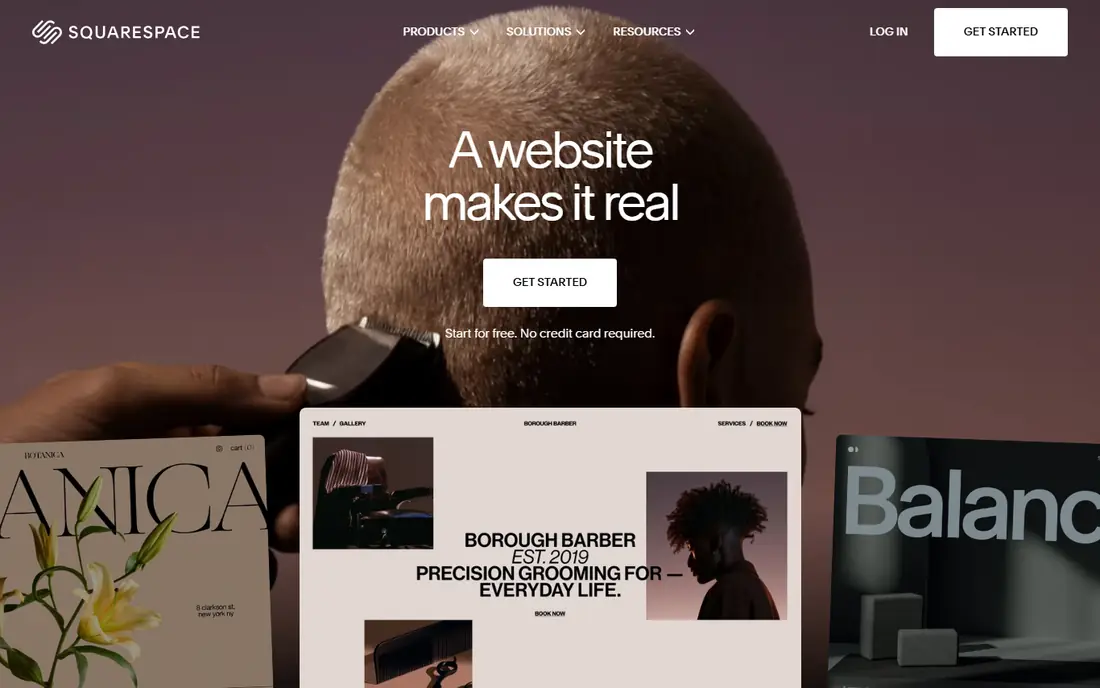
Squarespace is our pick for most small businesses that want a site that looks refined without hiring a designer. Templates are consistent, images sit well, and pages for services, menus, bookings and stores follow a clear pattern. The editor is less open ended than Wix, which is a benefit for owners who want good defaults rather than endless options.
The trade-off is flexibility. You get fewer third party apps and less freedom to place elements exactly where you want them, and there is no free plan to stay on long term. If your site is mainly about trust, services and a small store, Squarespace is a strong move. If you need many niche apps, check the app range before you switch.
- Polished templates for many industries
- Good built in blogging and store tools
- Clear editor for non technical owners
- Less app choice than Wix
- No permanent free plan, only a trial

Shopify is the clear pick once selling matters more than a simple web presence. It handles products, variants, discounts, shipping, taxes and checkout in one system, and it connects to social shops, marketplaces and point of sale tools. That depth saves time as order volume grows, since you are less likely to outgrow the platform.
For a brochure site with no store, Shopify is overkill and more costly than a builder like Hostinger or Square Online. The editor is also store first, so a portfolio or service site may feel less natural. If you plan to sell more than a handful of products, or sell across channels, Shopify is worth its price.
- Strong store, checkout and payment tools
- Large app and theme range
- Good for multi channel selling
- Higher cost for a simple brochure site
- Design control needs themes or code for deeper changes

WordPress.com suits owners who plan to publish often and grow a content library over time. Blogging tools, categories, tags and search settings are mature, and the platform can grow from a simple site to a larger store or membership site. The free plan lets you test the basics before you pay.
The catch is that the cheapest paid plan is basic, and plugins, custom themes and deeper store tools sit on higher tiers. That can surprise owners who expect full WordPress freedom at the entry price. If content is your main growth channel and you are willing to learn the system, WordPress.com is a flexible long term home.
- Strong blogging and content tools
- Large theme and plugin range on higher plans
- Free plan for testing
- Best features need higher plans
- Site setup takes more learning than drag and drop builders
Hostinger is our pick for budget first owners who need a credible site quickly. The builder creates a first draft from your business details, hosting and security are bundled, and the monthly cost is far below most rivals. For a first site, a side project or a local service page, that value is hard to ignore.
Design options are more limited than Squarespace or Webflow, and intro prices rise at renewal, so check the renewal rate before you commit to a long term. Store tools are also basic compared with Shopify. If cost decides the choice and your needs are simple, Hostinger is a practical start that you can upgrade later.
- Low entry price with hosting included
- AI builder for a fast first draft
- Free domain on longer terms where offered
- Design polish is below Squarespace
- Renewal prices are higher than intro prices
Webflow suits designers and marketing teams who want pixel level control without writing all the code by hand. You can build custom layouts, manage content collections, set search details page by page, and publish a fast site. The free plan is useful for learning and for staging a design before launch.
That control comes with learning time. Webflow is not a quick drag and drop builder for a first time owner, and pricing can confuse, since site plans and workspace plans are separate. If you value design freedom and search control and you have time to learn, Webflow rewards the effort. If you want a site live today with little effort, a simpler builder fits better.
- Fine control over layout and styling
- Good search and CMS tools
- Free plan for learning and staging
- Steeper learning curve than Wix
- Pricing varies by site and workspace needs
Framer is a strong pick for portfolios, landing pages and marketing sites where look and motion matter. Templates feel current, pages load quickly, and the editor gives designers room to shape type, spacing and animation. The free tier lets you publish a personal site on a Framer domain and test the workflow.
Framer is not a full store platform, and it is less natural for a large blog or a complex business site with many integrations. If your site is mainly about impressing visitors and capturing leads, Framer is excellent. If you need a full store, bookings and many apps, pair it with other tools or choose Shopify or Squarespace instead.
- Modern, design led templates
- Smooth animations and interactions
- Free tier for personal sites
- Store and complex app features are limited
- Less suited to large content sites
GoDaddy suits owners who want a simple site online with little fuss. The builder asks a few questions, creates pages for services, hours and contact details, and bundles domain and email options that many small businesses need. If you have a domain with GoDaddy already, setup is even smoother.
The limit is depth. Templates and layouts are simpler than Squarespace or Webflow, and store or content features will not match Shopify or WordPress.com. For a local business that needs hours, services, photos and a contact form, that simplicity is a benefit. For a design led brand or a growing store, look higher up this list.
- Very fast setup with AI help
- Bundles domain, email and marketing tools
- Good for a first business site
- Design flexibility is limited
- Advanced store and content tools are basic
Duda is built for agencies, freelancers and teams that build sites for clients. You can manage many sites from one dashboard, reuse sections and widgets, collect client feedback, and hand over a site with clear roles. Local business widgets for hours, reviews and maps help service businesses look complete quickly.
For a single owner building one site, Duda is more platform than needed, and the price reflects agency use. If you build sites for others, though, Duda can save hours per client compared with a general builder. Check the trial and the per site pricing model, since costs depend on how many client sites you run.
- Built for building many client sites
- Client approval and team tools
- Good widgets for local businesses
- Priced for agencies, not solo owners
- Less well known to end clients
Square Online is the best free start for a local business that already uses Square for payments. You can list products, take orders for pickup or delivery, and sync stock with a Square point of sale system. The free plan is genuinely usable for a small store, which is rare among builders.
Design freedom is limited, and larger stores will need paid plans for custom domains, advanced shipping and marketing tools. If you sell in person and online, Square Online keeps both sides in sync with little extra work. If you need a highly designed brand site, Squarespace or Framer will serve you better.
- Free plan for a basic store
- Ties in with Square payments and point of sale
- Simple setup for local sellers
- Design options are limited
- Advanced store features need paid plans
How we picked these
We compared official feature pages, pricing pages and plan tables for each builder, and kept only builders that are live and usable in October 2026. We looked for a clear use case, such as stores, portfolios, content or agency work, and we noted where intro prices differ from renewal prices. We did not claim hands-on testing we did not do, and we left out Wix itself, since this list is for alternatives. Where a price could not be verified from the vendor page at the time of writing, we wrote See website rather than guessing.
What to check before you switch
Start with what the site must do in the first 90 days. If you need bookings and a contact form, most builders here cover it. If you need a store, check product limits, payment fees and shipping options on the plan you will actually buy, not the headline plan.
Check domains, branding and renewal prices
Free plans usually show builder branding and use a builder subdomain. The real entry point for a business site is often the cheapest plan that allows a custom domain and removes branding. Also check renewal prices, since intro rates for Hostinger and others rise after the first term.
Plan the move, not just the build
Export text, images and product details before you cancel Wix, and keep the old site live until the new one is indexed and tested. Set up redirects where possible, test forms and checkout on a phone, and update your Google Business Profile link once the new site is ready.
Frequently asked questions
What is the best free alternative to Wix?
WordPress.com, Webflow, Framer, GoDaddy and Square Online all offer free tiers, but they differ in branding, domains and features. Square Online is the strongest free store start, while WordPress.com suits free content sites. For a business site, budget for a paid plan that allows a custom domain.
Which Wix alternative is best for online stores?
Shopify is the best pick for growing stores, thanks to checkout, payments and multi channel tools. Square Online suits small local stores, especially if you already use Square. Squarespace suits small stores where design matters more than complex store features.
Is Squarespace better than Wix?
Squarespace suits owners who want polished templates and a calmer editor, while Wix suits owners who want more apps and layout freedom. Neither is better for everyone. Choose Squarespace for design led service and portfolio sites, and look elsewhere if you need many niche apps.
Can I move my Wix site to another builder?
You cannot move a Wix site as a whole to another builder, since Wix sites are tied to its platform. You can export content manually, rebuild pages in the new builder, and keep your domain by pointing it to the new site. Allow time for rebuilding and for search engines to pick up the new pages.
Which Wix alternative is cheapest?
Hostinger Website Builder has the lowest entry price in this list, and Square Online offers a free store start. Check renewal prices, domain costs and payment fees, since the cheapest headline price is not always the cheapest total cost over a year.
Sources
See where you really rank - block by block
ProMapRanker scans Google Maps across a grid of your service area. Simple monthly plans from $19, white-label on every plan.
Start freeKeep reading
 zscaler alternatives
Best Zscaler Alternatives in 2026
Looking for zscaler alternatives? We compare 9 SASE and zero trust platforms on architecture, data protection, pricing, and fit for your network and team.
Read → zapier alternatives free
Best Zapier Alternatives Free in 2026
Nine automation tools for zapier alternatives free in 2026, all with genuinely free tiers, plus free plan limits, starting prices and upgrade paths explained.
Read → which platform is best for online reputation
Which Platform Is Best for Online Reputation in 2026
Wondering which platform is best for online reputation? We compare 8 review, listing, and response tools for small and multi-location businesses and agencies.
Read →