 ProMapRanker
Best Some Alternatives to Framer in 2026

Key takeaways
- Webflow is the strongest pick for structured content and code export, while Wix Studio and Squarespace suit faster all-in-one launches.
- WordPress still wins for large blogs and plugin choice, but you take on hosting, updates and security work yourself.
- Webstudio and Duda are worth a close look if you want less lock-in or tools built for managing many client sites.
- Free plans work for trying a builder, but a custom domain and a real site almost always need a paid plan.
Quick comparison
| Pick | Great for | Pricing starts at | Free tier | |
|---|---|---|---|---|
 Webflow | Design control and deeper CMS | $15 per month | Yes | Visit |
 Wix Studio | Agencies and all-in-one business sites | $19 per month | Yes | Visit |
 Squarespace | Creatives and polished portfolios | $19 per month | Free trial | Visit |
 WordPress | Content-heavy sites and plugins | Free | Yes | Visit |
 Duda | Agencies managing client sites | $19 per month | Free trial | Visit |
 Webstudio | Open-source visual building | $15 per month | Yes | Visit |
 Dorik | Fast landing pages for beginners | See website | Yes | Visit |
 Readymag | Design-led portfolios and editorials | See website | Yes | Visit |
 Pixpa | Portfolios, stores and client galleries | See website | Free trial | Visit |
The best some alternatives to framer
We compared site builders on design freedom, CMS depth, templates, hosting and price. Our pick for most designers who outgrow Framer is Webflow, because it pairs visual design with a stronger content system and code export. Readers who want the fastest launch should start with Wix Studio or Squarespace instead.

Webflow is the most common next step for Framer users who need more content structure. You design with a visual canvas that maps closely to web styling, build collections for blog posts, projects and team pages, and publish to Webflow hosting. That combination suits marketing sites, portfolios with a real blog, and small business sites that will grow over time.
Site pricing starts at $15 per month for a basic site, with higher plans for larger CMS needs. A free starter plan lets you design on a Webflow subdomain. The catch is learning time: classes, breakpoints and CMS setup take longer to master than a template-first builder. If design control and content depth matter more than same-day speed, Webflow is the strongest alternative here.
- Visual CSS-style design control
- Strong CMS for blogs and case studies
- Clean code export on suitable plans
- Steeper learning curve than Framer
- Site plans and workspace seats can add up

Wix Studio is Wix built for professionals, agencies and growing businesses. It offers responsive design controls, reusable sections, client management tools and a wide set of built-in business features, from bookings to online stores. For a freelancer or agency that needs to ship client sites fast, that all-in-one setup saves time on plugins and separate tools.
Pricing starts at $19 per month, and a free plan lets you build on a Wix subdomain. The trade-off is control: you do not get the same code export freedom as Webflow, and very custom builds may hit platform limits. Wix Studio is the pick when speed, business tools and client work matter more than deep code access.
- Responsive design tools and AI help
- Built-in bookings, stores and business apps
- Team collaboration features
- Less code control than Webflow
- Larger custom projects can feel constrained
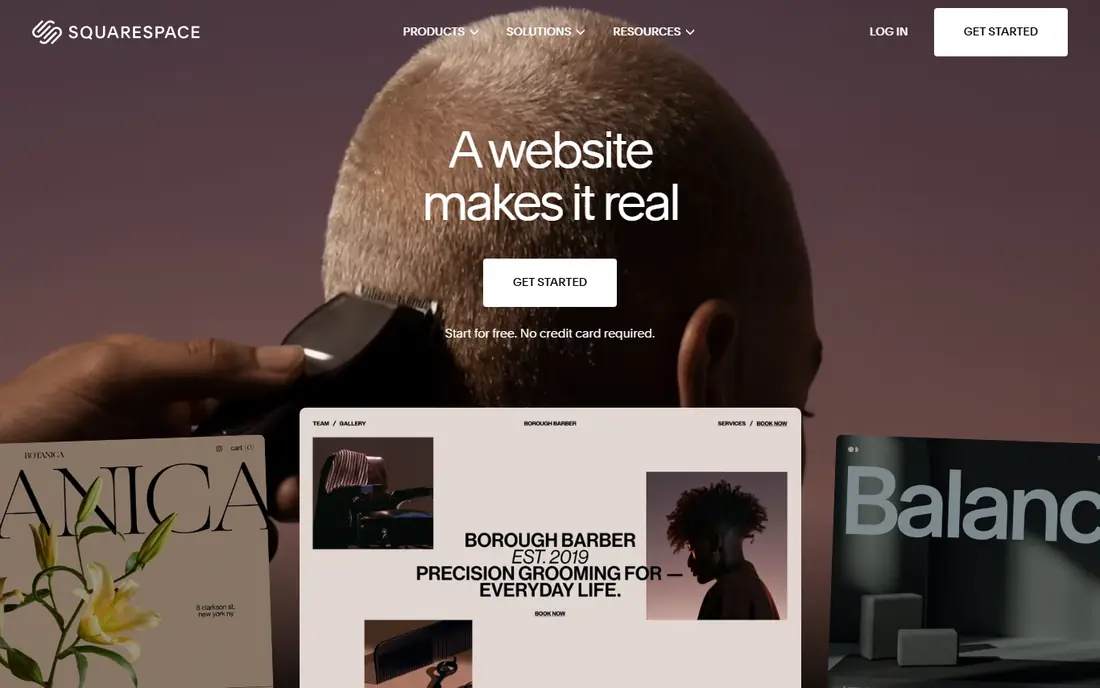
Squarespace is known for polished templates that look good with little effort, which makes it a favourite for photographers, designers, writers and small stores. Blogging, commerce, scheduling and email tools are built in, so you do not need to assemble a stack of plugins. Hosting, security and updates are handled for you, which keeps running costs predictable.
Paid plans start at $19 per month billed annually, with a free trial for testing. The limit is flexibility: if you want a highly custom layout or a complex content model, Squarespace will feel more restrictive than Webflow or Webstudio. For a beautiful portfolio or small store that needs to look professional fast, it remains a reliable choice.
- Curated designer templates
- Built-in blogging, stores and scheduling
- Managed hosting and support
- Template customisation is narrower than Webflow
- Advanced layouts need workarounds
WordPress powers a large share of the web for a reason: it is open, flexible and supported by thousands of themes and plugins. You can build a blog, a membership site, a directory or a store with WooCommerce, and you can move hosting whenever you need to. A visual page builder such as Elementor can add Framer-style editing on top, though that plugin has its own paid pricing.
The software itself is free, but hosting, a domain and any premium themes or plugins are extra, so a realistic budget is higher than zero. You also own maintenance, backups and security updates. WordPress is the best alternative when content volume, plugin choice or long-term ownership matters most, and you accept the extra upkeep.
- Open-source software with a huge plugin and theme library
- Full hosting choice
- Strong blogging tools
- You manage hosting, updates and security
- Costs rise with hosting and premium plugins
Duda is built for agencies and freelancers who manage many client websites. It includes client billing, content collection, team permissions and white-label options that make it easier to run a web design business, not just build one site. Local business widgets for reviews, bookings and maps also help service businesses get useful sites live quickly.
Basic pricing starts at $19 per month, with a free trial for testing. Higher plans add white-label branding and team features. Duda will not match Webflow for avant-garde design work, but for agencies that value speed, client workflow and repeatable site production, it is a practical Framer alternative.
- Client management and white-label options
- Fast site building tools
- Built-in widgets for local business needs
- Less design freedom than Webflow for unusual layouts
- White-label features sit in higher plans
Webstudio offers a visual builder with a model close to Webflow, but with open-source code and a self-hosting option. That matters for technical teams and designers who want Framer-style visual work without being tied to one hosted platform. You can design responsively, publish sites and connect content sources, while keeping more control over where the code lives.
A free tier covers staging and basic use, and the Pro plan starts at $15 per month billed annually. The community is smaller than the big builders, so templates and tutorials are fewer. Webstudio is the pick for teams that value openness and code control and are comfortable with a newer platform.
- Open-source builder with visual CSS control
- Self-hosting option
- No forced platform lock-in
- Smaller community than Webflow or Wix
- External CMS may be needed for larger content projects
Dorik focuses on getting landing pages and simple sites live with little friction. Its editor is straightforward, its AI tools can draft a starting site, and its free plan is unusually open for basic testing. For a freelancer, startup or small business that needs a clean landing page this week, Dorik removes most of the learning curve that comes with Webflow.
Check the current pricing page before you buy, because Dorik plan prices and billing terms have changed over time. The honest limit is scope: Dorik is not the tool for a large blog, a complex store or a highly custom design system. When speed and simplicity outrank depth, it is a sensible Framer alternative.
- Simple editor with a low learning curve
- AI site generation
- Unlimited sites on some plans
- Design depth is narrower than Webflow
- Advanced CMS work is limited
Readymag gives designers a free-form canvas for portfolios, editorial projects, presentations and brand sites. You can place elements with precision, work with typography and animation, and publish a site that feels more like a magazine spread than a template. That freedom appeals to studios, photographers and writers who care about layout as much as content.
A free plan covers basic projects, and paid plans add custom domains, more projects and advanced features. Check the vendor pricing page for current rates. Readymag is not the pick for a large store or a data-heavy site, but for a design-led showcase it is one of the most expressive alternatives in this list.
- Free-form design canvas for editorial layouts
- Strong typography and animation options
- Good for portfolios
- Less suited to large e-commerce or app-like sites
- Pricing should be checked on the vendor site
Pixpa is an all-in-one platform for creators who want a portfolio, a store, a blog and client galleries without paying separate tools. You can sell prints or products with no commission from Pixpa, share private galleries with clients, and publish blog posts from the same dashboard. That single-bill model suits photographers, artists and designers who sell work online.
A free trial covers full-featured testing, and paid plans are positioned at the lower end of this list, though you should check the current pricing page for exact rates. Pixpa will not replace Webflow for complex custom design, but for creators who want everything in one place, it is a strong and affordable Framer alternative.
- Portfolio, store, blog and client galleries on one plan
- No commission on sales
- Simple setup for creators
- Design system is less deep than Webflow
- Advanced custom code options are limited
How we picked these
We compared official pricing pages, feature documentation and template libraries for each builder, and we kept only live products that can publish a real website in October 2026. We included visual builders, all-in-one platforms, an open-source option and WordPress, so readers can weigh design control against speed and ownership. We did not claim hands-on testing we did not do, and where a price could not be verified cleanly we wrote See website rather than guessing.
What to check before you choose
Start with the site you need in a year, not just the landing page you need today. Count pages, blog posts, products and team members, and check CMS limits, storage and bandwidth on the plan you would actually buy. A builder that is perfect for ten pages can become costly or cramped at one hundred.
Next, test migration and ownership. Ask whether you can export code or content, redirect old URLs, and keep your domain if you leave. Also test the editor with your real content, including long headlines, wide images and mobile layouts, because a template demo can hide awkward spacing. A short trial with real material tells you more than a feature list.
Frequently asked questions
Is Webflow better than Framer?
Webflow is better for deeper CMS work, structured content and code export, while Framer is often faster for animation-heavy landing pages. If your site is mainly a marketing page, Framer may still suit you, but for a growing content site Webflow is the stronger pick.
What is the cheapest Framer alternative?
WordPress software is free, though hosting is extra, and Pixpa and Dorik sit at the lower end of paid pricing in this list. Check current pricing pages, because intro rates and annual billing terms change the monthly cost.
Can I move my Framer site to another builder?
You can usually rebuild a Framer site elsewhere and keep your domain, but there is no one-click export that preserves every animation and CMS item exactly. Plan for a rebuild, set up redirects, and export your content and images before you cancel.
Which alternative is best for a portfolio?
Squarespace, Readymag and Pixpa are the strongest portfolio picks here. Squarespace offers polished templates, Readymag offers free-form editorial layouts, and Pixpa adds client galleries and selling on the same plan.
Do these builders include hosting?
Webflow, Wix Studio, Squarespace, Duda, Webstudio cloud plans, Dorik, Readymag and Pixpa include hosting. WordPress needs hosting you arrange yourself, while Webstudio also offers a self-hosting option.
Which alternative is best for agencies?
Duda and Wix Studio are built for agency work, with client management, team tools and repeatable site production. Webflow also works well for agencies that need design depth, though its seat and site pricing needs careful budgeting.
Sources
See where you really rank - block by block
ProMapRanker scans Google Maps across a grid of your service area. Simple monthly plans from $19, white-label on every plan.
Start freeKeep reading
 zscaler alternatives
Best Zscaler Alternatives in 2026
Looking for zscaler alternatives? We compare 9 SASE and zero trust platforms on architecture, data protection, pricing, and fit for your network and team.
Read → zapier alternatives free
Best Zapier Alternatives Free in 2026
Nine automation tools for zapier alternatives free in 2026, all with genuinely free tiers, plus free plan limits, starting prices and upgrade paths explained.
Read → which platform is best for online reputation
Which Platform Is Best for Online Reputation in 2026
Wondering which platform is best for online reputation? We compare 8 review, listing, and response tools for small and multi-location businesses and agencies.
Read →