 ProMapRanker
Software Patching Best Practices in 2026


Budget teams wanting dedicated patching · Pricing starts at: See website
Key takeaways
- This is a practices guide, so the tools below are real patch management platforms that put the practices into practice, not invented products.
- Patch on a fixed cycle, test critical updates first, and keep a clear rollback plan for any patch that breaks a key app.
- Prioritize by risk, not by age alone, since a critical flaw in a public-facing system outranks a low-risk update on an isolated machine.
- Automate third-party app patching too, since browsers, office tools, and runtimes are common entry points.
- Report compliance by device group, not just as one company-wide percentage, so weak groups cannot hide behind a good average.
Quick comparison
| Pick | Great for | Pricing starts at | Free tier | |
|---|---|---|---|---|
| ManageEngine Patch Manager Plus | Budget teams wanting dedicated patching | See website | Yes | Visit |
 Automox | Distributed fleets across operating systems | See website | Free trial | Visit |
 NinjaOne | IT teams and MSPs with broad endpoint work | See website | Free trial | Visit |
 PDQ Connect | Windows-heavy small teams | $12 per device per year | Free trial | Visit |
 Ivanti Neurons for Patch Management | Vulnerability-led enterprise patching | See website | No | Visit |
 Qualys Patch Management | Security teams with vulnerability data | See website | Free trial | Visit |
 Atera | Teams with many endpoints per technician | $129 per month per technician | Free trial | Visit |
 Action1 | Small Windows fleets that want free patching | Free | Yes | Visit |
 Heimdal | Patching with security visibility | See website | Free trial | Visit |
The best patch management tools for putting practices into practice
Good patching is a habit, not a one-time project. It needs a cycle, a test step, a maintenance window, and a report that shows which devices are still behind. We compared official pricing pages, feature pages, and public documentation, and we favored tools with automated policies, third-party patching, reboot controls, and compliance reporting.
ManageEngine Patch Manager Plus
Great for: Budget teams wanting dedicated patching
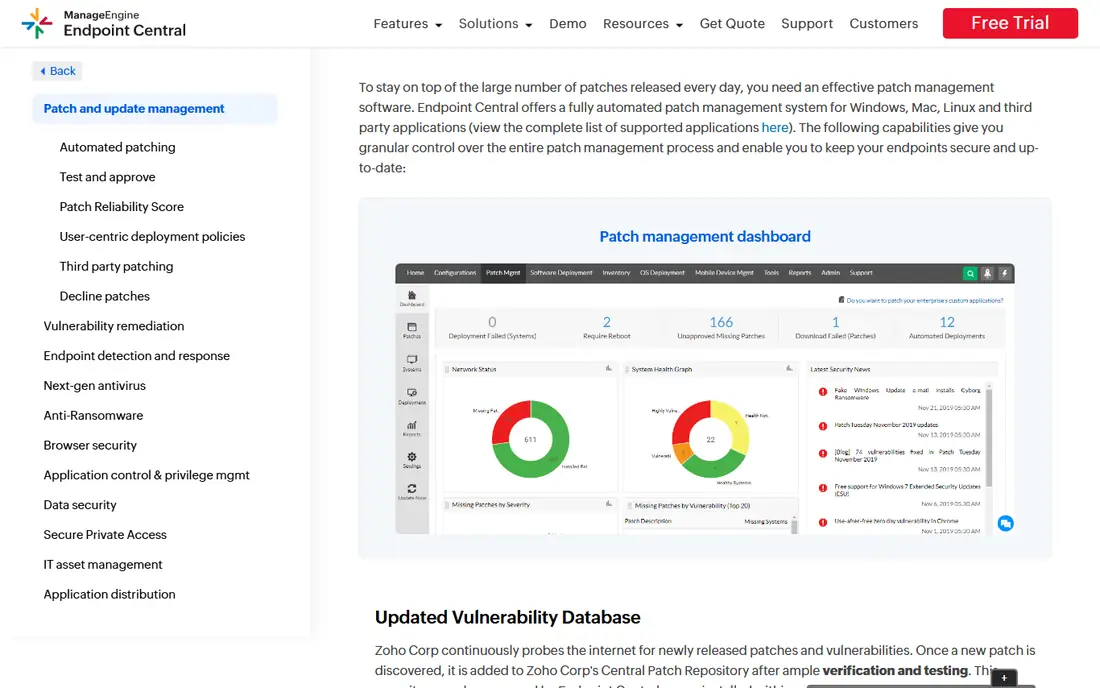
ManageEngine Patch Manager Plus is a dedicated patching tool that covers Windows, Mac, and Linux plus many third-party applications. It supports automated patch policies, test groups, and deployment windows, and it produces audit and compliance reports that show which machines are patched and which are not. A free edition covers up to 20 computers and 5 servers in recent listings, which suits a small team or a pilot.
The interface packs in a lot of options, so new admins should start with one policy and one test group before scaling. Larger fleets also need bandwidth and distribution planning. For a budget-conscious team that wants patching as the main job, not as a side feature, this is a strong pick.
- Dedicated patching for OS and third-party apps
- Free edition for small fleets
- Detailed compliance reports
- Interface is dense at first
- Larger deployments need planning

Automox suits teams with remote or distributed devices, since it runs from the cloud and does not need a local server. It covers Windows, Mac, and Linux, offers recommended policies for a regular patch cycle, and lets admins build Worklets, which are reusable scripts for configuration and remediation tasks. Vulnerability data can be imported from tools such as CrowdStrike or Qualys to guide patch order.
The trade-off is breadth. Automox is patching-led, so remote control, ticketing, and asset reporting are lighter than on a full RMM platform. Pricing in recent listings starts around 1 dollar per endpoint per month for the PatchOS module on an annual commitment, with fuller pricing higher. For patching-first teams, it is a clean, cloud-native choice.
- Cloud-native patching for Windows, Mac, and Linux
- Recommended best-practice policies
- Scripted Worklets
- Remote control and ticketing are lighter than full RMM tools
- Mac automation is thinner than Windows
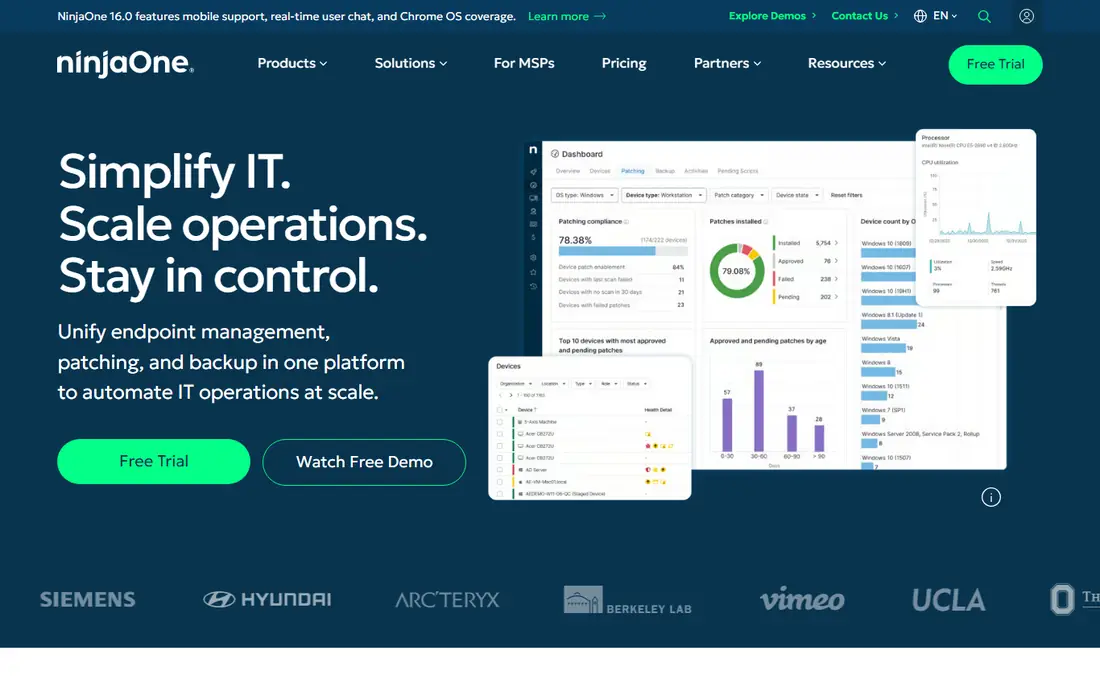
NinjaOne combines patch management with monitoring, scripting, remote access, and asset tracking, which suits IT teams and MSPs that manage many clients from one console. Patch policies cover Windows, Mac, and Linux, and automation can handle approval, scheduling, and reboot steps. Teams often report fast deployment, which matters when you need compliance reporting quickly.
Pricing is volume-based and quote-based, with recent listings citing a range from about 1.50 dollars to 3.75 dollars per device per month depending on volume. The PSA product is sold separately, so total cost needs that check. For a team that wants patching inside a broader endpoint platform, NinjaOne is a leading option.
- Strong patch automation plus monitoring and remote access
- Clean interface
- Fast deployment
- Exact pricing by quote
- PSA is a separate product
PDQ Connect is built for small IT teams and MSPs that manage Windows-heavy fleets and want patching without a large platform learning curve. Pricing in recent listings starts at 12 dollars per device per year for Basic, with Plus and Premium tiers higher, and a 14-day trial is offered. Automated patch policies, third-party app coverage, and CVE-linked remediation help a small team close gaps quickly.
Mac and Linux support is thinner than on Automox or NinjaOne, so a mixed fleet should check coverage first. It also lacks some MSP billing depth found in larger platforms. For a Windows-first team that wants simple, affordable patching, PDQ Connect is hard to beat.
- Simple per-device pricing
- Strong Windows and third-party patching
- Fast setup for small teams
- Windows focus limits Mac and Linux depth
- Fewer MSP billing tools than larger RMM platforms
Ivanti Neurons for Patch Management
Great for: Vulnerability-led enterprise patching
Ivanti Neurons for Patch Management suits mid-market and enterprise teams that want patching driven by vulnerability risk, not just by update age. It ties patch data to vulnerability findings, helps teams prioritize the flaws that matter most, and reports compliance across large fleets. That risk-led view is valuable when a team cannot patch everything at once.
Pricing is quote-based, and the vendor does not publish a simple list price. Implementation and tuning also take time, especially for large, varied fleets. For a security-mature enterprise team, Ivanti is a strong choice, but smaller teams may prefer a simpler tool.
- Vulnerability-led patch prioritization
- Enterprise scale
- Risk-based reporting
- Quote-based pricing
- Setup and tuning take time
Qualys Patch Management fits security teams that already use Qualys for vulnerability scanning, since patching and vulnerability data live in one workflow. A team can find a flaw, see which assets carry it, and push the patch from the same console, then verify the fix on the next scan. That closed loop reduces the gap between finding a risk and fixing it.
Pricing is per asset and quote-based, and the tool works best as part of a wider Qualys setup, which adds cost. A team that only needs patching, without vulnerability management, may find a simpler tool cheaper. For security-led patching, Qualys is a powerful option.
- Patching tied to vulnerability management
- Strong asset and risk reporting
- Cloud platform
- Quote-based per-asset pricing
- Best value when paired with other Qualys tools
Atera prices per technician rather than per device, which suits teams with a high endpoint-to-technician ratio. Recent listings put Pro at 129 dollars per month per technician billed annually, with higher tiers above it, and a 30-day trial is offered. Patch management sits alongside remote access, monitoring, scripting, and ticketing, so a small team can run most endpoint work from one console.
Mac support lags Windows, and the integration set is thinner than NinjaOne. Teams with many Macs should trial that side first. For a team where per-device pricing would punish growth, Atera pricing model is a real advantage.
- Per-technician pricing with unlimited endpoints
- Patching plus remote access and monitoring
- Clear published pricing
- Mac support lags Windows
- Integration catalog is thinner than NinjaOne
Action1 offers a rare deal for small Windows teams, with the full platform free for the first 100 endpoints in recent listings, with no functional limits on that tier. It covers OS and third-party patching, remote access, and reporting from a cloud console, which makes it easy to pilot without a purchase. A startup or small office can reach solid patch compliance at no cost.
The focus is Windows, so mixed fleets need to check Mac and Linux coverage. Paid pricing for fleets above 100 endpoints is quote-based, so growth cost needs a conversation. For a small Windows fleet, Action1 is the best free starting point on this list.
- Full platform free for up to 100 endpoints
- Real patch management, not a demo
- Cloud-based
- Windows focus
- Paid pricing for larger fleets is quote-based
Heimdal combines patch management with security visibility, including vulnerability data and threat tools, which helps a team see why a patch matters, not just that it is missing. Automated third-party patching covers common applications, and reporting shows compliance by group. That security context suits teams where patching reports go to security leadership as well as IT.
Pricing is quote-based, and the wider platform may exceed what a patching-only buyer wants. A team should trial the patching module on its own terms before buying the full suite. For patching with a security lens, Heimdal is a strong enterprise-friendly option.
- Patching plus vulnerability and threat visibility
- Automated third-party patching
- Good reporting
- Quote-based pricing
- Full platform can be more than a patching-only team needs
How we picked these
We compared official pricing pages, feature pages, and public documentation for tools that automate OS and third-party patching and report compliance. We kept only tools that are live, that support scheduled policies and reboot controls, and that truly fit patch management rather than general IT tools with a patch checkbox. We favored tools with test groups, risk-based prioritization, and reporting by device group.
Software patching best practices that matter most
Run patching on a fixed cycle, such as weekly for standard updates and faster for critical flaws, and publish the window so users can plan around reboots. Test patches on a small group that mirrors your real apps before wide rollout, and keep a rollback plan for any patch that breaks a key system. Document exceptions clearly, with an owner and an expiry date, so an unpatched device is a known decision, not a forgotten one.
Prioritize by risk and exposure. A critical flaw on a public-facing server or a widely used browser outranks a low-risk update on an isolated machine, even if the second update is older. Patch third-party apps on the same cycle as the OS, since browsers and office tools are frequent targets. Finally, report compliance by group, such as servers, laptops, and remote devices, and chase the weakest group first, since attackers look for the least patched corner.
Frequently asked questions
What are software patching best practices?
The core practices are a fixed patch cycle, testing on a small group first, risk-based prioritization, automated third-party patching, clear reboot windows, and compliance reporting by device group. Keep exception records with owners and expiry dates. A steady cycle beats a rushed catch-up after an incident.
What is the difference between patch management and patching best practices?
Patching is the act of applying an update, while patch management is the full process around it, including discovery, testing, scheduling, deployment, verification, and reporting. Best practices cover that full process, not just clicking update. A tool helps, but the cycle, testing, and reporting habits decide whether patching actually reduces risk.
How often should software be patched?
Most teams patch on a weekly cycle for standard updates, with faster out-of-band patching for critical flaws, especially those already exploited in public. Servers and public-facing systems often need a tighter window than office laptops. Set the cycle in writing, publish maintenance windows, and stick to them so patching does not depend on spare time.
What is software patch management best practices for third-party apps?
Treat third-party apps, such as browsers, PDF tools, and runtimes, on the same cycle as the operating system, since they are common targets. Use a tool that automates third-party patching and reports which versions remain. Test updates for apps your business depends on, and remove unused apps, since an unpatched app you no longer use is still a risk.
Which patch management tool is best for small businesses?
Action1 is the best free start for small Windows fleets, while PDQ Connect suits Windows-heavy teams that want simple per-device pricing. ManageEngine Patch Manager Plus suits budget teams that want dedicated patching across operating systems. Trial the tool on your real fleet before you buy, since coverage and reboot behavior vary.
Sources
- https://www.manageengine.com/products/desktop-central/patch-management.html
- https://www.automox.com
- https://www.ninjaone.com
- https://www.pdq.com
- https://www.ivanti.com/products/neurons-patch-management
- https://www.qualys.com/apps/patch-management/
- https://www.atera.com
- https://www.action1.com
- https://heimdalsecurity.com
See where you really rank - block by block
ProMapRanker scans Google Maps across a grid of your service area. Simple monthly plans from $19, white-label on every plan.
Start freeKeep reading
 zoro.to alternatives
Best Zoro.to Alternatives in 2026
We compare the best zoro.to alternatives in 2026, listing only legal licensed anime streaming services, from Crunchyroll to free options for fans today.
Read → zip alternatives
Best Zip Alternatives in 2026
We compare the best zip alternatives for buy now, pay later in 2026, covering pay-in-4 plans, fees, spending limits, and credit reporting options today.
Read → yesware alternatives
Best Yesware Alternatives in 2026
Compare the best yesware alternatives for sales email tracking, templates, and sequences, with current pricing and honest tradeoffs for small sales teams.
Read →